
Your service principals probably don't need secrets
Application policies in Entra have been around for a while now to manage the use of secrets, but I don’t see many folks using them. It’s probably because secrets are still widely used, and an unlimited lifetime for secrets results in less yelling from developers. Everyone’s happy.
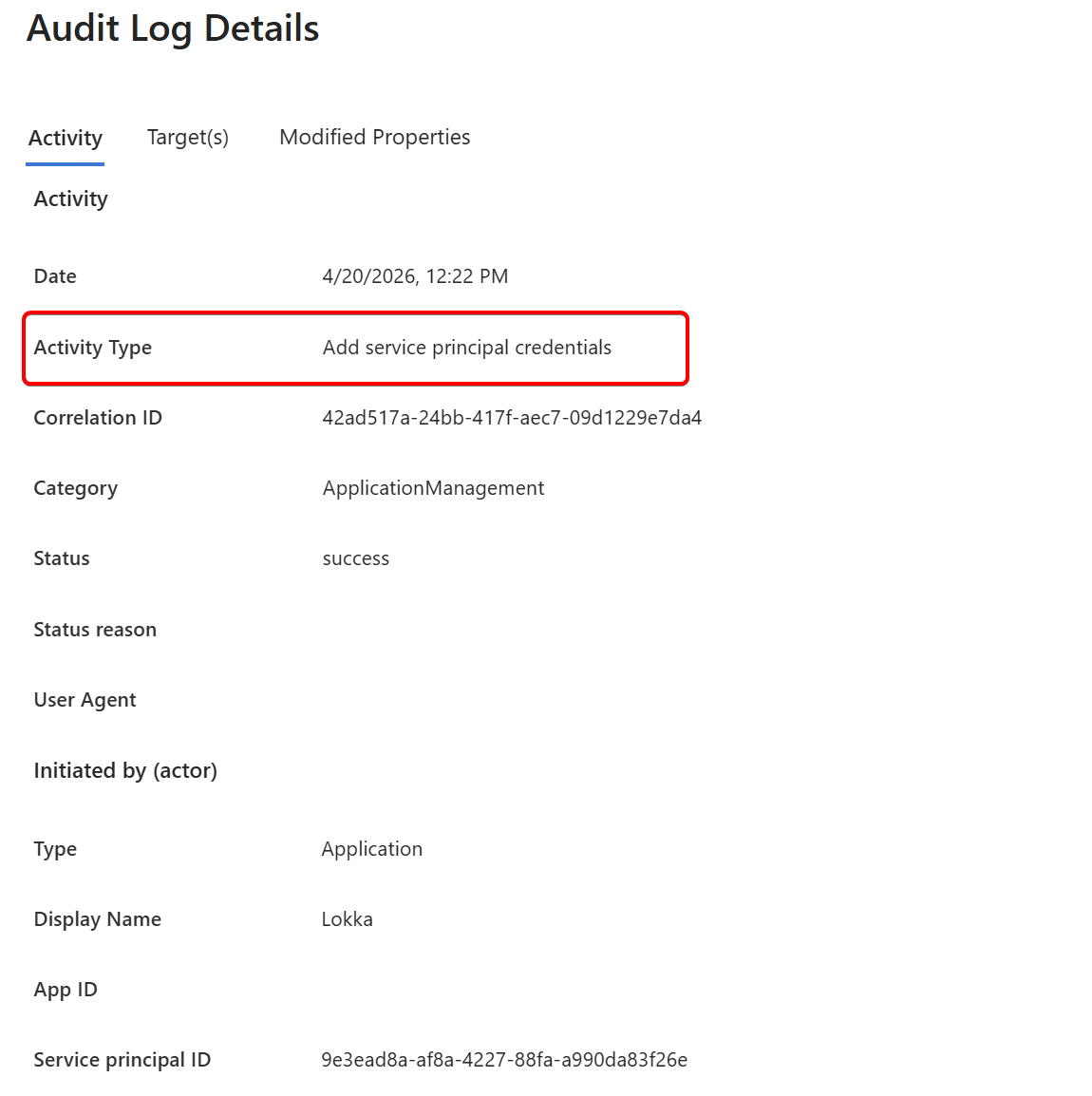
Yet, attackers love secrets and use them all the time. In obvious places, like app registrations, but
also on service principals, where you don’t expect them. You cannot see or add them in the UX, but they can be added via the Graph API.
POST https://graph.microsoft.com/v1.0/servicePrincipals/{id}/addPassword

{
  "passwordCredential": {
    "displayName": "My secret"
  }
}
So if you’re not a hacker, why not disable secrets on service principals? Well, I guess Microsoft is a bit to blame for that, as the interface for application policies cannot differentiate between applications and service principals.
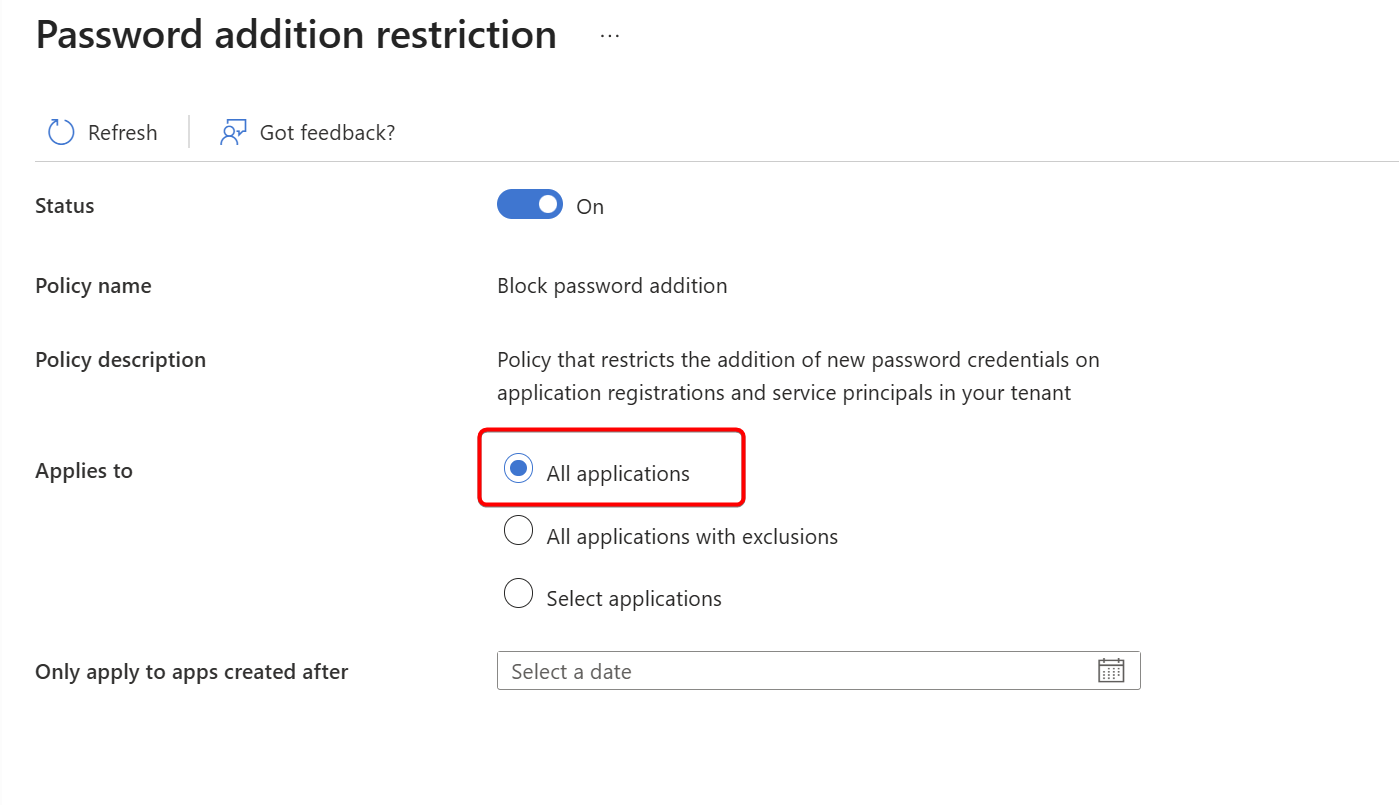
It’s an all-or-nothing switch, so admins need to go a step further to get a scoped policy in place. Let me help you with that, because this is a quick win, and I don’t expect much impact (except for some frustrated red-teamers and bad guys)
To understand this feature, focus on the API instead. Enabling this policy for all applications will update the tenant default policy, which covers both application restrictions and service principal restrictions.
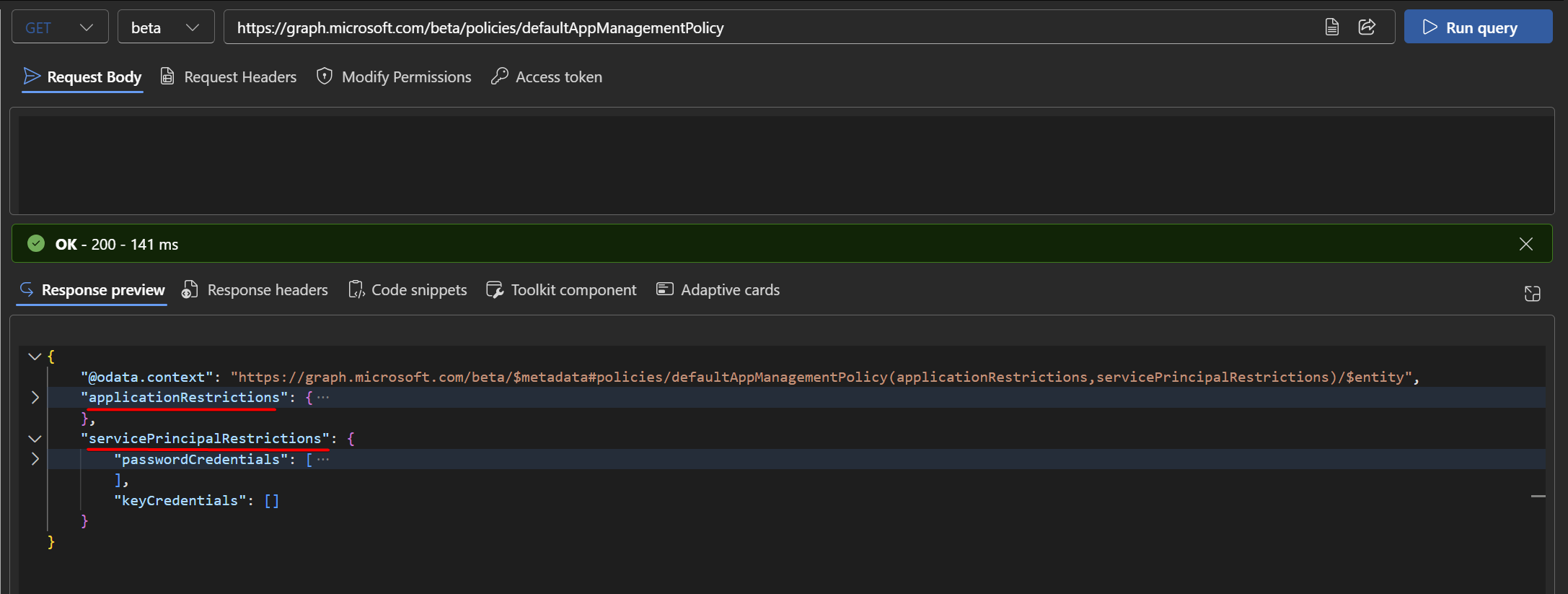
To block all (new) secrets for service principals, update the default policy using Graph Explorer:
PATCH https://graph.microsoft.com/v1.0/policies/defaultAppManagementPolicy

{
  "servicePrincipalRestrictions": {
    "passwordCredentials": [
      {
        "restrictionType": "passwordAddition",
        "state": "enabled",
        "maxLifetime": null,
        "restrictForAppsCreatedAfterDateTime": "0001-01-01T00:00:00Z"
      },
      {
        "restrictionType": "symmetricKeyAddition",
        "state": "enabled",
        "maxLifetime": null,
        "restrictForAppsCreatedAfterDateTime": "0001-01-01T00:00:00Z"
      }
    ]
  }
}
As I said, the UX doesn’t like this because you’re directly updating the policy at the Graph API level, so you won’t be able to see it in the Entra portal. Instead, use the API to manage these policies.

If you want to revert your change, simply run:
PATCH https://graph.microsoft.com/v1.0/policies/defaultAppManagementPolicy

{
  "servicePrincipalRestrictions": {
    "passwordCredentials": [
      {
        "restrictionType": "passwordAddition",
        "state": "disabled",
        "maxLifetime": null,
        "restrictForAppsCreatedAfterDateTime": "0001-01-01T00:00:00Z"
      },
      {
        "restrictionType": "symmetricKeyAddition",
        "state": "disabled",
        "maxLifetime": null,
        "restrictForAppsCreatedAfterDateTime": "0001-01-01T00:00:00Z"
      }
    ]
  }
}
So, with the policy in place, let’s try to add a secret to a service principal.
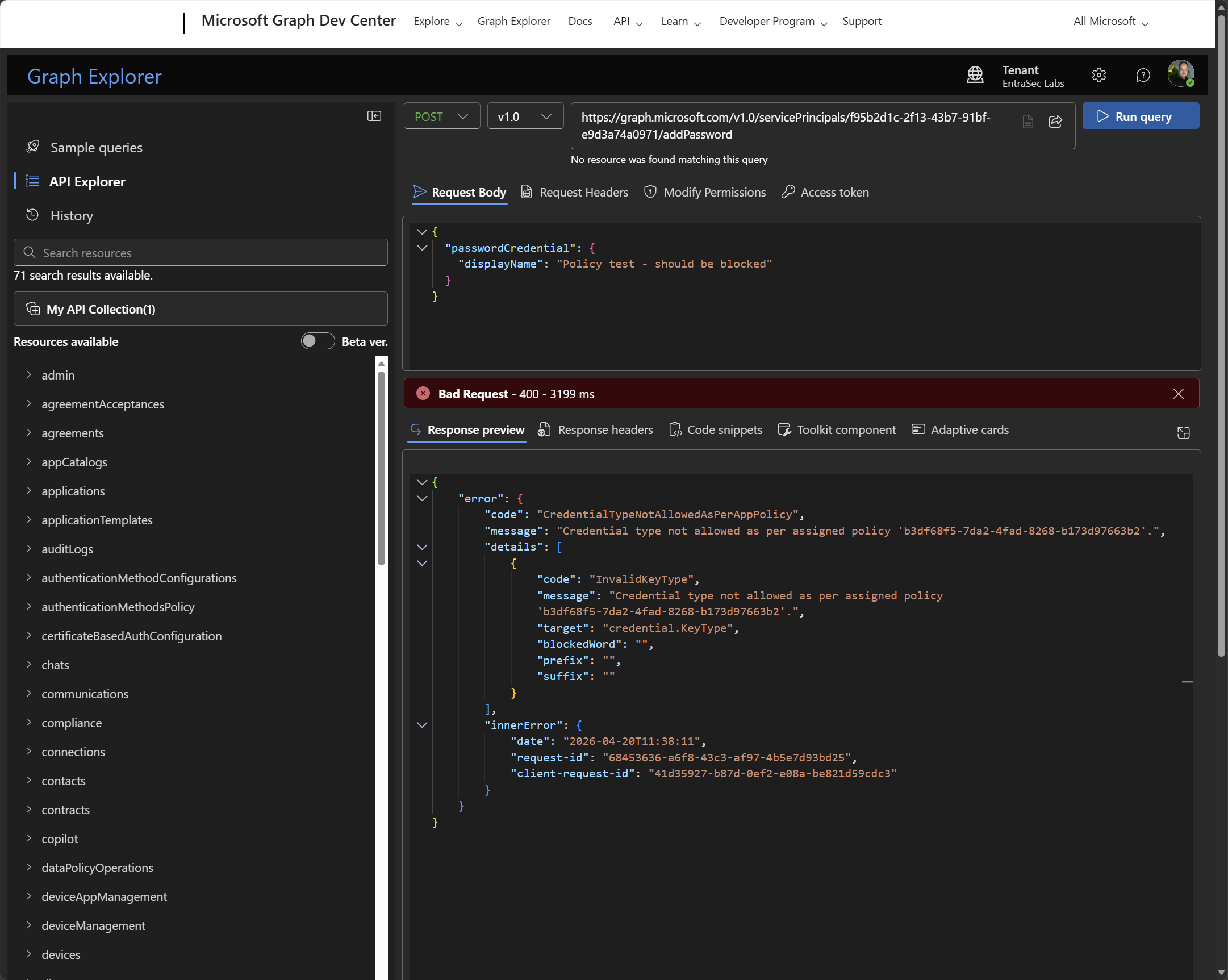
As expected, this is now blocked due to the policy.
If you don’t want to alter the default tenant policy, you can also create a separate policy, but you need to explicitly assign all your service principals to it.
POST https://graph.microsoft.com/v1.0/policies/appManagementPolicies

{
  "displayName": "Block SP password credentials",
  "description": "Blocks adding secrets to service principals. Assign to specific SPs to override tenant default.",
  "isEnabled": true,
  "restrictions": {
    "passwordCredentials": [
      {
        "restrictionType": "passwordAddition",
        "state": "enabled",
        "maxLifetime": null,
        "restrictForAppsCreatedAfterDateTime": "0001-01-01T00:00:00Z"
      },
      {
        "restrictionType": "symmetricKeyAddition",
        "state": "enabled",
        "maxLifetime": null,
        "restrictForAppsCreatedAfterDateTime": "0001-01-01T00:00:00Z"
      }
    ]
  }
}
Then assign the service principal to the policy:
POST https://graph.microsoft.com/v1.0/servicePrincipals/{sp-object-id}/appManagementPolicies/$ref

{
  "@odata.id": "https://graph.microsoft.com/v1.0/policies/appManagementPolicies/{policy-id}"
}
Let’s wrap up#
In general, this policy is probably better managed through API, as I also point out in other posts around this topic:
No, your NHIs can’t use passwords either! - JanBakker.tech
A public bug report for Entra ID application policies - JanBakker.tech
A closer look at Entra Application policies to govern secrets and certificates - JanBakker.tech
(Long-lived) Secrets pose a significant risk to Entra tenants, so we should eliminate them. Application policies are a great way to get started and set a baseline for all future applications in your tenant.
If you’re curious if there are any service principals in your tenant holding secrets, use this script to find them.
Stay safe!
Comments
Comments load when you scroll here.