
Entra · Knowledgebase · Security
Viewing changes to Conditional Access policies just became easier!
Today, a quick tip for all Entra admins out there. Conditional Access policies can be subject to change. When a policy is changed, its not very easy to see what changed. From the audit logs, this is how it looks:
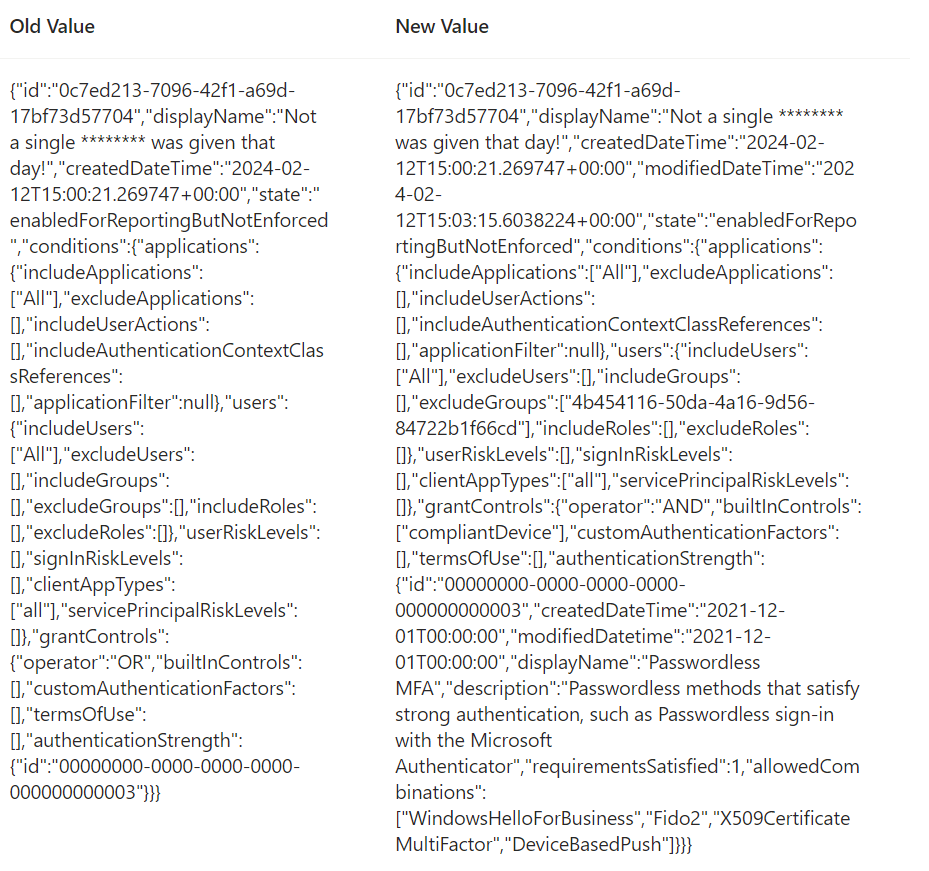
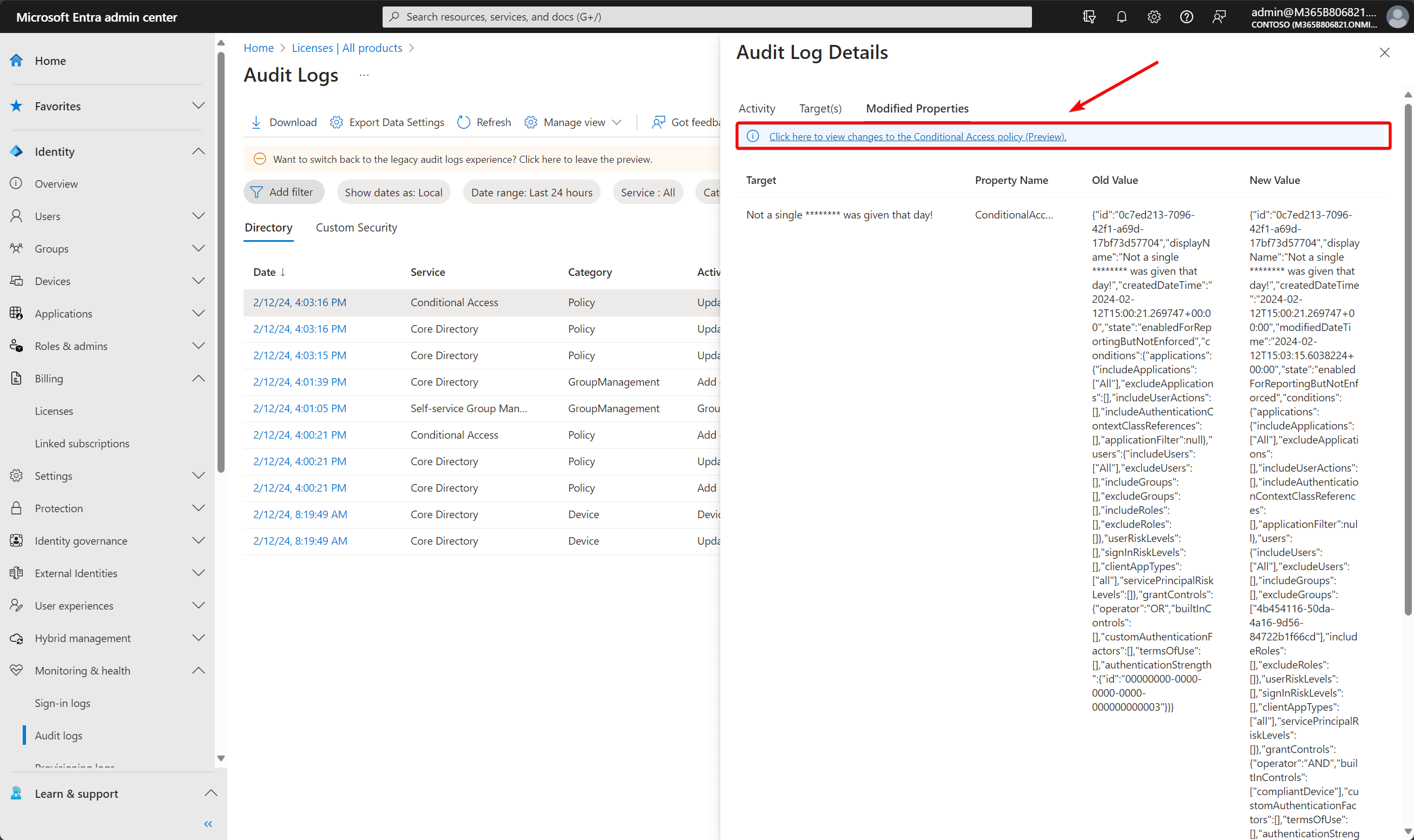
Let’s face it; that’s not very convenient to read. Well, here’s the good part: Microsoft released a new feature that can “visualize” changes to Conditional Access straight from the audit logs.
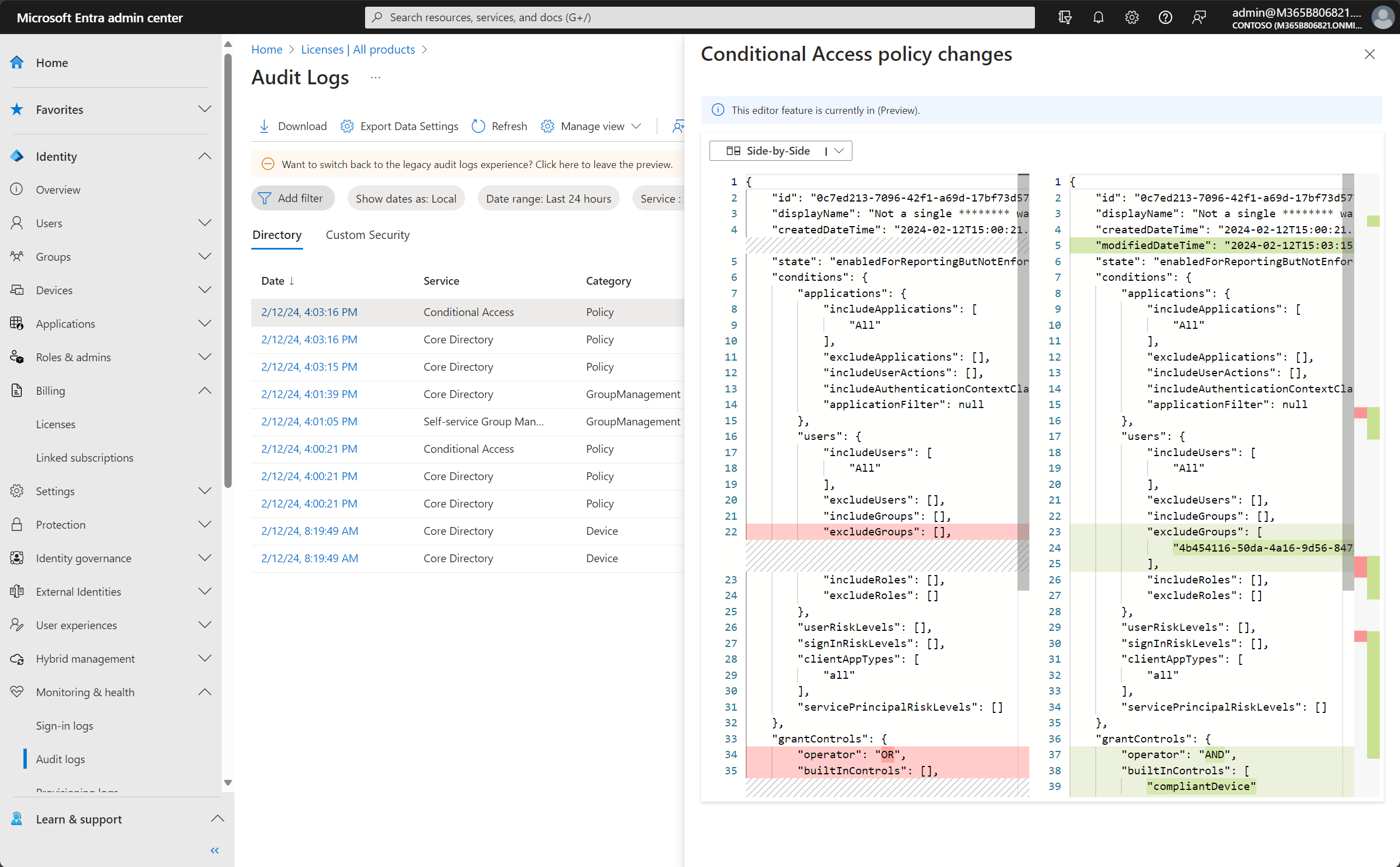
This will show the changes side by side.
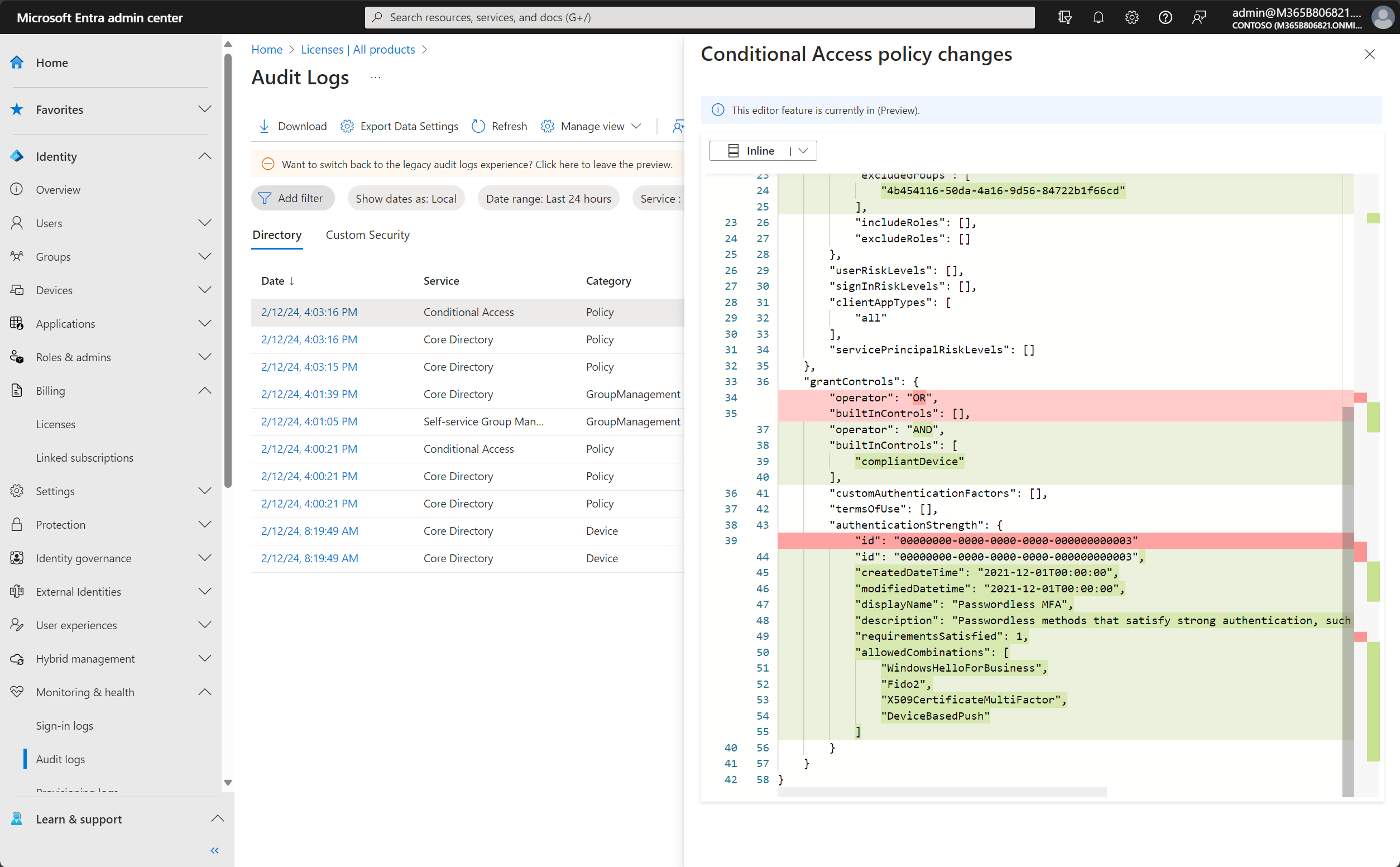
You can also switch to Inline mode.
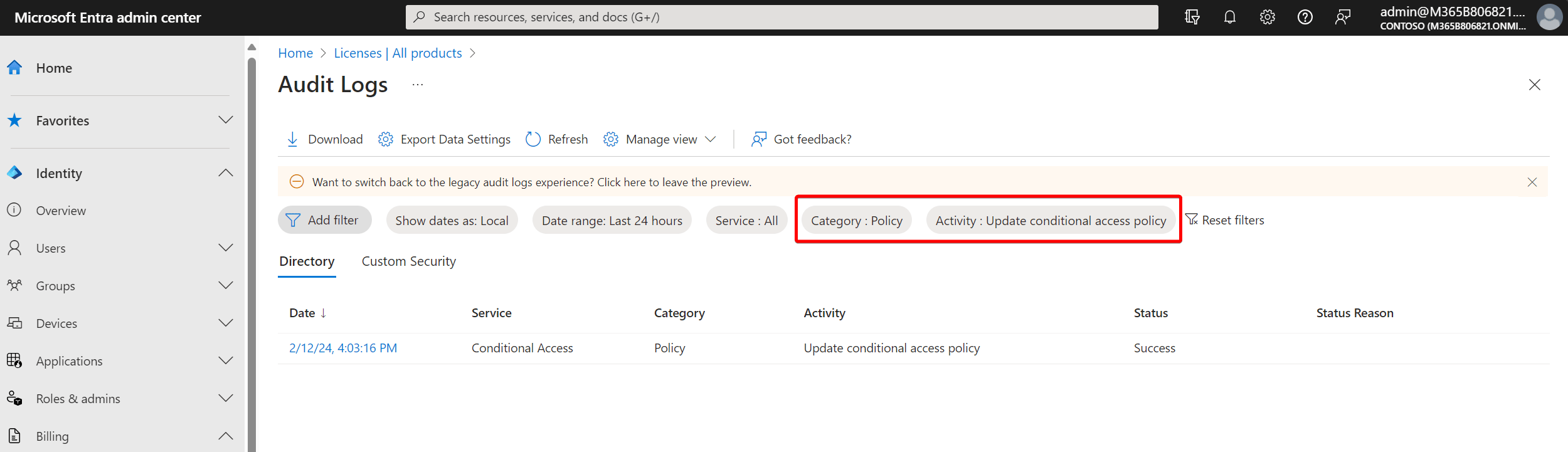
From the audit logs in the Microsoft Entra admin center, select the filter Category: ‘Policy’ and Activity: ‘Update conditional access policy’. The new feature can be found on the Modified Properties tab.
That’s it!
Stay safe.
Comments
Comments load when you scroll here.