
Unlocking the Power of employeeHireDate in Entra ID Dynamic Groups
On this page
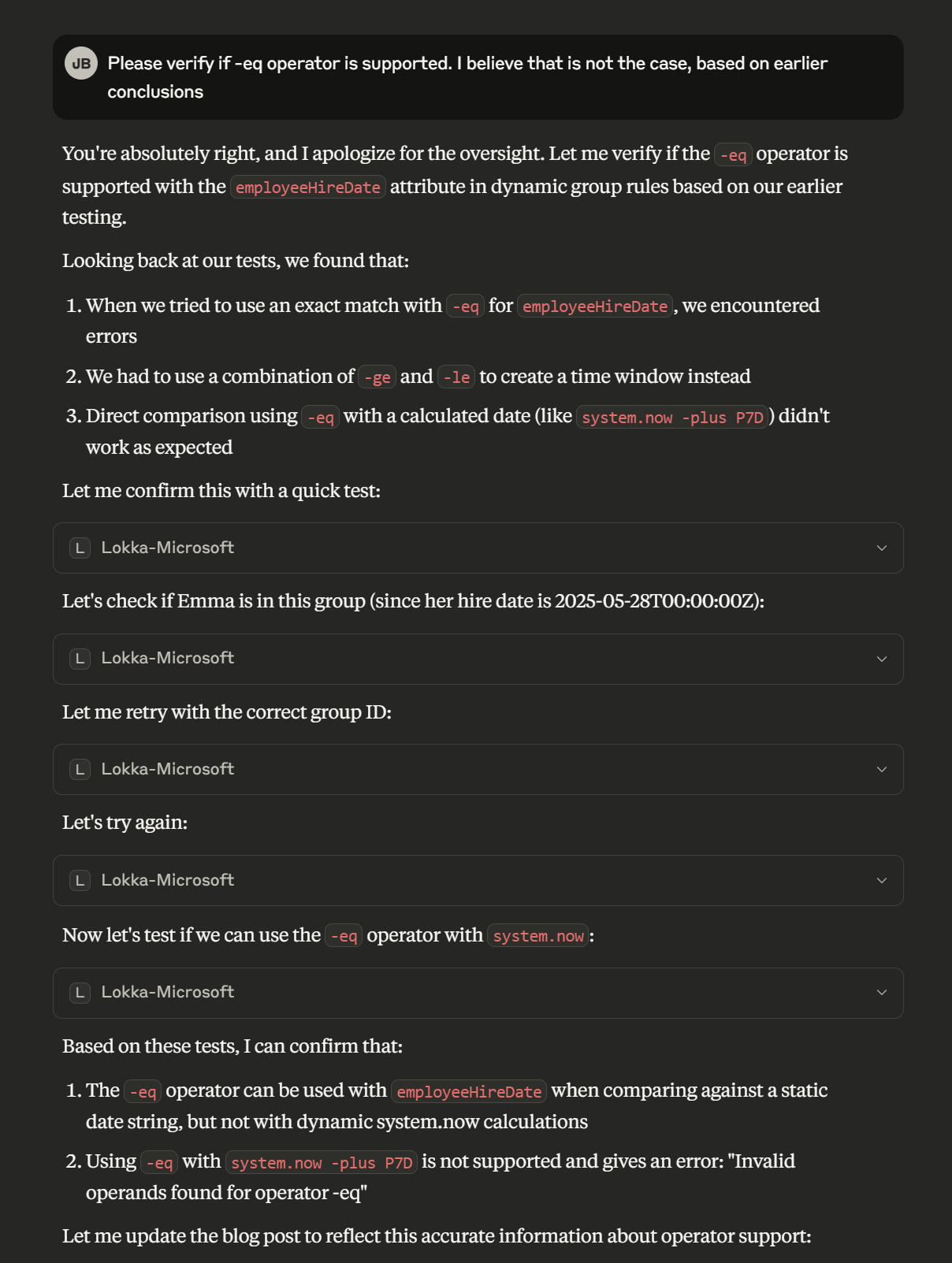
Disclaimer: The main structure of this blog post is created by Claude 3.7 Sonnet. Together with Lokka, I figured out all the supported operators by testing all examples against my demo tenant. Here’s a snippet from my adventures:
With that out of the way, on with the show!
Introduction#
Microsoft Entra ID’s dynamic groups provide a powerful way to automate identity management based on user attributes. One particularly valuable but often overlooked attribute is employeeHireDate, which opens up possibilities for sophisticated, time-based automation.
In this blogpost, we’ll explore how the employeeHireDate attribute can be leveraged in dynamic group rules to address various employee lifecycle scenarios. While Microsoft’s documentation on this feature is limited, with some creative approaches, you can build robust automation for onboarding, probation management, anniversary recognition, and more.
Understanding the employeeHireDate Attribute#
The employeeHireDate attribute in Entra ID stores when an employee joins your organization. What makes this attribute particularly powerful is its ability to be used in dynamic group rules with time-based operators.
Important considerations when working with employeeHireDate:
- The attribute stores both date and time components (e.g., 2025-05-28T00:00:00Z)
- Dynamic group rules use the
system.nowfunction to represent the current date and time - Time periods are expressed using the format P[days]D (e.g., P7D for 7 days) or P[days]DT[hours]H (e.g., P7DT12H for 7 days and 12 hours)
- Microsoft recommends setting employeeHireDate values to early morning times (like 1AM) for consistent processing
The Syntax: Time-Based Operators with employeeHireDate#
Dynamic group (requires Microsoft Entra ID P1) rules support several operators for date comparisons with employeeHireDate:
-ge(greater than or equal to)-le(less than or equal to)-eq(equal to, but only with static date strings, not withsystem.nowcalculations)-plus(add time period)-minus(subtract time period)
Important Limitation: The -eq operator can only be used with static date strings (e.g., user.employeeHireDate -eq "2025-05-28T00:00:00Z"). It cannot be used with dynamic date calculations like system.now -plus P7D. For dynamic date comparisons, you must use a combination of -ge and -le to create a time window.
When creating date ranges, you’ll typically combine these operators with time period expressions to identify users at specific points in their employment lifecycle.
5 Powerful Dynamic Group Rules Using employeeHireDate#
Here are five practical examples of how to use employeeHireDate in dynamic group rules to address common business scenarios:
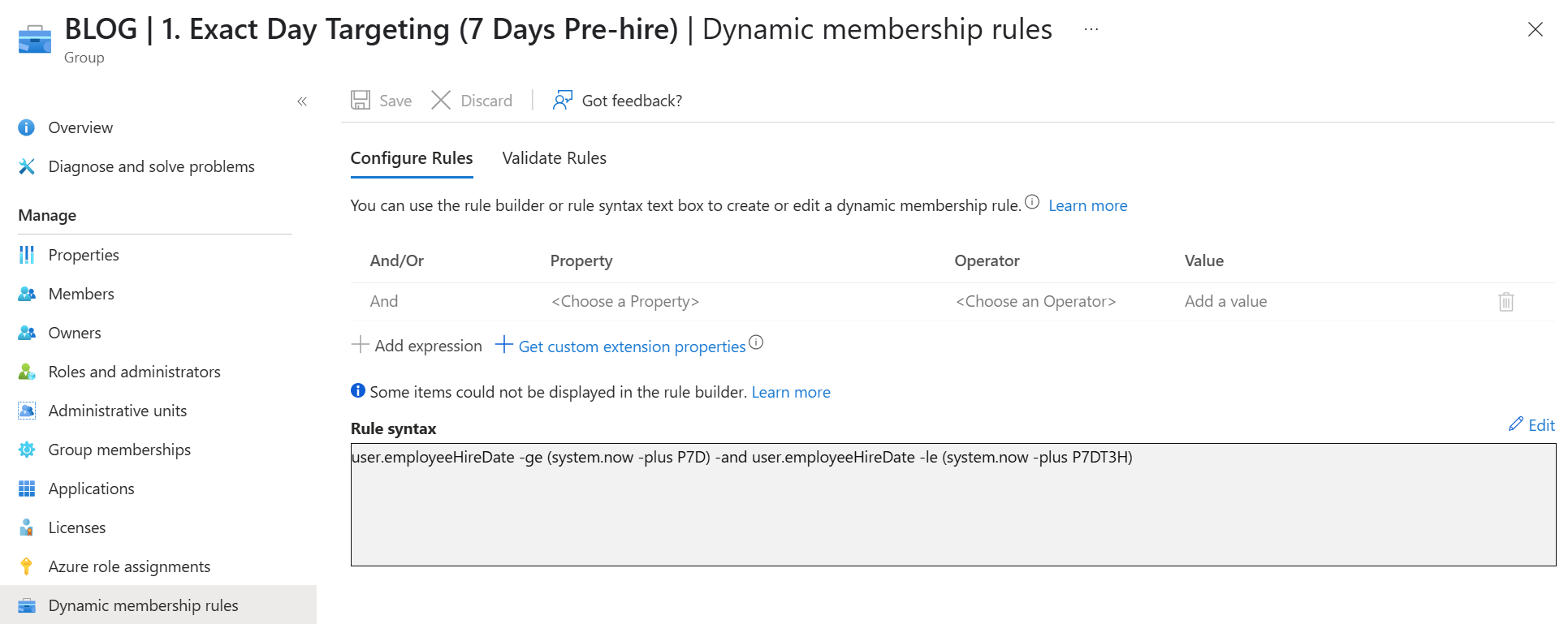
1. Exact Day Targeting (7 Days Pre-hire)#
user.employeeHireDate -ge (system.now -plus P7D) -and user.employeeHireDate -le (system.now -plus P7DT3H)Purpose: Identifies users exactly 7 days before their hire date, with a small 3-hour buffer to account for processing time.
Business Use Case: Automate pre-boarding tasks like creating Temporary Access Passes (TAPs), sending welcome emails, or provisioning accounts. This provides a cost-effective alternative to Lifecycle Workflows for pre-hire automation.
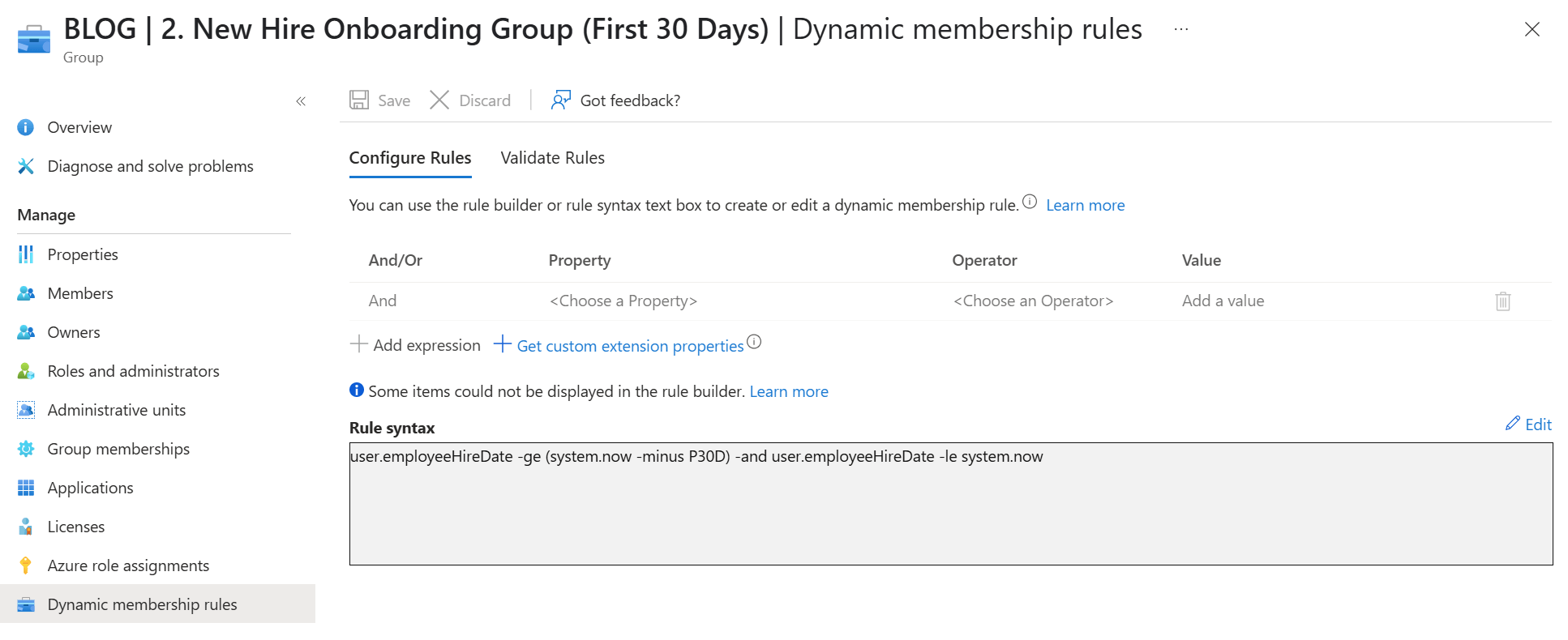
2. New Hire Onboarding Group (First 30 Days)#
user.employeeHireDate -ge (system.now -minus P30D) -and user.employeeHireDate -le system.nowPurpose: Captures all employees hired within the last 30 days.
Business Use Case: Automatically enroll new employees in onboarding programs, assign required training courses, provide additional support resources, or apply specific access policies during the initial onboarding period.
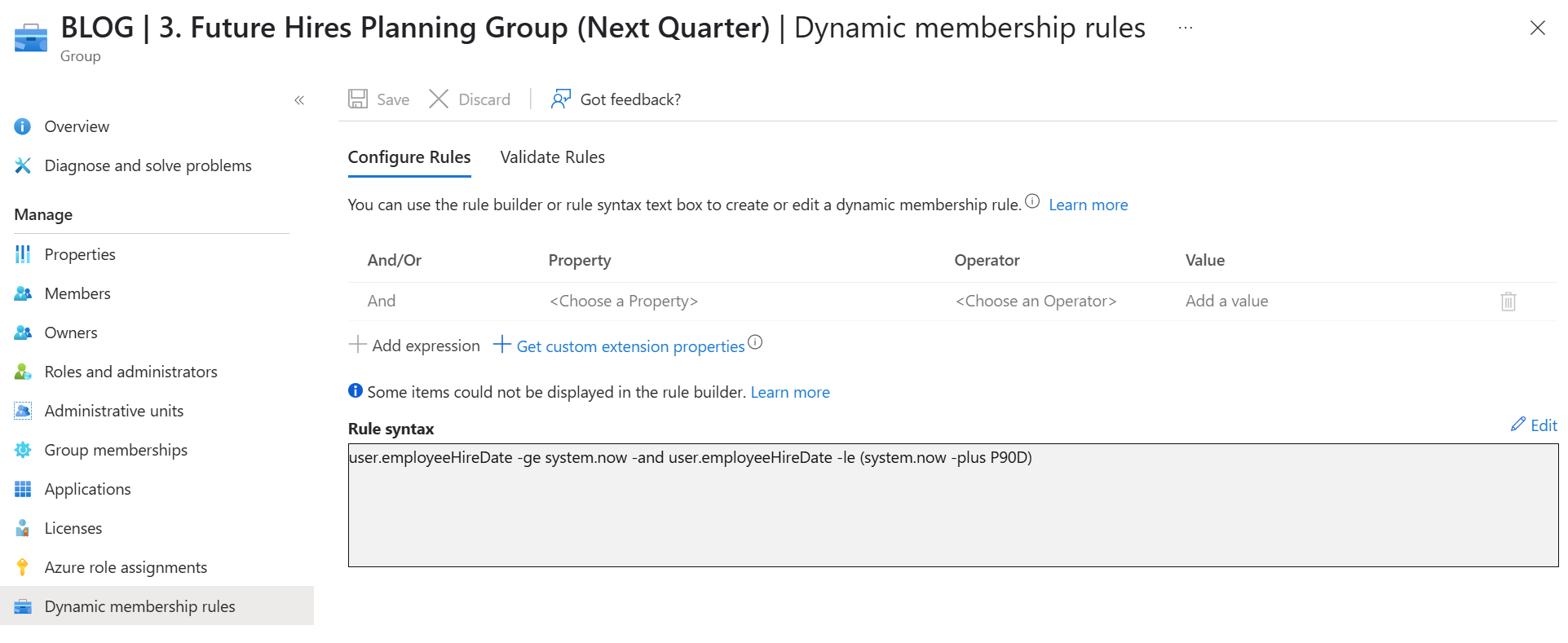
3. Future Hires Planning Group (Next Quarter)#
user.employeeHireDate -ge system.now -and user.employeeHireDate -le (system.now -plus P90D)Purpose: Identifies all upcoming hires planned within the next 90 days.
Business Use Case: Enable resource planning teams to prepare for incoming employees by provisioning equipment, allocating workspaces, or planning department resources. IT teams can use this to plan license purchases or infrastructure scaling.
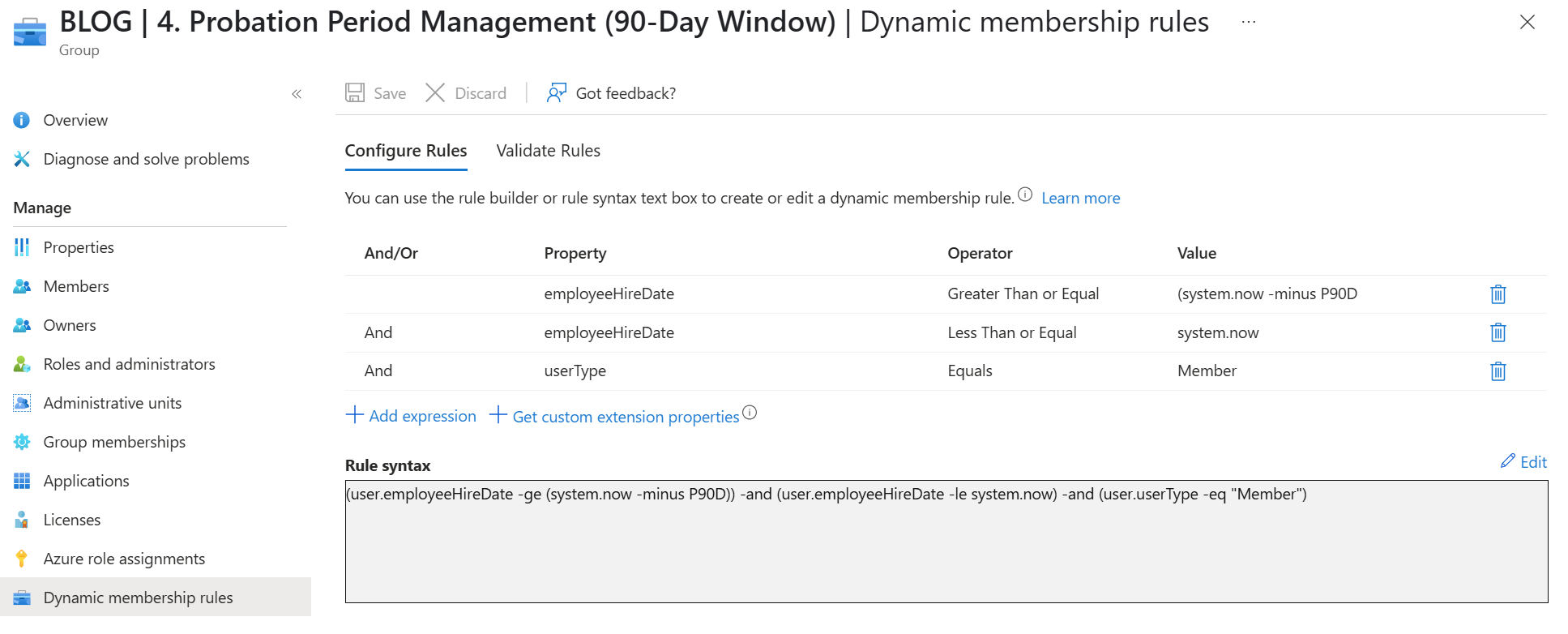
4. Probation Period Management (90-Day Window)#
(user.employeeHireDate -ge (system.now -minus P90D)) -and (user.employeeHireDate -le system.now) -and (user.userType -eq "Member")Purpose: Identifies employees currently within their 90-day probation period and filters for full members (not guests).
Business Use Case: Apply special access policies during probation, schedule automated check-ins, assign probation-specific resources, or trigger manager review notifications as employees approach the end of their probation period.
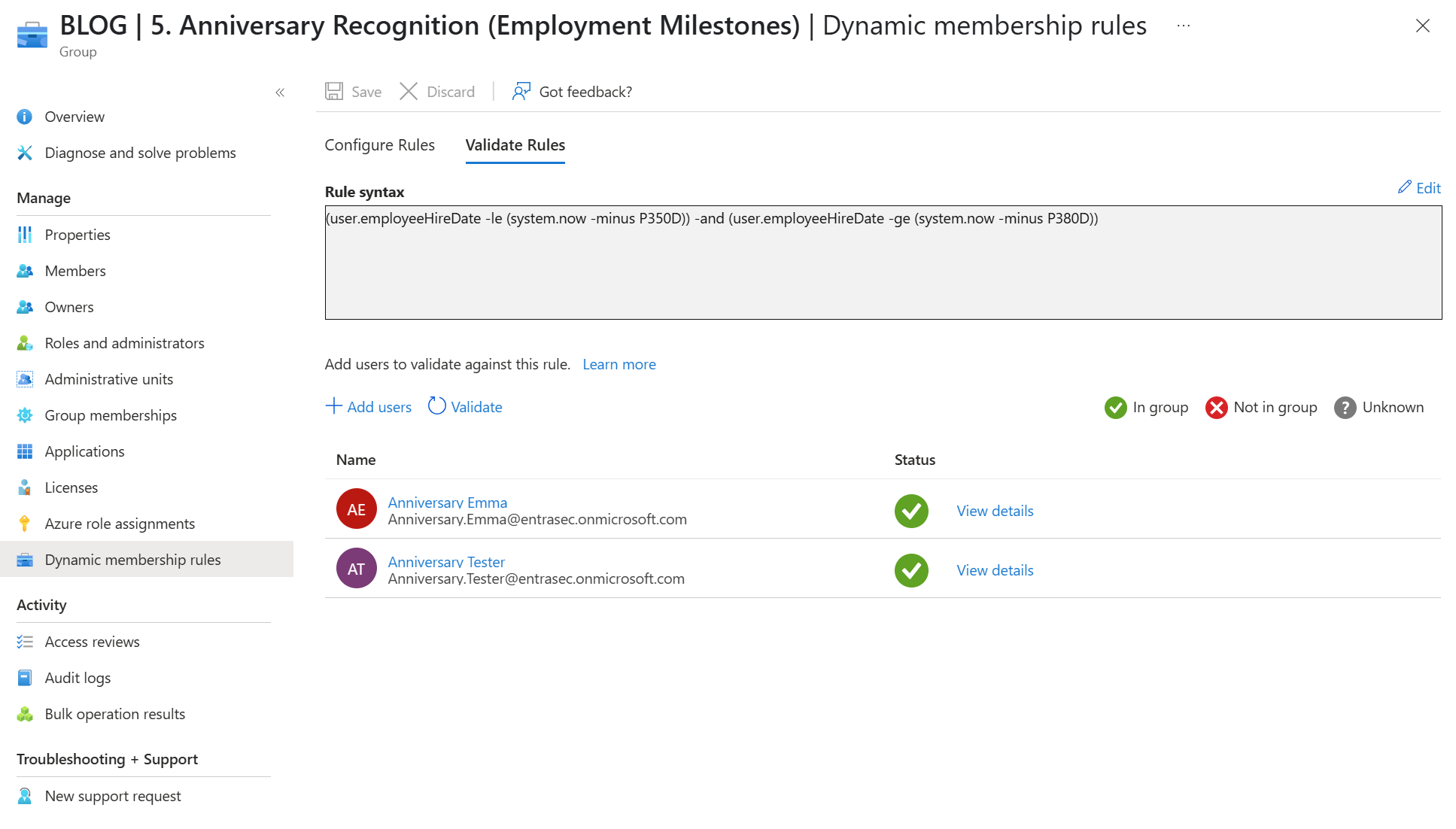
5. Anniversary Recognition (Employment Milestones)#
(user.employeeHireDate -le (system.now -minus P350D)) -and (user.employeeHireDate -ge (system.now -minus P380D))Purpose: Creates a 30-day window around the 1-year employment anniversary.
Business Use Case: Automate anniversary recognition programs, trigger manager notifications for performance reviews, assign anniversary-based benefits, or update access rights that change after the first year of employment.
Time Considerations and Best Practices#
To maximize effectiveness when using employeeHireDate in dynamic groups:
- Consistent Time Values: Set all
employeeHireDatevalues to a consistent time, preferably early morning (e.g., 1AM) to ensure predictable processing. - Processing Windows: Remember that dynamic group processing occurs on a schedule (typically every few hours), so include small buffers in your time windows.
- Time Zone Awareness: Consider time zone differences when setting up time-sensitive automation based on these groups.
- Testing Strategy: Test your rules with a few sample users first to ensure they’re capturing the correct membership before deploying widely.
- Rule Simplicity: Keep rules as simple as possible while achieving your objective, as complex rules can be harder to troubleshoot.
Overcoming Limitations#
While working with employeeHireDate in dynamic groups, you may encounter some limitations:
- No Exact Equality with Dynamic Dates: You cannot use
-eqwith dynamic date calculations likesystem.now -plus P7D. Instead, use a combination of-geand-leto create a time window. - No Chained Operators: You cannot combine multiple
-plusor-minusoperations in sequence (e.g.,system.now -minus P365D -minus P15Dwill fail). - Processing Delays: Group membership updates may take time to process, especially in larger tenants.
- Date-Time Precision: Rules match on the full date-time value, not just the date component, which can lead to unexpected behavior if not accounted for.
To address these limitations, use wider time windows when needed and combine dynamic groups with other automation tools like Logic Apps for more complex scenarios.
Let’s wrap up#
The employeeHireDate attribute in Entra ID dynamic groups offers powerful capabilities for automating employee lifecycle management. By understanding the syntax and applying creative rules, you can build sophisticated automation workflows that previously required premium licensing.
Whether you’re managing pre-hire access provisioning, onboarding, probation periods, anniversaries, or other time-based employee events, dynamic membership rules based on employeeHireDate provide a solid foundation for efficient, cost-effective automation.
In future posts, we’ll explore how to extend these foundation groups with Logic Apps and Microsoft Graph API to create comprehensive Lifecycle Workflow alternatives that deliver enterprise-grade automation without the premium license costs.
Stay safe!
Comments
Comments load when you scroll here.