
Entra · Logic Apps · Security
Trigger Logic App on group membership changes in Entra ID
A couple of years ago, I stumbled upon a neat Logic App / Power Automate connector that can respond to changes in group membership.
Act on group membership changes in Azure Active Directory - JanBakker.tech
Today, I’d like to give it some more love, since this is a very powerful, but underrated and probably also unknown piece of magic that will help you in a lot of automation scenarios. Especially when you are responsible for IAM Governance and lifecycle, but probably for a ton of other use cases.
I’m talking about the Office 365 Groups connector. Don’t let the name fool you. It also supports Entra security groups! (Microsoft Entra ID groups with the attribute “isAssignableToRole” are not supported for now)
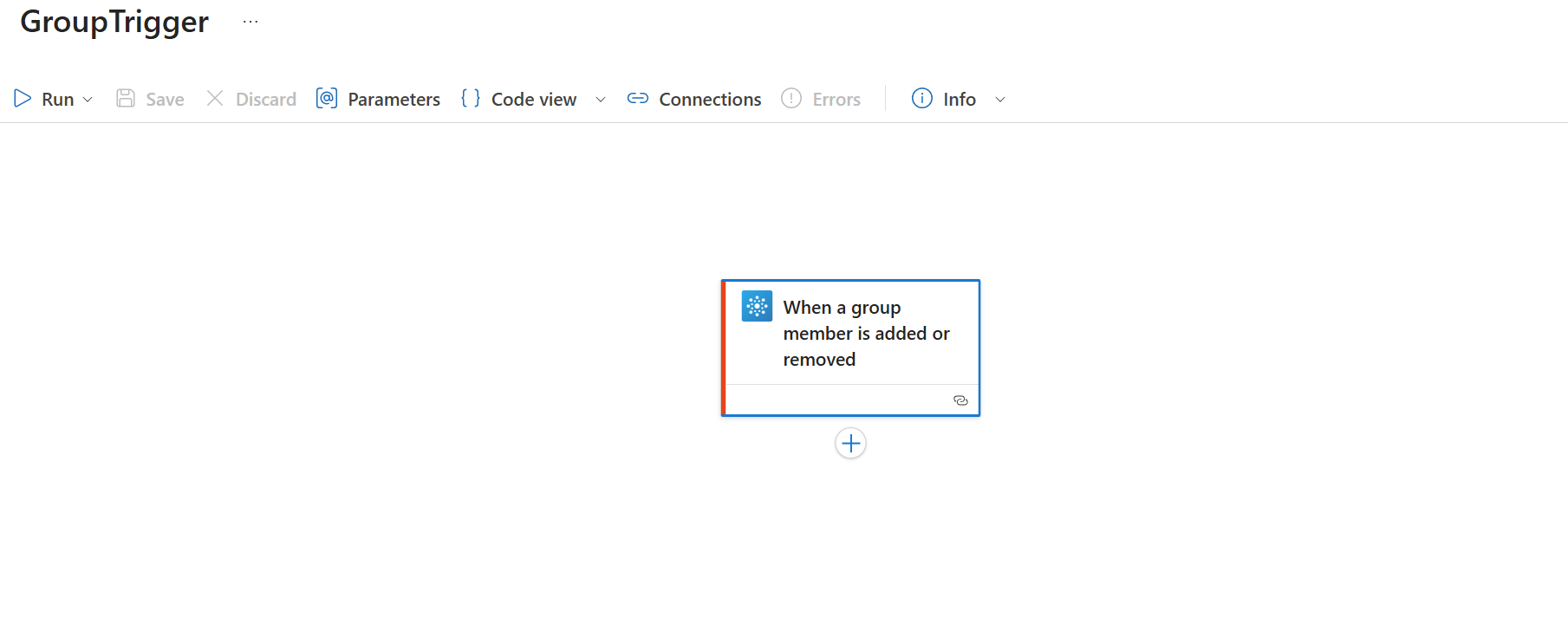
The other good thing? It supports managed identities!
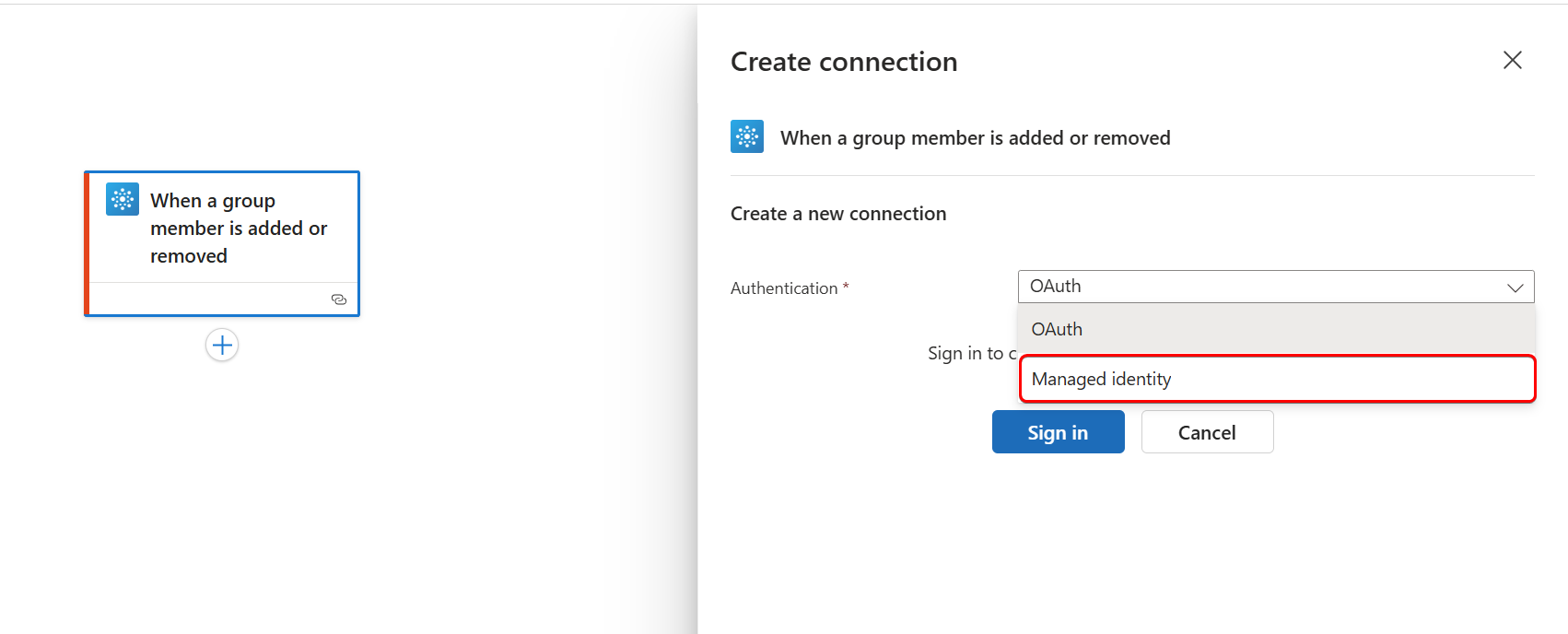
So, imagine you have a use case where you want to trigger a Logic App when a user is added to a specific group. Let’s build that.
First, create a new Logic app and add a system-assigned managed identity to it.
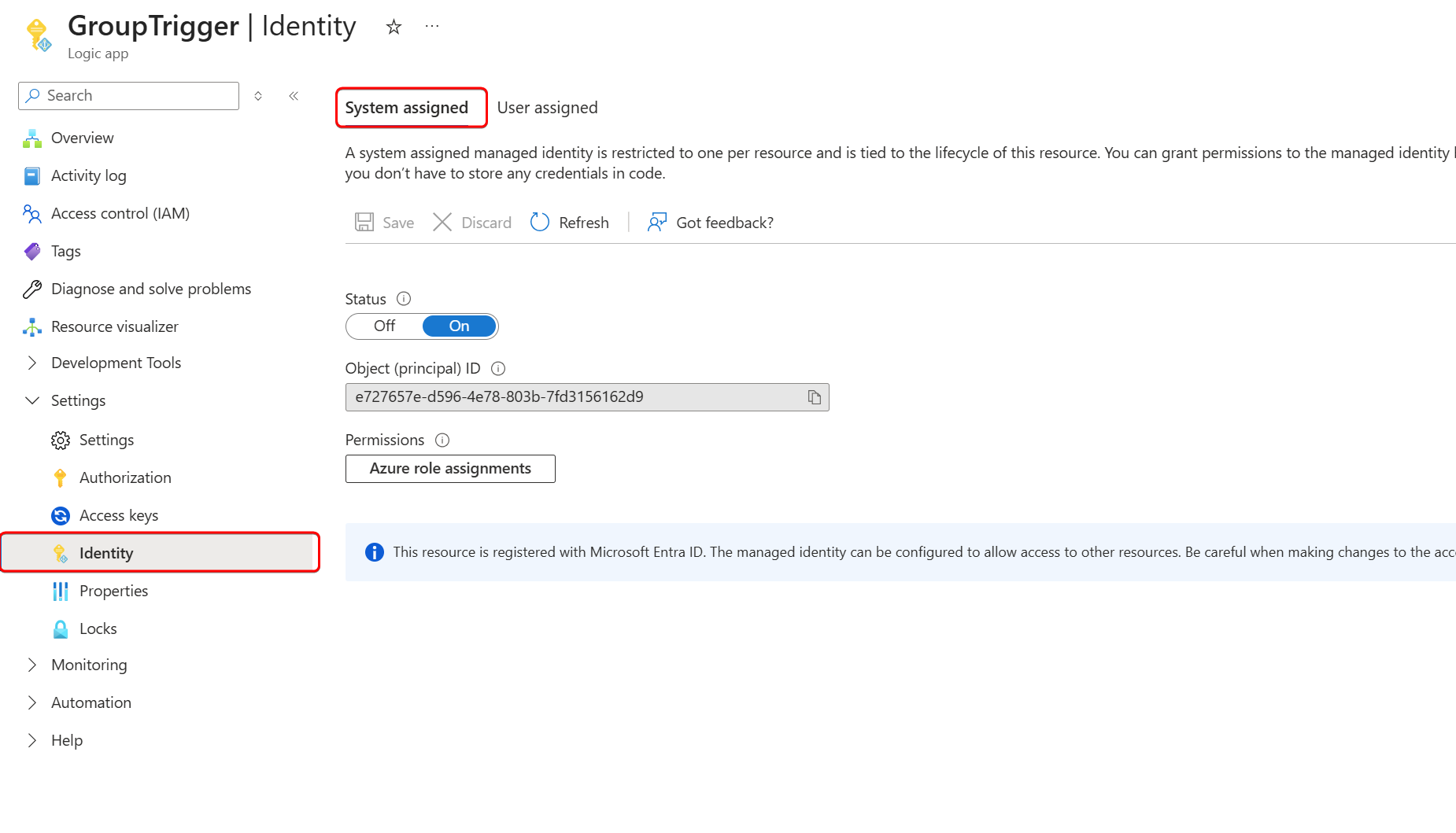
Next, we need to grant the managed identity read permissions to group membership changes. For that, we need to add at least GroupMember.Read.All Graph API application permissions to the managed identity.
See Graph API: Minimal permissions to read user group membership - merill.net for some background.
As usual, I’ll ask Lokka to do that for me.
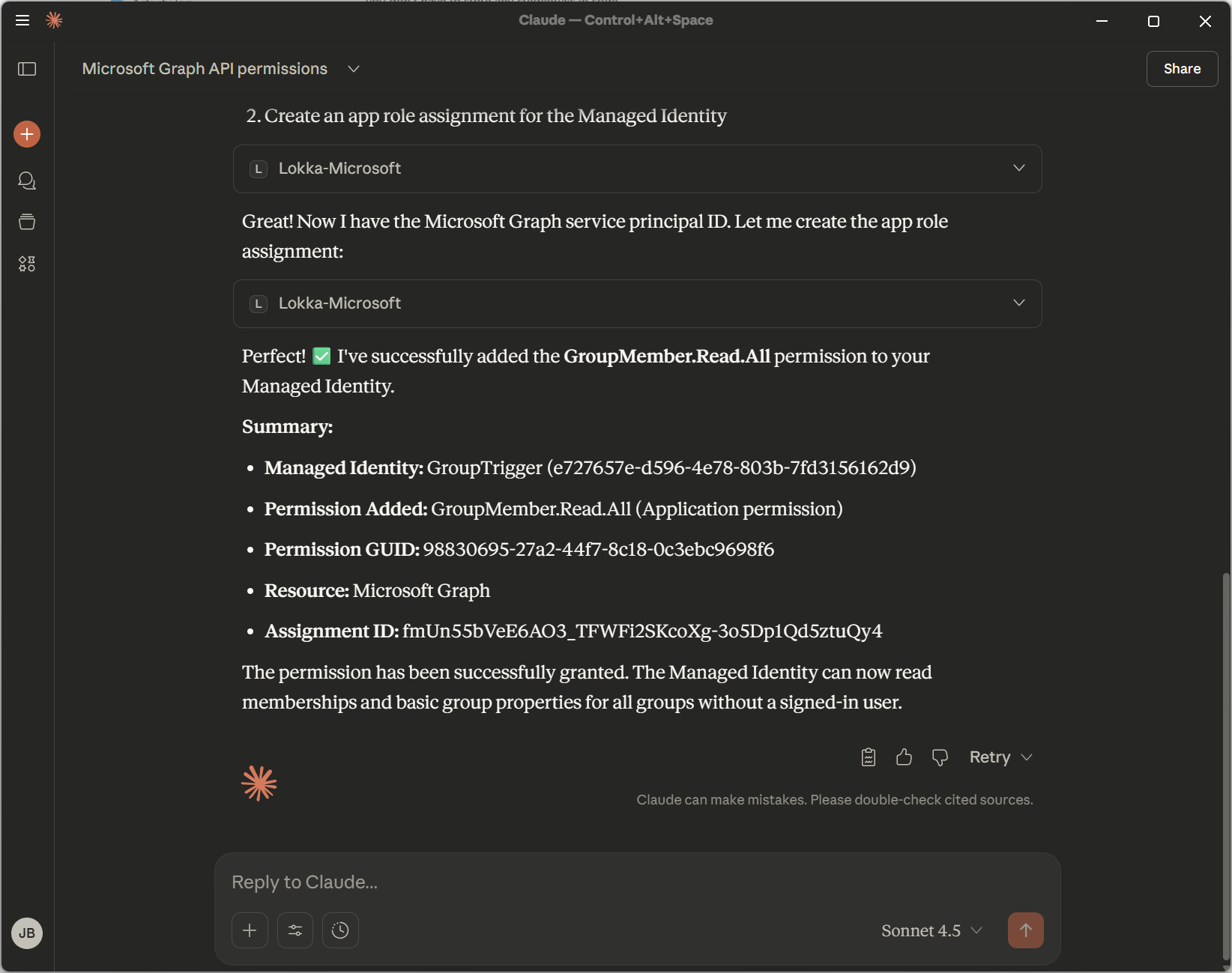
Let’s check if the permissions were set correctly.
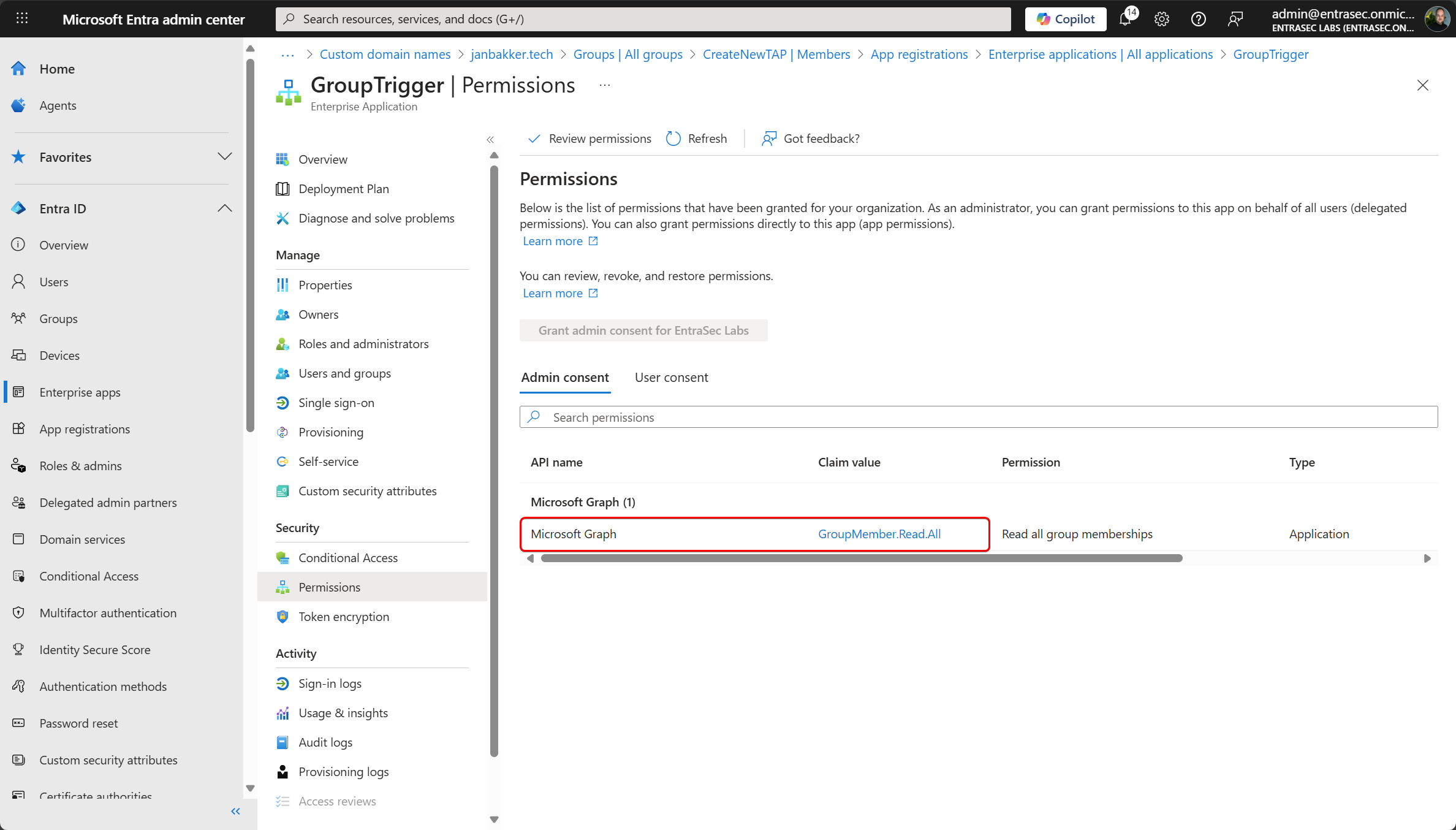
With the permissions set, let’s design the Logic App. (can take up to 10 minutes before the permissions are replicated)
I’d like to start adding a parameter for the groupID, but that’s optional. Here, we define the group we want to act on.
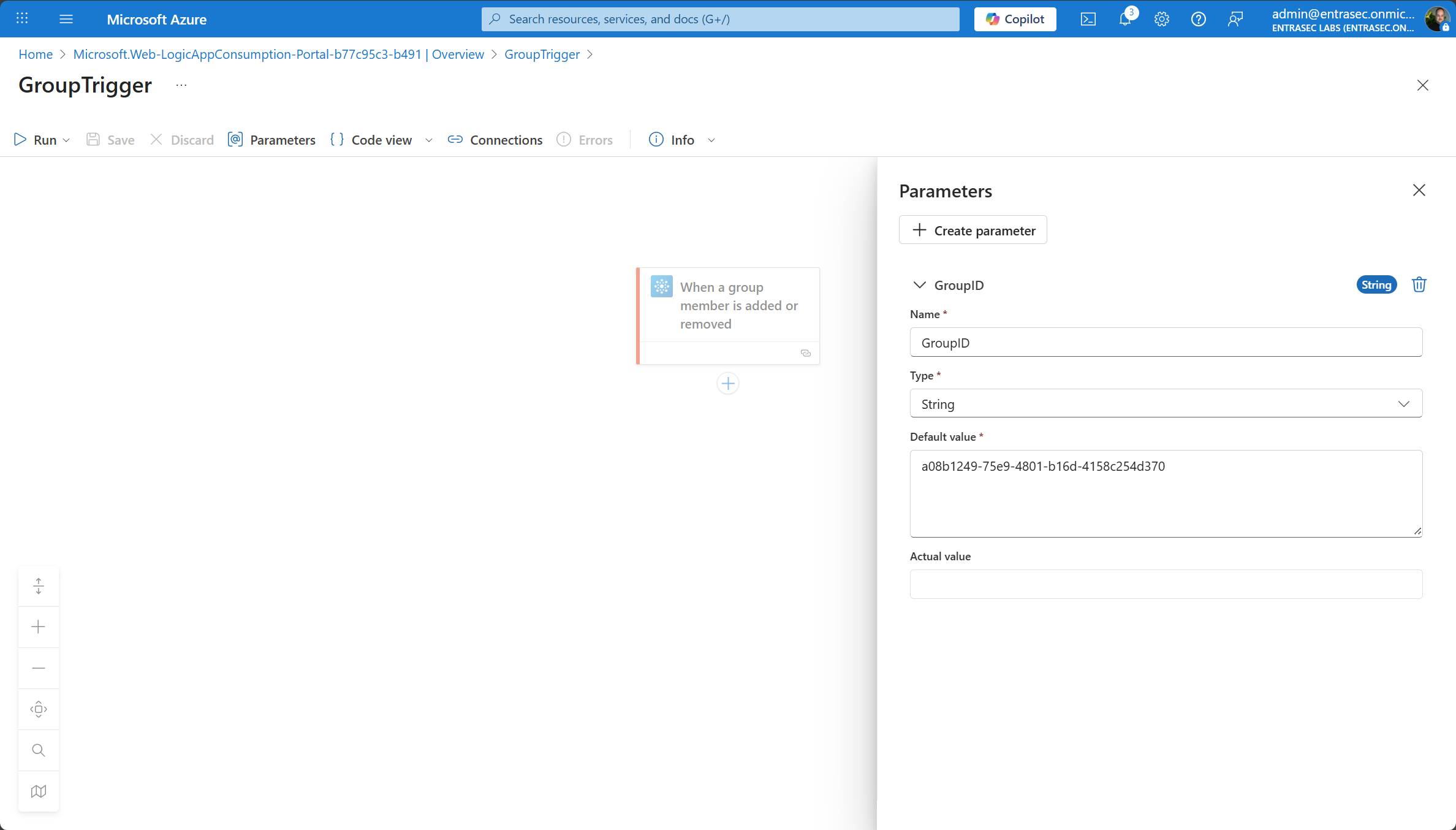
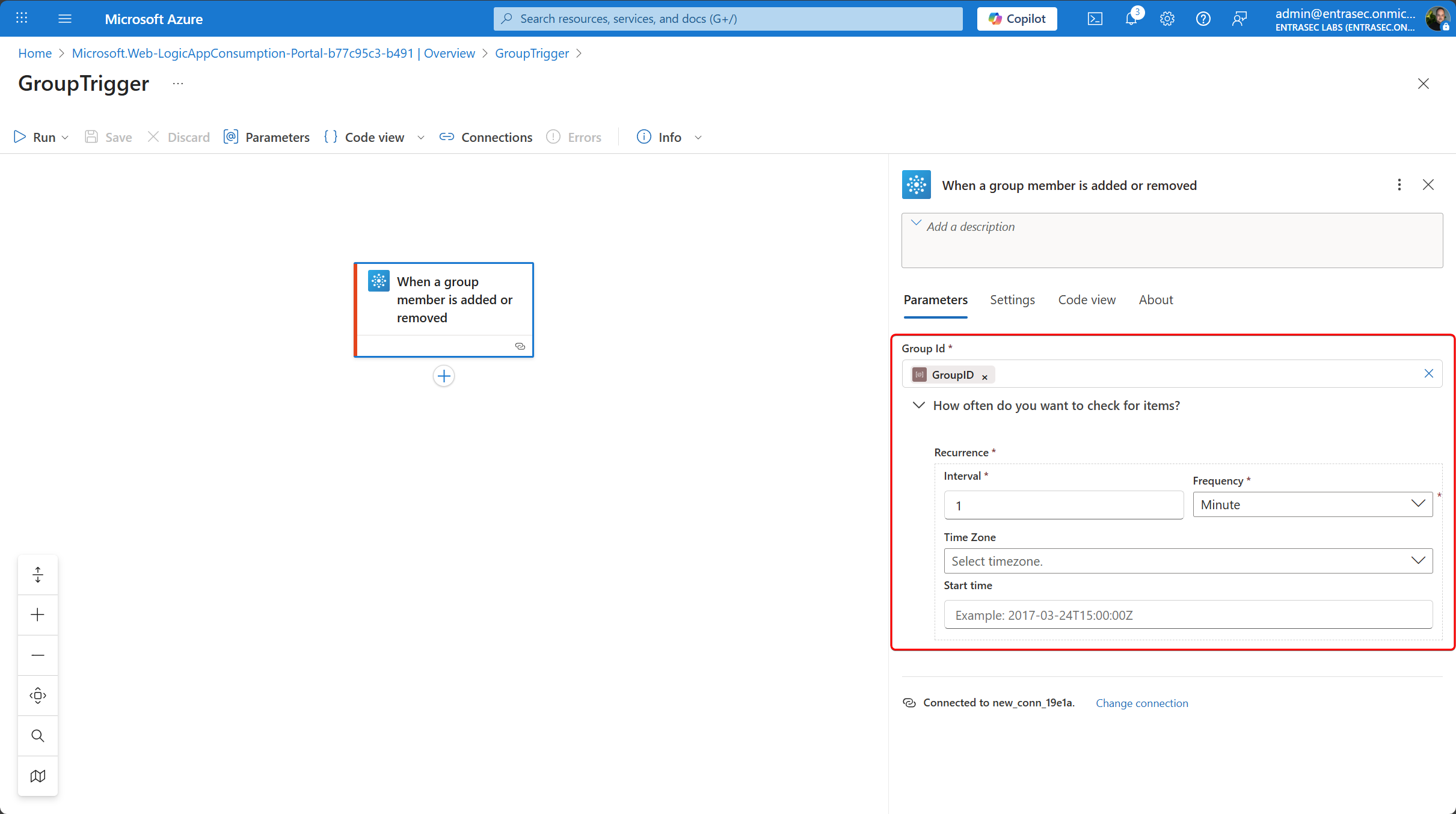
Start by adding the groupID, and set the interval.
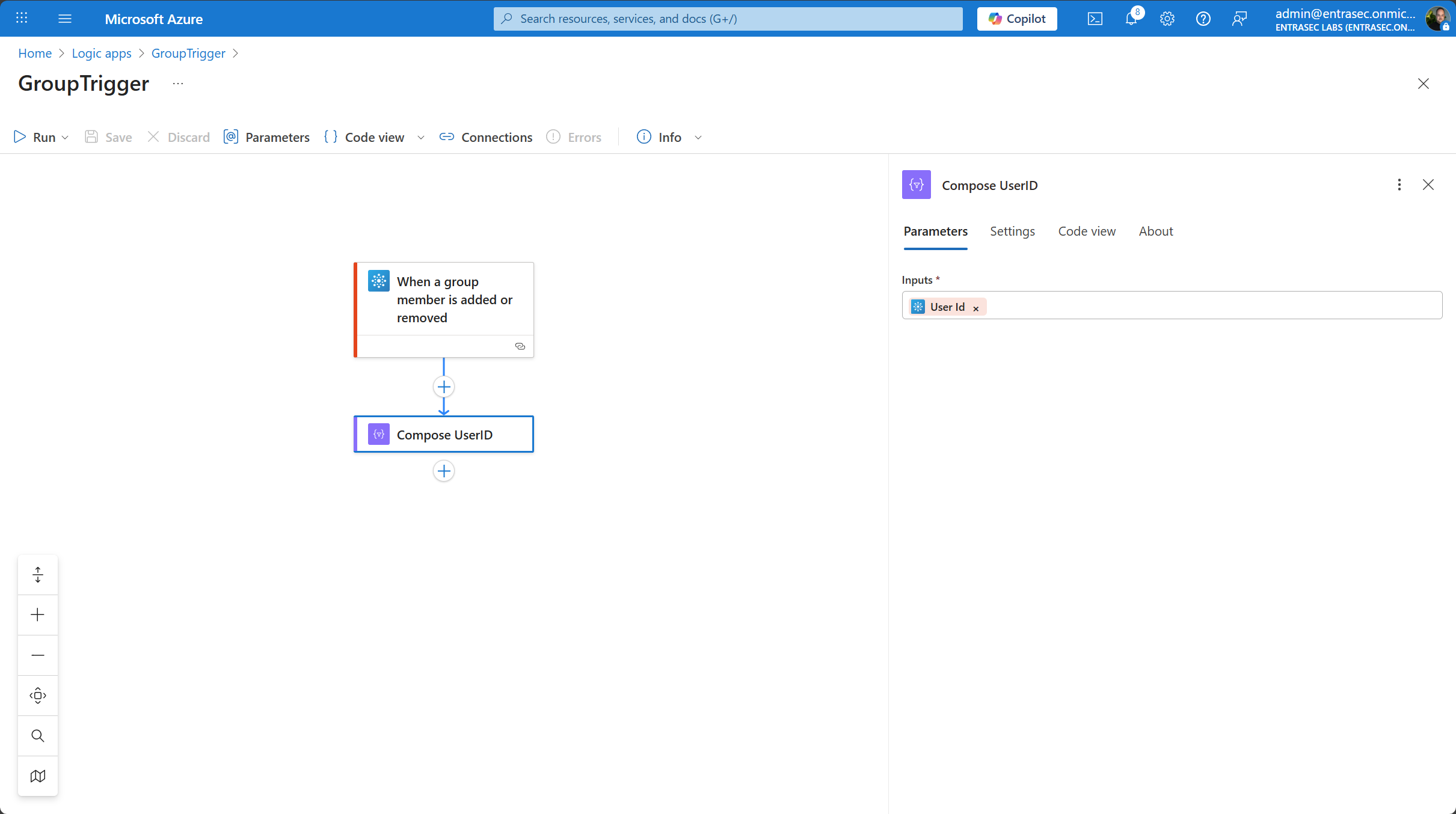
Let’s now add a new user to the group and see if it’s picked up by the Logic App.
When a user is added to the group, the body looks like this:
"body": {
        "@odata.type": "#microsoft.graph.user",
        "id": "90086dc1-43a5-4a6e-897e-f8fb6ad420d3"
    }
When a user is deleted from the group, the body looks like this:
"body": {
        "@odata.type": "#microsoft.graph.user",
        "id": "90086dc1-43a5-4a6e-897e-f8fb6ad420d3",
        "@removed": {
            "reason": "deleted"
        }
    }
In both events, the body contains the userID from the affected user, which you can easily pick up for your logic.
Trigger Conditions#
If you only want your Logic App to trigger for specific events, you can configure one or multiple conditional triggers:
Only trigger for added users:
@empty(triggerBody()?['@removed'])Only trigger for deleted user:
@not(empty(triggerBody()?['@removed']))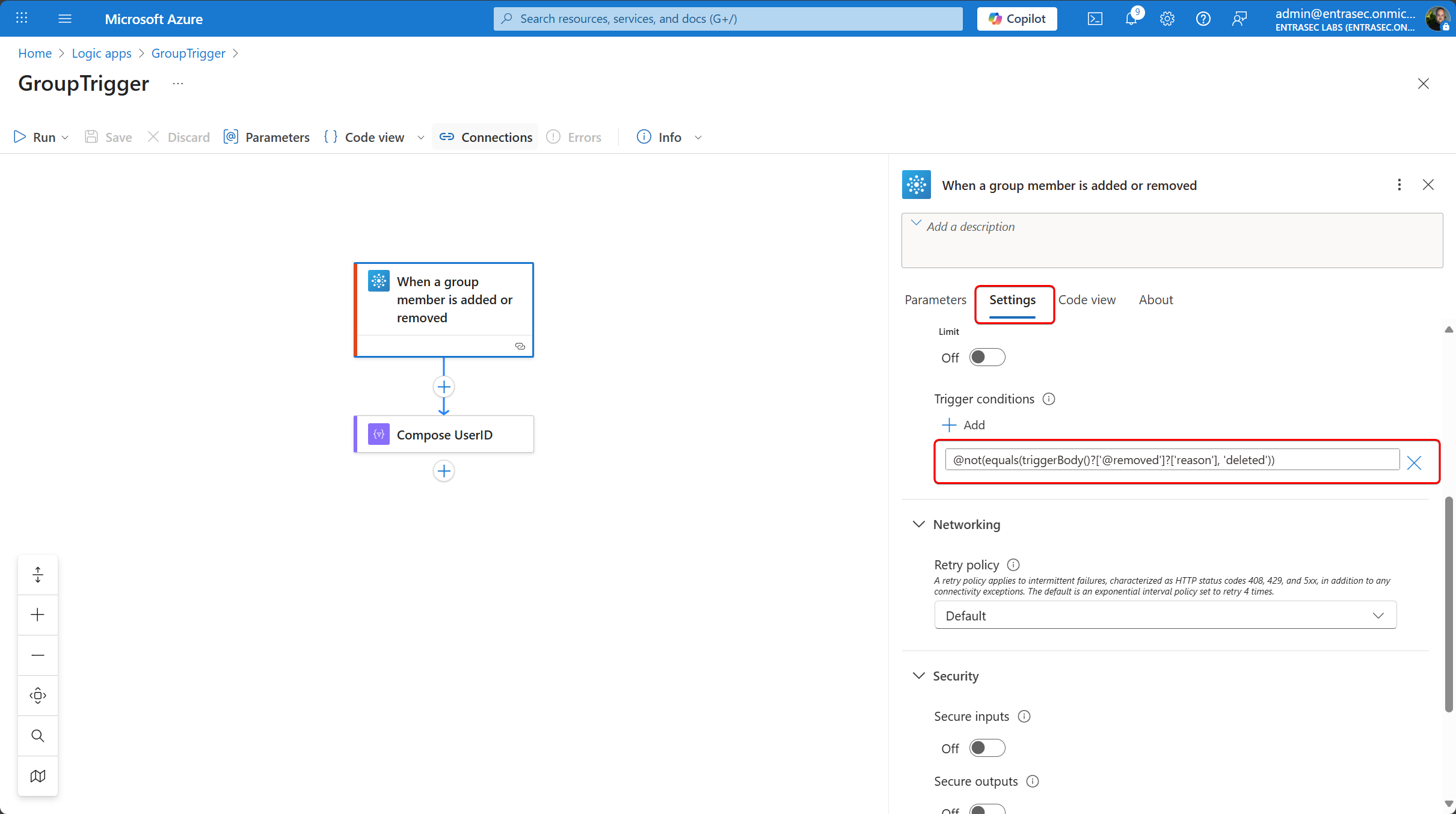
This will give you full control over the events.
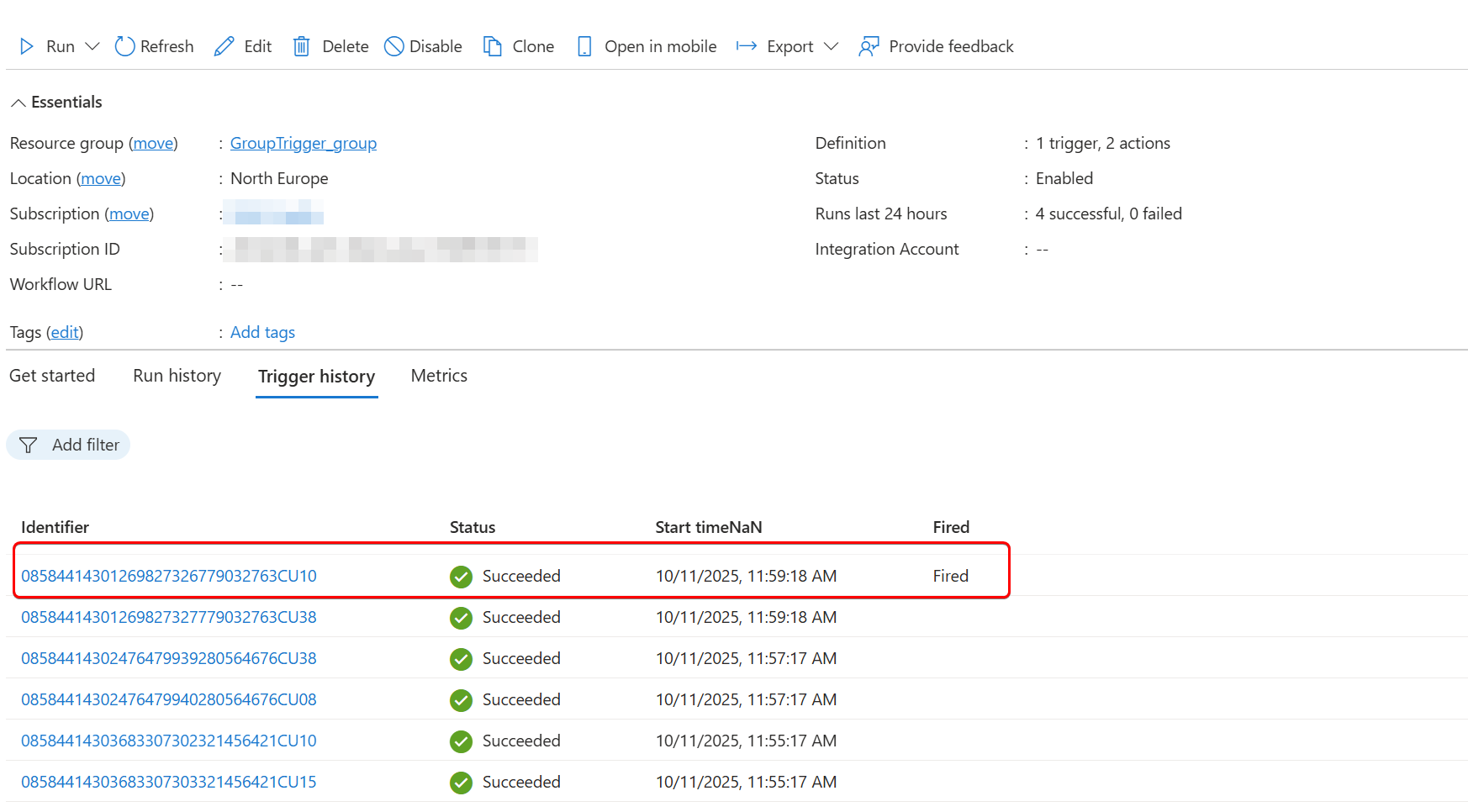
When neither users are added nor removed, the Logic App will be skipped by default
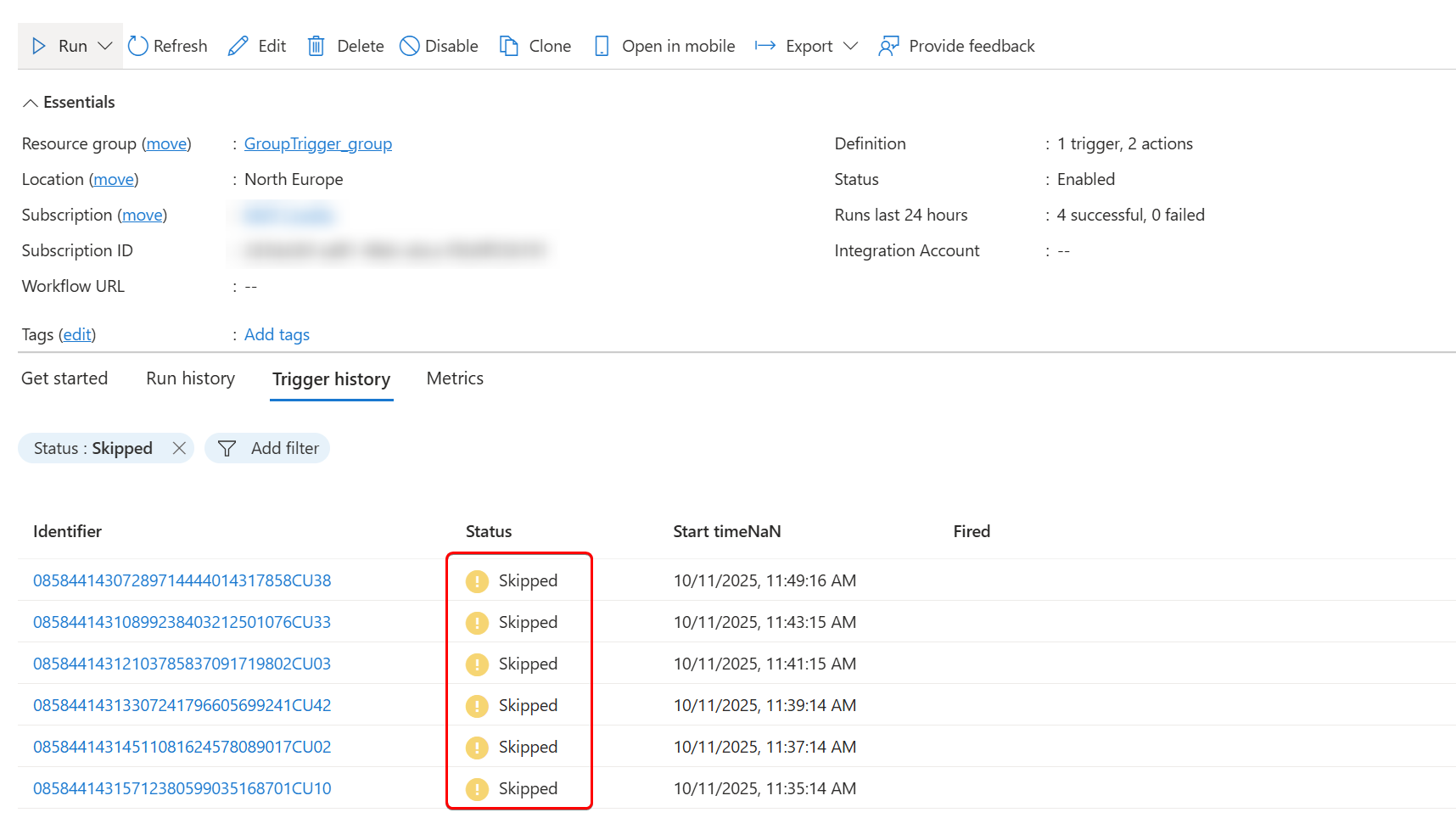
Let’s wrap up#
If you are looking for group-based trigger events, this connector might be a good fit.
It’s way easier than some alternatives like Graph API subscriptions or acting on the audit logs. Since it also supports managed identity, we also don’t have to worry about using service accounts or secrets.
Take note of the current limitations and known issues, and see if it fits your needs.
Office 365 Groups - Connectors | Microsoft Learn
Stay safe!
Comments
Comments load when you scroll here.