
Entra · Logic Apps · Security
Poor man’s IGA: Generate Temporary Access Pass for joiners
On this page
This post is part of the “Poor Man’s IGA” series. The idea is simple: we pick one feature from the Entra ID Governance stack, and think of an alternative, cheap(er) way to get it done. Why?
- Every organization deserves proper IAM tools.
- Entra ID Governance is excellent, but too expensive for most organisations.
- Get the most out of your existing license and built-in features.
Most of all, making solutions as outlined in the post is like playing with LEGO. You will have different building blocks that can also be (re)used in other processes. Working with Logic Apps, managed identities, and Graph API will give you great flexibility to create your own creative solutions.
That being said, this post does not offer free services. I assume most organisations will have at least Entra ID Plan 1 licenses and are willing to spend a couple of dollars on Azure resources per month.
Here’s the full list of items that have been previously published:
- Poor man’s IGA: Revoke all refresh tokens for user
- Poor man’s IGA: Generate Temporary Access Pass for joiners
- Poor man’s IGA: Monitor and clean up stale guest accounts
- Your idea here (let me know!)
Today’s challenge#
Today, we look at a joiner scenario, where you want to trigger a time-based workflow to send a Temporary Access Pass 7 days before the employee’s start date.
This is a built-in capability from Entra ID Lifecycle Workflow, and you have a lot of options to configure:
- Various recipients based on attributes
- Temporary Access Pass parameters like duration, and one-time use (what)
- Time-based triggers (when)
- Scope (for who)
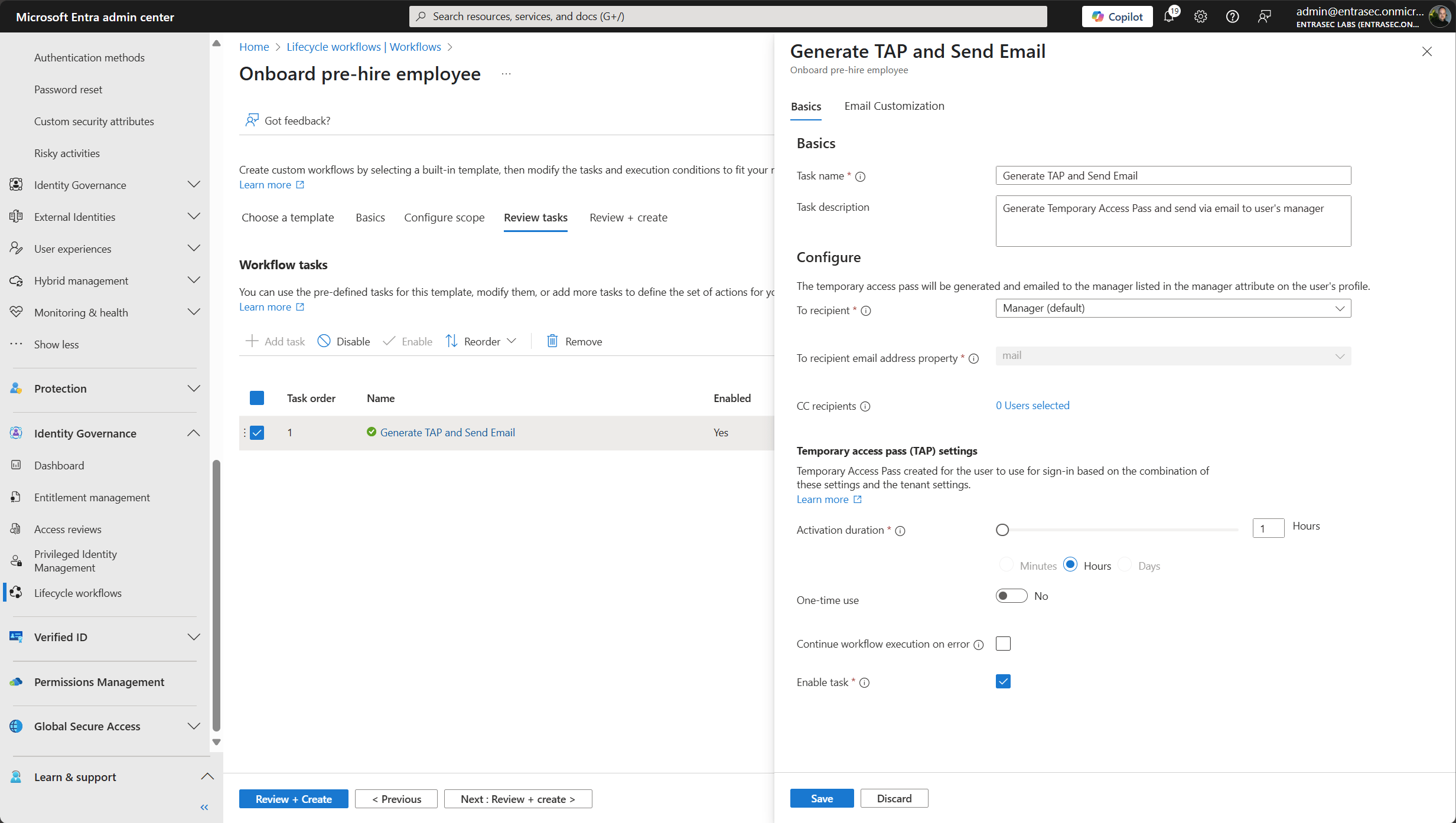
In this blogpost, I will try to mimic this workflow, also giving the flexibility to adjust it to your needs.
Prerequisites#
As with all IAM workflows, we need a few things in place to make sure the flow runs for every new joiner.
User accounts for pre-hires must have:
- Valid
userPrincipalName otherMailsattribute populated (onPremisesExtensionAttributes 1-15 can also be used)employeeHireDatesetmanagerrelationship configured (optional)displayNameandgivenNamepopulated
On the Entra ID side:
- Temporary Access Pass authentication method must be enabled in the tenant.
- Temporary Access Pass policy is inherited. Keep this in consideration when you define your lifetime in the Logic App.
- Users must be eligible to use TAP (not blocked by conditional access policies)
Like most workflows in this series we must have at least one Azure Subscription to build our Logic App, and we use Entra ID dynamic groups, which require a Entra Premium Plan 1 license.
Time-based triggers#
Triggering a workflow on a specific time-based event can be challenging. Entra ID Lifecycle workflows has a built-in margin to ensure that the workflow will run, even when delays happen in the system.
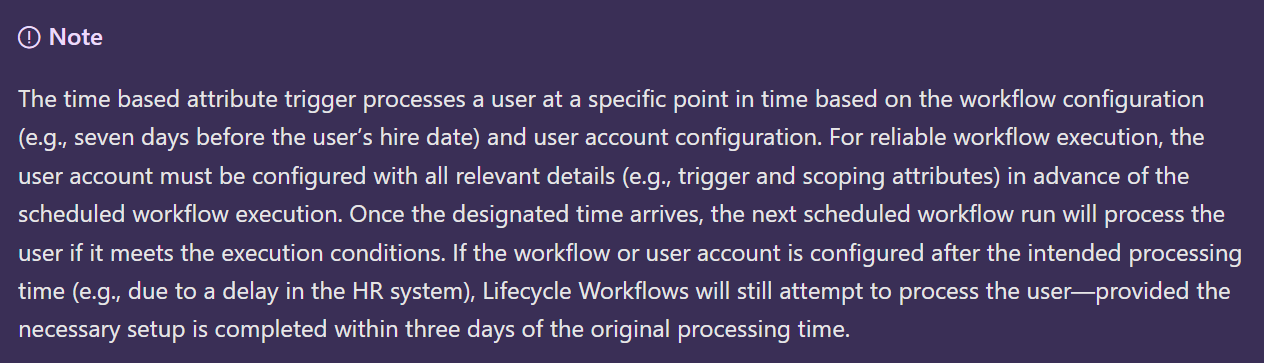
In our approach, we also take this into consideration. For this, we are going to use a dynamic group, based on the hire date of the user. We use the approach outlined in this blogpost: Unlocking the Power of employeeHireDate in Entra ID Dynamic Groups - JanBakker.tech
Create the dynamic group#
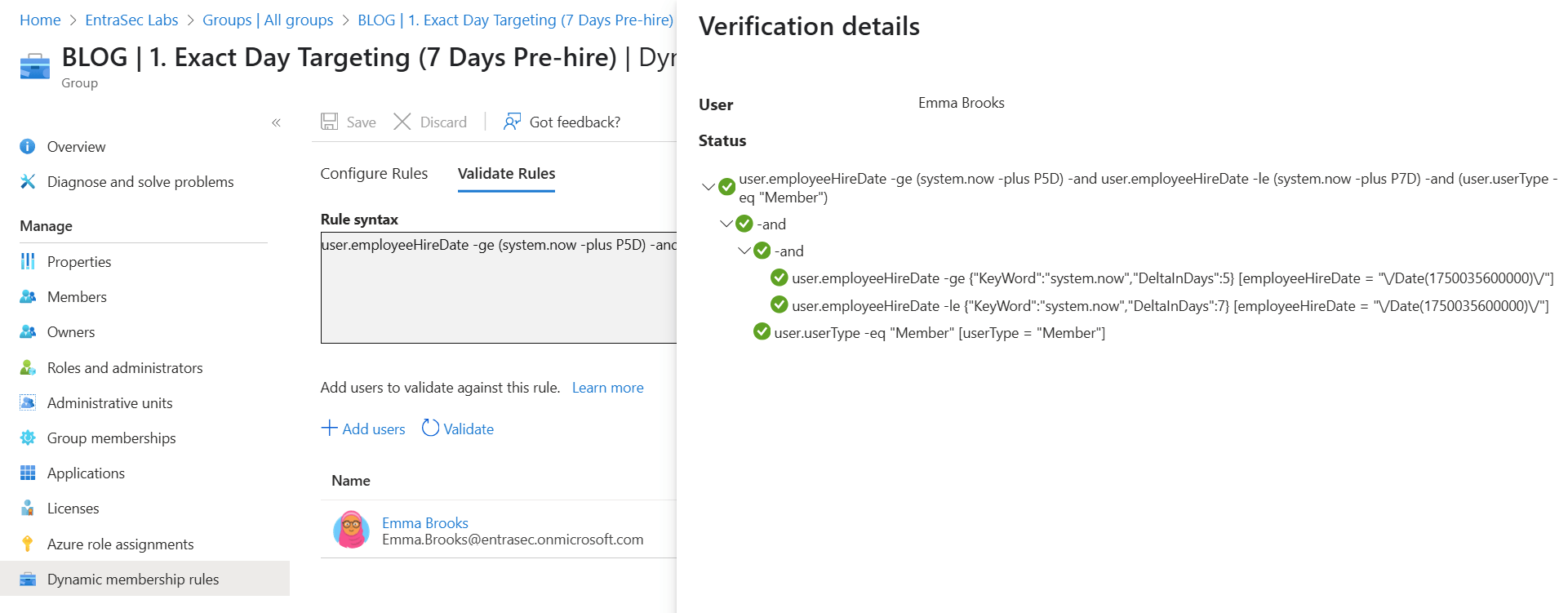
To trigger the workflow, we are using a dynamic group that is populated based on the employeeHireDateof the pre-hires. As stated, we also need to make sure we have some sort of a margin. To do this, we create a new group and make it dynamic. For our logic, we use:
user.employeeHireDate -ge (system.now -plus P5D) -and user.employeeHireDate -le (system.now -plus P7D) -and (user.userType -eq "Member")This group will include users that are 5, 6, or 7 days away from their first day. You can adjust this query to your needs. Please use this post as your guide on building the perfect query.
Emma Brooks, our test user, has 2025-06-16T01:00:00Z as her hire date. Today is June 10th 2025, so she will be a member of the group, when we run the validation. Make sure, you be consistent in the time as well, so in this case we stick with 1AM.
The Logic App#
Our next part will be about the Logic App. Where the dynamic group configuration is mostly static, the flexibility will come from the Logic App. As this is low-code, it’s fairly easy to tweak it so it matches your use case and requirements.
This blog post won’t dive into every step—that would be way too detailed! The complete Logic App is available on my GitHub page:
LogicApps/SendTemporaryAccessPassToNewJoiners.zip at main · BakkerJan/LogicApps
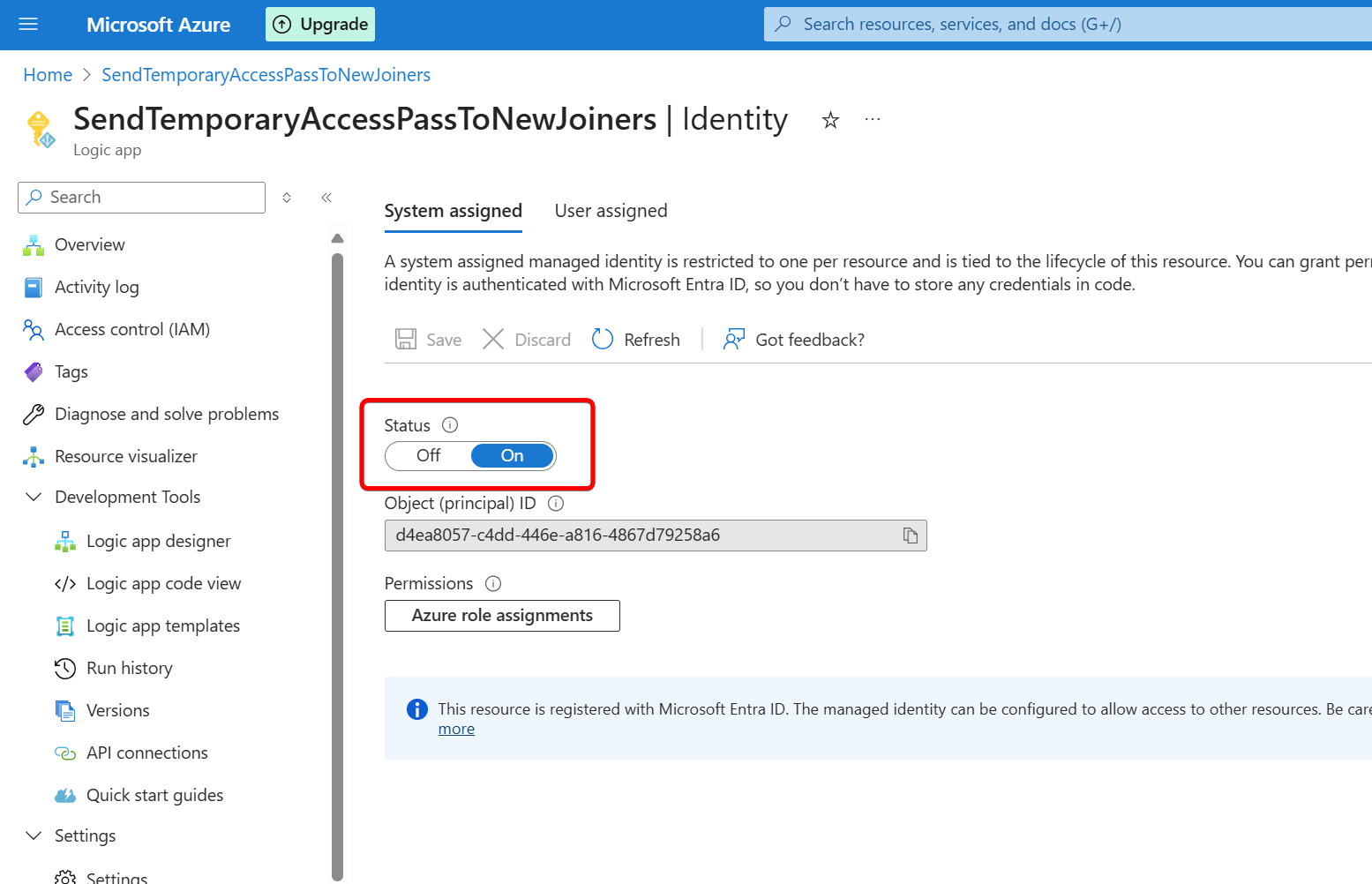
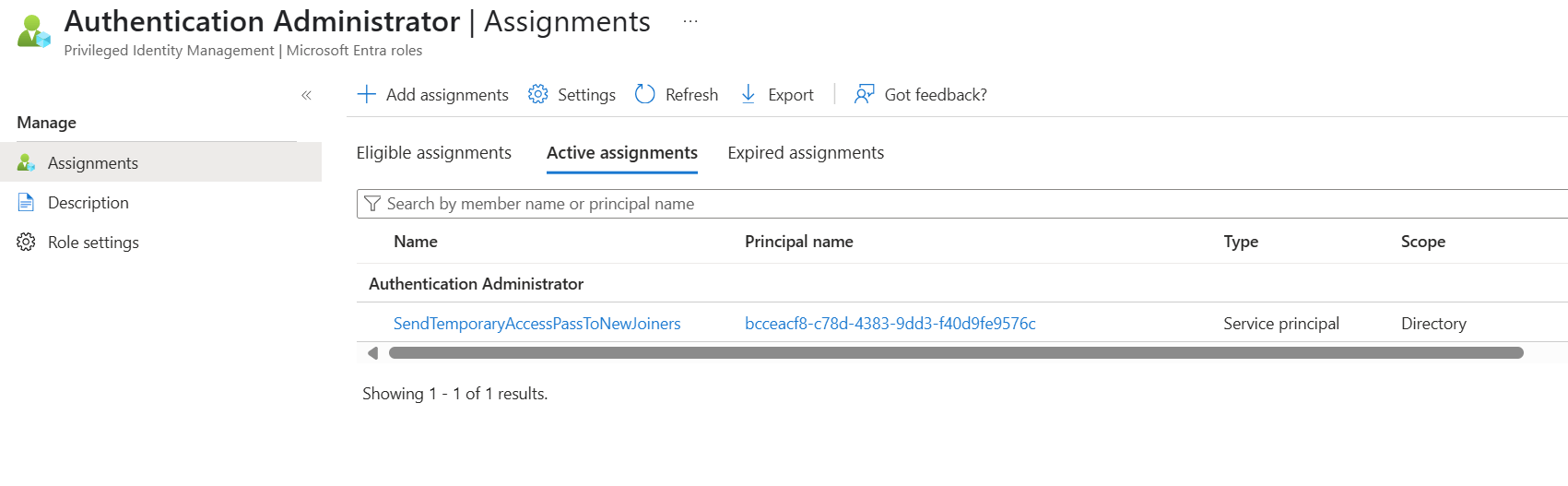
Needless to say, we will use a Managed Identity for authentication and authorization. For permissions, we keep it fairly simple this time. All we need to assign, is the Authentication Administrator Role in Entra ID. This will also prevent that a TAP can be created for a privileged account.
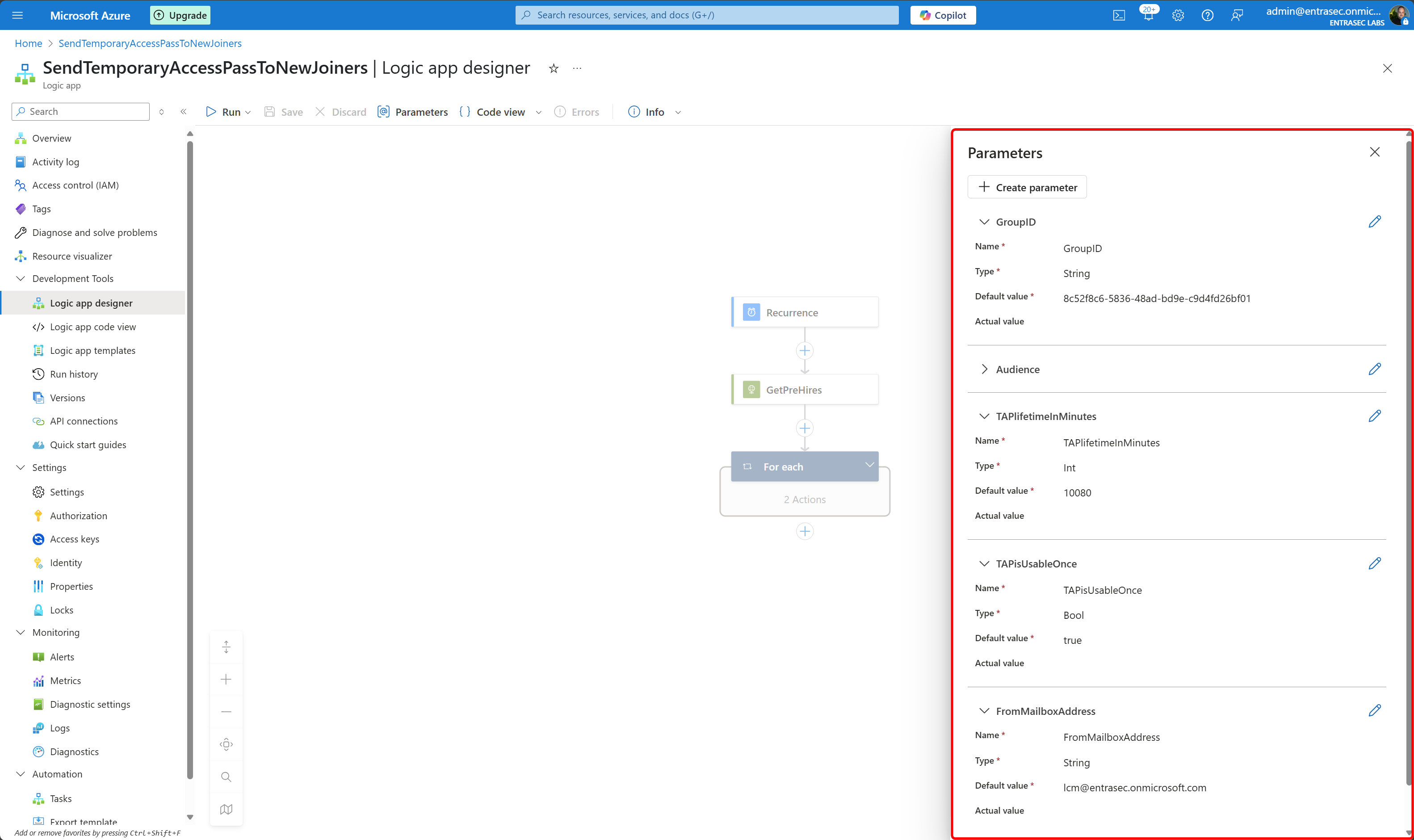
For convenience, we will define a few parameters, such as the GroupID of the dynamic group and the TAP lifetime.
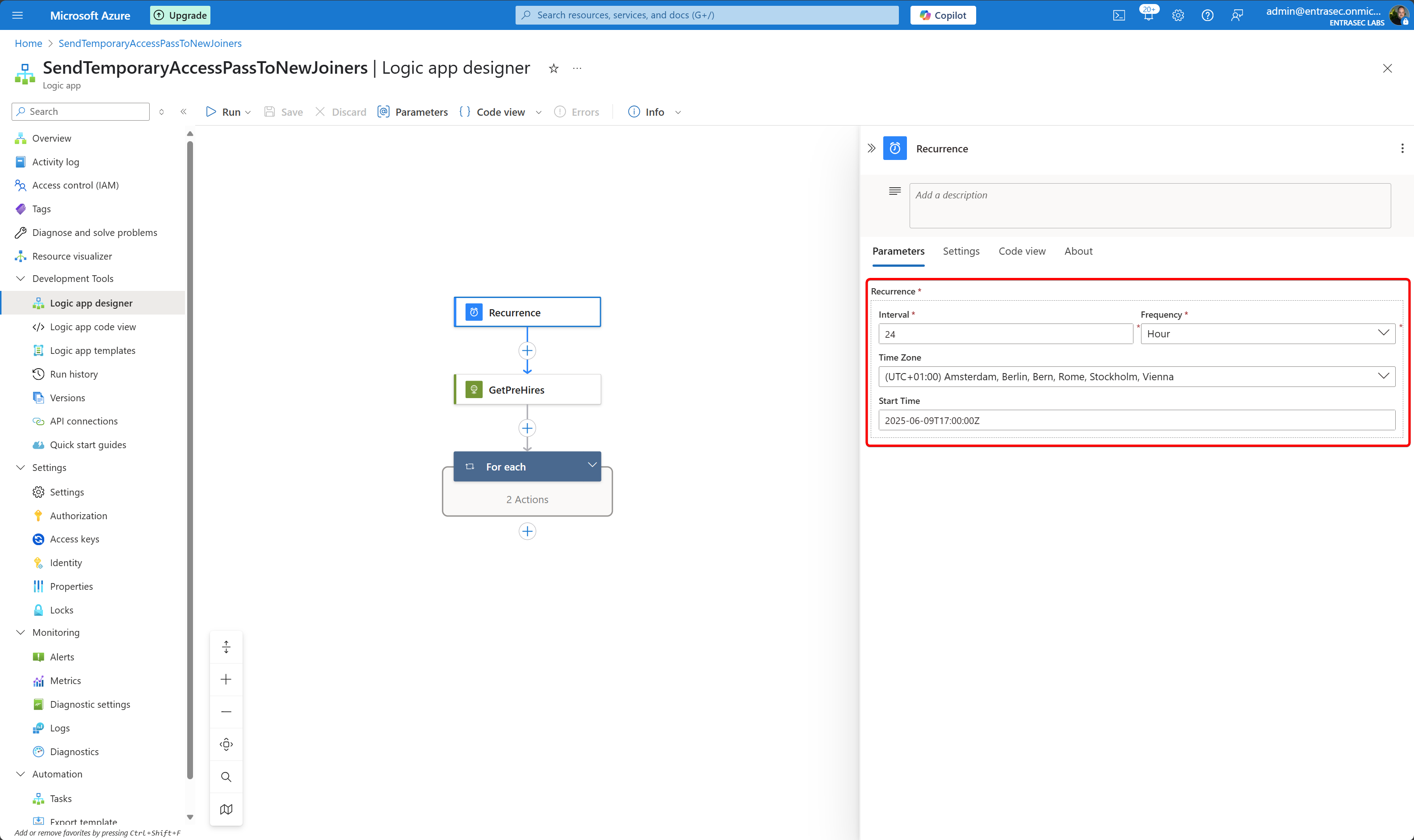
As a trigger, we will use a time-based interval of 24 hours so it will run once per day.
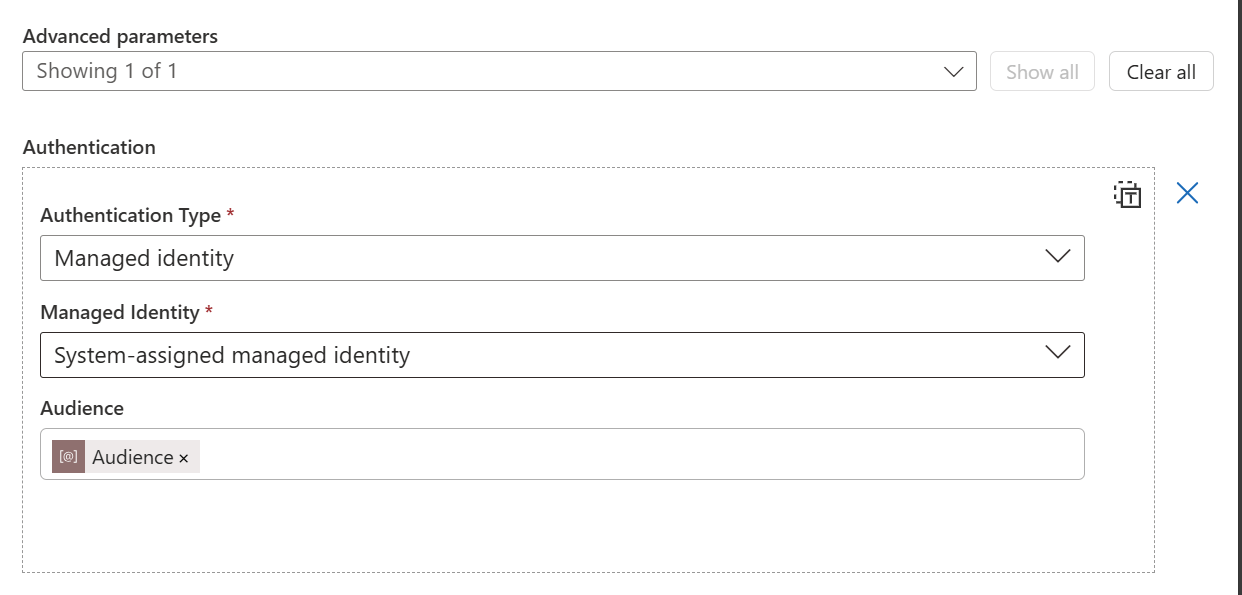
Then, we read the Entra ID group to see if it contains any members (pre-hires).
GET https://graph.microsoft.com/v1.0/groups/@{parameters('GroupID')}/membersFor authentication we use our Managed Identity.
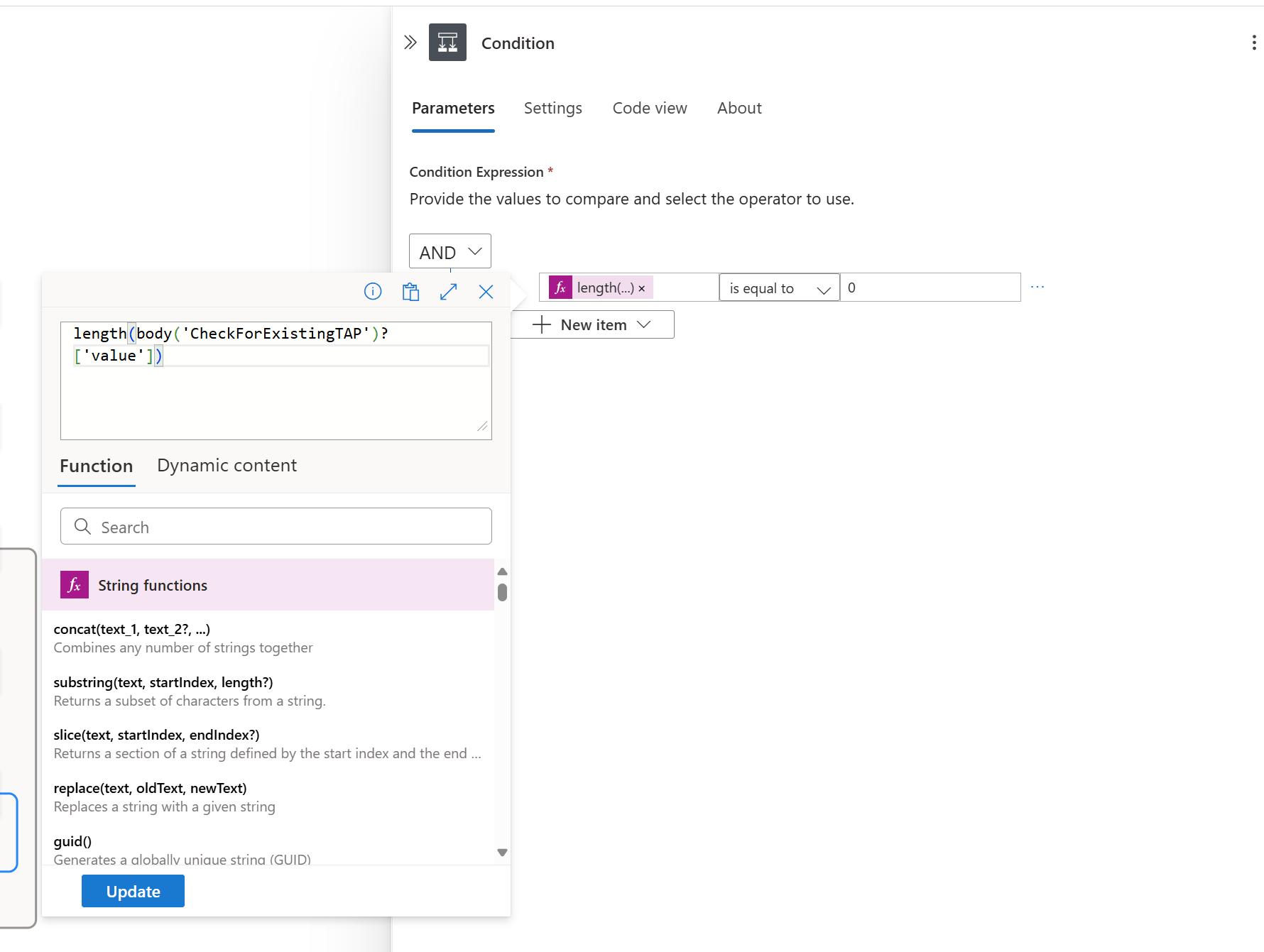
If the group contains members, it will then check if the account already has an existing Temporary Access Pass. This is because of the margin that we configured on the dynamic group; a user can be member of the group for longer than one day. If the Temporary Access Pass already exists, the flow for this user will be skipped.
GET https://graph.microsoft.com/v1.0/users/@{items('For_each')?['userPrincipalName']}/authentication/temporaryAccessPassMethodsFor the logic of the condition, I simply use:
{
  "type": "If",
  "expression": {
    "and": [
      {
        "equals": [
          "@length(body('CheckForExistingTAP')?['value'])",
          0
        ]
      }
    ]
  }
}
In the next steps, I will pull some more information from the Graph API about the user and the manager. All this information can be used later in the logic, if needed.
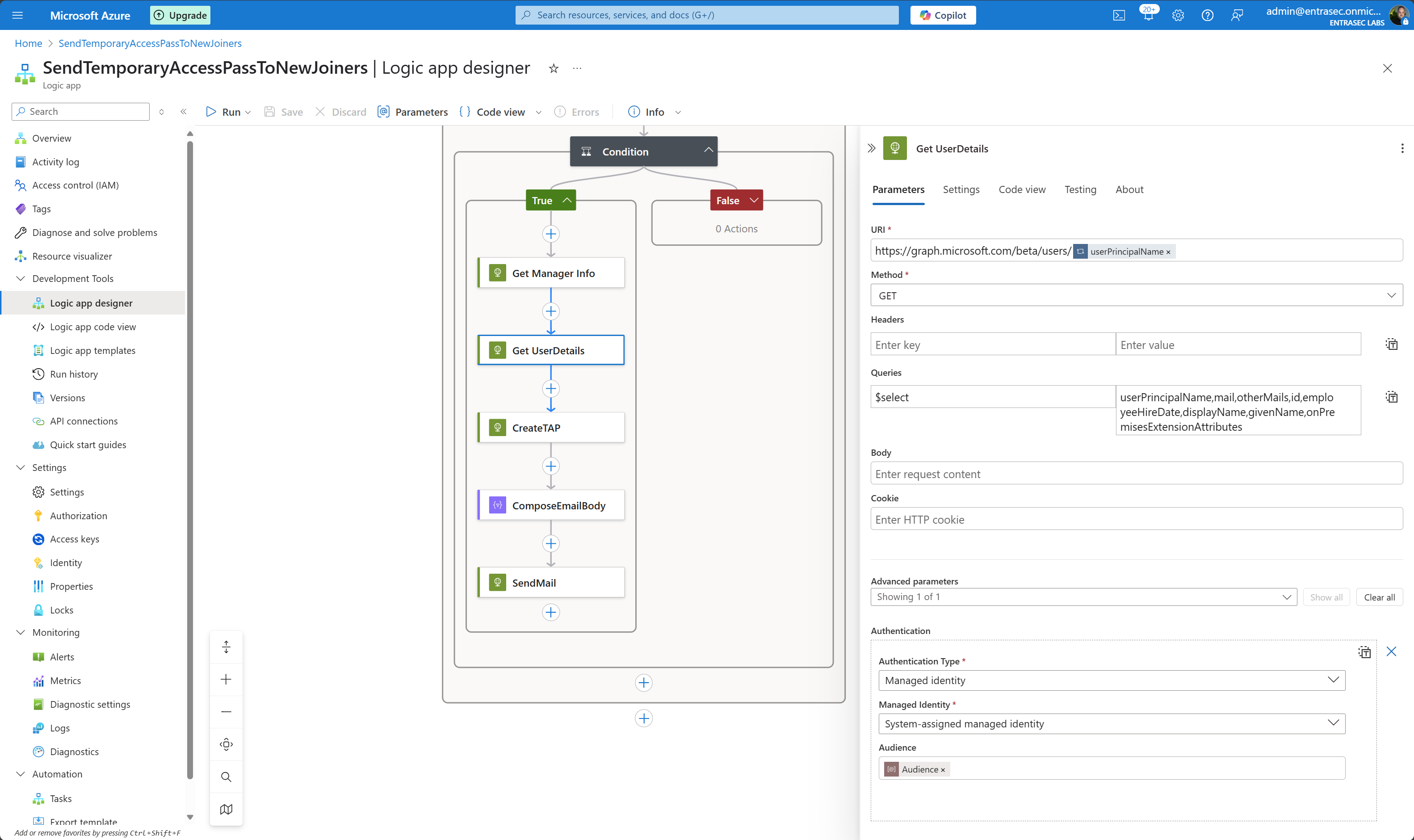
For the user, I pull specific attributes, but this can also be extended to your needs: userPrincipalName,mail,otherMails,id,employeeHireDate,displayName,givenName,onPremisesExtensionAttributes
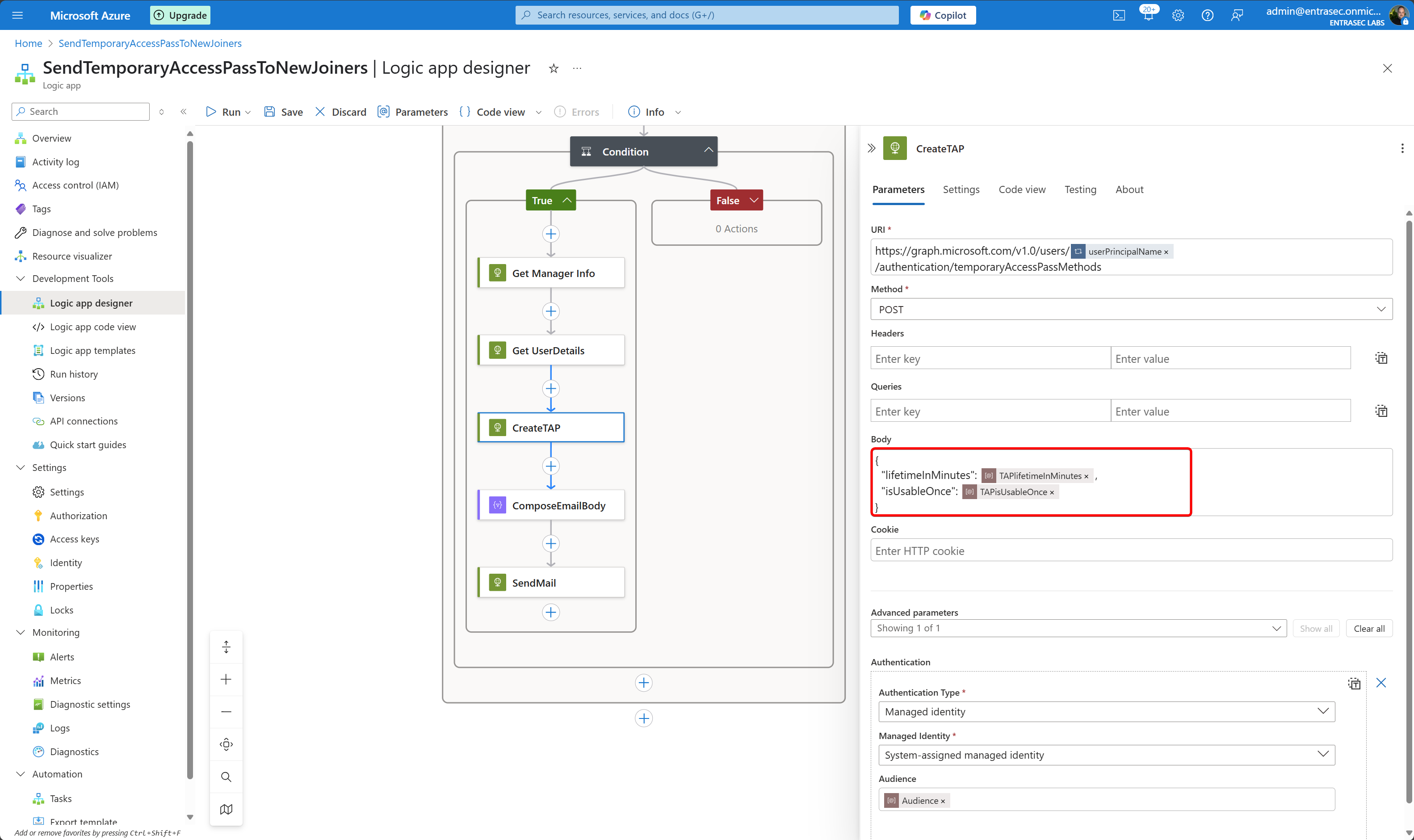
To create the Temporary Access Pass, I use:
POST https://graph.microsoft.com/v1.0/users/@{item()?['userPrincipalName']}/authentication/temporaryAccessPassMethodsFor the properties, I simply refer to the parameters:
In the next step, the body of the email is composed in HTML format.
{
  "message": {
    "body": {
      "content": "<p>Dear @{body('Get_UserDetails')?['givenName']},<br><br>Welcome to EntraSec! We're excited to have you join our team starting on @{formatDateTime(body('Get_UserDetails')?['employeeHireDate'], 'dddd, MMMM dd, yyyy')}. <br><br>To get you started with accessing our systems, we've created a Temporary Access Pass (TAP) for your account. This will allow you to sign in and set up your passwordless authentication methods.<br><br>Your Temporary Access Pass Details:<br><br>Username: @{body('Get_UserDetails')?['userPrincipalName']}<br>Temporary Access Pass: <b>@{body('CreateTAP')?['temporaryAccessPass']}</b><br>Valid until: @{formatDateTime(addMinutes(body('CreateTAP')?['startDateTime'], body('CreateTAP')?['lifetimeInMinutes']), 'dddd, MMMM dd, yyyy \\a\\t h:mm tt \\U\\T\\C')}<br>Can be used: Once only<br><br>Your manager, @{body('Get_Manager_Info')?['displayName']}, is in cc, so reach out by email if you need help.</p>",
      "contentType": "HTML"
    },
    "subject": "Welcome to EntraSec - Your Temporary Access Pass",
    "toRecipients": [
      {
        "emailAddress": {
          "address": "@{first(body('Get_UserDetails')?['otherMails'])}"
        }
      }
    ],
    "ccRecipients": [
      {
        "emailAddress": {
          "address": "@{body('Get_Manager_Info')?['mail']}"
        }
      }
    ]
  },
  "saveToSentItems": "false"
}
In the last step, I also use the HTTP action to send an email using Graph API.
POST https://graph.microsoft.com/v1.0/users/@{parameters('FromMailboxAddress')}/sendMail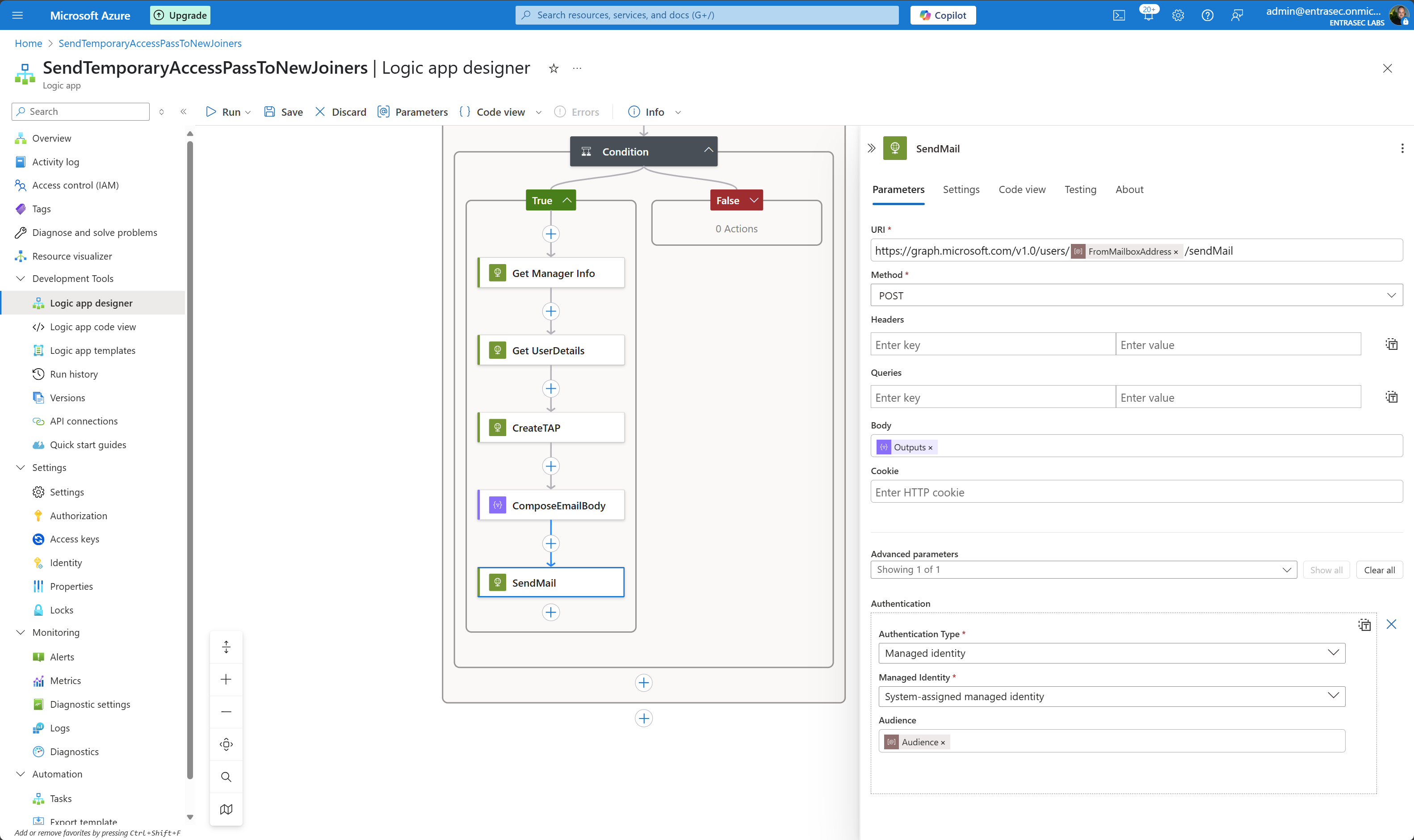
As you can see, I use the otherMails attribute of the user in this case. As this can be more then one address (array), I pick the first item:
first(body('Get_UserDetails')?['otherMails'])You can of course replace any of the variables to your needs, for example one of the extension attributes, or the manager’s email:
body('Get_UserDetails')?['extensionAttribute4'] or body('Get_Manager_Info')?['mail']Make sure that the managed identity is allowed to send email from that mailbox. Please do not add Graph API permissions, but use the new Role Based Access Control for Applications in Exchange Online. Read all about it here: A love story about Role Based Access Control for Applications in Exchange Online, Managed Identities, Entra ID Admin Units, and Graph API - JanBakker.tech
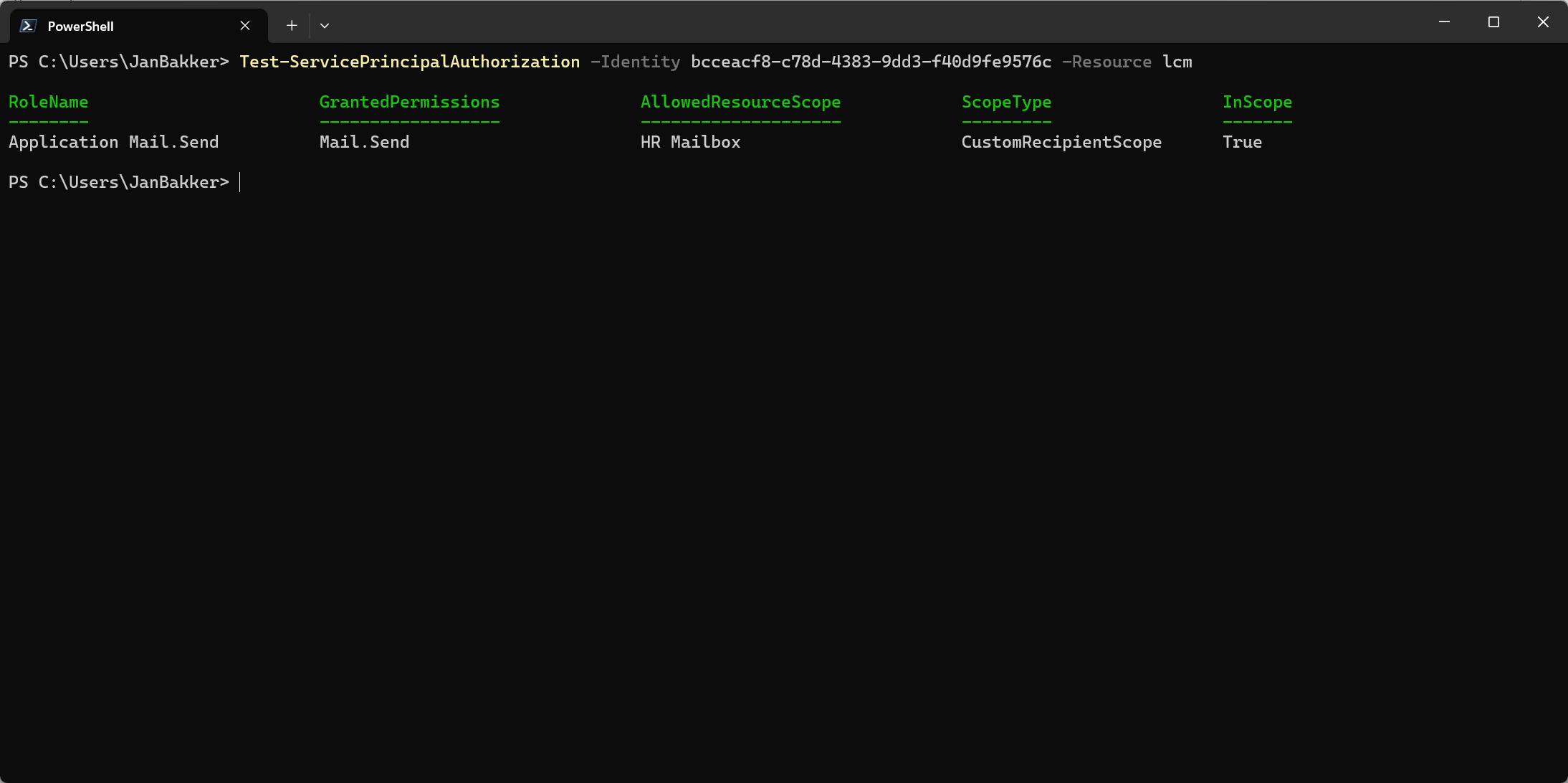
I’m aware that this last piece might be the hardest part. If this takes too much time, you can also consider using the Outlook connector, and simply authenticate with a service account (not recommended)
To calculate the Temporary Access Pass lifetime and show the start date, I use this logic:
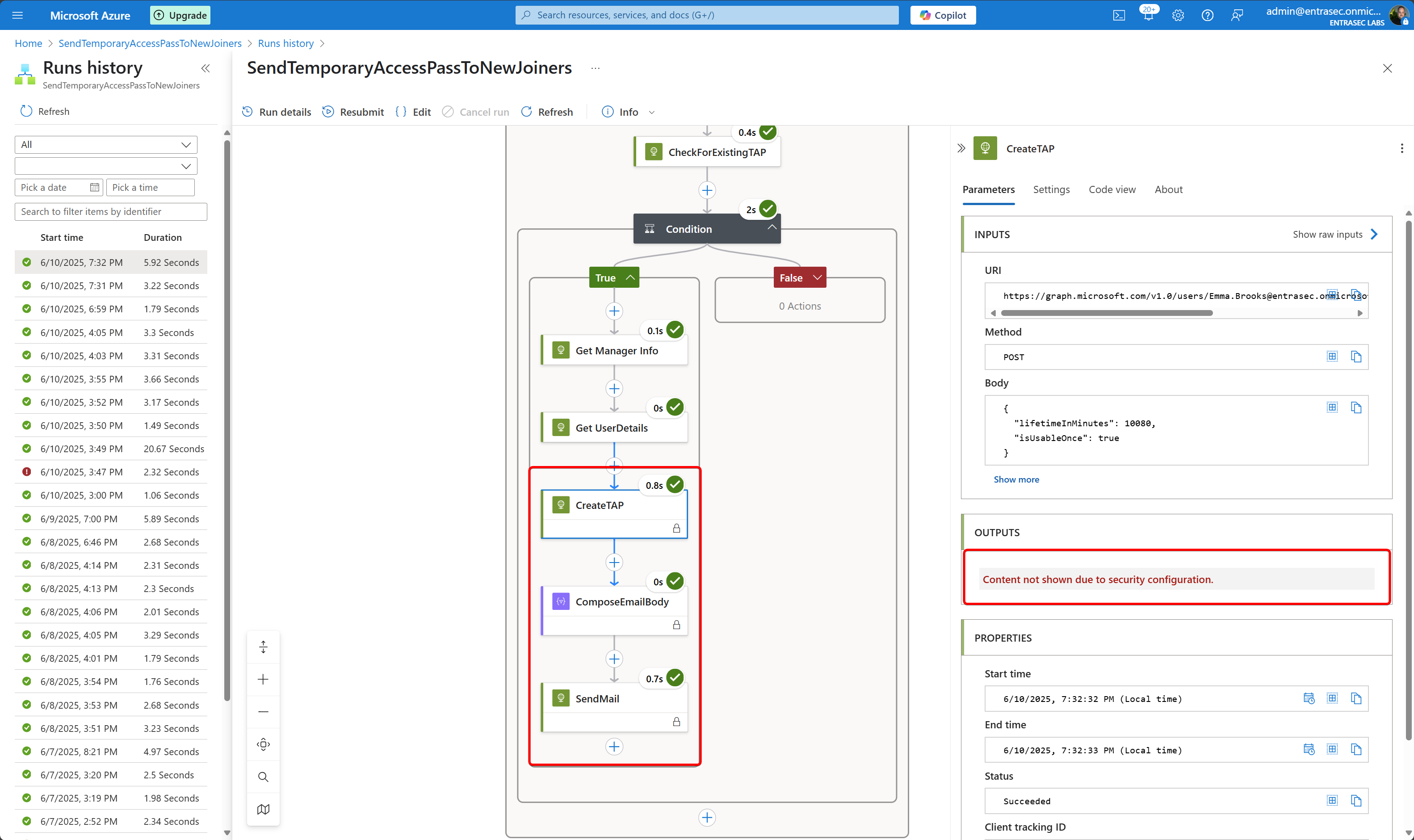
formatDateTime(addMinutes(body('CreateTAP')?['startDateTime'], body('CreateTAP')?['lifetimeInMinutes']), 'dddd, MMMM dd, yyyy \a\t h:mm tt \U\T\C') and formatDateTime(body('Get_UserDetails')?['employeeHireDate'], 'dddd, MMMM dd, yyyy')Optional , but reccomended is to secure the in- and output from some steps, so that nobody can read the Temporary Access Pass from the logs.
End result#
If everything goes to plan, Emma receives a new email with the Temporary Access Pass, 7 days before her first day at EntraSec. Her manager, Alex, is added in cc. The email is sent to her personal Gmail account.
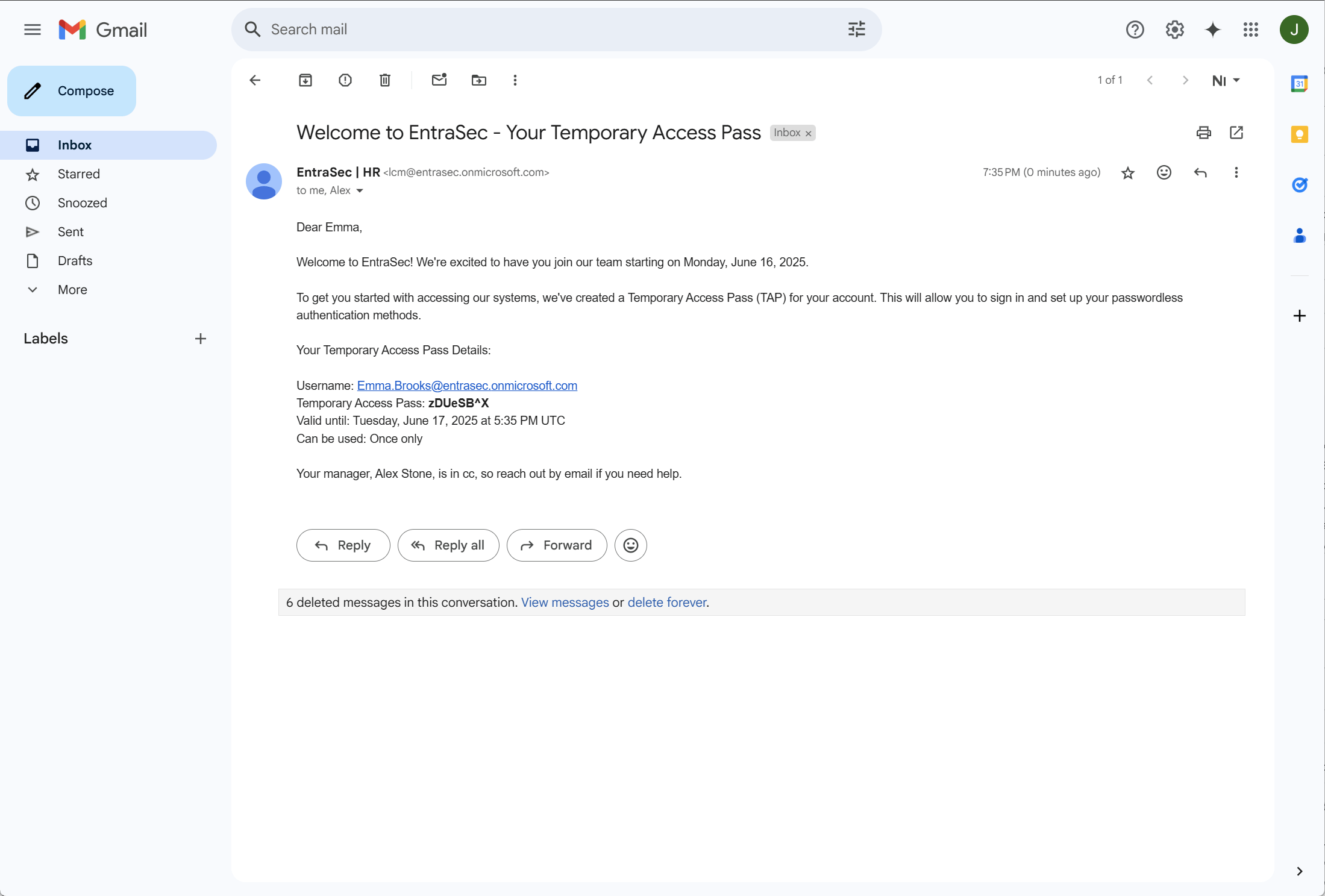
As I said, this Logic App is highly customizable, and you can be really creative from this point. You can also send the TAP by SMS or even extend your Logic App to another API (HR for example) to populate the TAP somewhere else.
Run on demand#
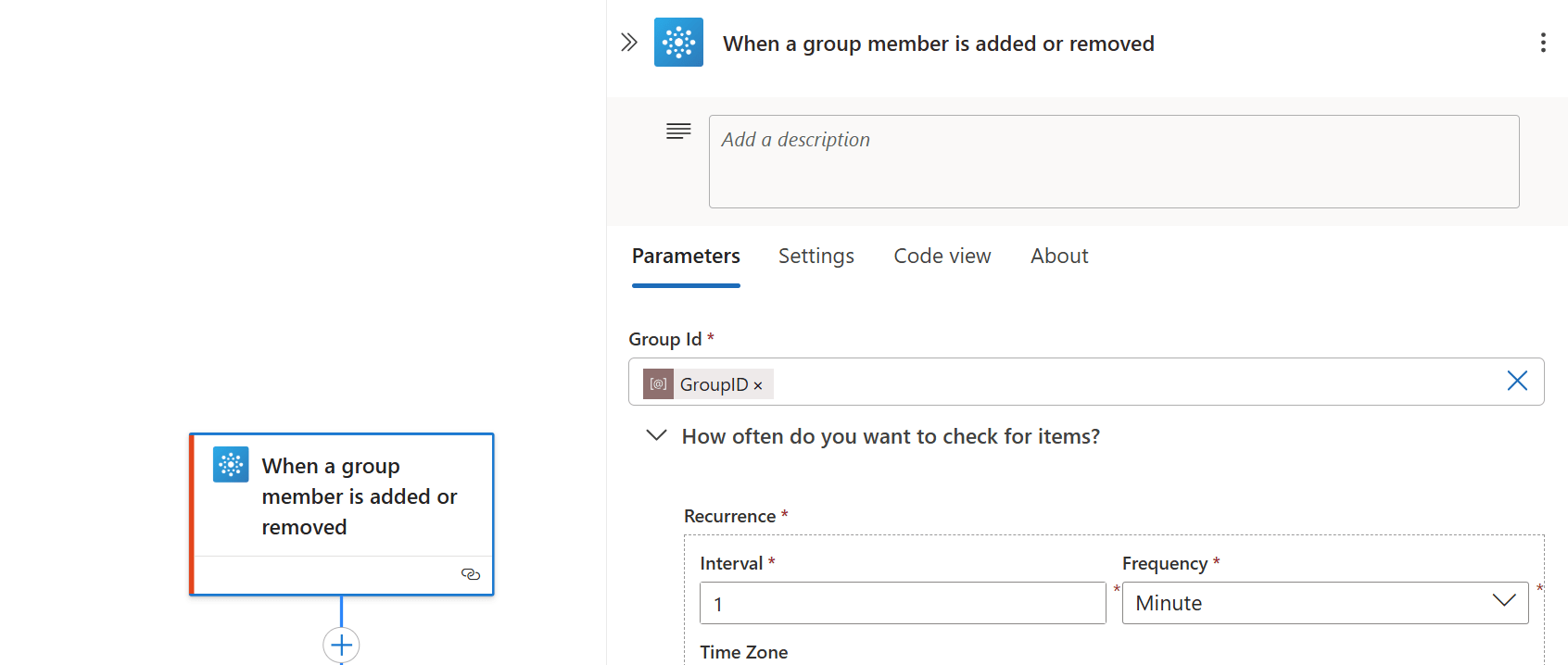
If you want to run this flow on demand, you can also leverage the approach from this post, where you would simply add a user to an Entra ID group which will trigger the flow, using the Office 365 group connector. This will deliver the TAP in one or two minutes.
Wrap up#
I hope you learned a thing or two from this post. What I like about this approach, is that you don’t have to poll for every users’ attributes every day, but let Entra ID do the hard work (dynamic groups). This will give a nice pre-selected group that you can further handle with some logic from the Logic Apps. The variety of attributes gives you great flexibility—whether you want to send the email to the manager, to a personal address, or to both.
Resources:
A love story about Role Based Access Control for Applications in Exchange Online, Managed Identities, Entra ID Admin Units, and Graph API - JanBakker.tech
Understanding lifecycle workflows - Microsoft Entra ID Governance | Microsoft Learn
Unlocking the Power of employeeHireDate in Entra ID Dynamic Groups - JanBakker.tech
Poor man’s IGA: Revoke all refresh tokens for user - JanBakker.tech
Comments
Comments load when you scroll here.