
Optimizations for passkey registration experience you might have missed
In my earlier post about the passkey onboarding experience, I discussed MC1440968. That update has now rolled out, and the registration wizard includes a useful improvement: end users can see which AAGUIDs are allowed to register.
The wizard now shows allowed AAGUIDs#
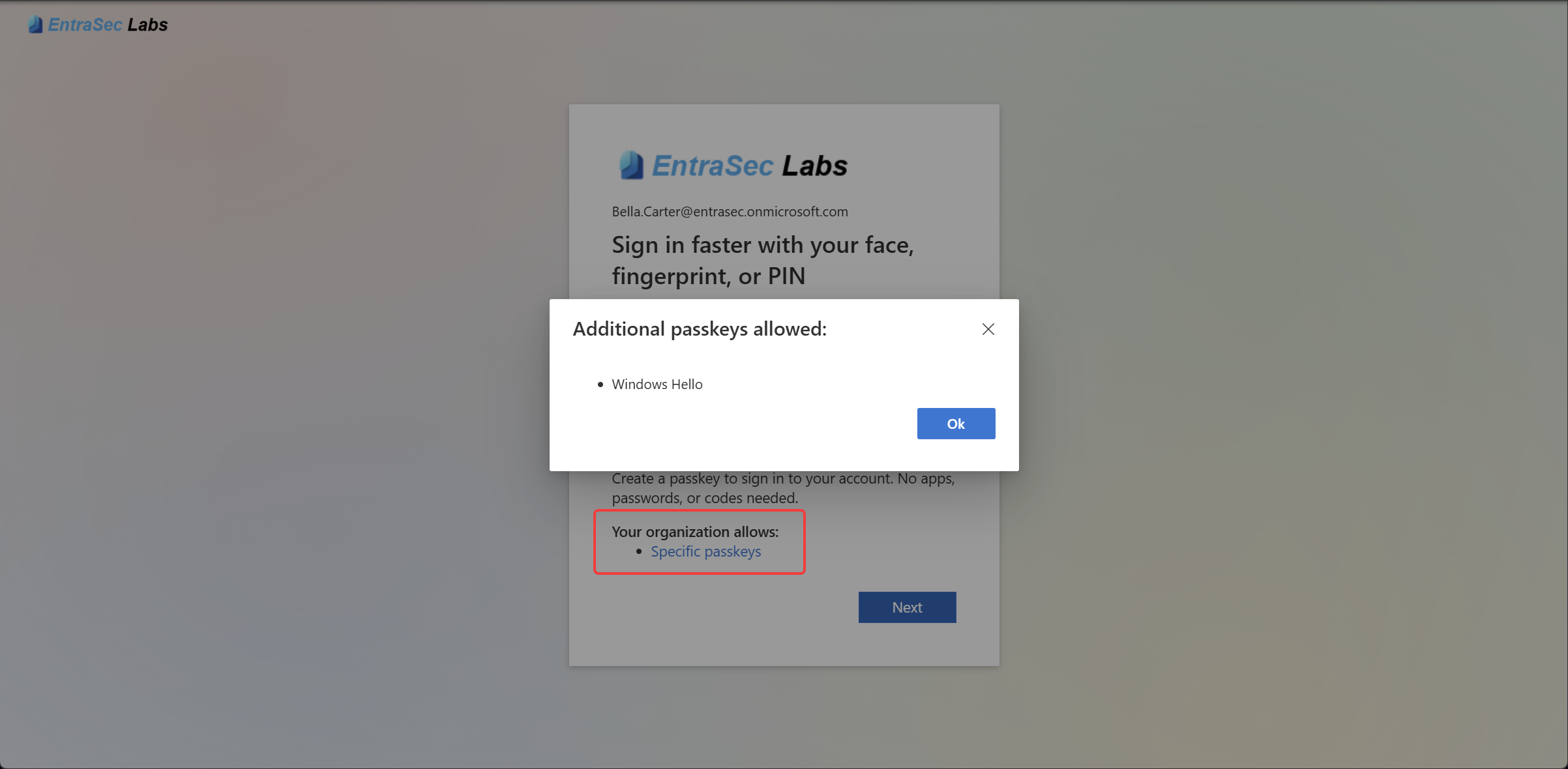
When you enforce specific passkey types, the wizard can show users the corresponding allowed AAGUIDs. This includes configurations for:
- Entra passkey on Windows
- Microsoft Authenticator passkey
- iCloud Keychain passkey
- Google Password Manager passkey
This gives users a clearer view of which passkey options are permitted during registration.
What changed in the registration flow#
MC1440968 covers passkey registration through Registration Campaign, Authentication Strengths, and My Sign-Ins. Microsoft Entra ID now more consistently guides users toward passkey types that comply with the administrator-configured passkey profile. When policy permits, it also prioritizes a passkey native to the device the user is currently using. The goal is to reduce unsuccessful or non-compliant registration attempts and make the process less frustrating.
The update does not add new registration screens or entry points. Users continue to register through the experiences they already use; the registration logic behind those flows is more policy-aware.
Build a custom authentication strength for Entra passkey on Windows#
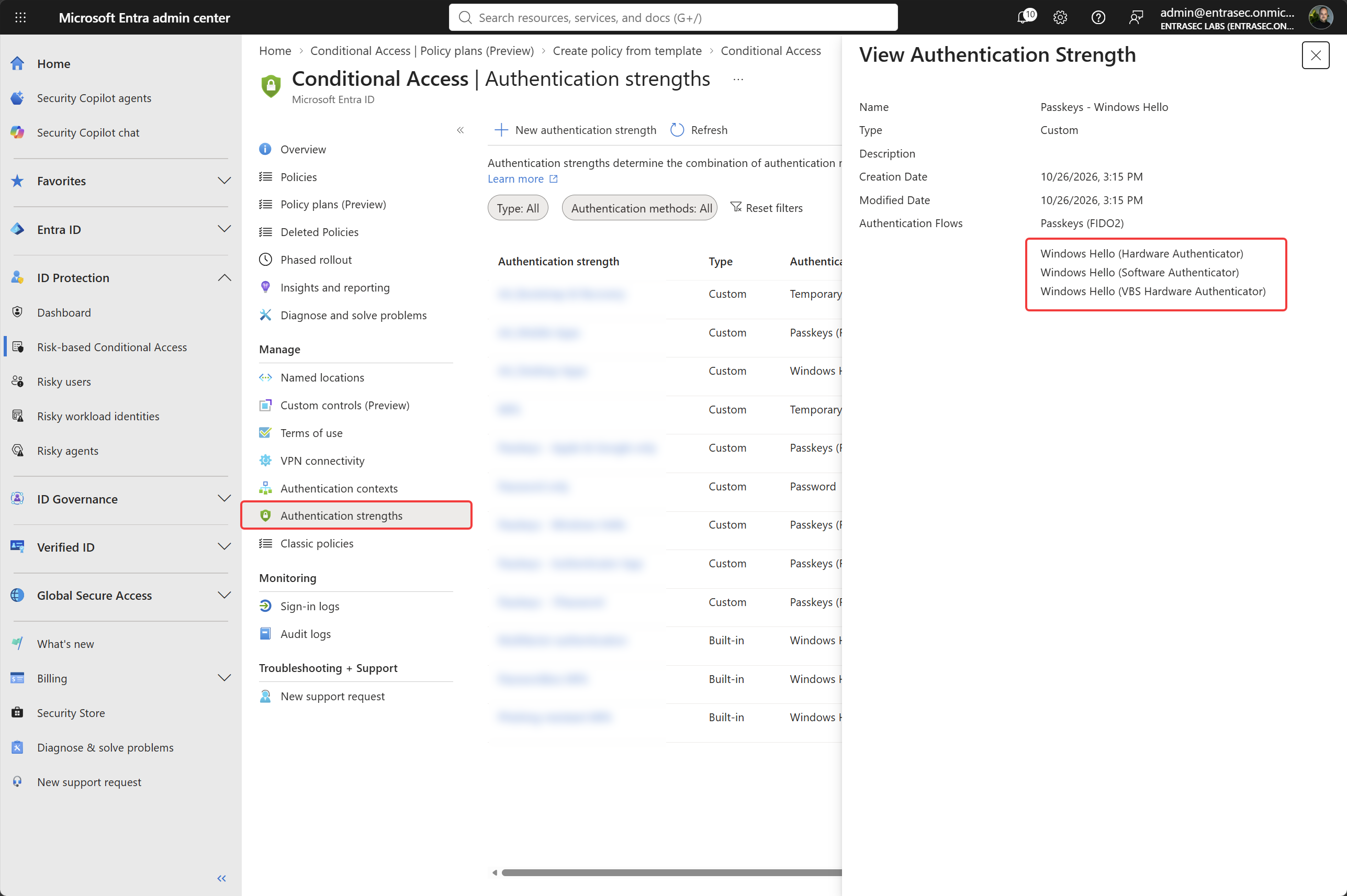
To demonstrate this, I built a custom Conditional Access authentication strength for Entra passkey on Windows. It includes the AAGUIDs for the passkey type I want to allow, which is the information the registration wizard uses when showing users the allowed options.
The end-user experience#
With the custom authentication strength in place, here is what users see when they start registering a passkey.
An important policy caveat#
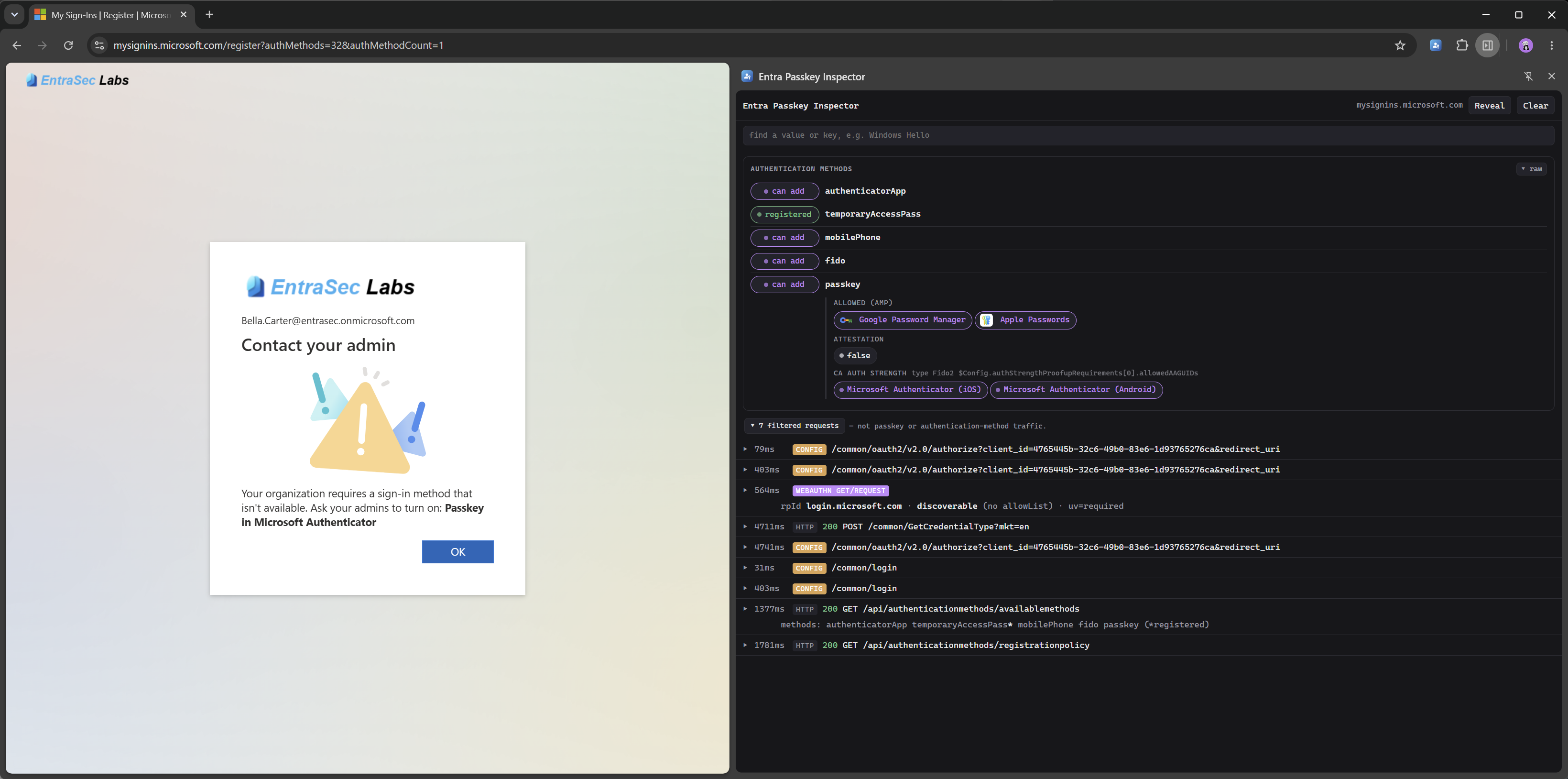
There is an important limitation: the wizard reflects the AAGUIDs enforced through Conditional Access authentication strengths. It does not show the allowed methods configured in the Authentication Methods Policy (AMP).
So the list users see in the registration wizard is based on the AAGUID restrictions in Conditional Access authentication strengths, not a complete view of the passkey methods allowed by AMP. It’s not that this information is unavailable, though. Here’s the cool part:
With the help of AI, I created an extension that looks at the API during sign-in and grabs information from the Authentication Methods Policy. That gives us a good view of what’s allowed and what’s enforced with Conditional Access.
If there’s a mismatch, the wizard now even shows a user-friendly error in some scenarios, so we’re slowly getting there.
Wrapping up#
All these minor improvements are really valuable, as they will hopefully reduce the number of failed passkey registrations. For now, this feature can be used to specifically scope passkeys to platforms or groups. That way, the user is not flooded with options, but will be prompted to register the passkey you want them to register.
Comments
Comments load when you scroll here.