
KB - We detected that this particular key type has been blocked by your organization
This is a knowledge base item. Hope it will help you someday.
Issue#
When you register a new passkey to Entra ID or Microsoft 365, an error is thrown:
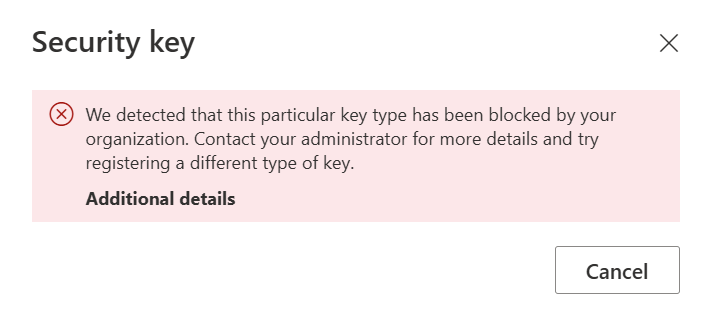
We detected that this particular key type has been blocked by your organization. Contact your administrator for more details and try registering a different type of key.
Cause#
This error is caused by key restrictions in your passkey authentication methods policies in Entra ID. Every passkey, whether that is an app or a physical key, has a unique identifier (AAGUID). This way, admins can define what type of keys are allowed and which are blocked. When you see this error, you or your admin probably enforced key restrictions on the tenant, and your key is not allowed.
Solution#
To solve this, the AGUID of your key needs to be added as an allowed key in your tenant.
For this, you’ll need:
- Access to Entra Admin center or Azure portal
- At least the Authentication Policy Administrator role
- The AAGUID of your key
An easy way to find the AAGUID of the key is by using this tool by Token2. TOKEN2 FIDO2 Key Data Explorer
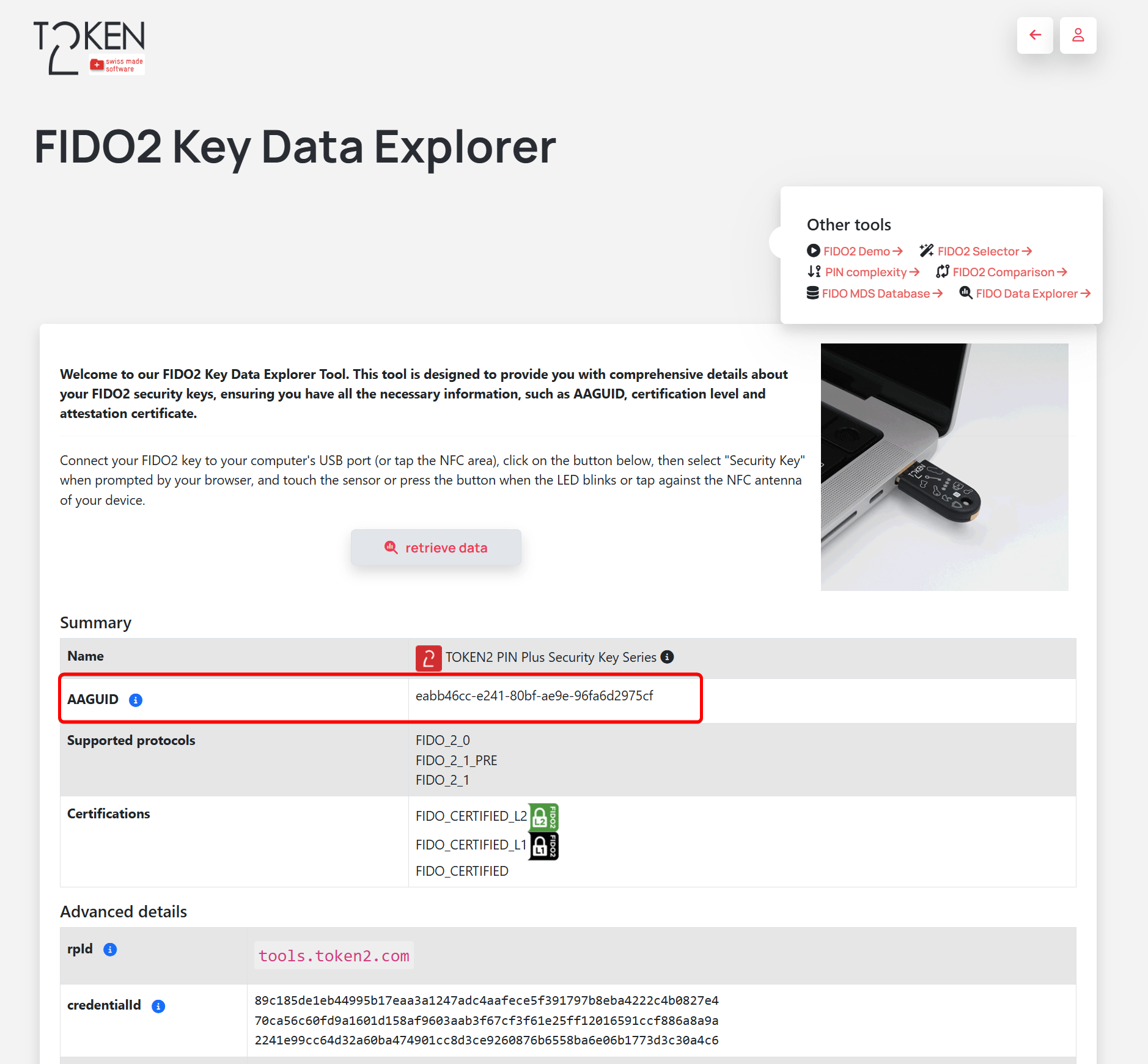
In this case, my AAGUID is eabb46cc-e241-80bf-ae9e-96fa6d2975cf
With the AAGUID copied to your clipboard, go to the Microsoft Entra Admin Center:
- Navigate to Entra ID > Authentication methods > Policies
- Select Passkey (FIDO2)
- Configure Key restrictions and add your new AAGUID
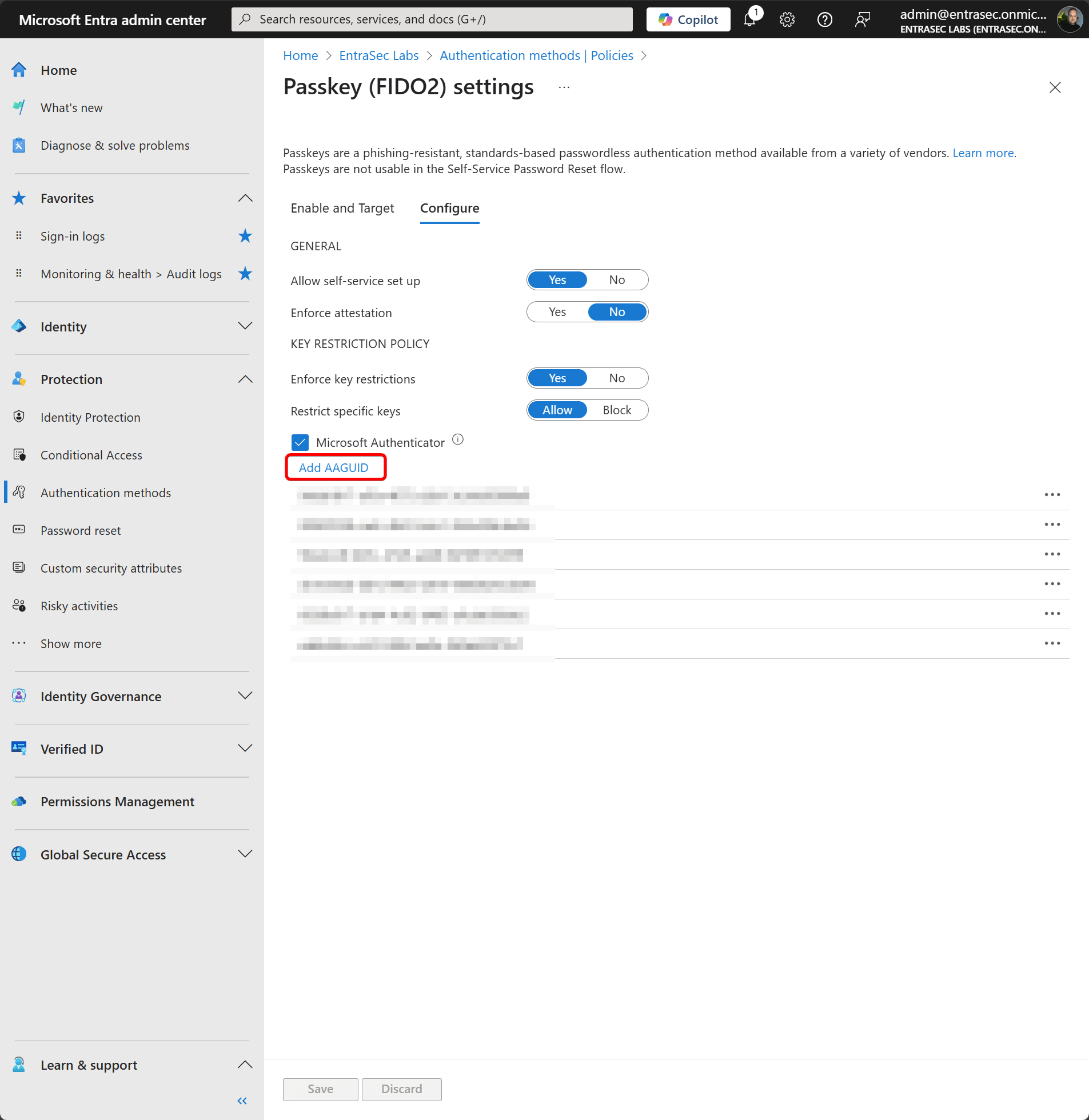
Now, wait a few minutes, and try again! That should work.
Stay safe.
Comments
Comments load when you scroll here.