
KB - Reset cross-tenant access policies back to the system default.
This is a knowledgebase item. Hope it helps you out someday.
The issue#
Changes have been made to the default settings in the Azure AD cross-tenant policies. You want to revert them, but there is no button in the Azure portal UI to do that (at the moment of writing this article)
Solution#
This can be done using the Graph API. The easiest way is using Graph Explorer. So, how does that work?
Browse to https://aka.ms/ge, and make sure that you are signed in. First, check if you have consented to the Policy.ReadWrite.CrossTenantAccess permissions.
Then, use this API request:
Graph API
POST https://graph.microsoft.com/beta/policies/crossTenantAccessPolicy/default/resetToSystemDefault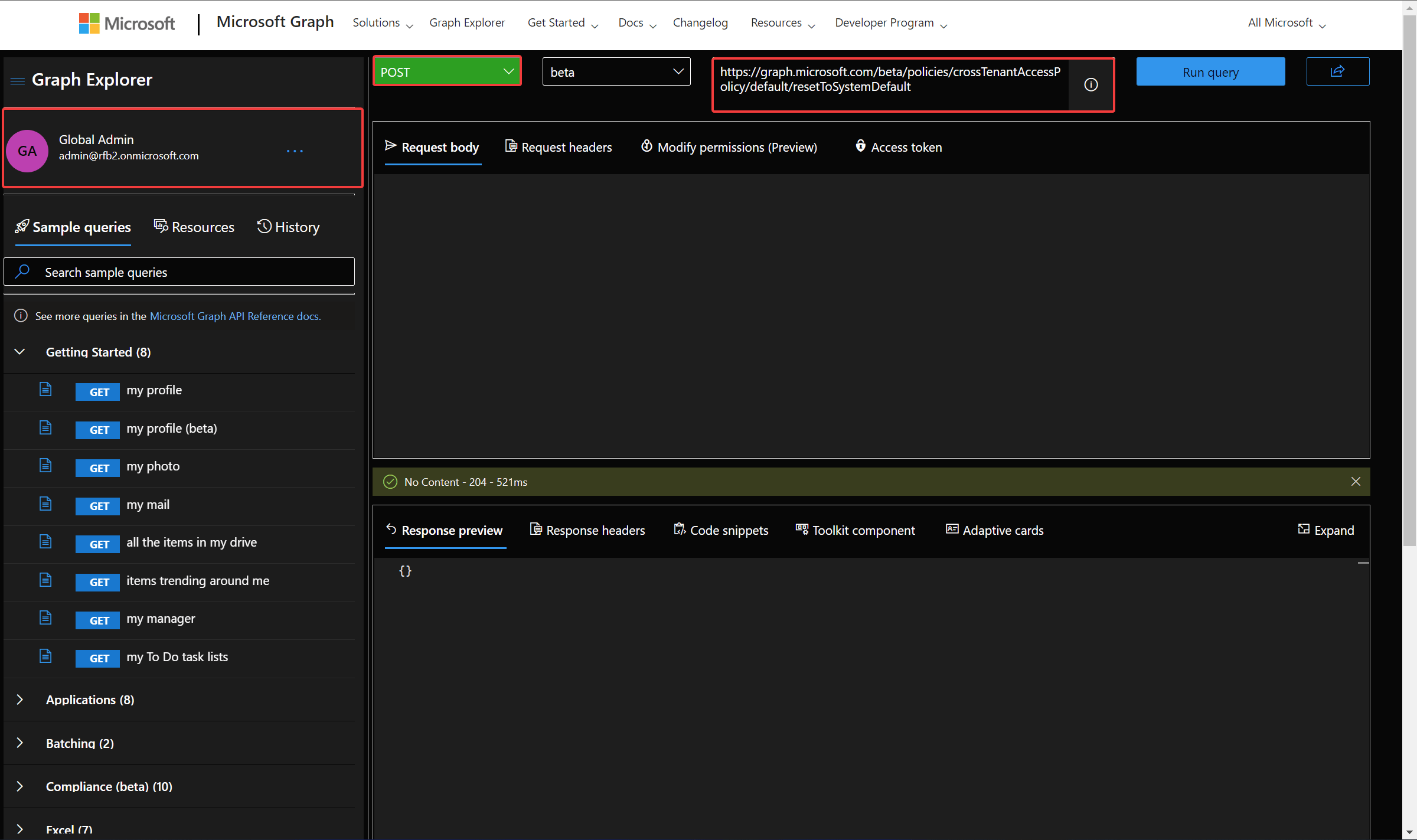
If successful, this action returns a 204 No Content response code. {}
The default settings are now restored:
Inbound access settings
| Type | Applies to | Status |
|---|---|---|
| B2B collaboration | External users and groups | All allowed |
| B2B collaboration | Applications | All allowed |
| B2B direct connect | External users and groups | All blocked |
| B2B direct connect | Applications | All blocked |
| Trust settings | N/A | Disabled |
Outbound access settings
| Type | Applies to | Status |
|---|---|---|
| B2B collaboration | External users and groups | All allowed |
| B2B collaboration | Applications | All allowed |
| B2B direct connect | External users and groups | All blocked |
| B2B direct connect | Applications | All blocked |
Stay safe!
Comments
Comments load when you scroll here.