
How to restore deleted Entra ID Conditional Access policies and Named Locations
Entra ID Conditional Access policies can now be restored for up to 30 days after deletion. Next to deleted users, groups, and apps, admins can now also restore deleted Conditional Access Policies, Trusted Locations, and Cross Tenant Access Policies. Learn more: policyDeletableItem resource type - Microsoft Graph beta | Microsoft Learn
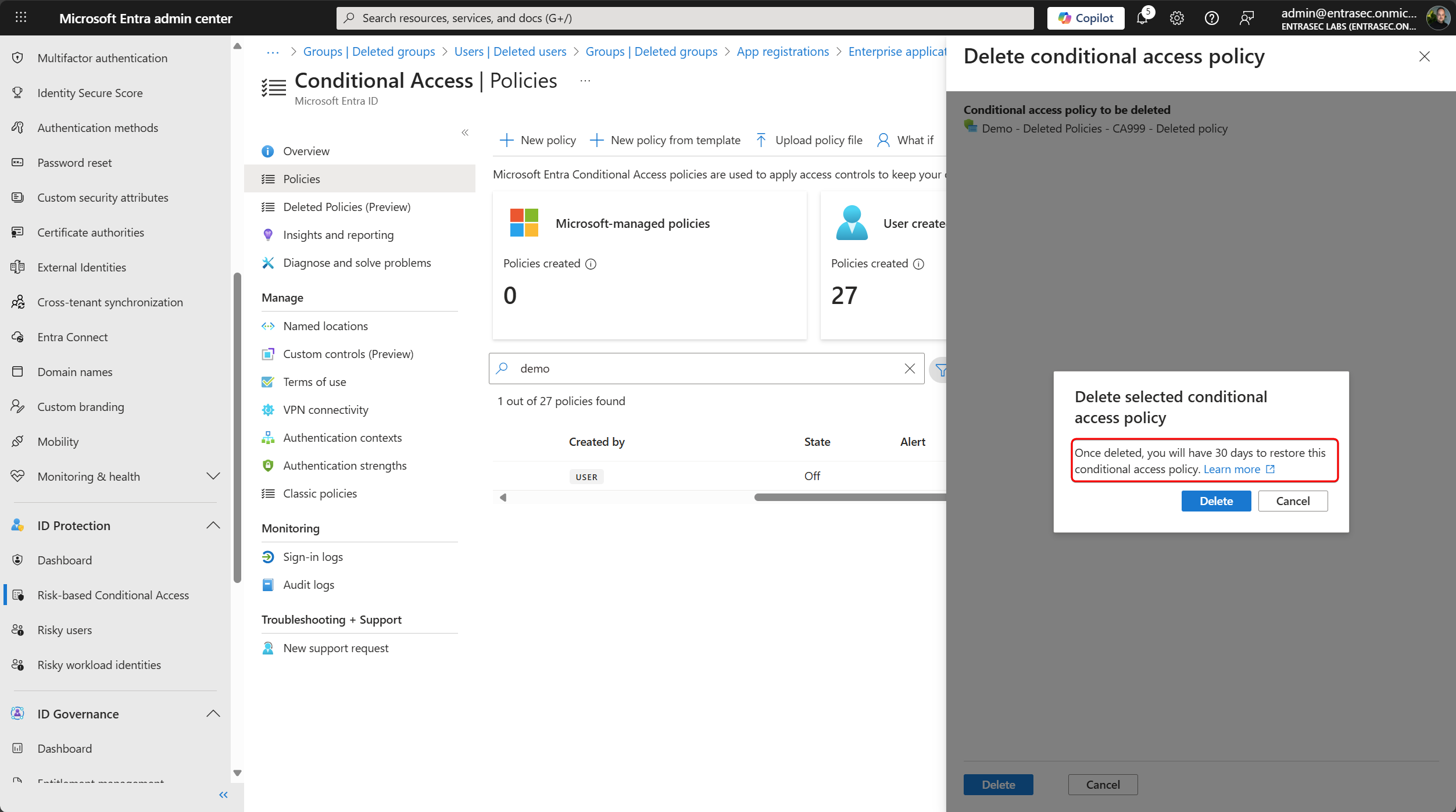
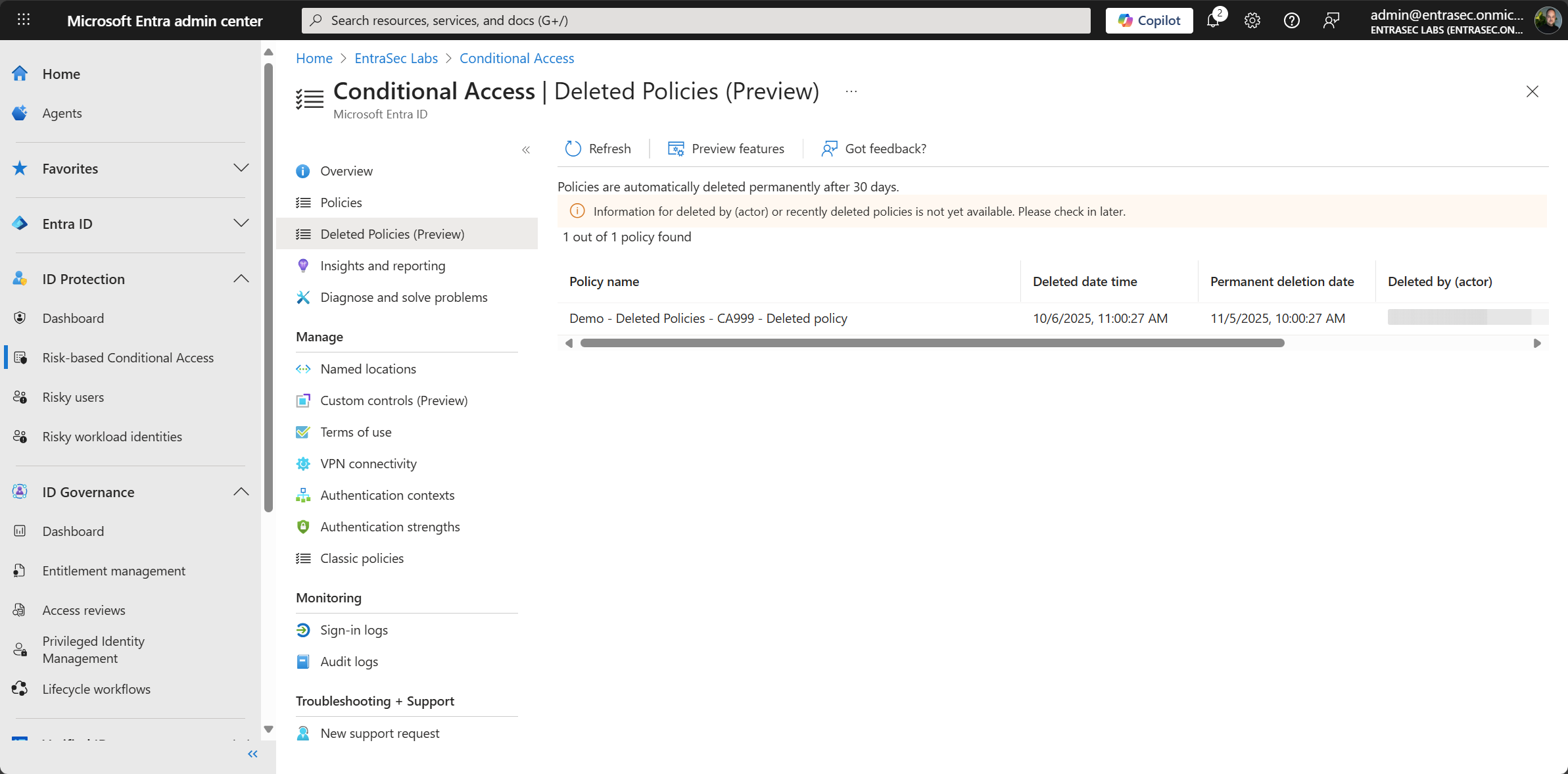
This information can be found in the Entra Admin Center, but you can also access it directly through the Graph API.
GET https://graph.microsoft.com/beta/conditionalAccess/deletedItems/policies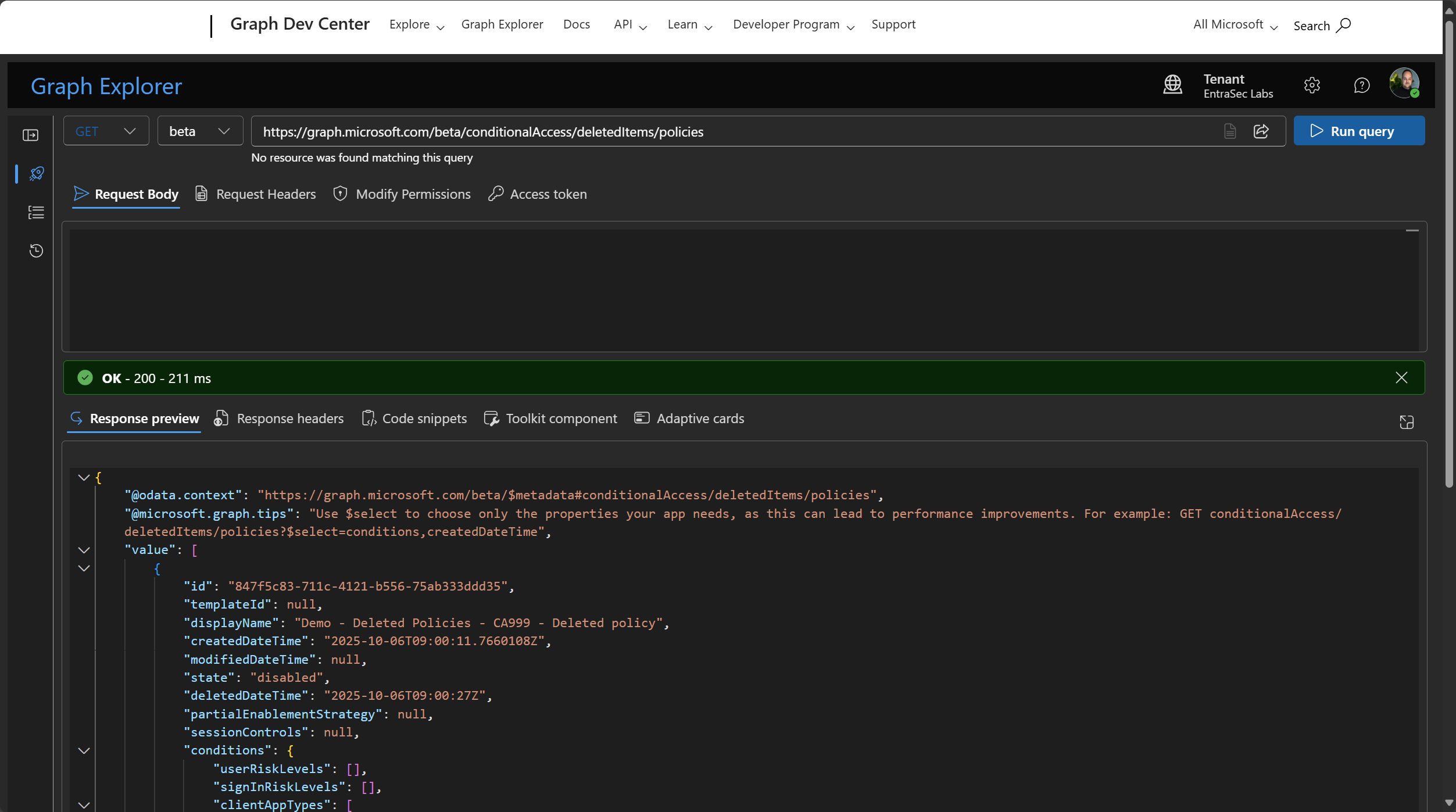
Deleted policies can easily be tracked and restored from the Entra Admin Center:
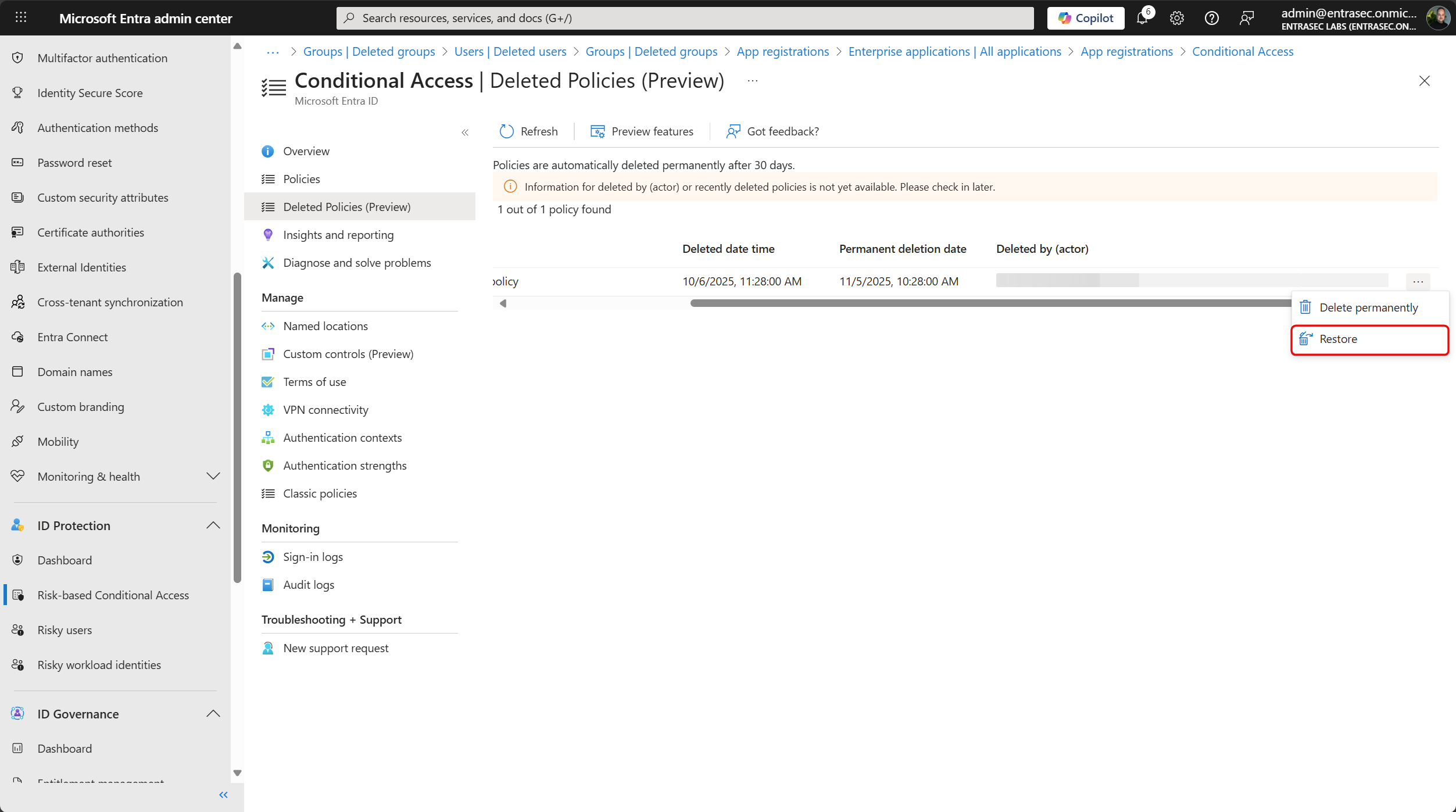
To restore the policy using Graph Explorer, use the policy ID of the deleted policy.
POST https://graph.microsoft.com/beta/conditionalAccess/deletedItems/policies/847f5c83-711c-4121-b556-75ab333ddd35/restore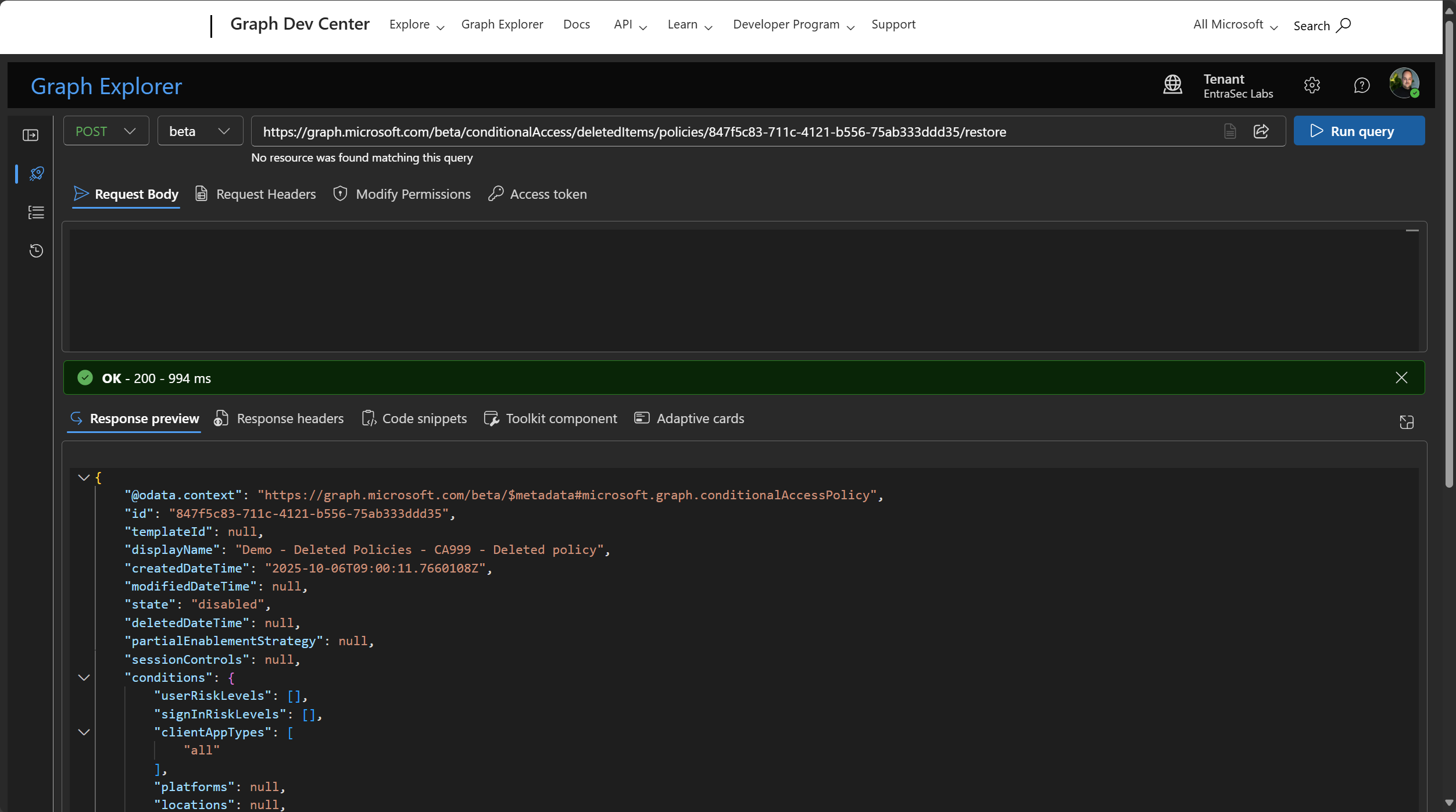
Restore Trusted Locations#
Trusted Locations can also be restored from the Entra Admin Center.
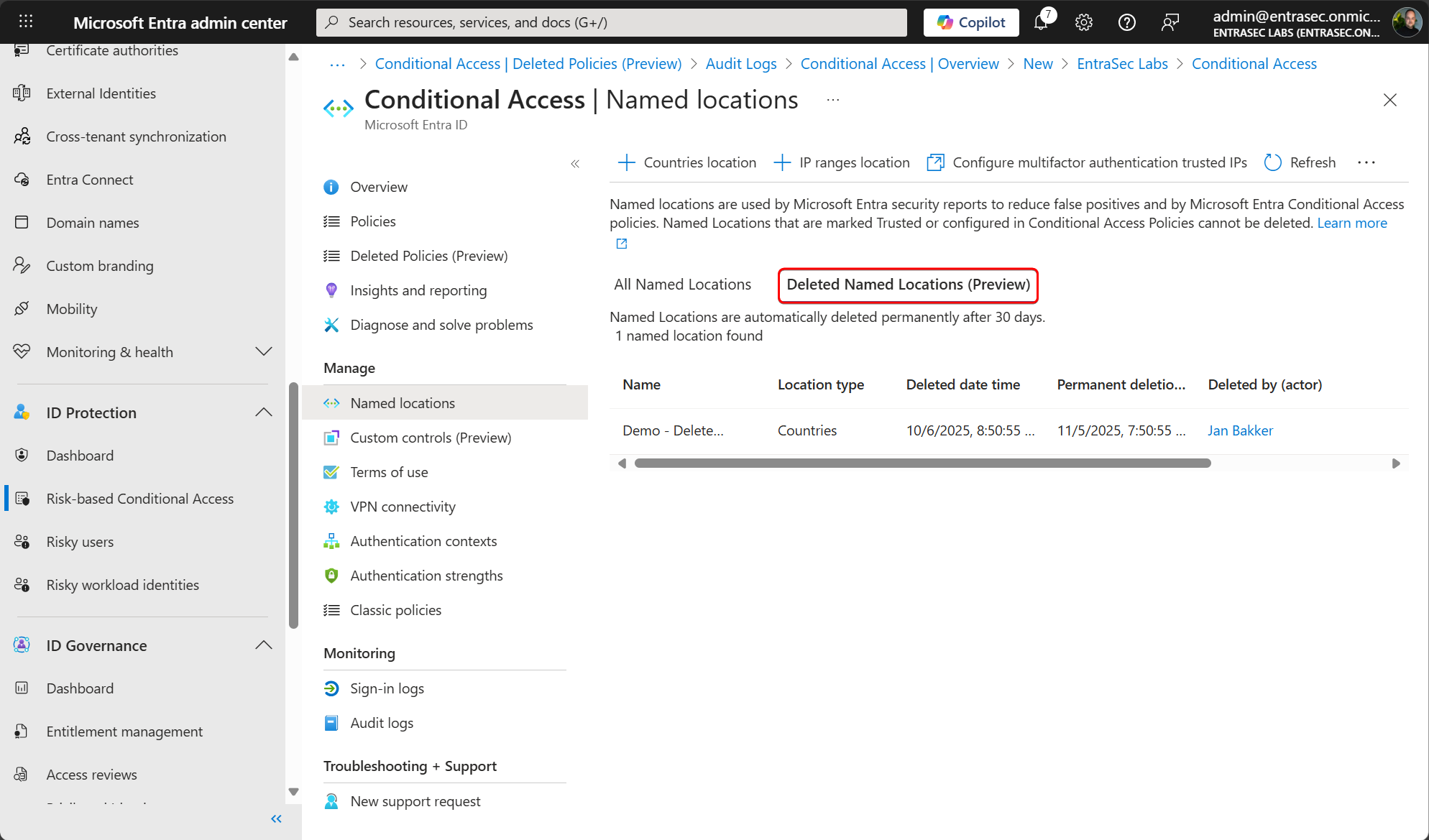
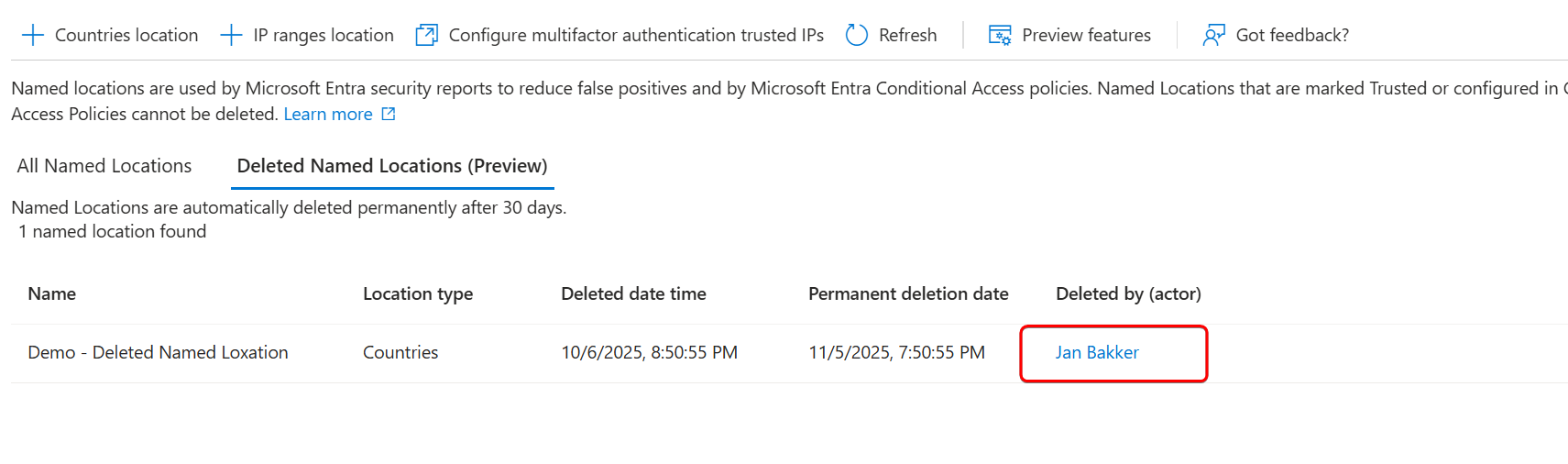
Using Graph Explorer, you can list, restore, or permanently delete a soft-deleted Named Location.To list all deleted Named Locations for example, use:
GET https://graph.microsoft.com/beta/identity/conditionalAccess/deletedItems/namedLocations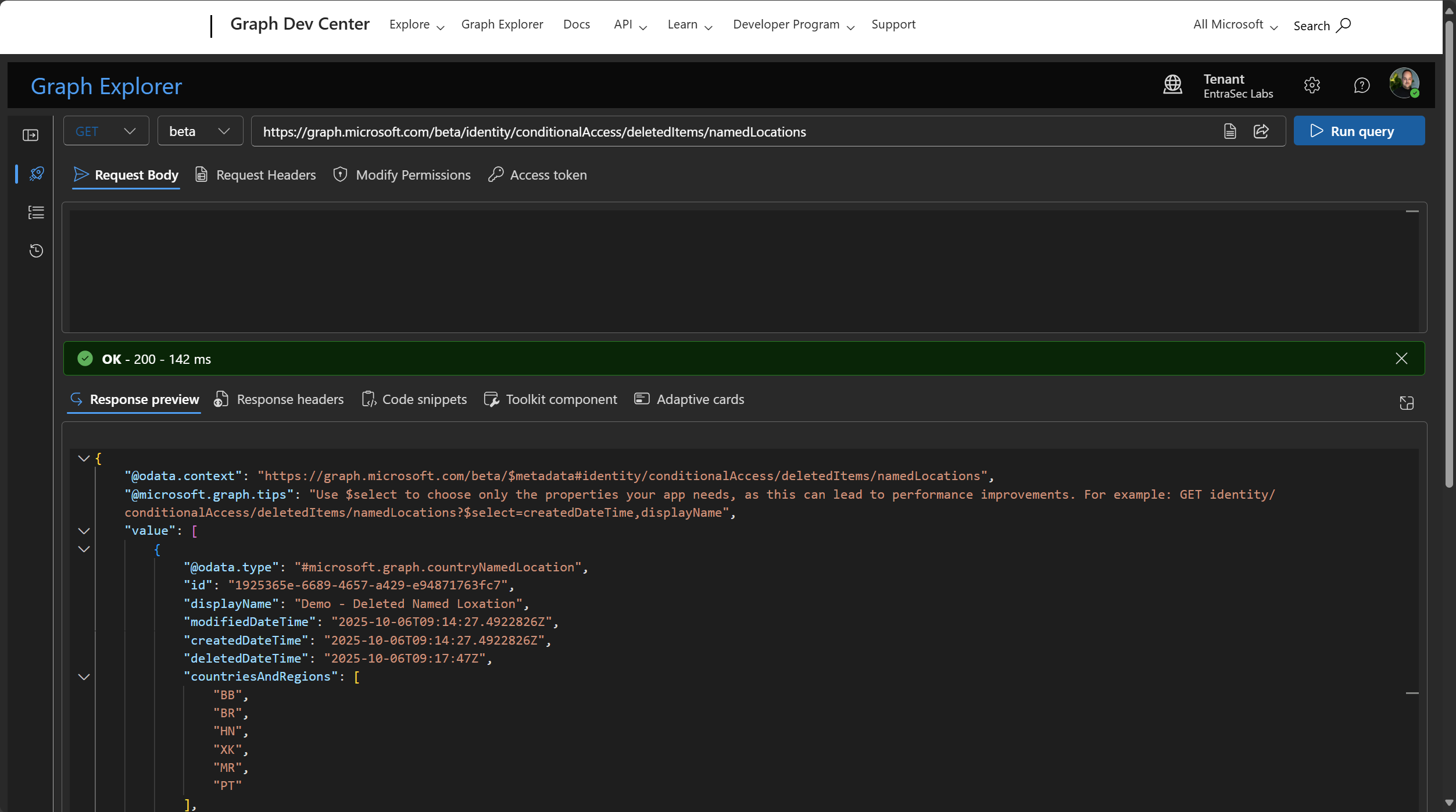
To restore a deleted Named Location using Graph Explorer:
POST https://graph.microsoft.com/beta/identity/conditionalAccess/deletedItems/namedLocations/1925365e-6689-4657-a429-e94871763fc7/restorePermanently delete soft-deleted objects#
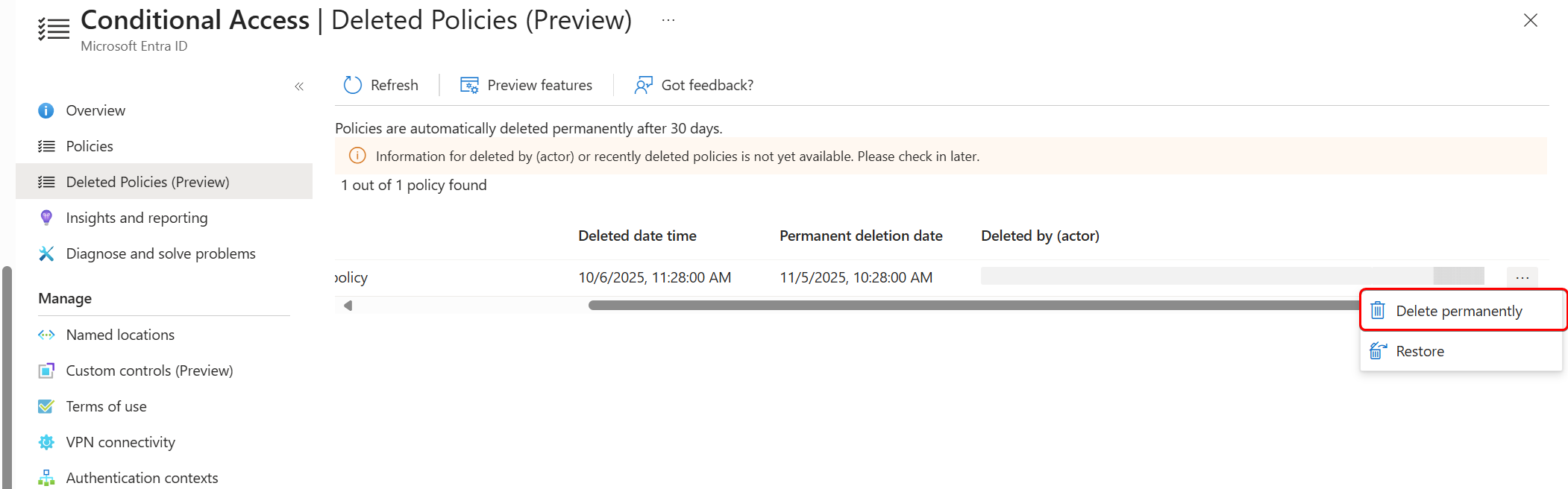
Soft-deleted objects, such as policies and named locations, can be permanently deleted.
Conditional Access policies and Named Locations can be deleted through the Entra admin center directly.
Deleted by (actor)#
At the time of writing, information for deleted by (actor) or recently deleted policies is not yet available.
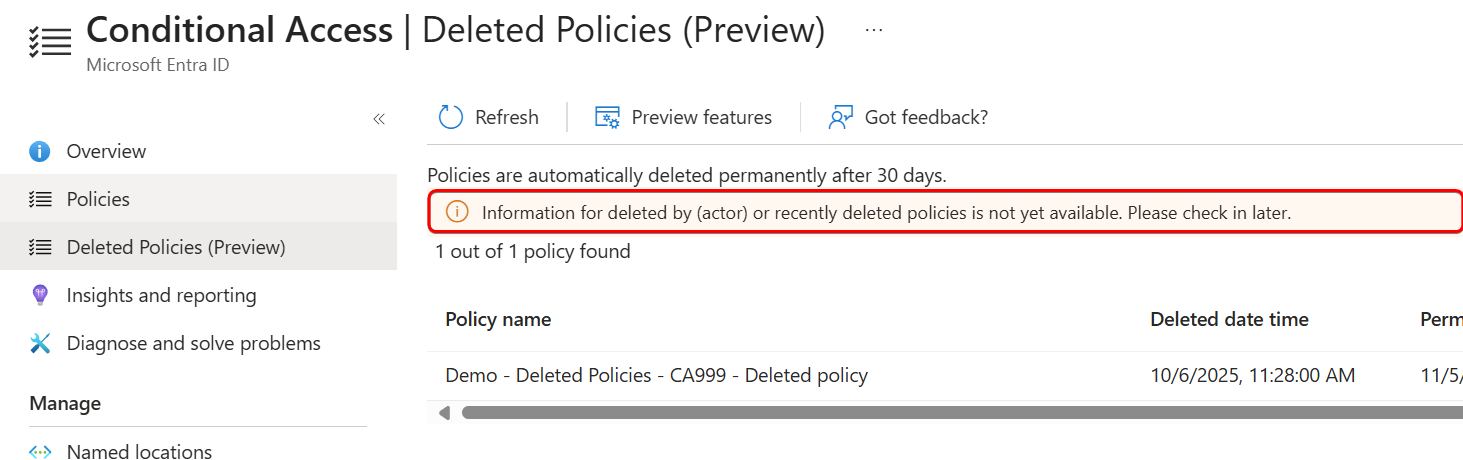
This information can be found in the Audit Logs for the time being. Look for activity type:
- Delete conditional access policy
- Delete named location\
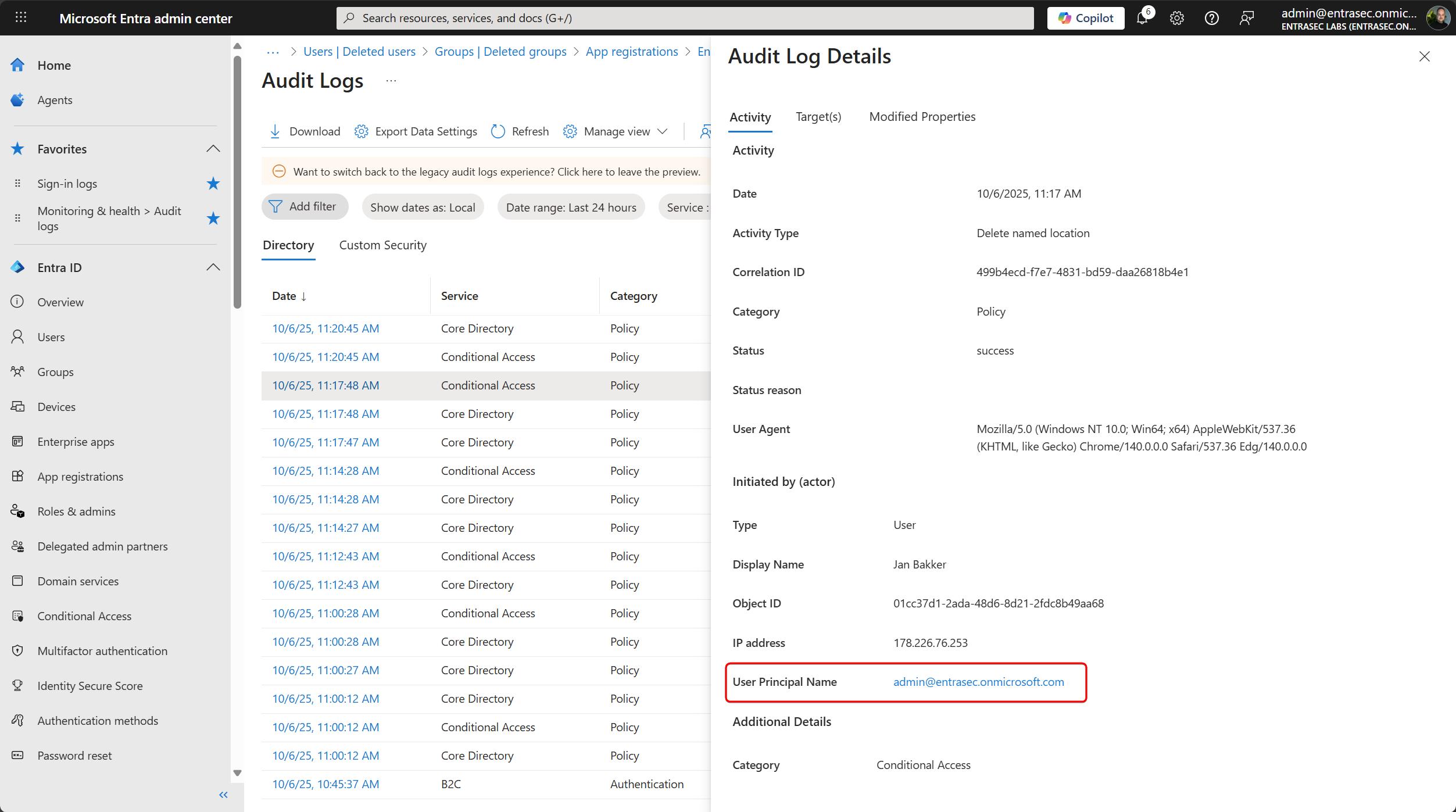
The actor for the deleted Named Locations is already there.
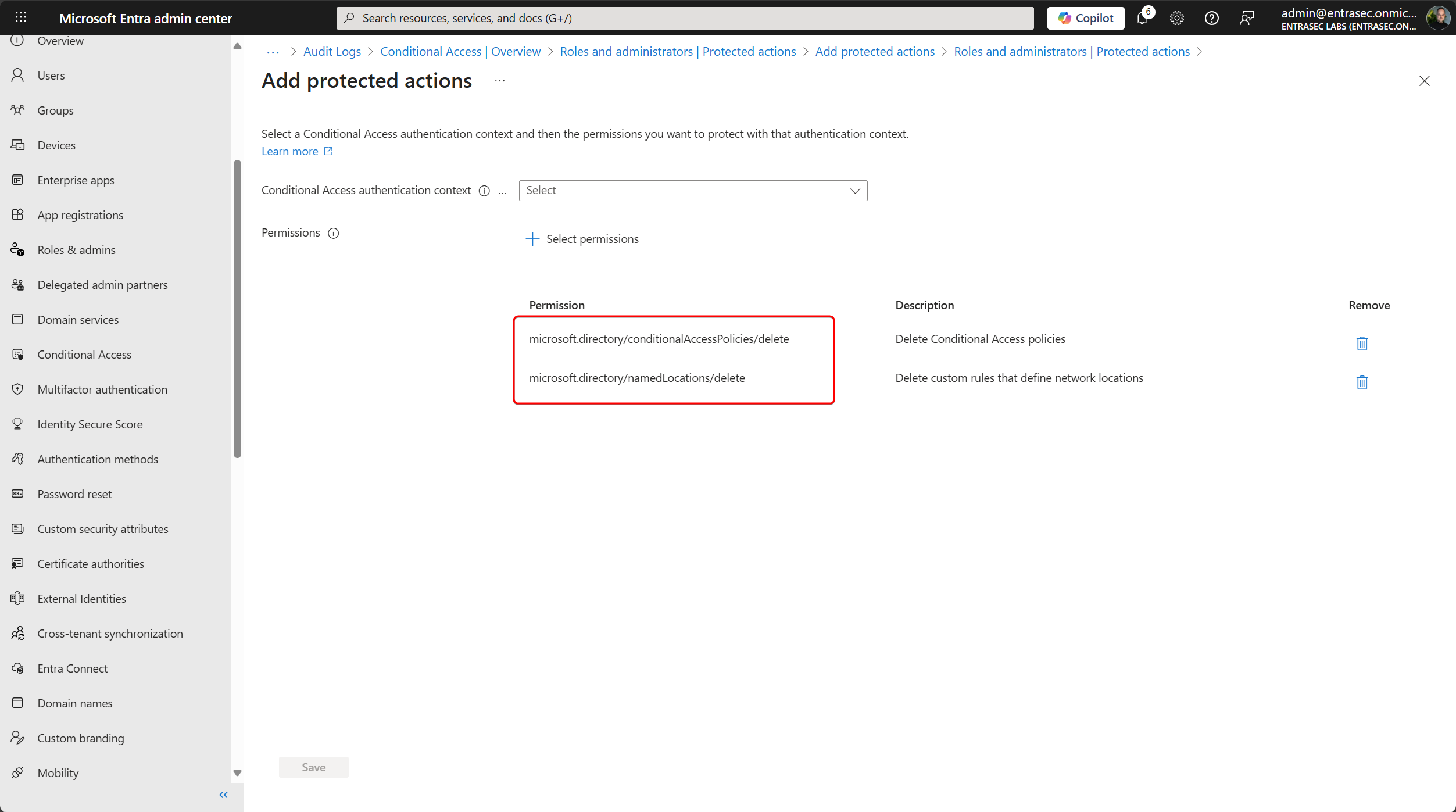
(Bonus) How to prevent unwanted deletion of objects#
Protected Actions, a feature of Entra ID, is capable of restricting the deletion of Conditional Access policies and Named Locations by applying Authentication Context to specific actions.
What are protected actions in Microsoft Entra ID? - Microsoft Entra ID | Microsoft Learn
Let’s wrap up#
It’s good to see that more and more objects in Entra ID are supported for soft-deletion, so that admins are able to restore them, if needed. To leverage the full potential, consider using the Graph API instead, as not all features are available in the Entra Admin Center (yet). policyDeletableItem resource type - Microsoft Graph beta | Microsoft Learn
Stay safe!
Comments
Comments load when you scroll here.