
How to find unattested device-bound passkeys in Entra ID
Attestation is an important topic in the context of device-bound passkeys. Seeing the creative work from Nathan, Fabian, and Jos coming together, you might want to keep an eye on non-attested, device-bound passkeys in Entra ID.
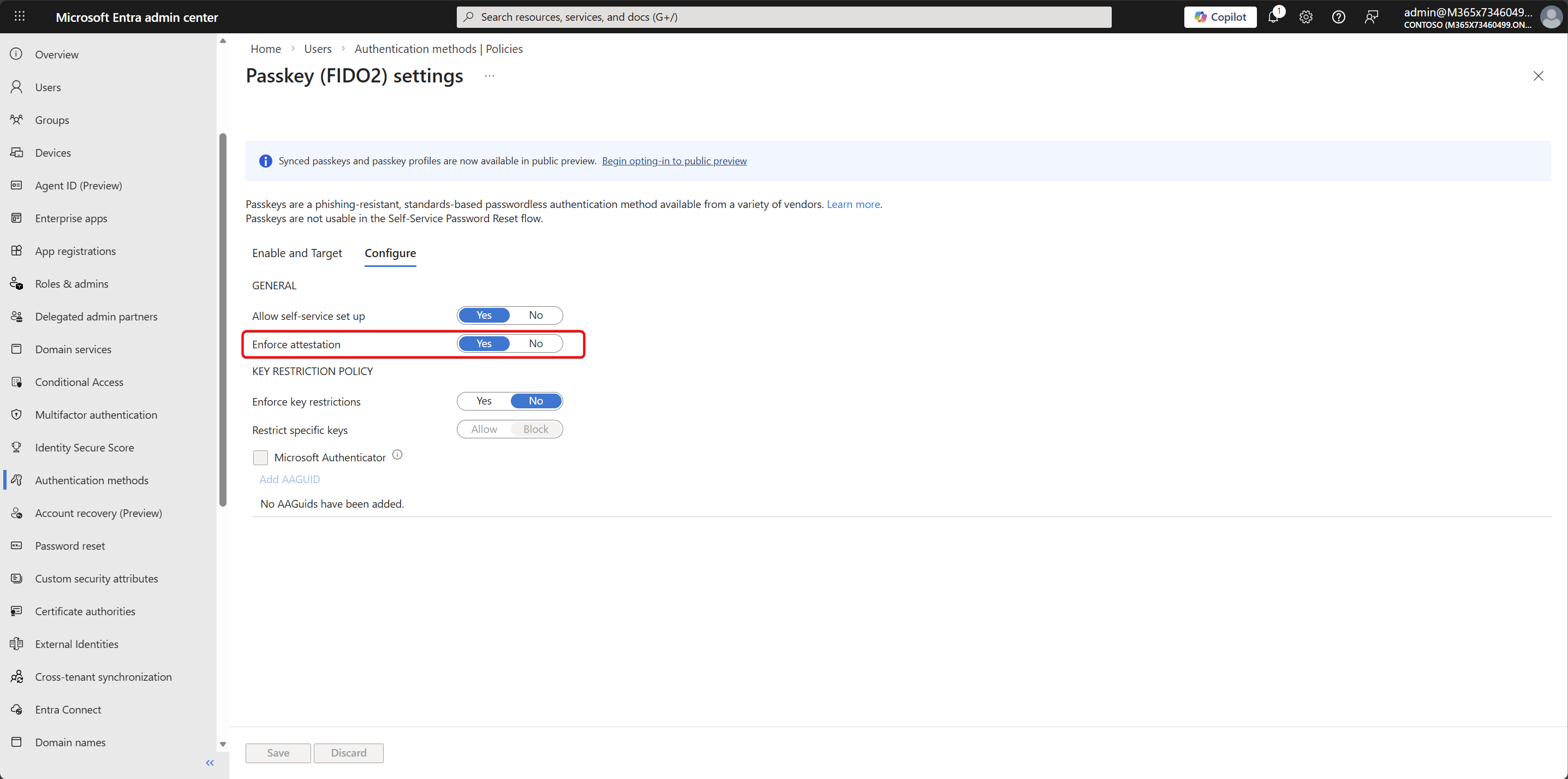
Here’s some more info about attestation: What is Attestation in WebAuthn?
Let’s see how to find them in Graph Explorer first, so you understand the API, and then build a PowerShell script to automate this.
Go to https://aka.ms/ge (Graph Explorer), and sign in with your admin account.
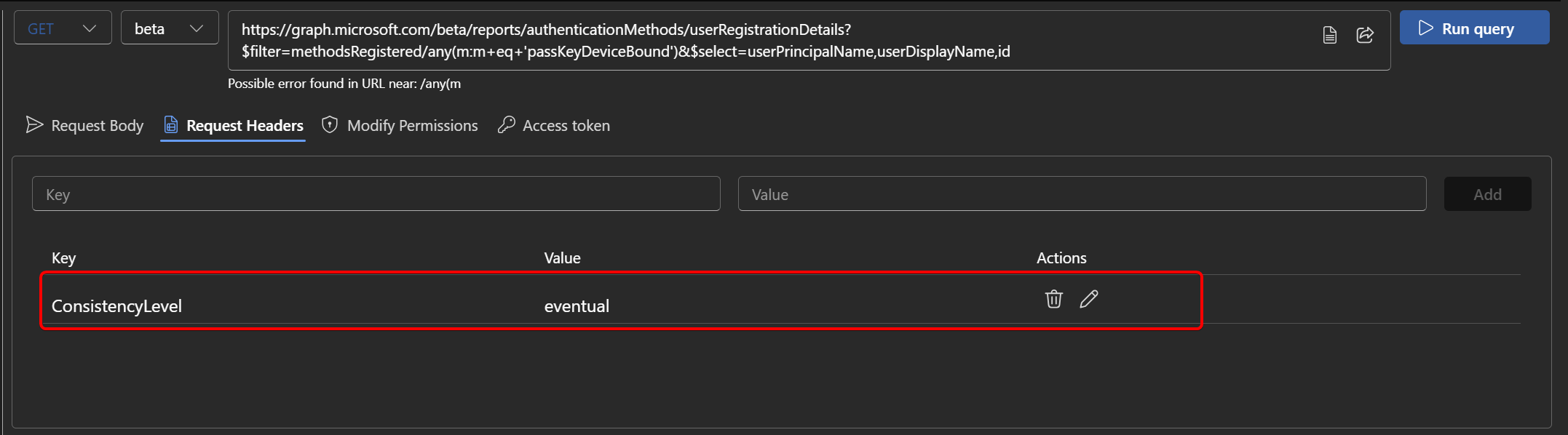
First, we want to query all users who registered a device-bound passkey. We can do that fairly easily using the Authentication Methods report.
GET https://graph.microsoft.com/beta/reports/authenticationMethods/userRegistrationDetails?$filter=methodsRegistered/any(m:m eq 'passKeyDeviceBound' or m eq 'passKeyDeviceBoundAuthenticator')&$select=userPrincipalName,userDisplayName,idImportant! This endpoint requires a specific header.
Header name: ConsistencyLevel Value: eventual
Next, we need the user’s ID so we can look up a more detailed report.
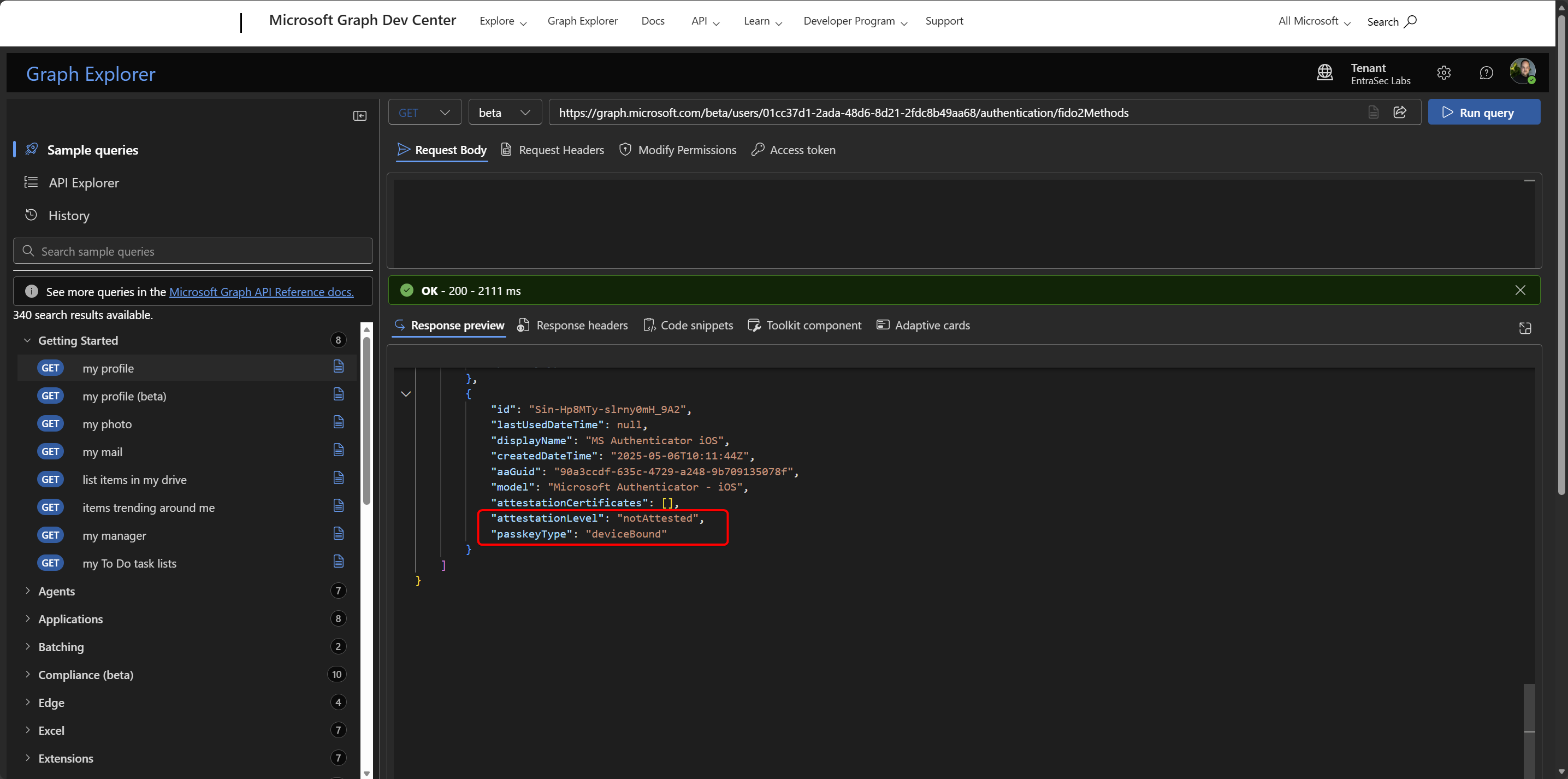
GET https://graph.microsoft.com/beta/users/REPLACEWITHUSERID/authentication/fido2Methods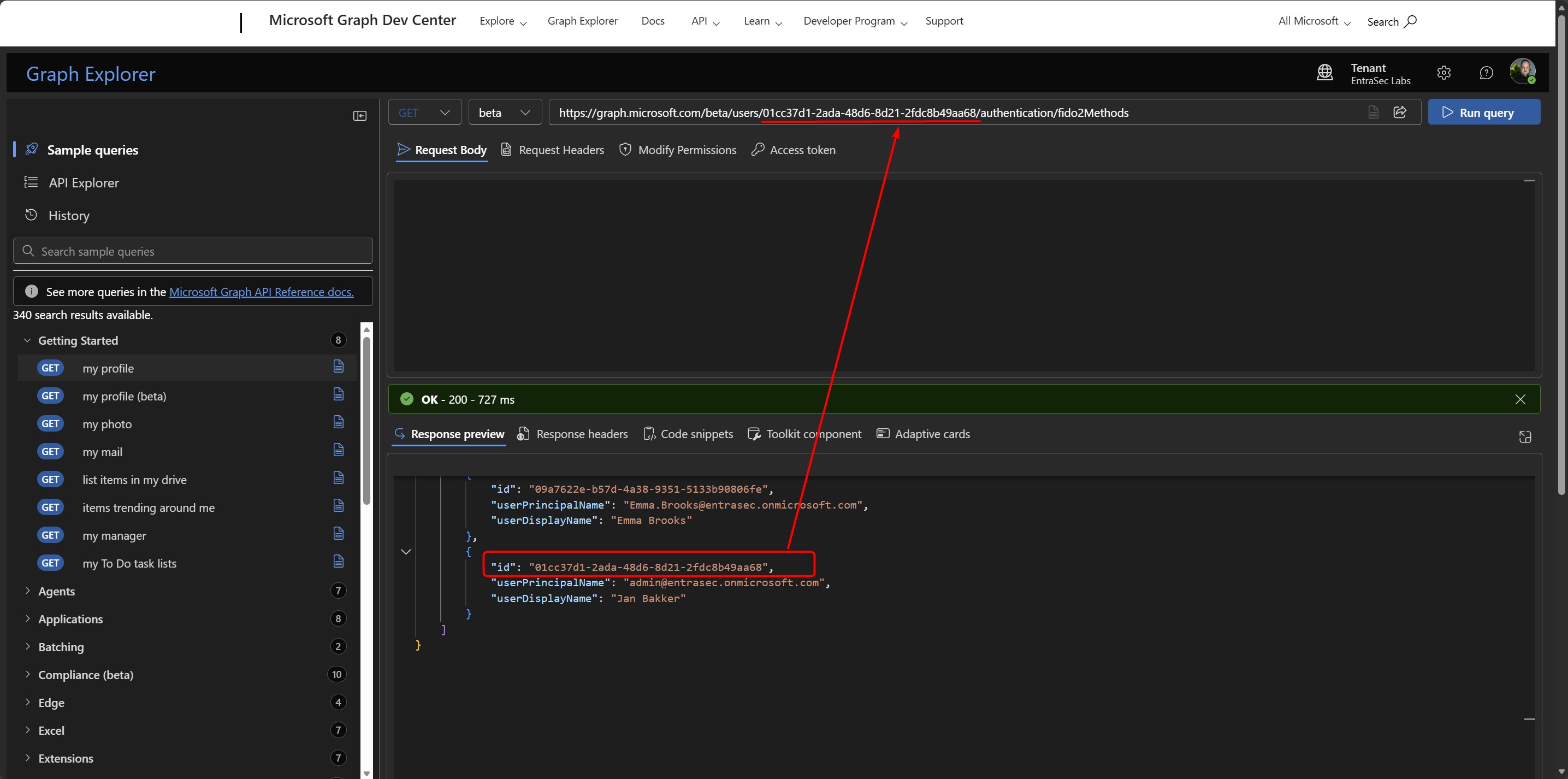
In the response, we can see that this device-bound passkey was registered without attestation. Although it looks like this passkey comes from the Authenticator app, do know that the name and AAGUID can be spoofed without attestation enabled.
Now that we understand the API, we can also build a PowerShell script to do this in bulk. I’ve published a sample script here.
## Install required modules (if not already installed)
Install-Module Microsoft.Graph.Authentication -Scope CurrentUser
Install-Module Microsoft.Graph.Reports -Scope CurrentUser
Install-Module Microsoft.Graph.Users -Scope CurrentUser

 .\Get-UnattestedPasskeys.ps1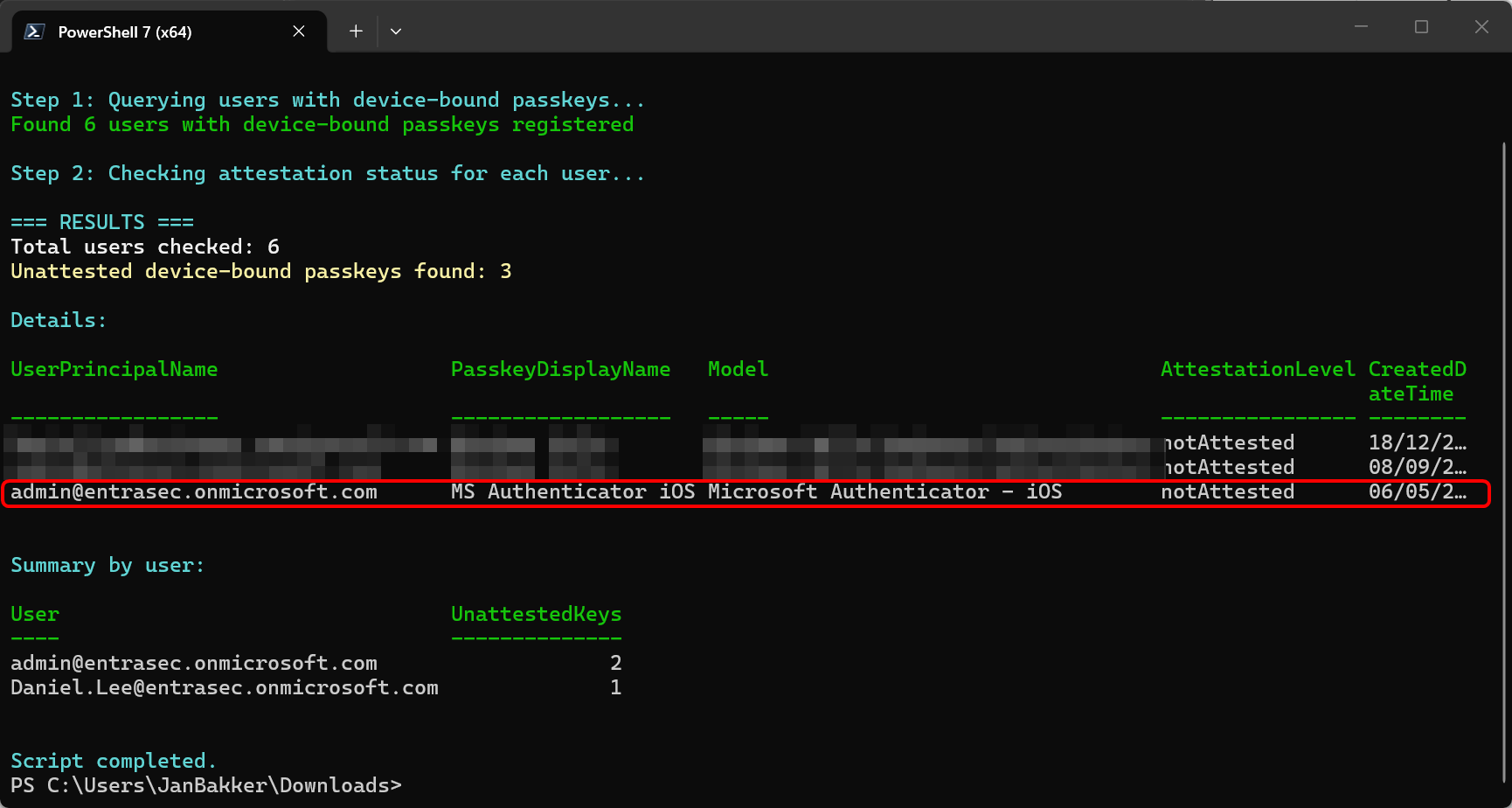
Let’s wrap up#
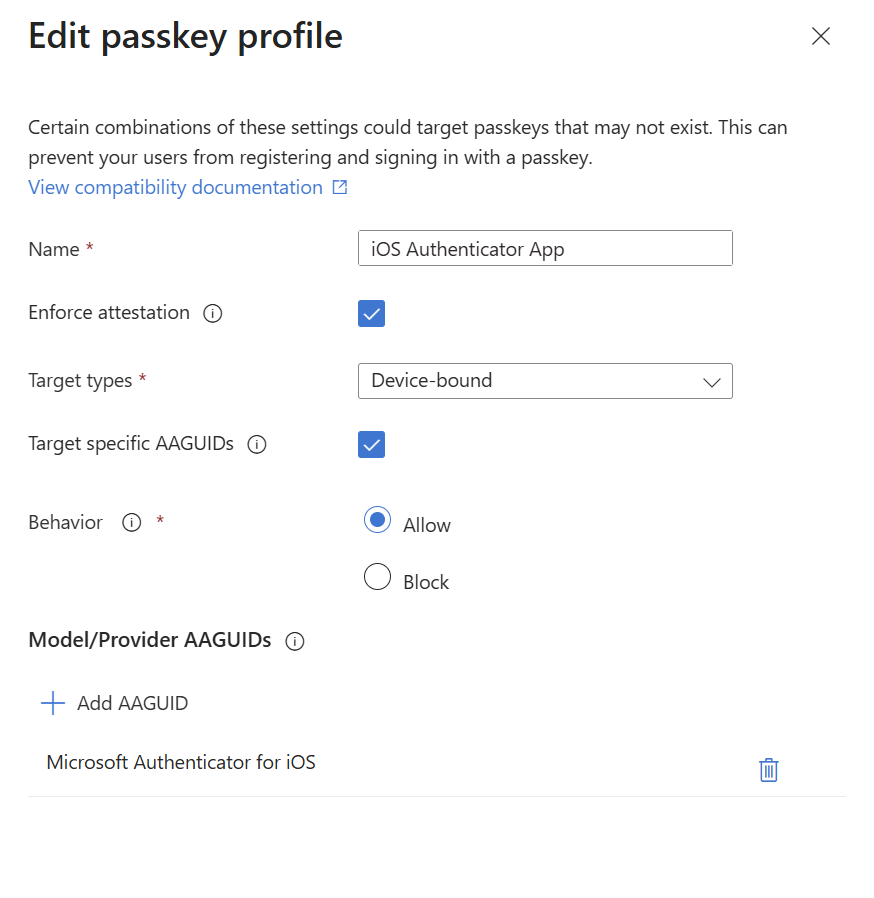
I would be my recommendation to enable attestation for device-bound passkeys. With passkey profiles, administrators can easily scope which users can register for which passkey types and enforce attestation where possible.
Stay safe!
Comments
Comments load when you scroll here.