
How to enable passkeys for guest users in Entra ID
Passkeys like FIDO security keys, synced passkeys, and passkeys in Microsoft Authenticator are secure and convenient authentication methods for your end users. They are phishing-resistant, passwordless, and enable fast sign-in to Microsoft 365 or other Entra ID-integrated apps.
The issue#
Unfortunately, guest users who access your (resource) tenant with MFA enforced are unable to register a passkey, despite having it enabled or registered in their home tenant. This is also stated on Microsoft Learn.
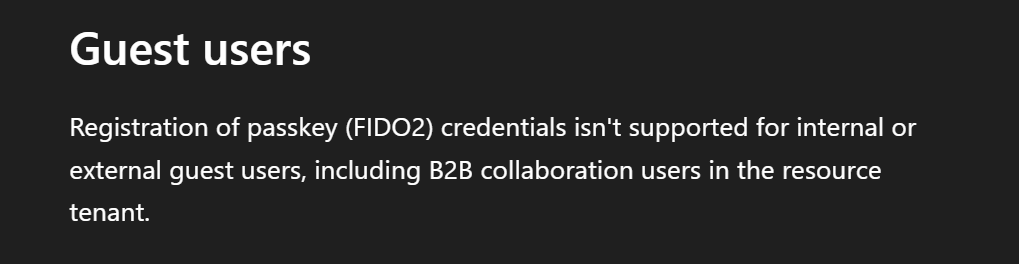
Although authentication strength is supported for B2B external users, there is a significant gap in support for passkeys.
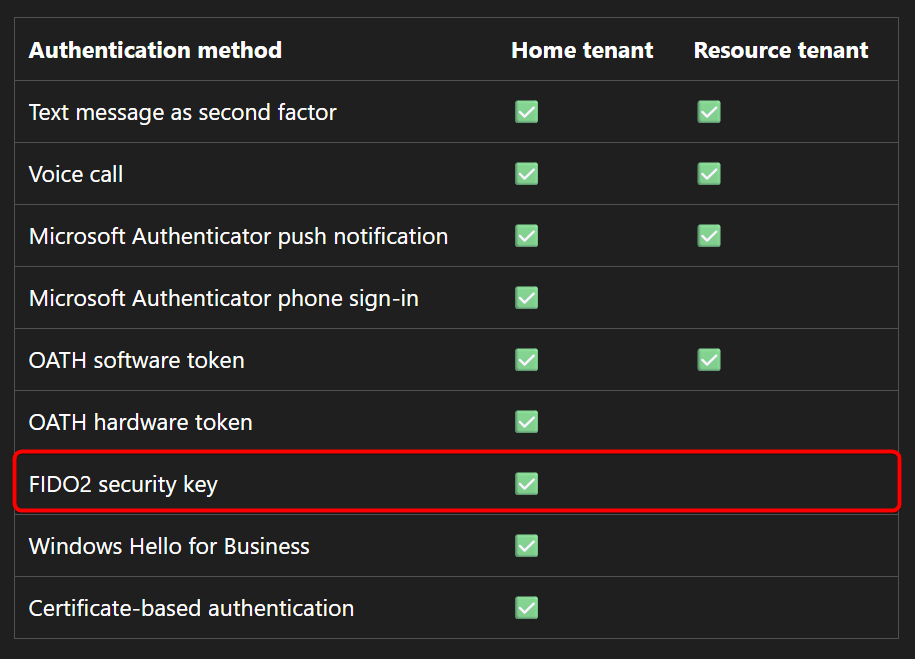
So, let’s set the scene:
AdeleV@M365x73460499.OnMicrosoft.com is invited as a guest user in EntraSec resource tenant.
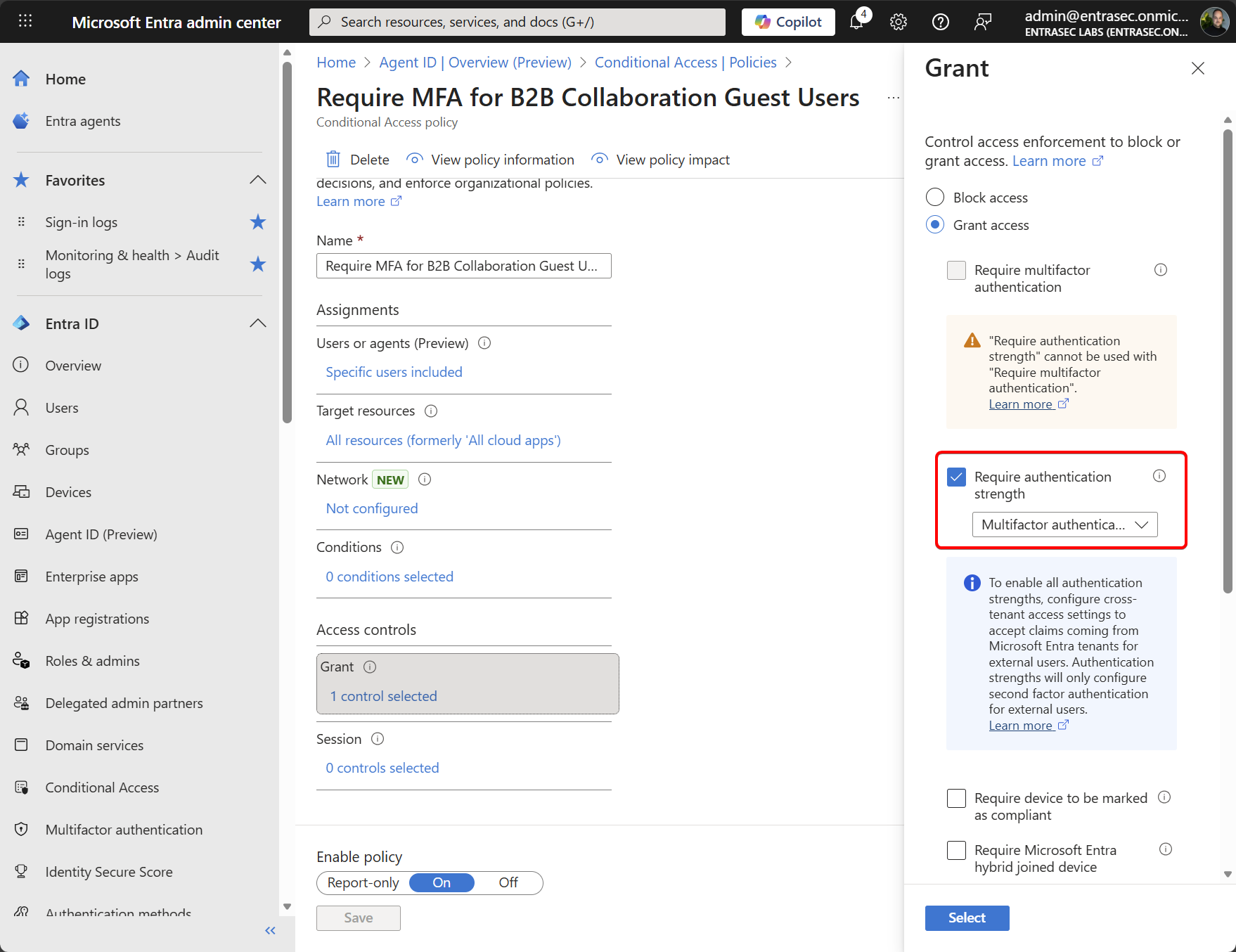
EntraSec has a Conditional Access policy in place, enforcing MFA authentication strength for all guest users.
In the home tenant, Adele has registered a YubiKey, a device-bound passkey.
When accessing the MyApps portal on the resource tenant for the first time, she is prompted to register for MFA.
As stated before, the options are limited (also depends on the authentication method policies in the resource tenant). Adele is not able to register a passkey.
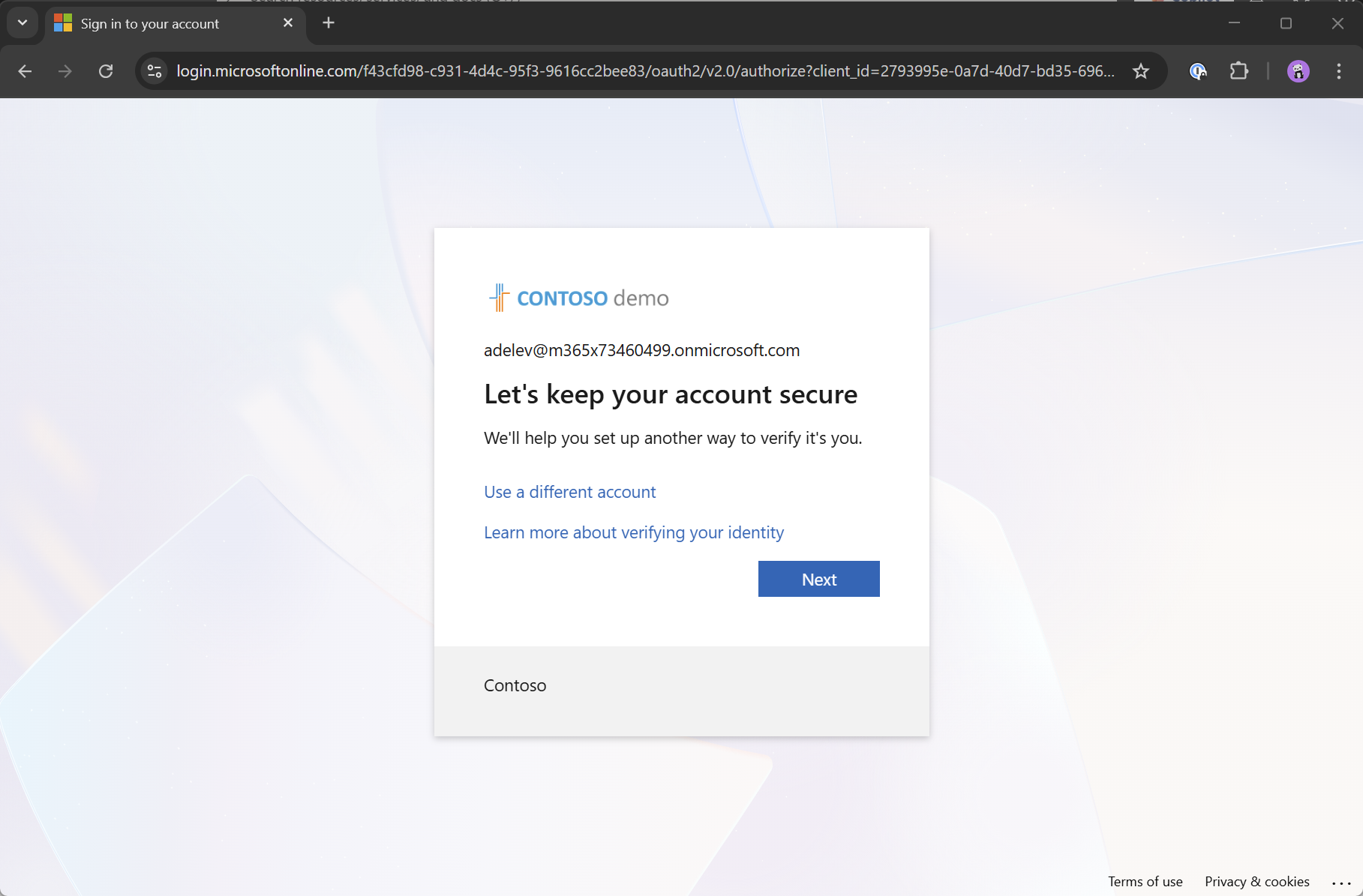
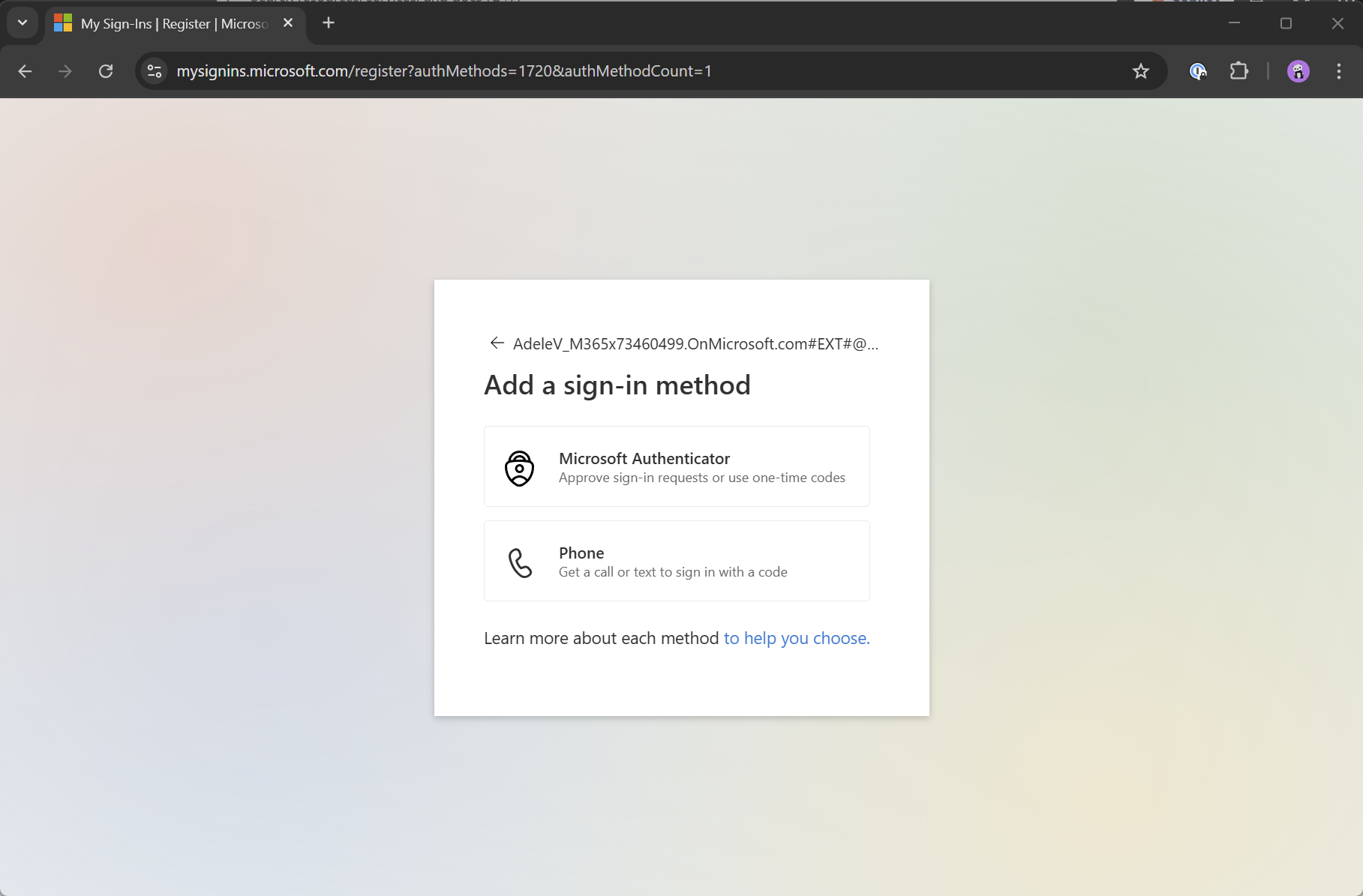
From an end-user perspective, this is causing double MFA registration and prompts. Assuming Adele has already satisfied MFA on the home tenant, using her Yubikey, she is now prompted for another MFA method in the resource tenant (EntraSec)
The solution#
On to the good news: there is a solution for this. In order to solve this challenge, we need to configure two things:
- Add M365x73460499.OnMicrosoft.com (Contoso) as a new organization in the cross-tenant access settings
- Configure the inbound access settings to trust the multi-factor authentication from the home tenant
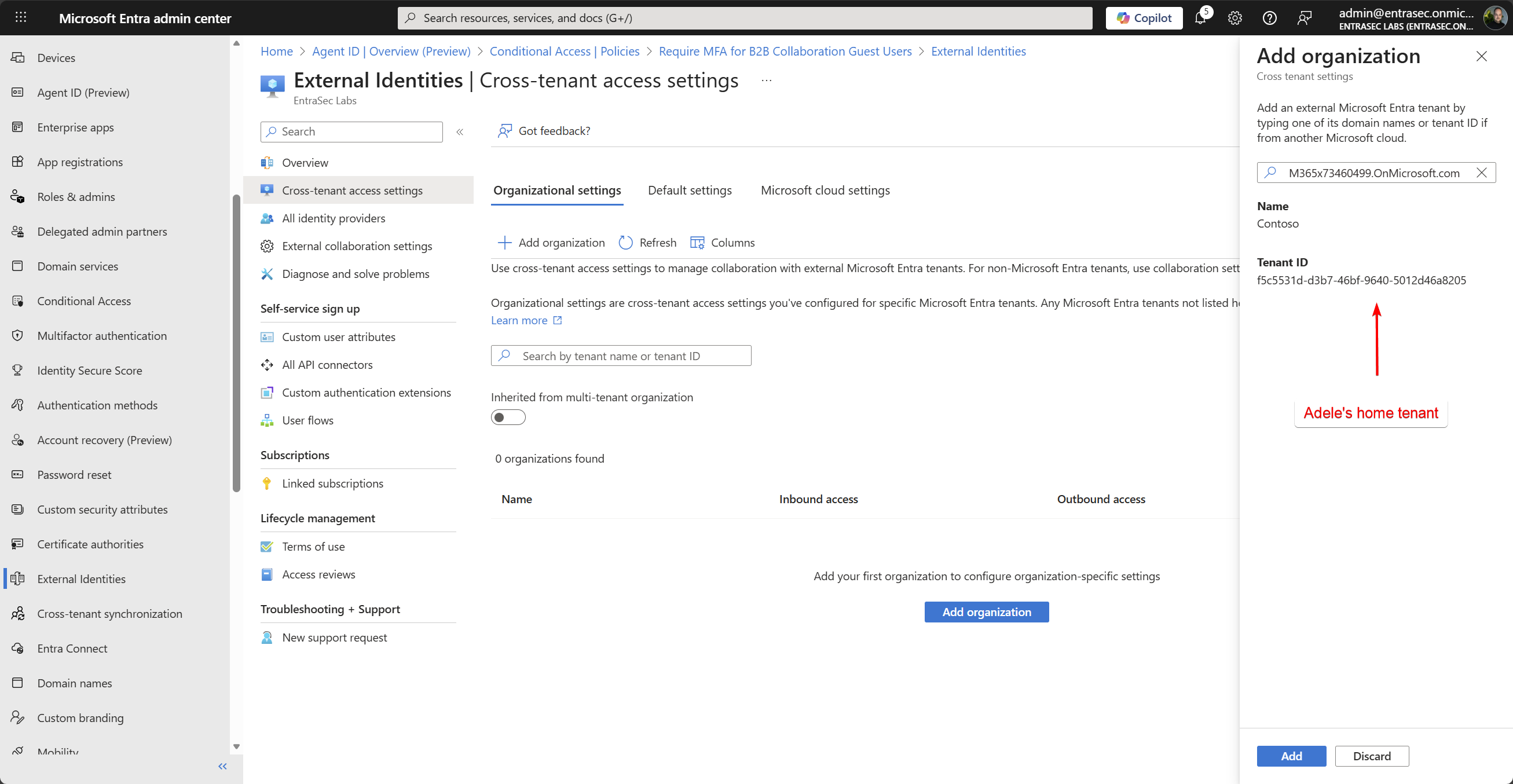
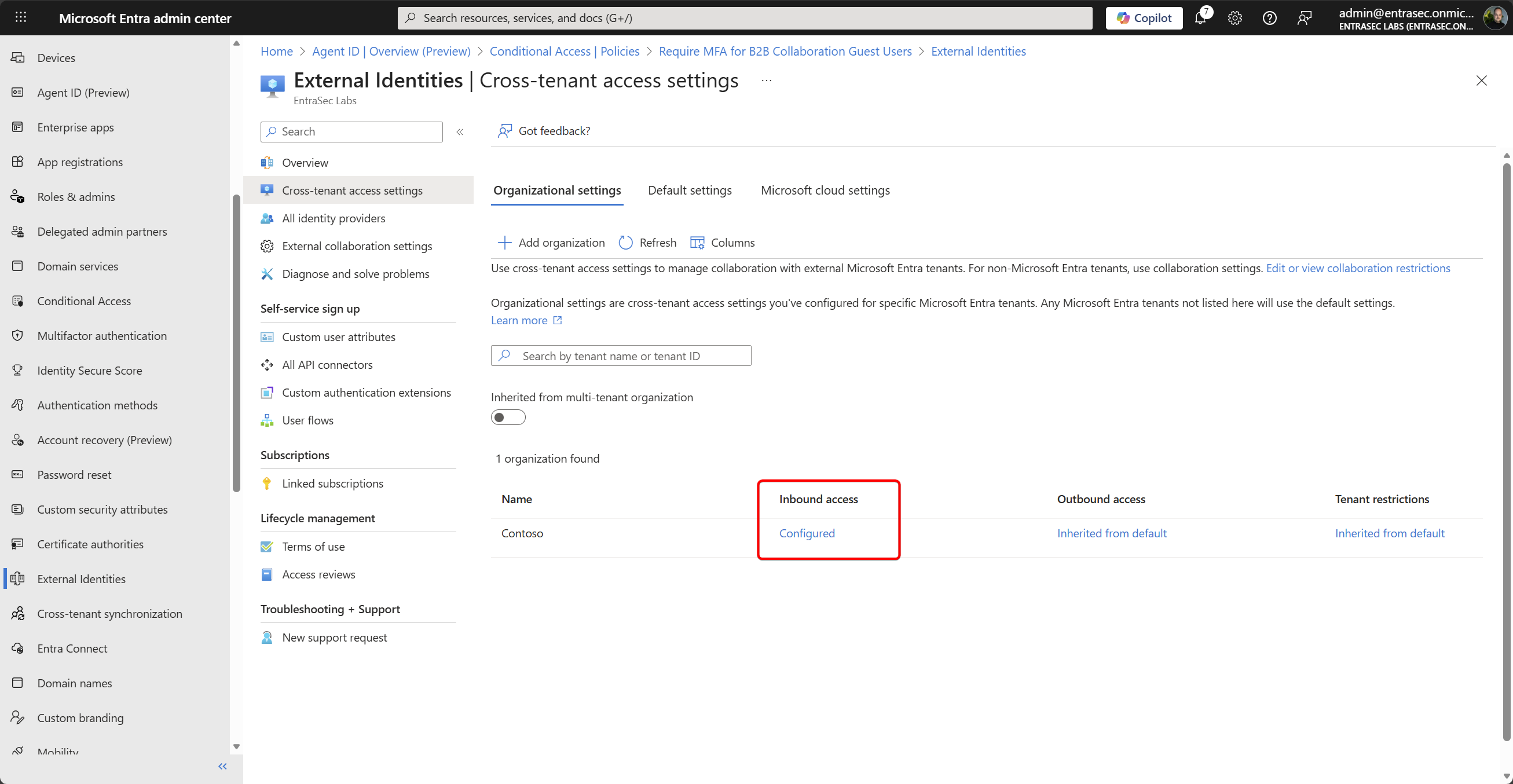
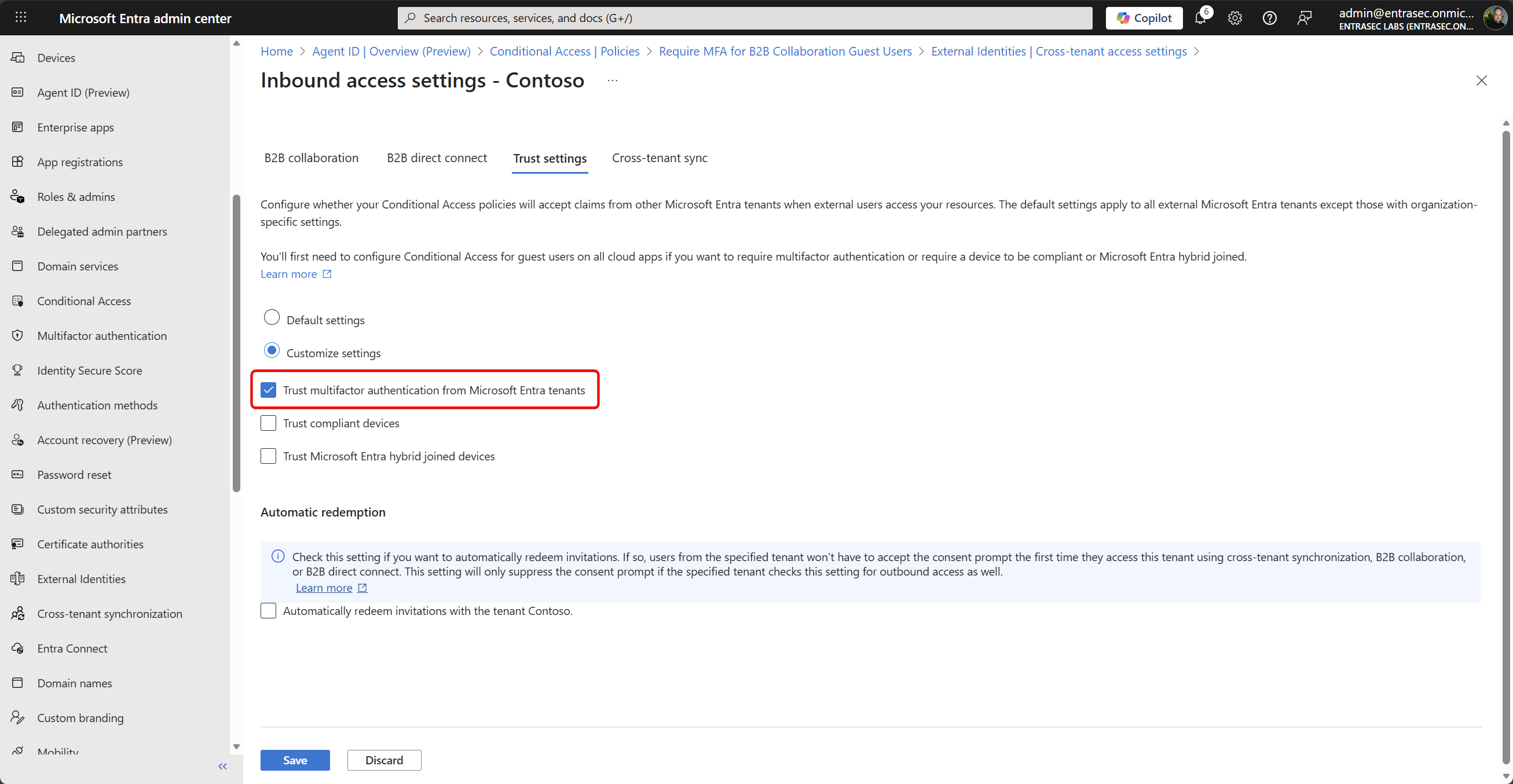
With this setting in place, the MFA claim from Adele’s YubiKey is now also trusted by EntraSec, and therefore, Adele is no longer prompted. The experience is seamless.
To improve security, EntraSec can now even change the policy to enforce phishing-resistant MFA.
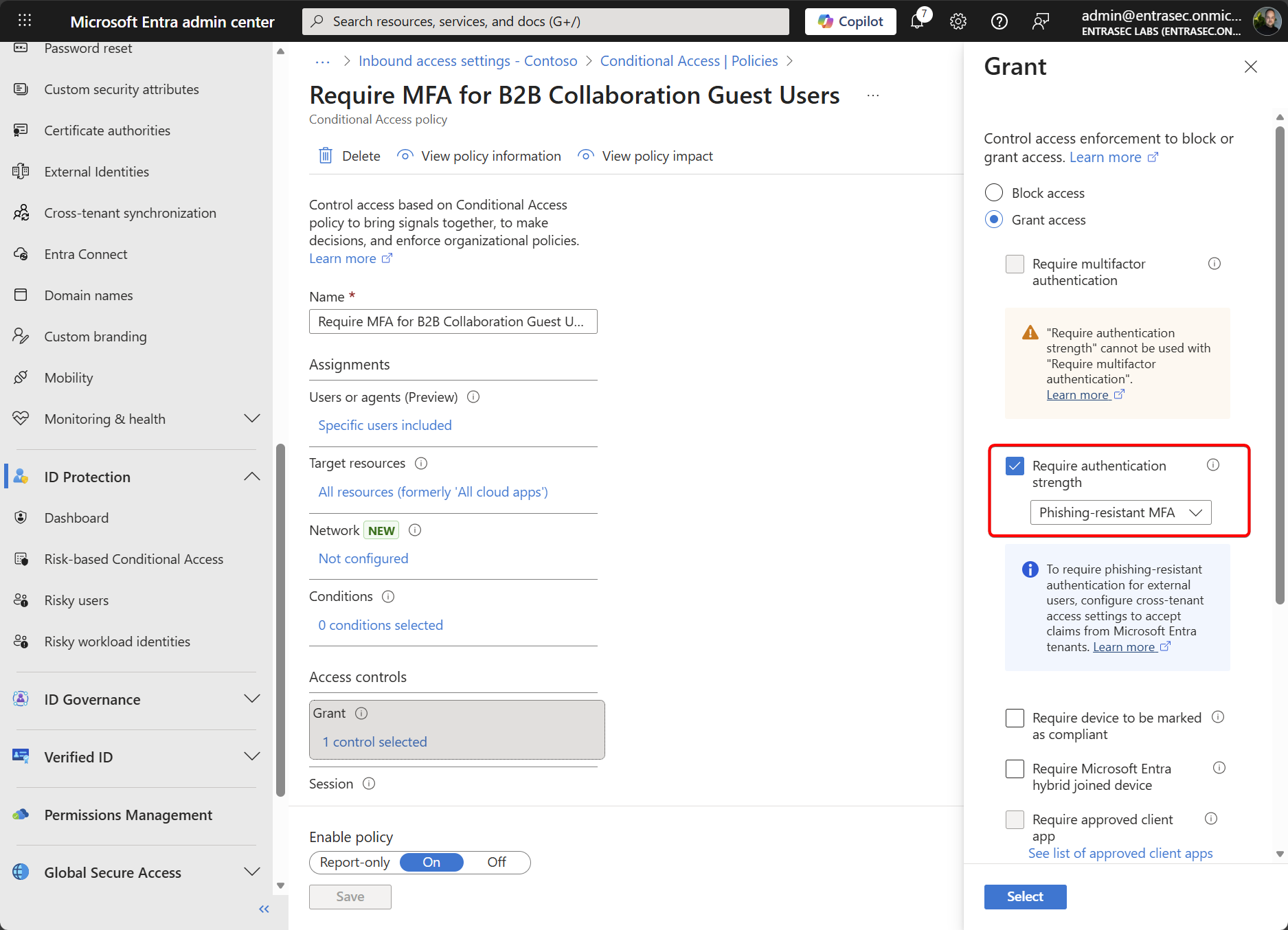
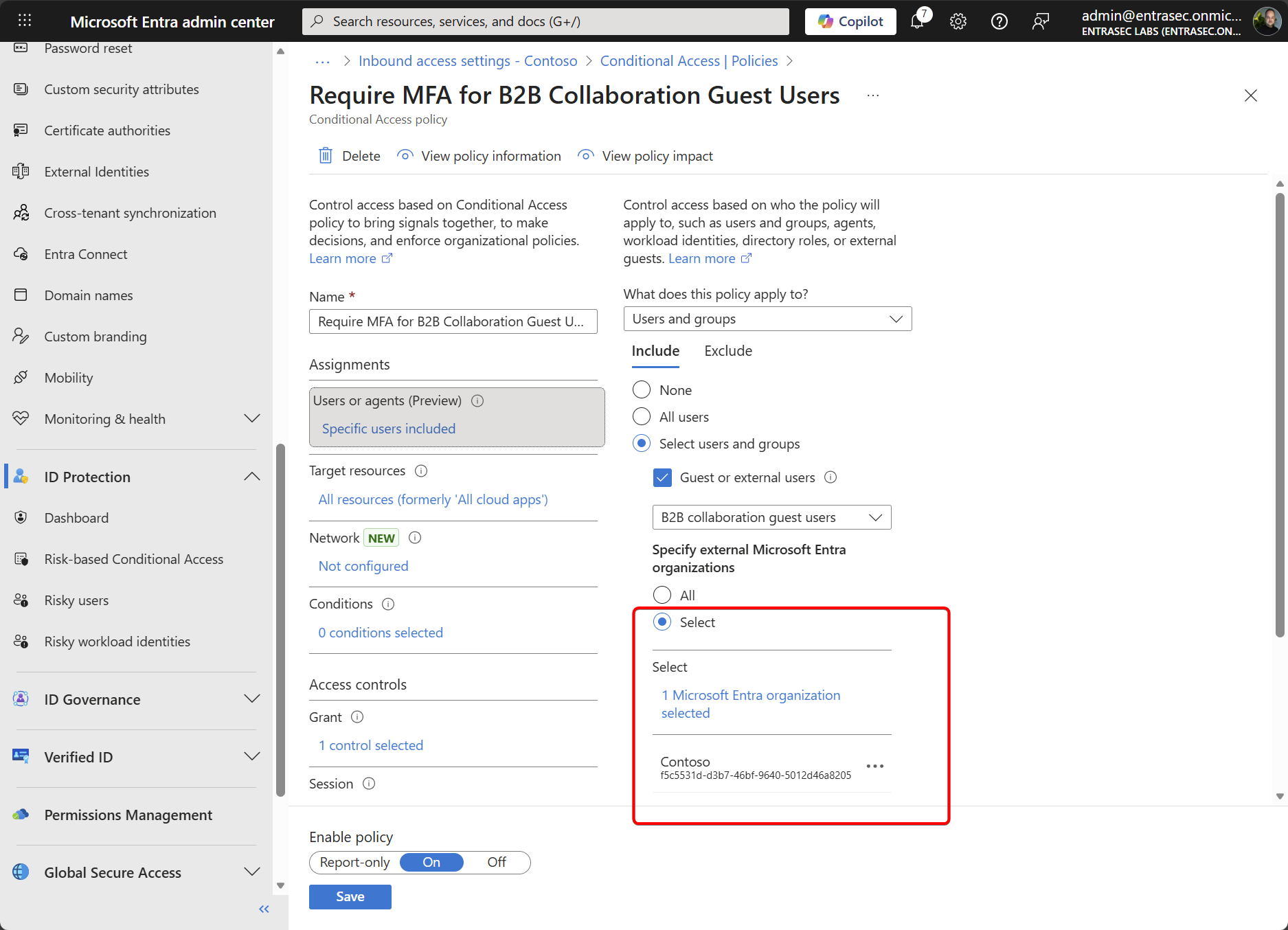
If you want to be flexible, you can also enforce different MFA strengths for different organizations. You could, for example, have two policies: one enforces phishing-resistant MFA for guests coming from ’trusted’ organizations, and one that requires regular MFA for all other guest users.
From the sign-in logs, we can see that both the MFA requirement and authentication strengths are satisfied.
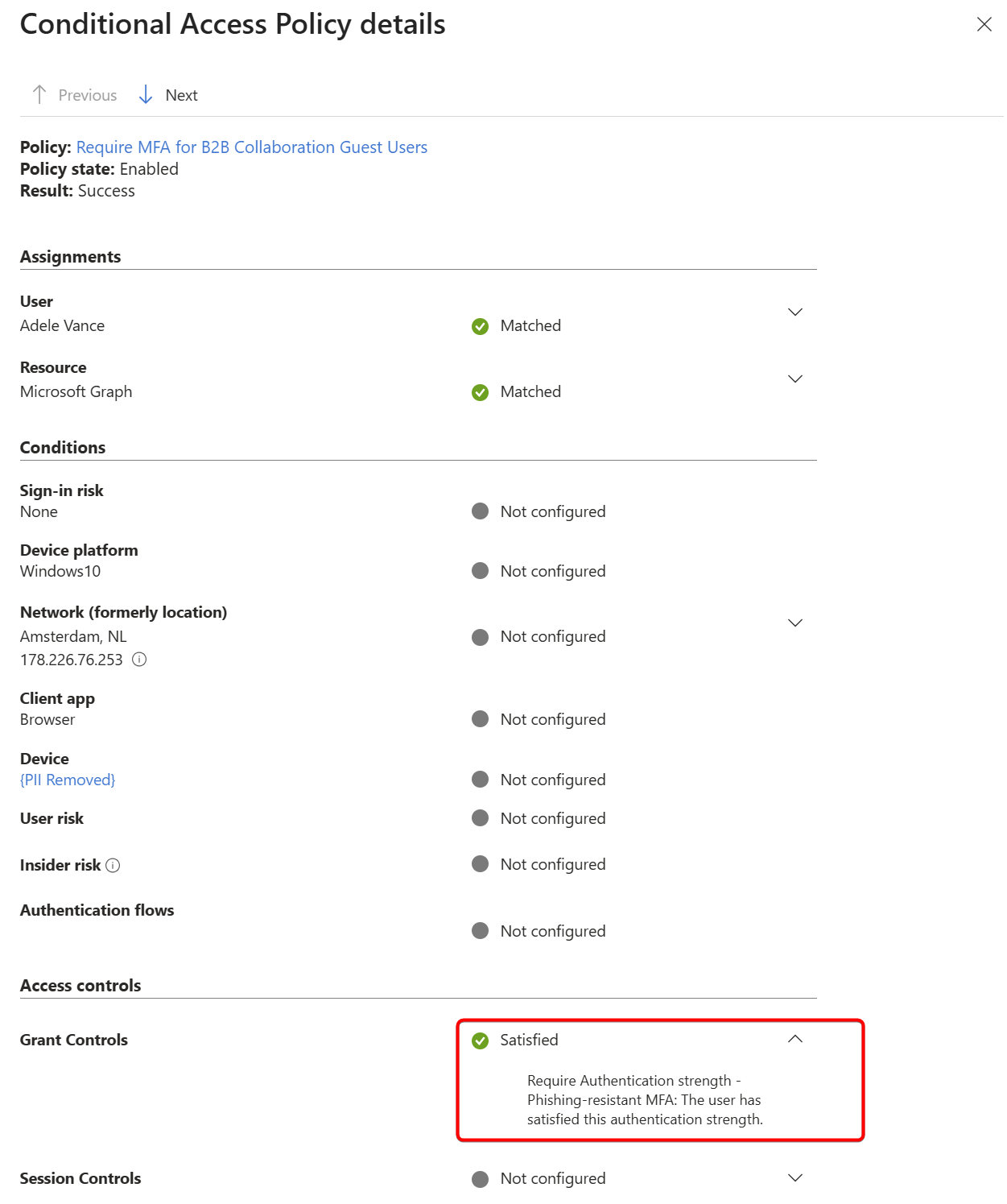
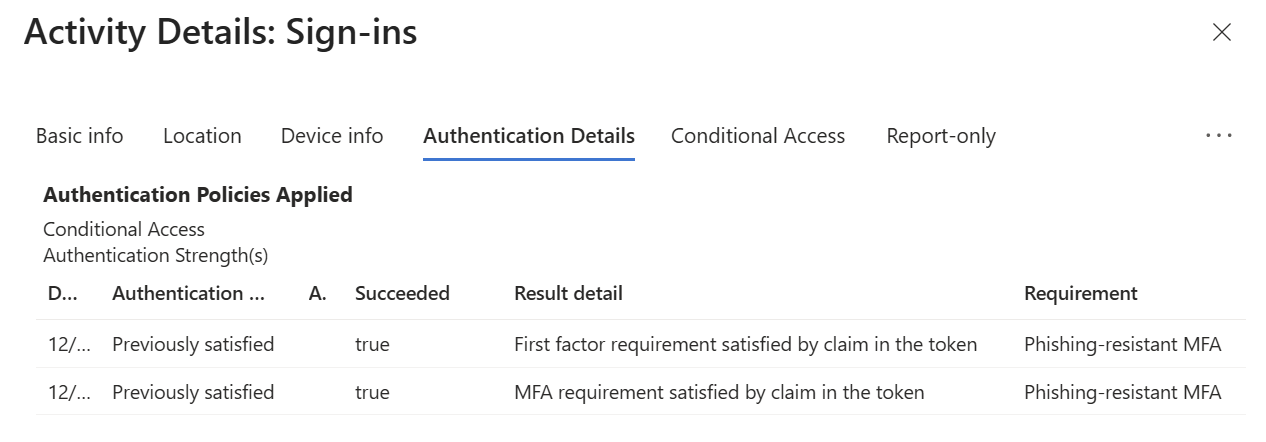
In this demo, I used a YubiKey, but this pattern is also supported with other MFA methods, such as Windows Hello, passkeys in the Authenticator app, OTP tokens, or syncable passkeys. Find the list here: Microsoft Entra Authentication Overview - Microsoft Entra ID | Microsoft Learn
Hope that helped!
Stay safe.
Comments
Comments load when you scroll here.