
Entra ID Governance - View approver information for pending requests
A new feature in Entra ID Governance was introduced and enabled by default.
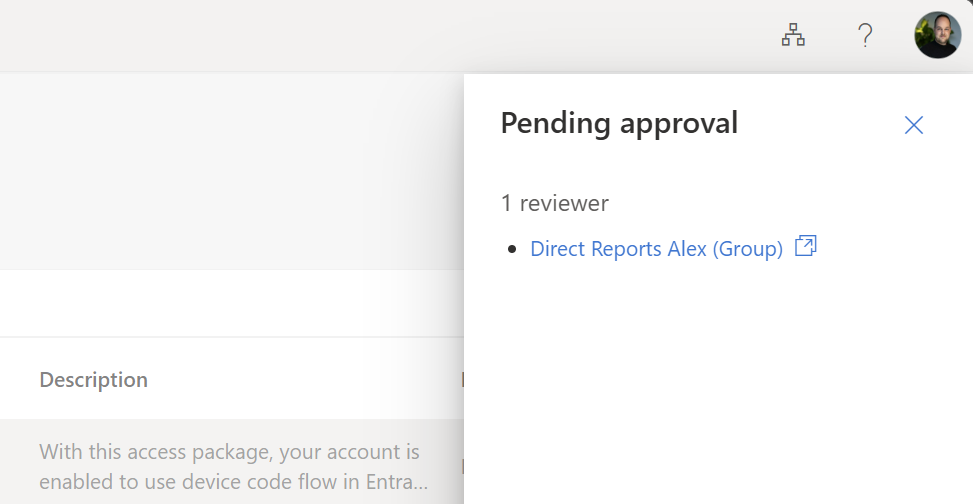
When users request an access package and approval is needed, they can now see the name and email of the approver.
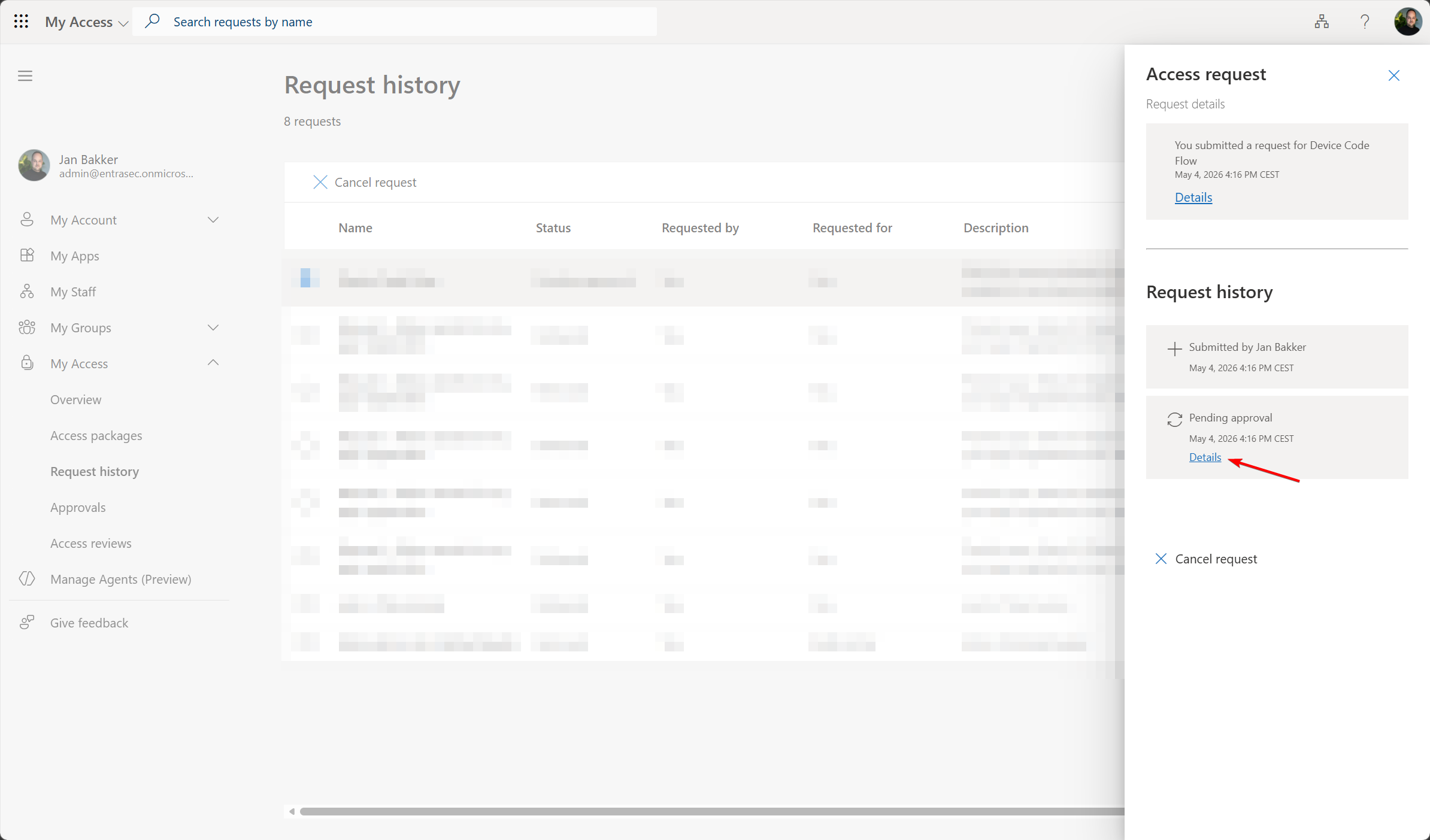
This can be set on the tenant level and is enabled by default.
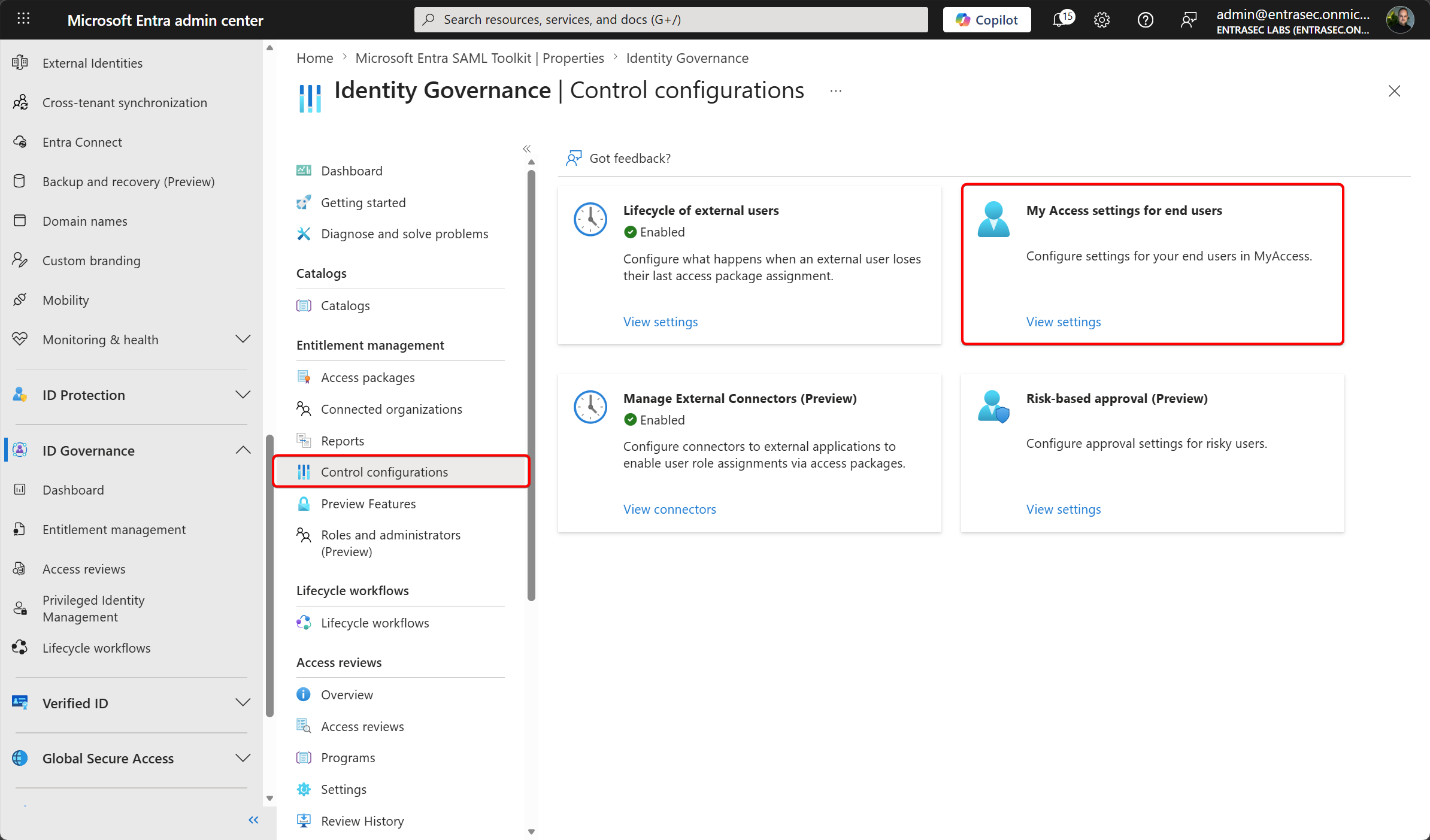
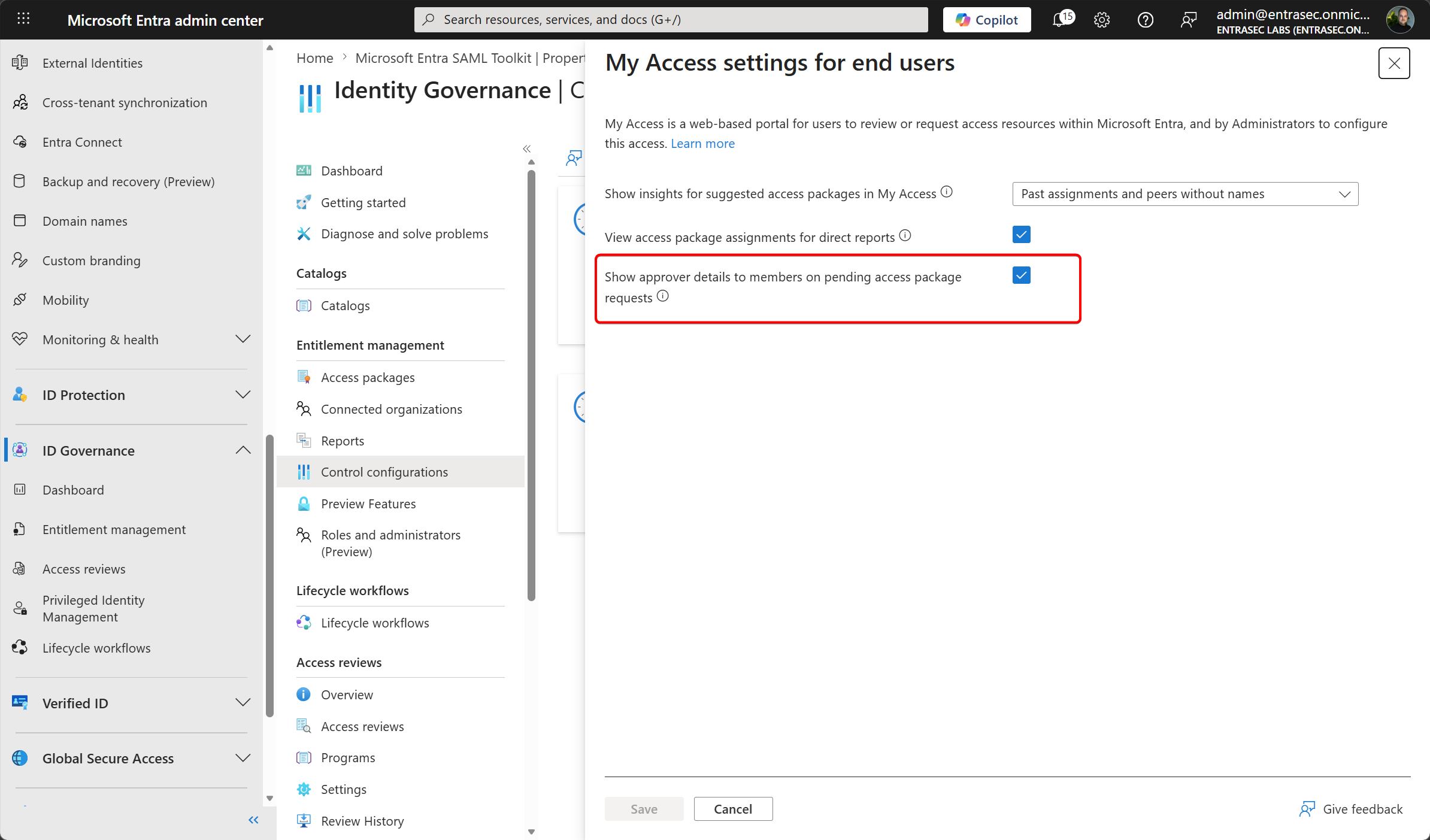
If checked, all members (excluding guests) will see their approvers’ name and email address on their pending access package requests in My Access. This setting applies to all access packages but can be overridden by the access package level setting under ‘advanced request settings.’
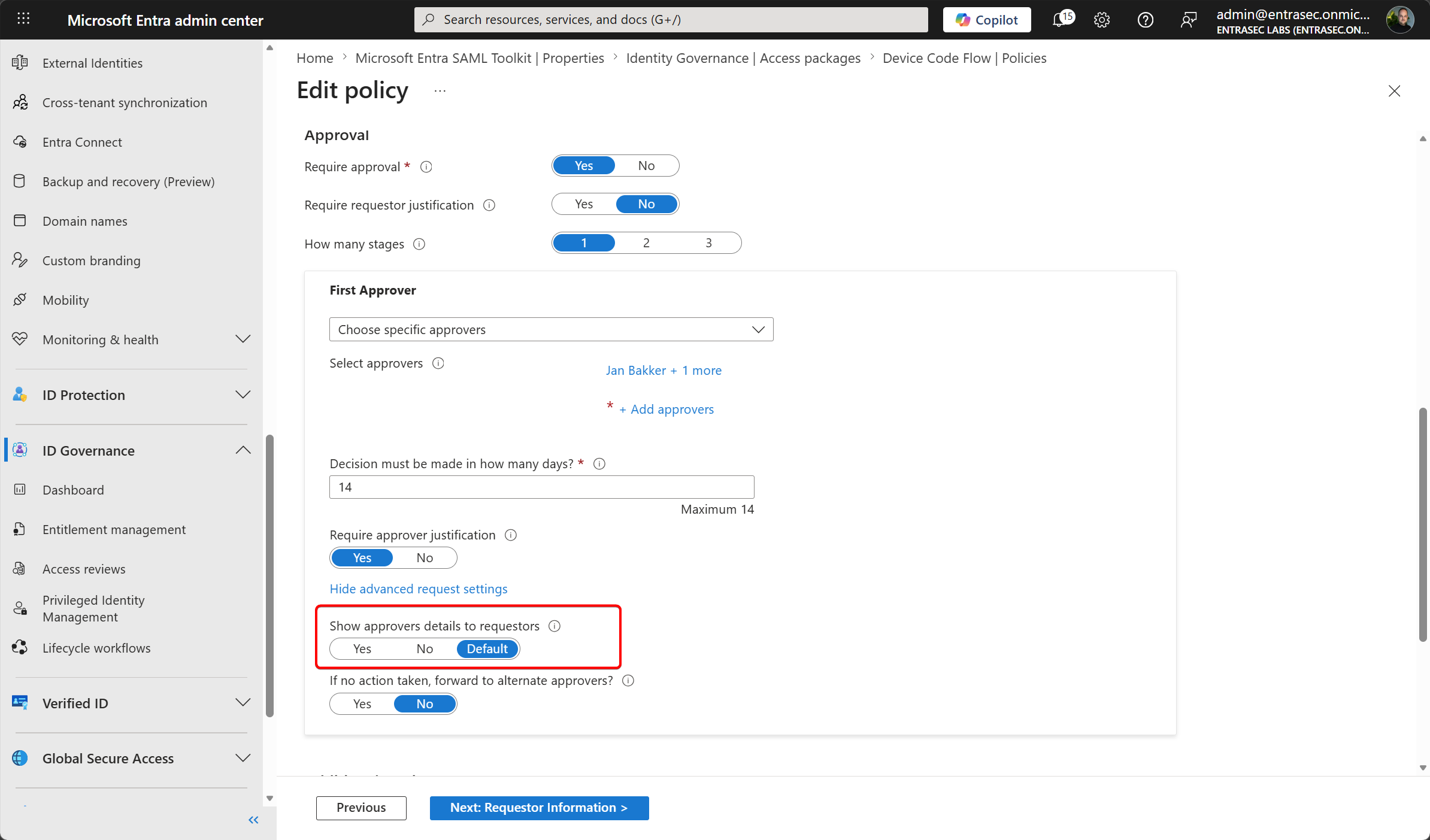
This setting overrides the tenant-level setting (My Access settings for end users) to show or hide approver details for this access package. If ‘Yes’, users (including guests and users from connected organizations) will see their approvers’ name and email address on their pending access package requests in My Access. If ‘No’, users will not see their approvers’ information. If ‘Default’, this setting will respect the tenant-level setting.
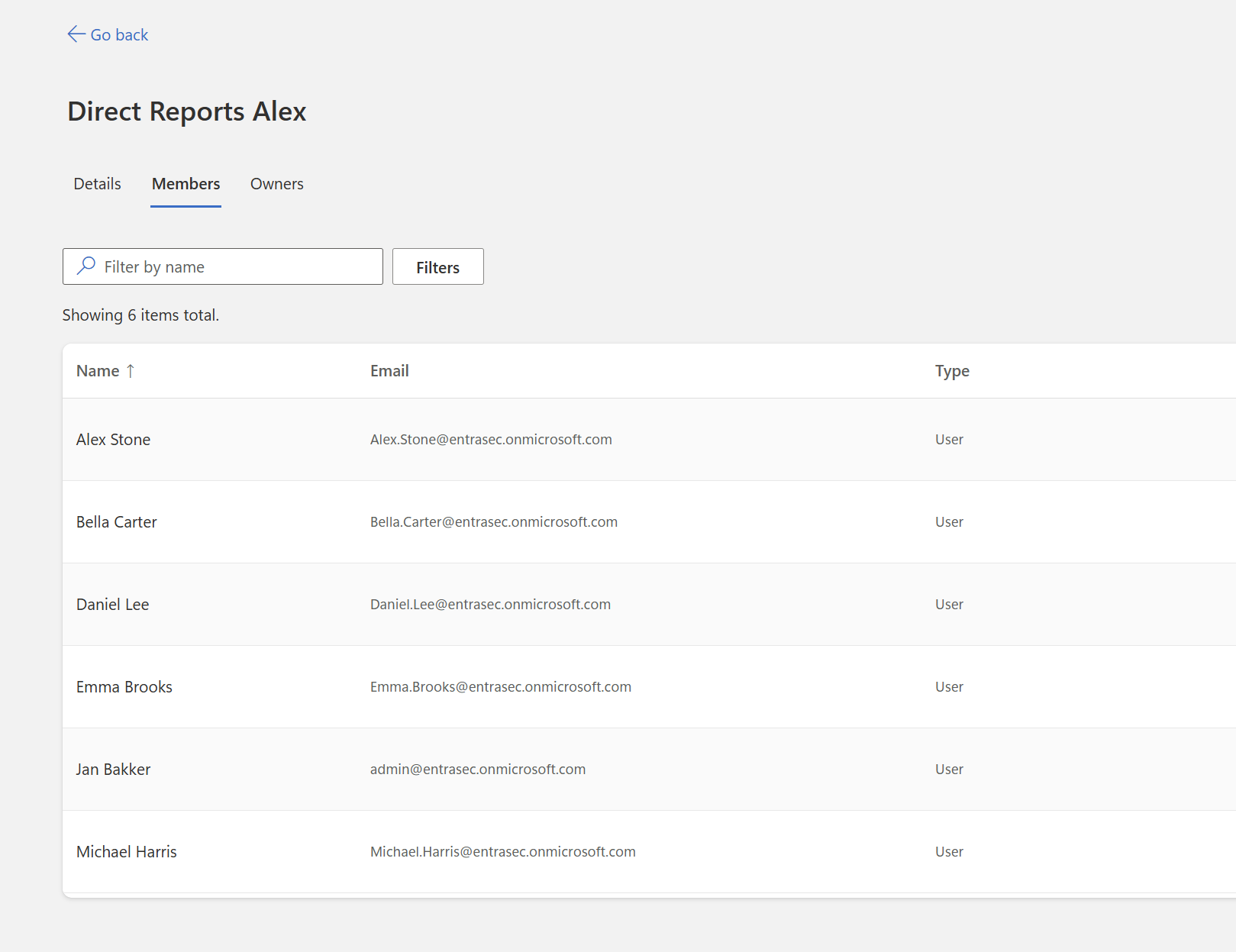
If the approvers are set to a group, end-users will see the group name, including a deeplink to https://myaccount.microsoft.com/groups. Depending on your permissions, you can then view the group’s members.
More info: Request an access package - entitlement management - Microsoft Entra ID Governance | Microsoft Learn
Comments
Comments load when you scroll here.