
Dynamic Conditional Access policies using custom security attributes
Conditional Access policies can become very complex and quickly grow out of control. Custom requirements, exceptions, and edge cases often cause policy drift. In this blog post, I want to introduce a dynamic way to manage custom requirements for applications and resources that provides a flexible way to set access requirements without creating a Conditional Access policy per application or resource.
First things first#
I want to stress that this approach is not suitable for a baseline policy set. Setting a persona-based baseline for ALL RESOURCES is important, and must not be skipped. For example, all apps/resources should be accessible only with strong MFA or a compliant device.
On top of that, applications may have different requirements, such as a shorter token lifetime, IP restrictions, or session controls. To cover those scenarios, we’ll take a look at custom security attributes today.
Custom security attributes are ‘tags’ that can be assigned to applications and resources. Once the application is tagged, it can be included in Conditional Access policies using the Application filter. To learn more, please check out this page on Microsoft Learn.
Approach 1: Use aggregated controls in one attribute#
In this example, we are bundling several controls into a single attribute. As an example, we identify three values/levels that reflect the business risk of the application or resource.
For example, application A has a custom security attribute Level 1 assigned, and therefore, it requires:
- Compliant Network
- Passkeys
- Sign-in Frequency of 12 hours
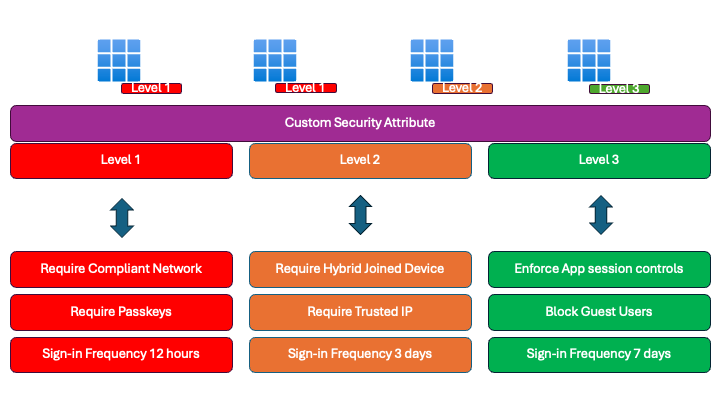
Application owners only need to assign one attribute to the application to enforce several enhanced access controls in Conditional Access.
From a Conditional Access perspective, you can select resources using the Application filter, then configure specific controls such as Authentication Strengths and Sign-in Frequency. Depending on your access and session controls, you might need several policies for each level.
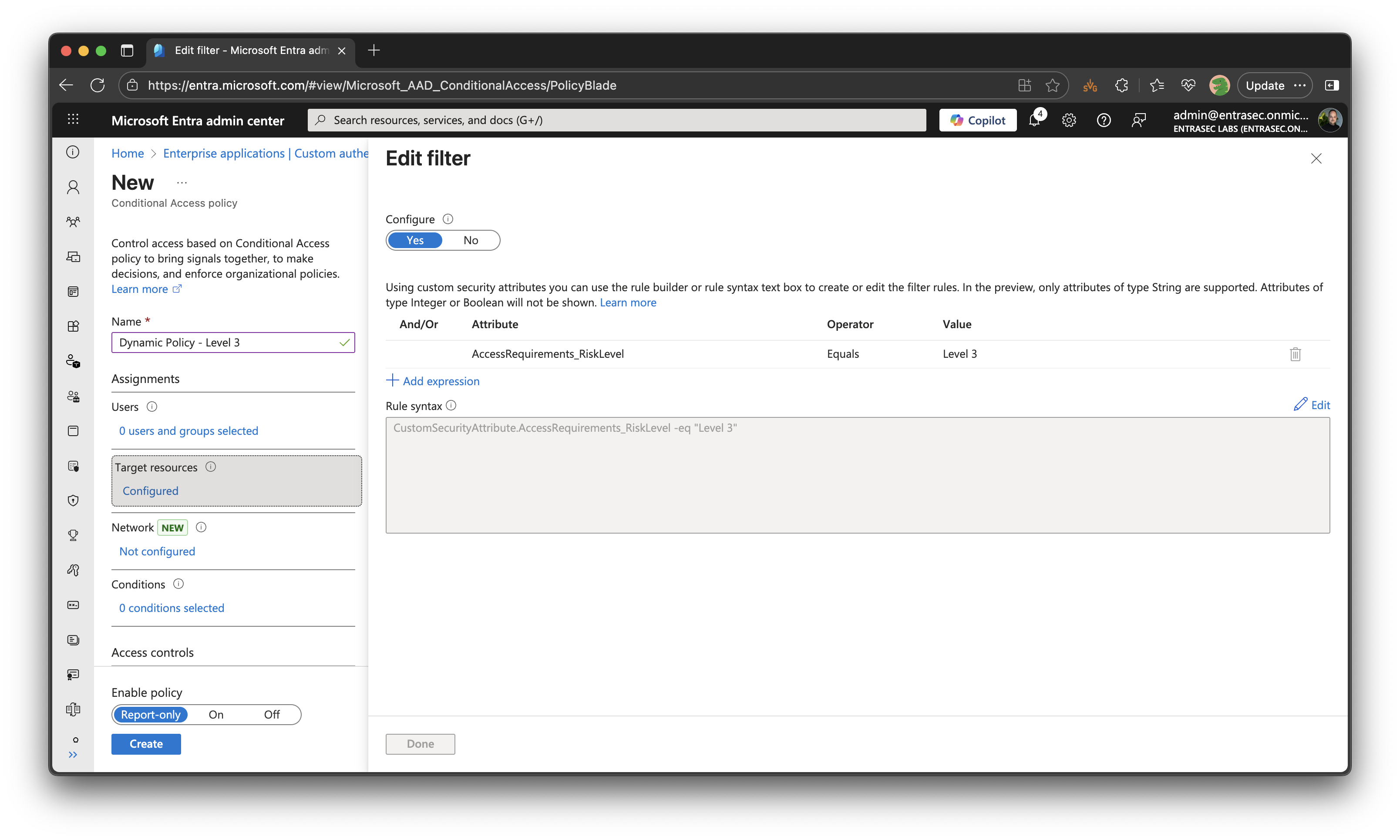
Approach 2: Fine-grained attributes#
This approach requires a couple more Conditional Access policies but gives application owners greater flexibility to apply specific security attributes to their applications.
Instead of aggregating multiple controls into a single attribute, we now specify them separately.
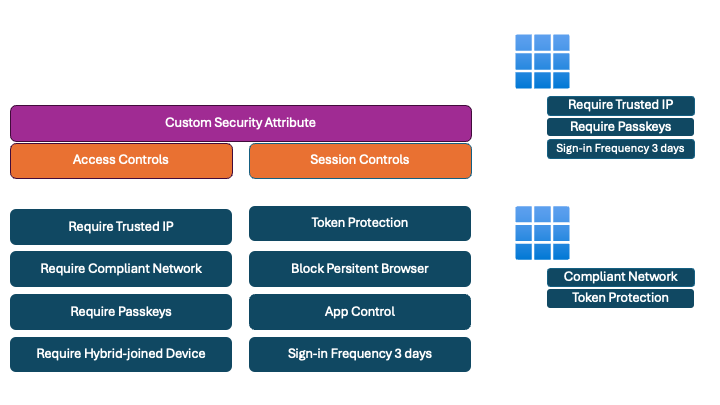
Application owners can be particular in assigning (multiple) attributes.
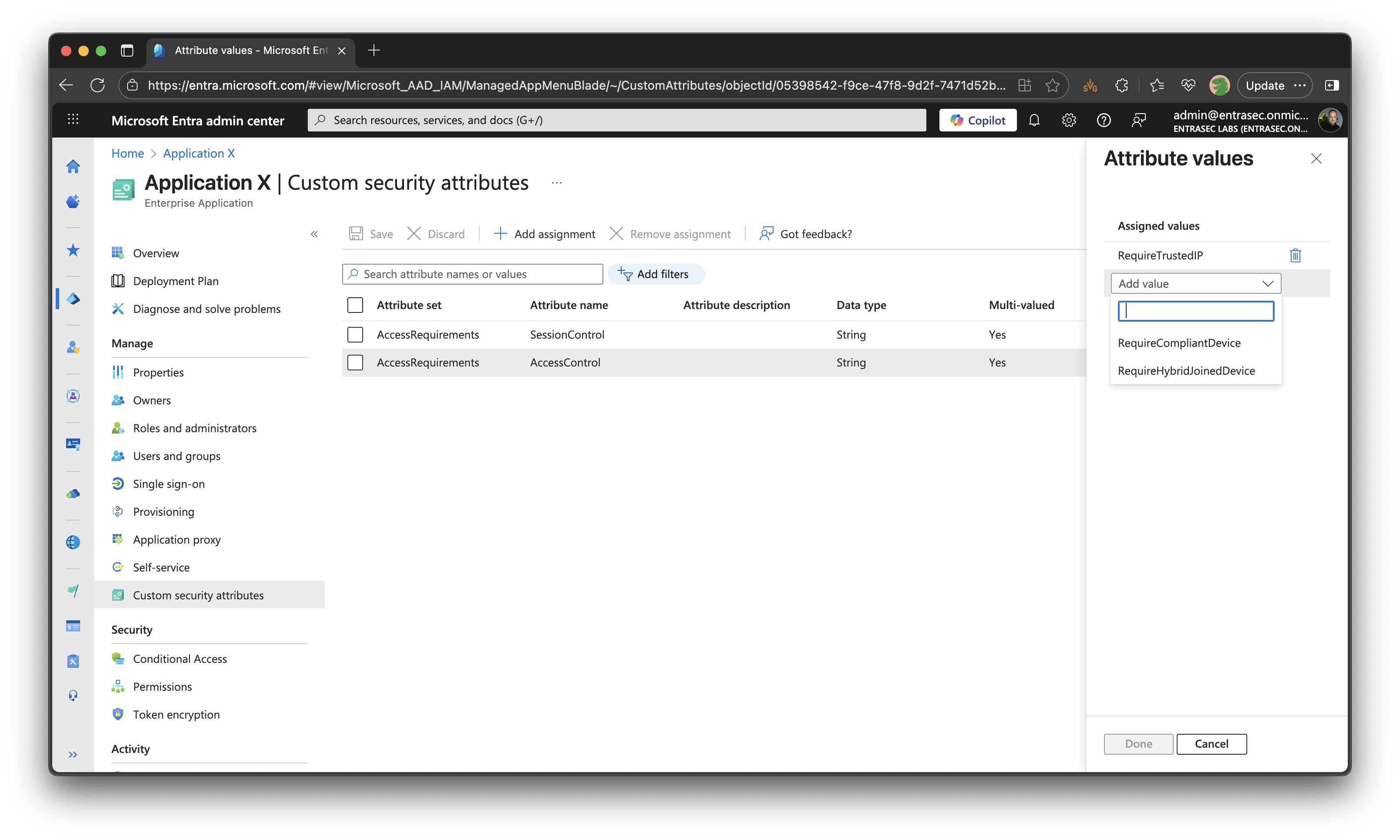
All controls will be enforced through a set of Conditional Access policies that reflect the security attributes.
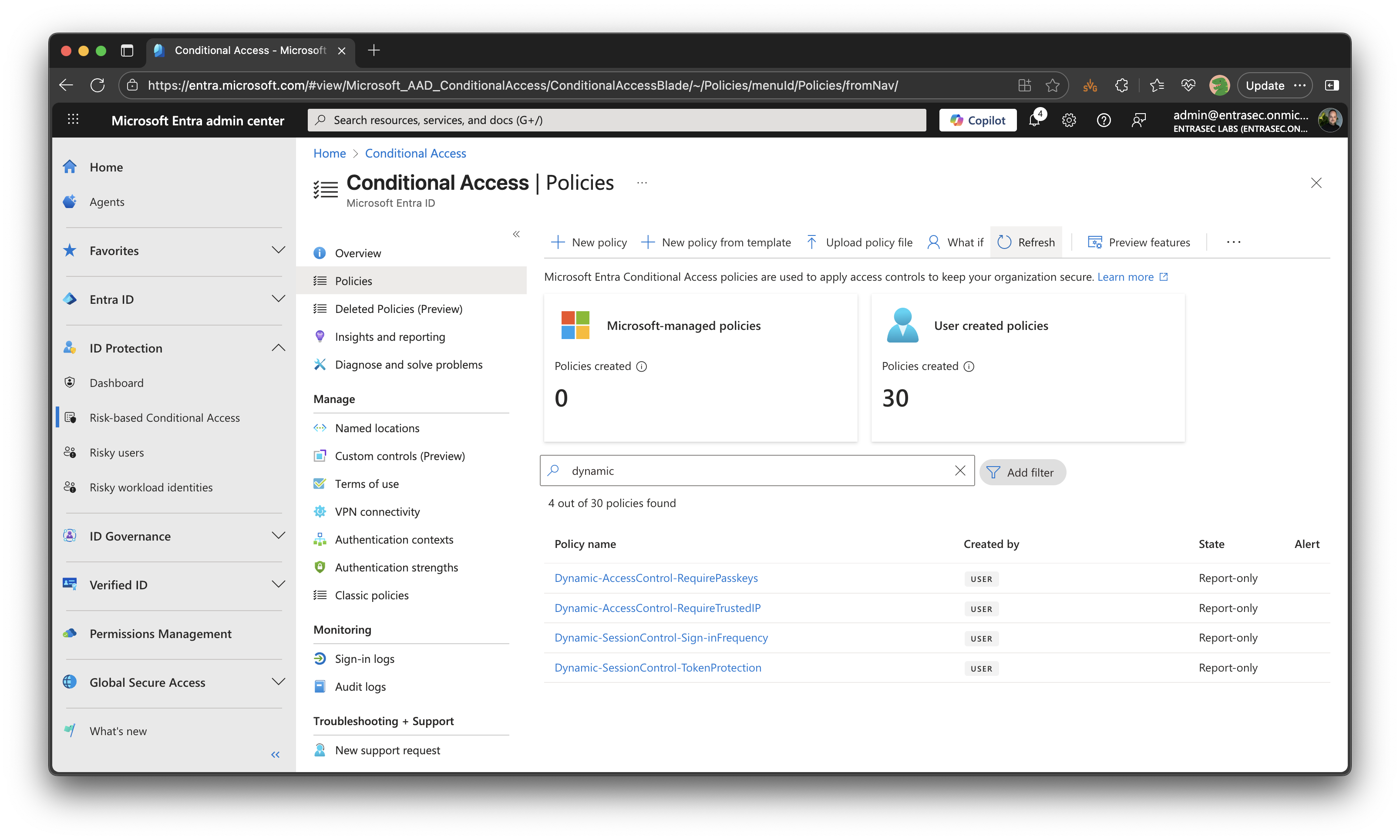
Let’s wrap up#
This blog post introduces dynamic Conditional Access policies. It can be really powerful and can heavily reduce the number of policies. This post is not going into detail about the technical implementation in Entra, as it touches many components, but I will follow up with more posts that follow this approach.
Stay safe!
Comments
Comments load when you scroll here.