
Dynamic approval in Entra ID access packages using custom extensions
On this page
Microsoft Entra ID Governance Entitlement Management supports various static and dynamic approvers for access packages, such as users, groups, managers, and second-level managers. The approver configurations are all stored in the assignment policy of the Access Package, and already provide great flexibility.
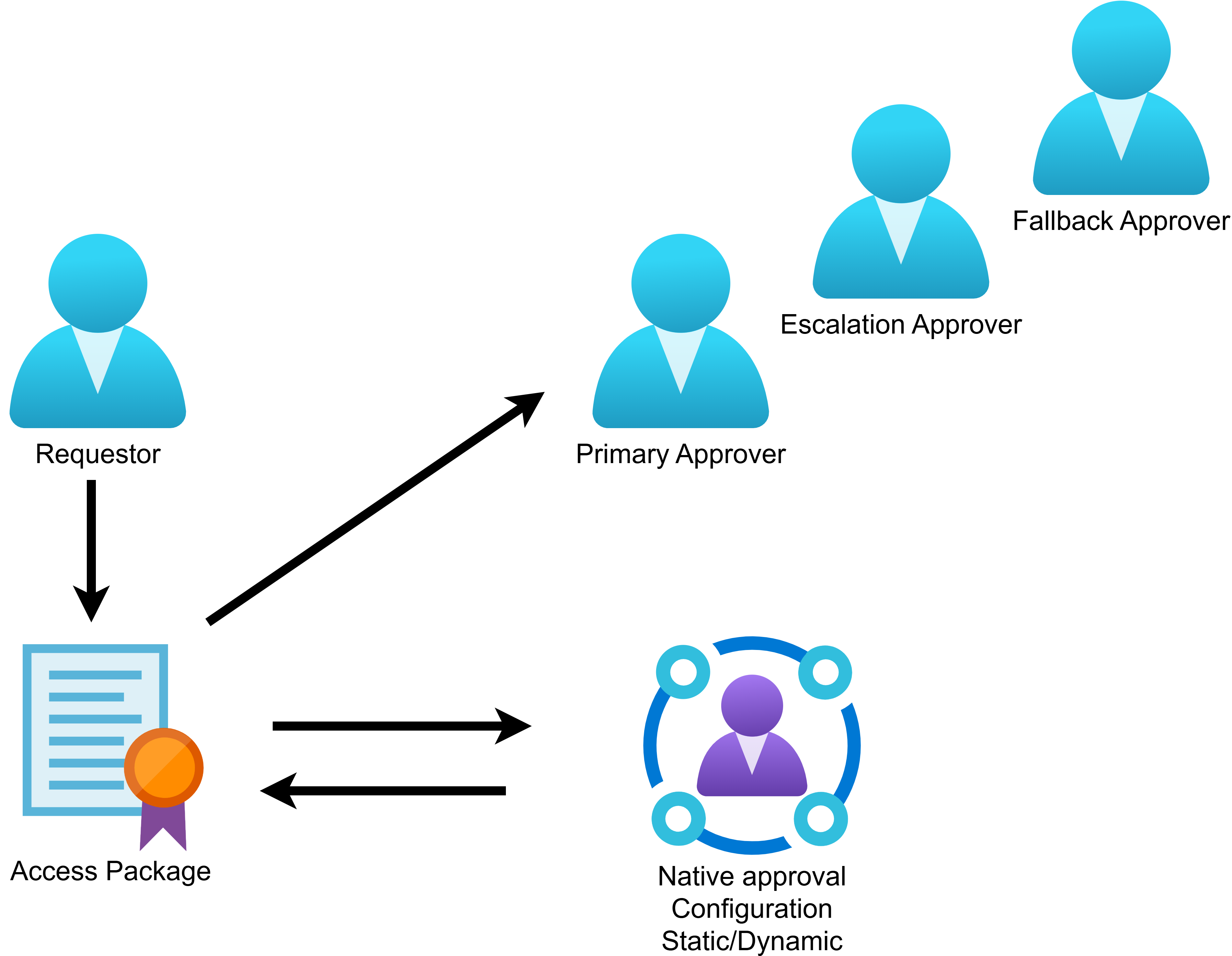
But what if you require even more flexibility and need to connect with external systems like HR to look up the approvers? As with many advanced use cases in Entra ID Governance, those gaps can be covered with the use of custom extensions (Logic Apps). With the help of Logic Apps, we can now increase flexibility and hook into external API’s, databases, and services to get the approval, based on business logic. Some organisations require dynamic approval based on cost center or company code for example.
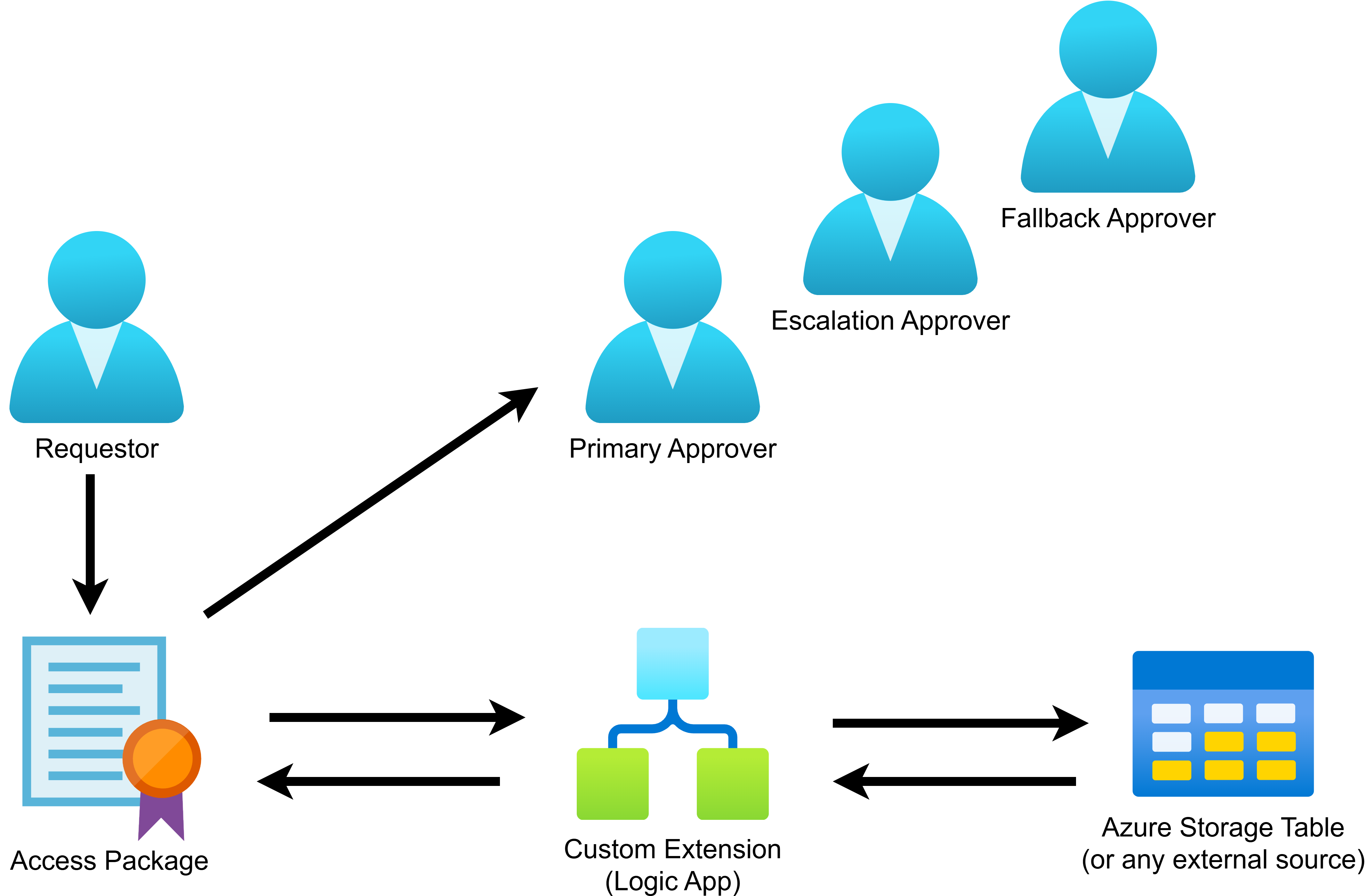
Let’s connect the dots and see what it takes to build this proof of concept.
The external source#
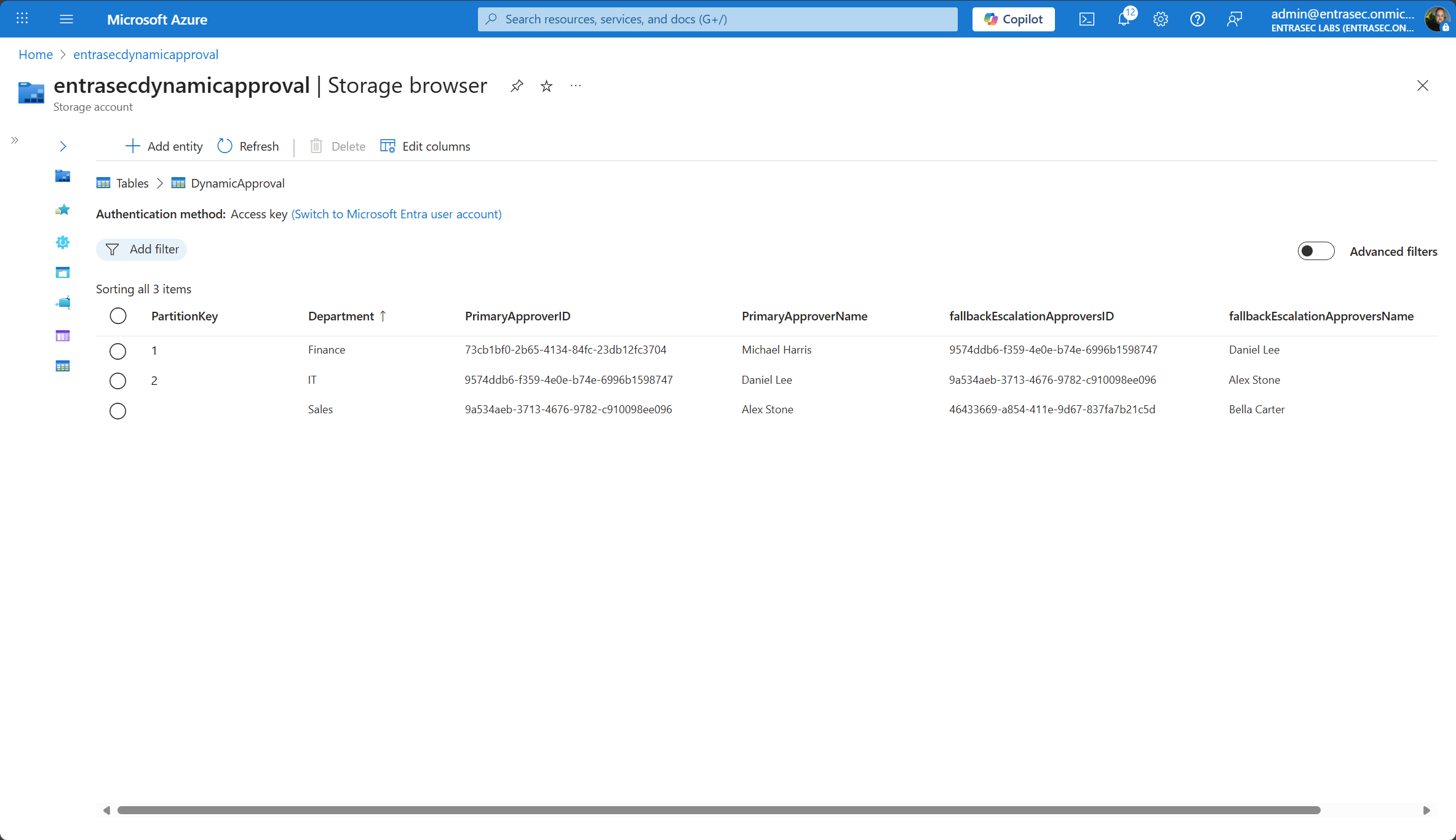
In this example, I used a simple Azure Storage Table as my source of approvals. Each row/entity has:
- Department
- PrimaryApprover ID and name
- FallbackEscalationApprover ID and name
Business Logic#
I want to create the business logic based on the department of the requestor:
- Get the department of the requestor
- Look up the row in the Azure Storage Table
- Send the approval data back to Entra ID Governance
Both the Primary Approver and the Fallback Escalation Approver are picked from the external source. The Escalation Approver is set to the manager of the requestor. This is already a dynamic value by itself and is natively supported.
Custom Extension (Logic App)#
Before you can select the dynamic approval in your policy, make sure you have created a new Custom Extension on your catalog. You can also follow the documentation on Microsoft Learn.
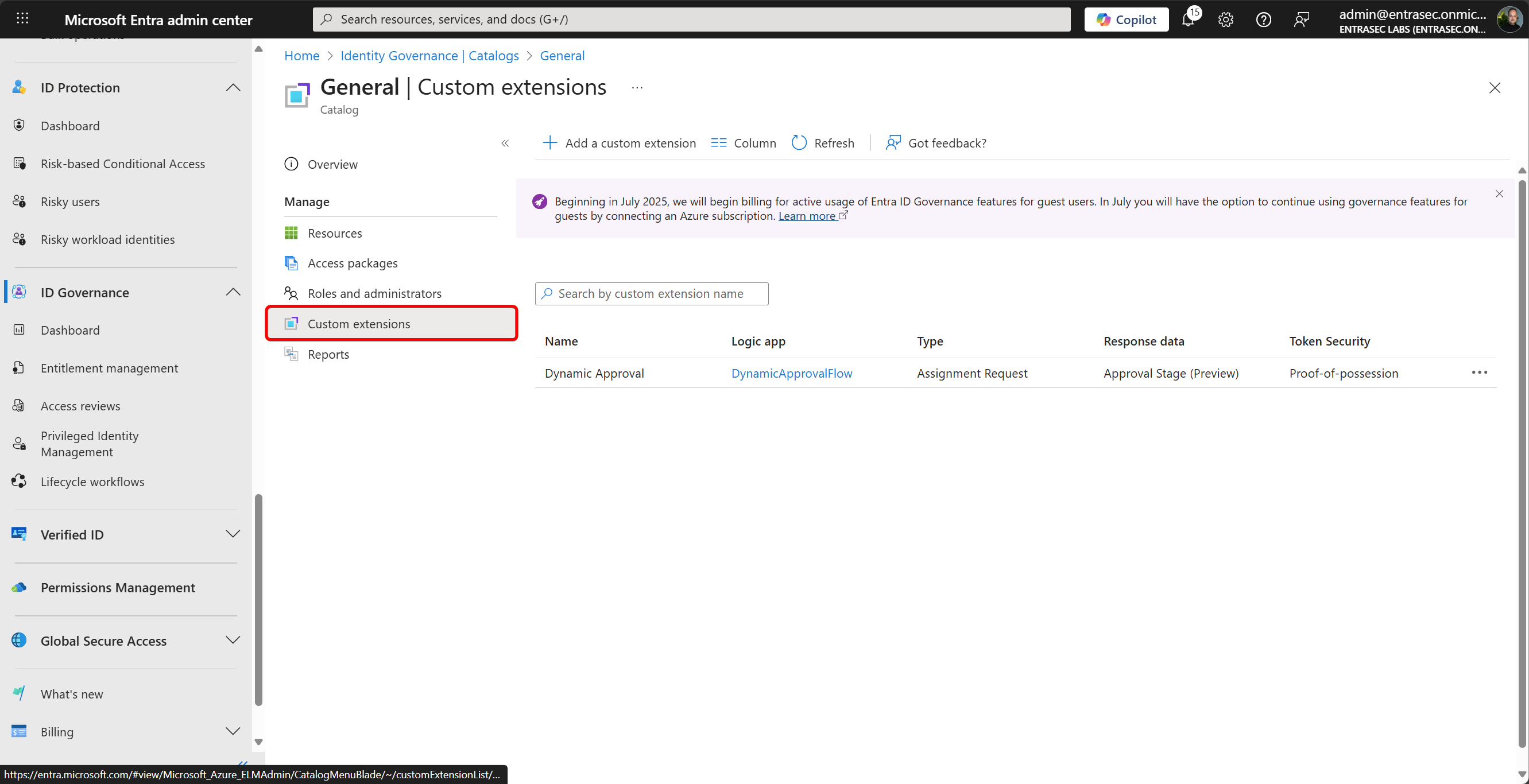
Set the Extension Type to: Request workflow (triggered when an access package is request, approved, granted or removed)
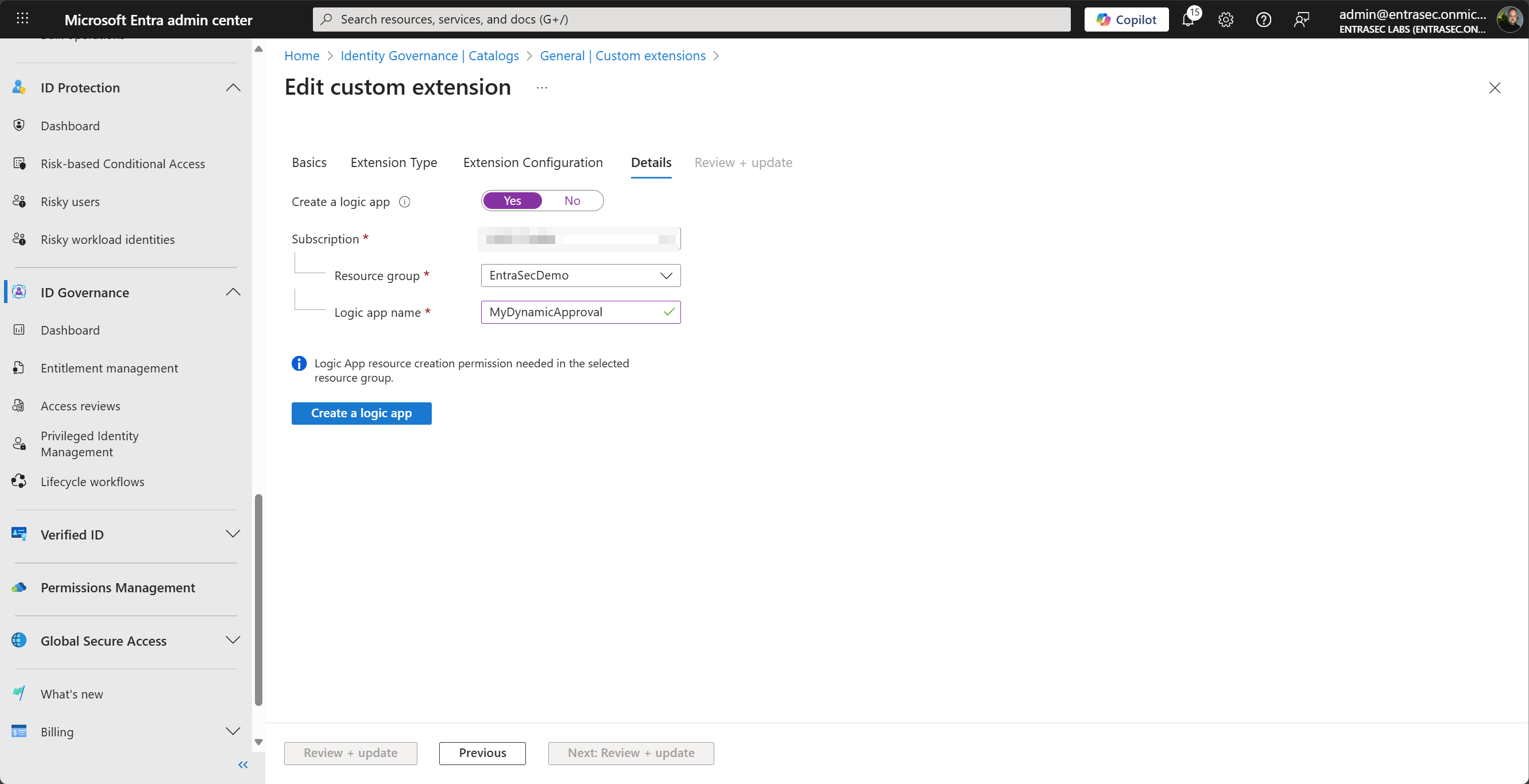
Configure the Extension Configuration like the example here:
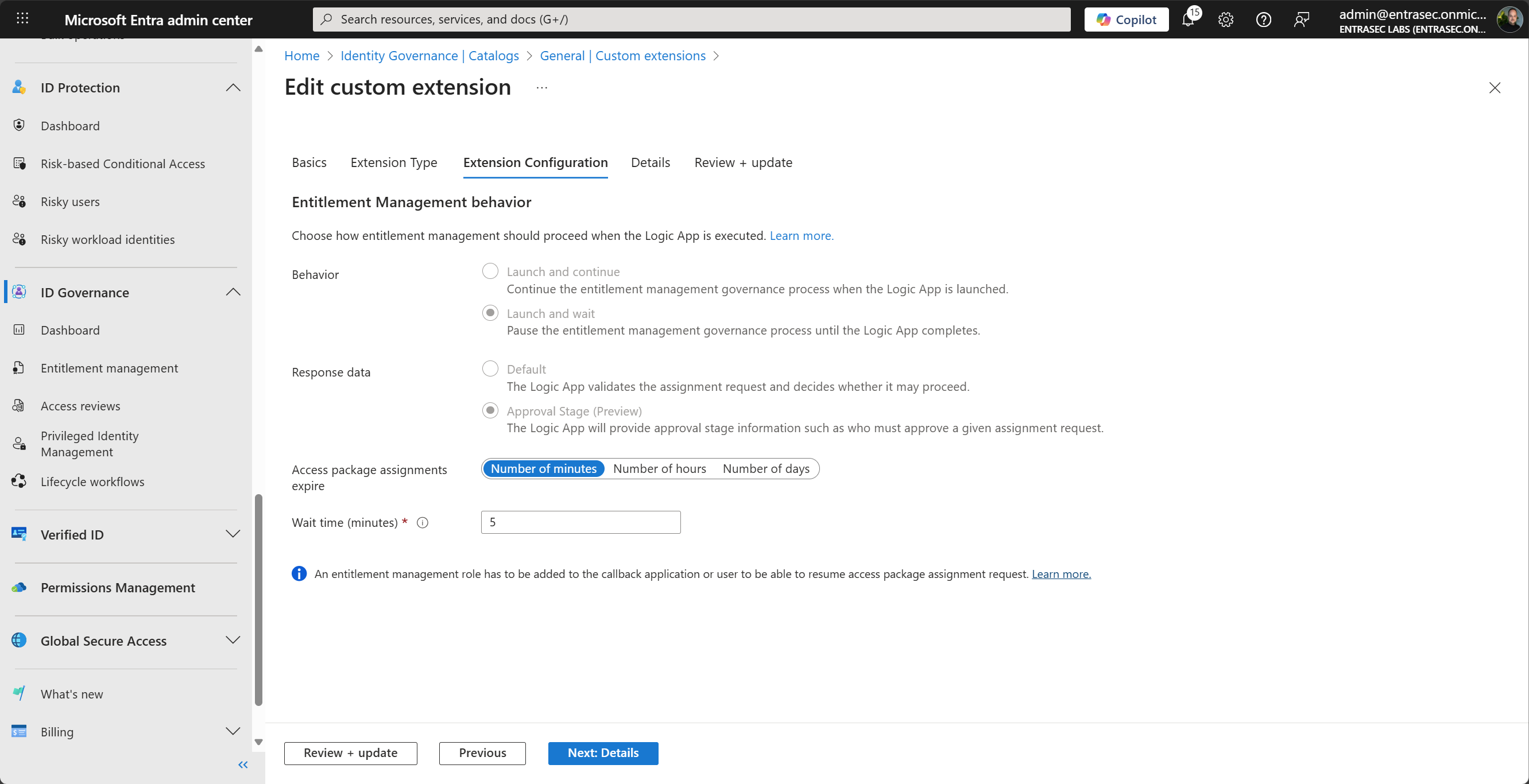
The wizard will be able to create a new Logic App and will also handle the authorization process. (proof of possession)
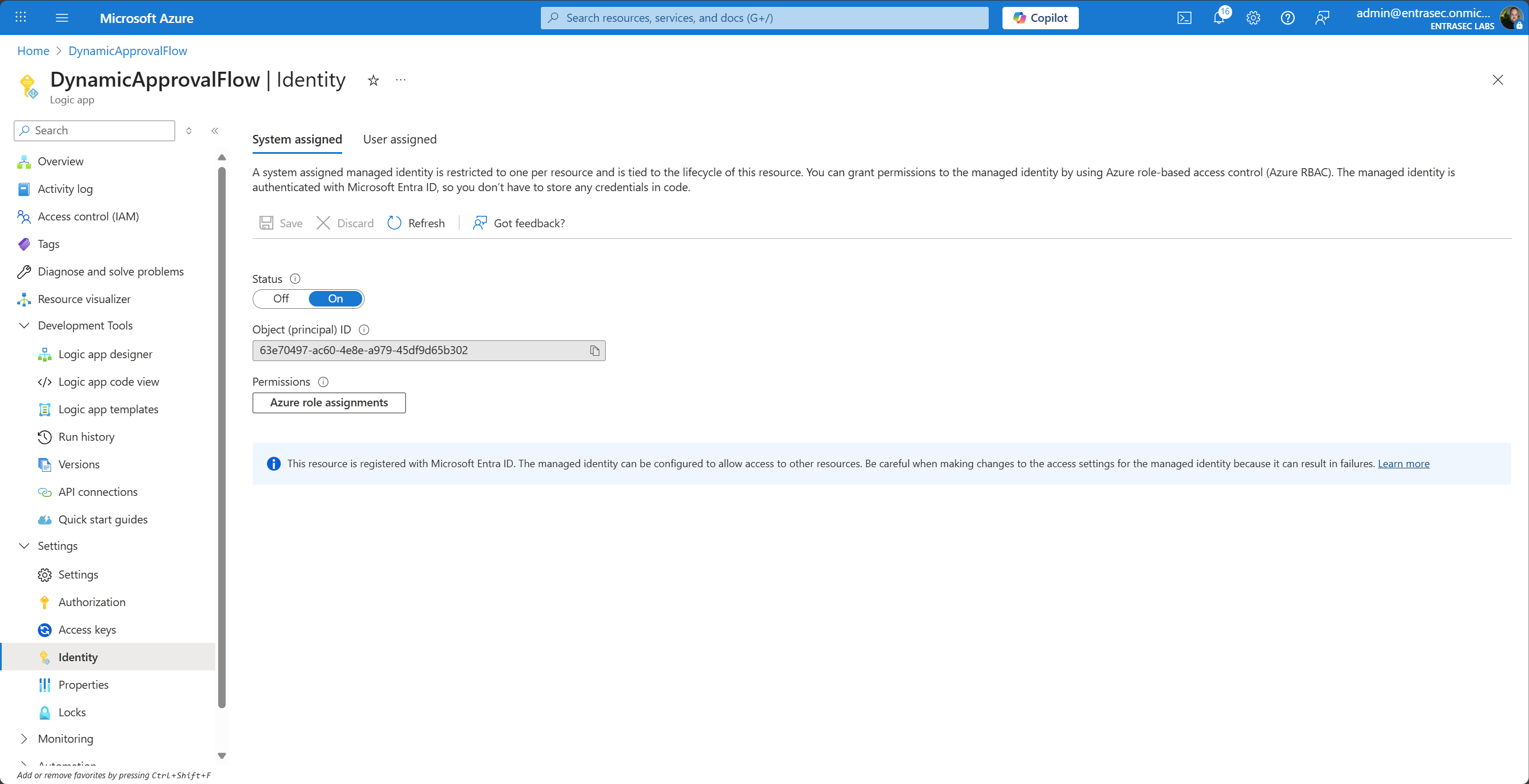
The next step is to enable a system-assigned managed identity on the Logic App and assign some permissions. First, enable the system-assigned managed identity from the Azure portal.
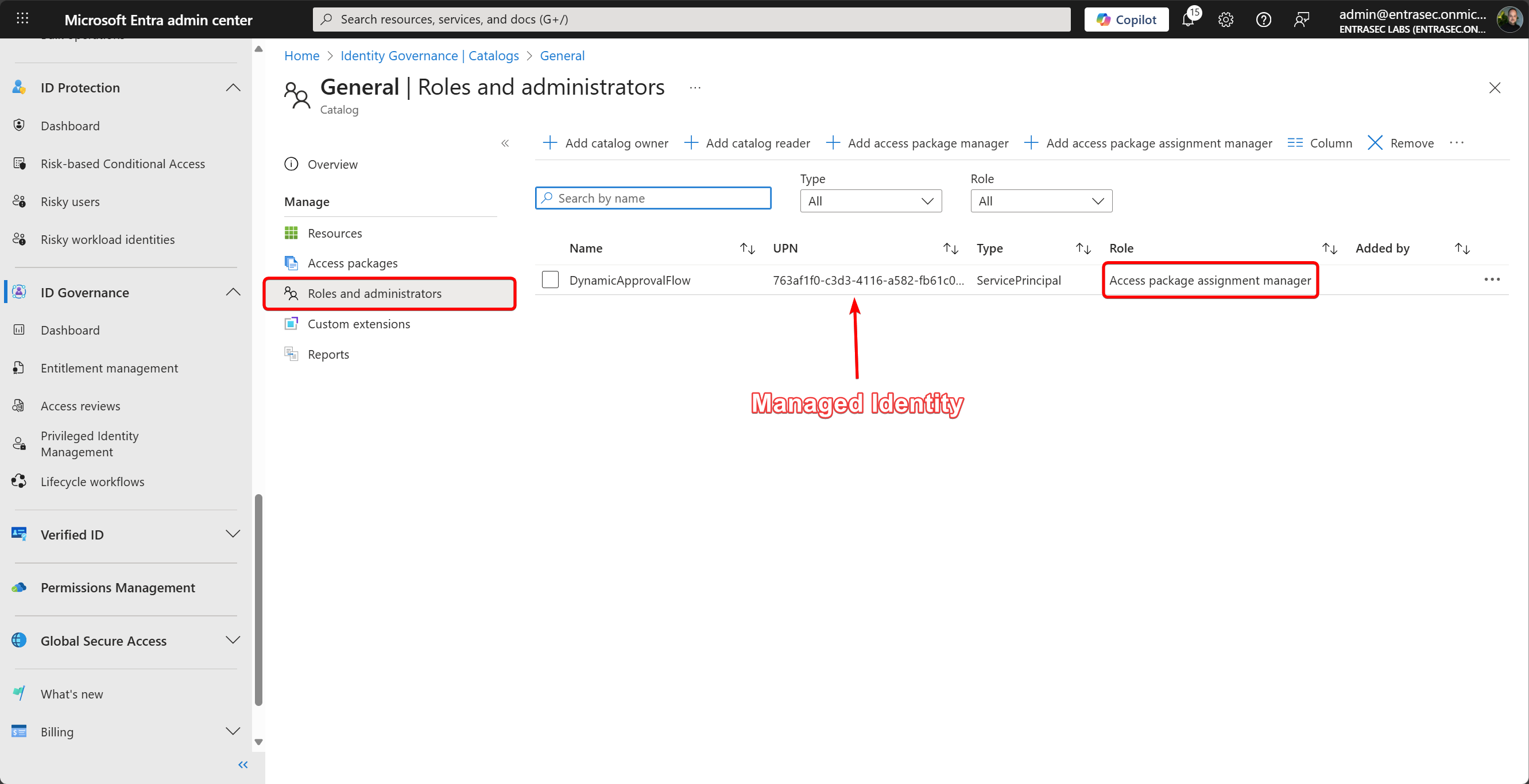
Then, assign the Access package assignment manager role to the newly created managed identity/service principal.
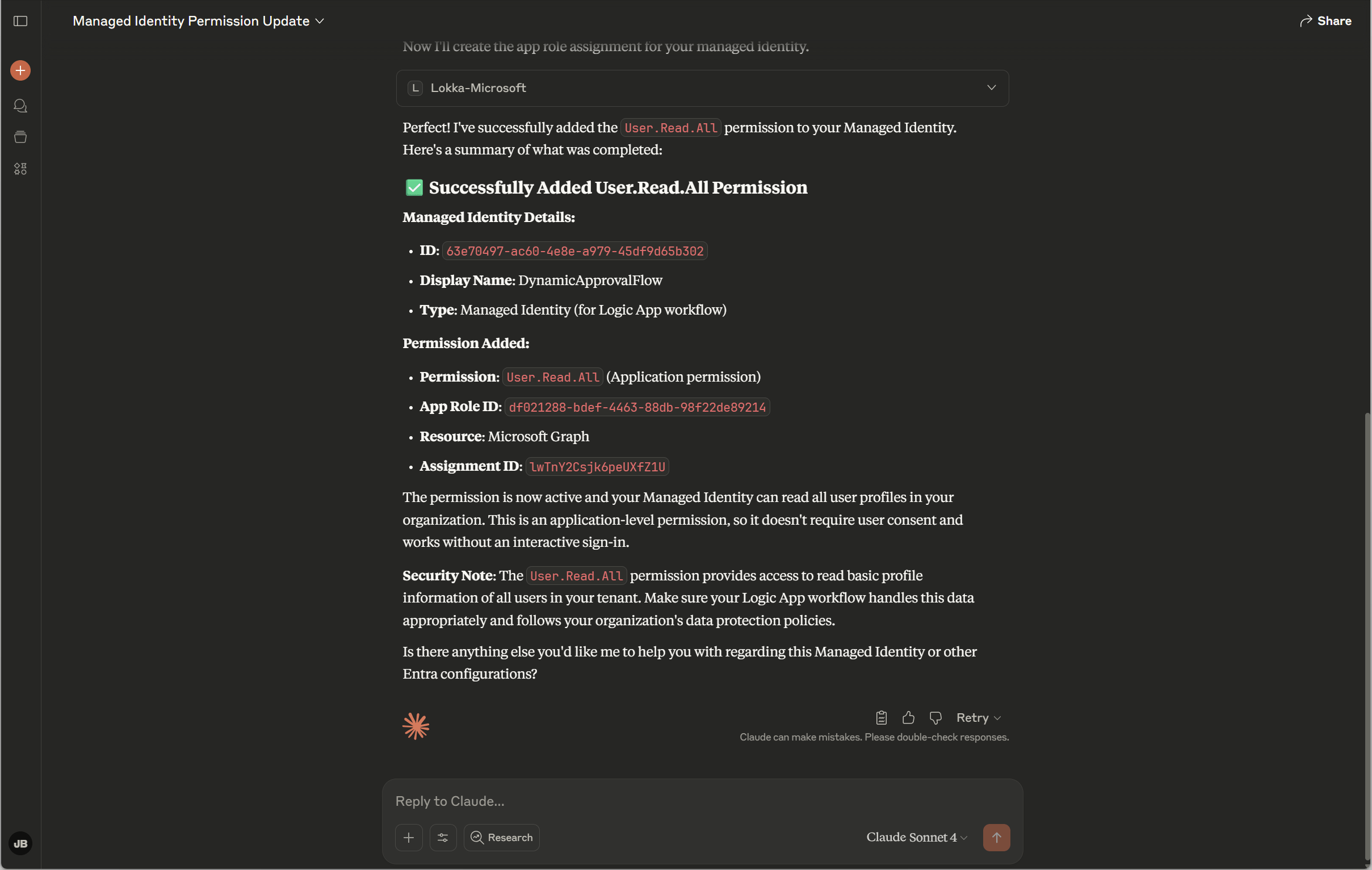
Depending on the logic in your Logic App, you might want to add more permissions to the managed identity. In my case, I also added User.Read.All Graph API permissions because I also needed to look up additional information about the requestor.
Because I’m a lazy dude, I asked Lokka to do that for me. Works every time :)
Configure Dynamic Approval on the Access Package#
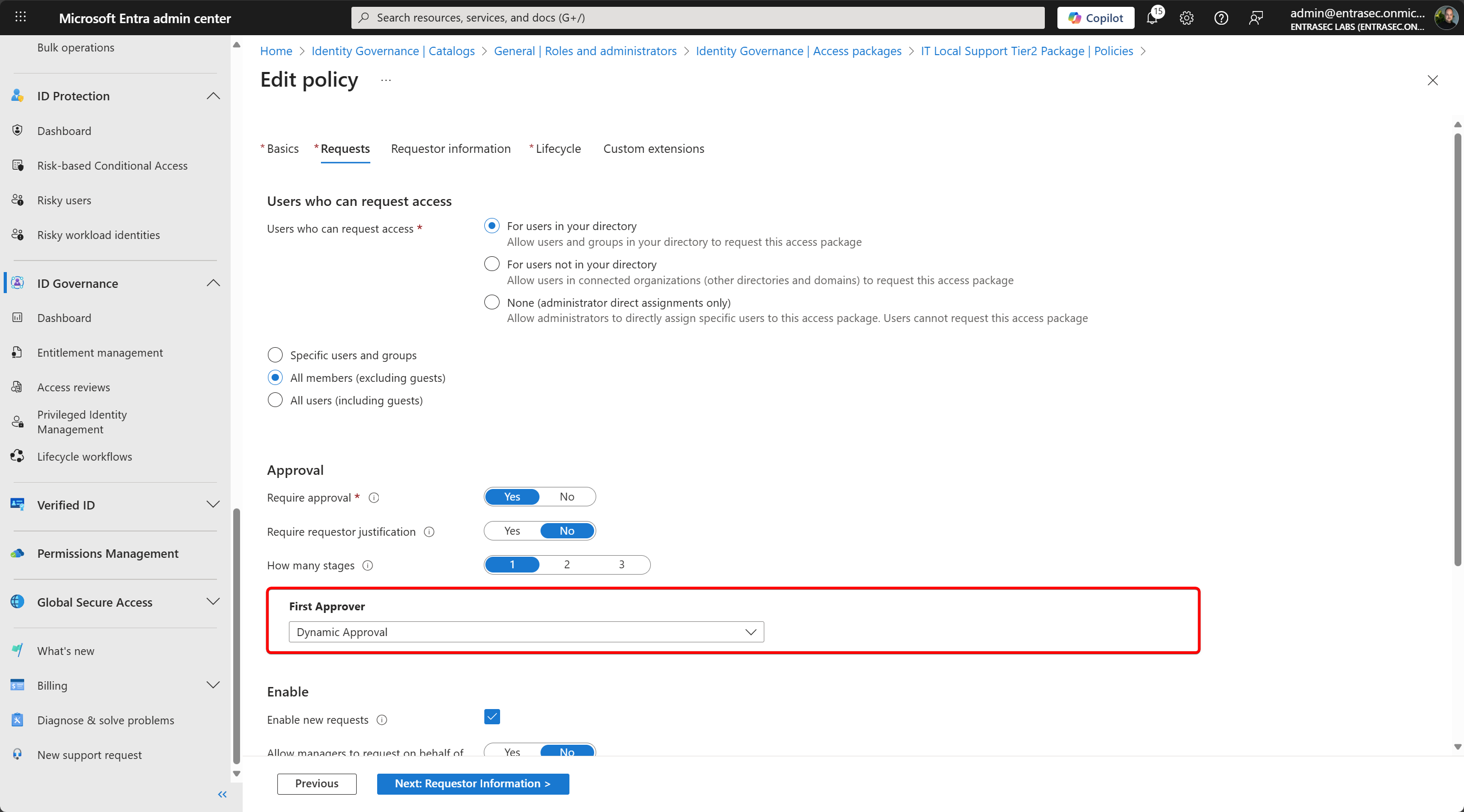
Next, we can configure the dynamic approval on the Access Package Assignment policy. To connect the Custom Extension, select the Custom Extension / Logic App name at one of the approval stages.
The Logic App#
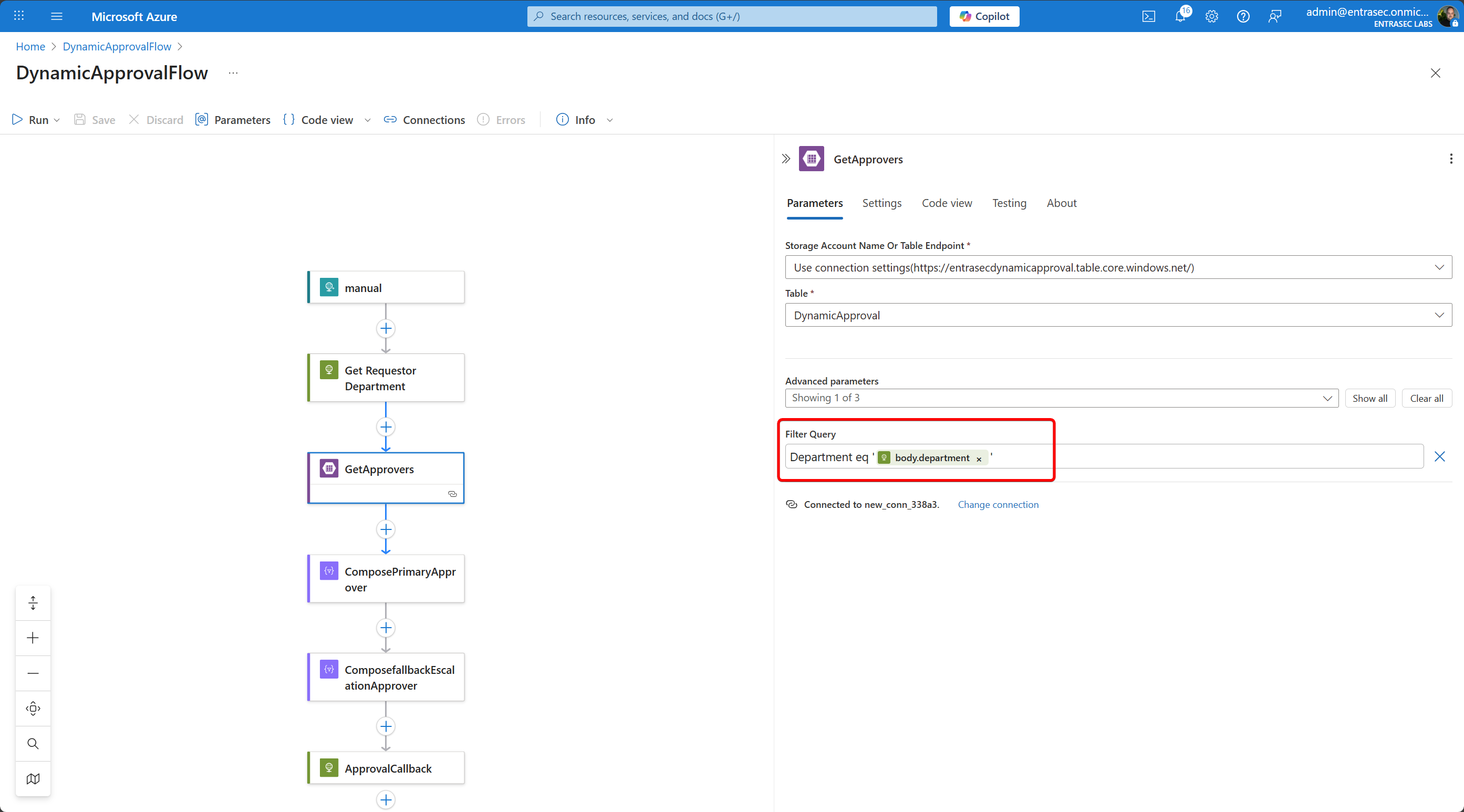
Now with the preps done, we can focus on the Logic App. I cannot go into detail, as this blog post would be too long, so I’ll show you a few steps and the sample code that you can use.
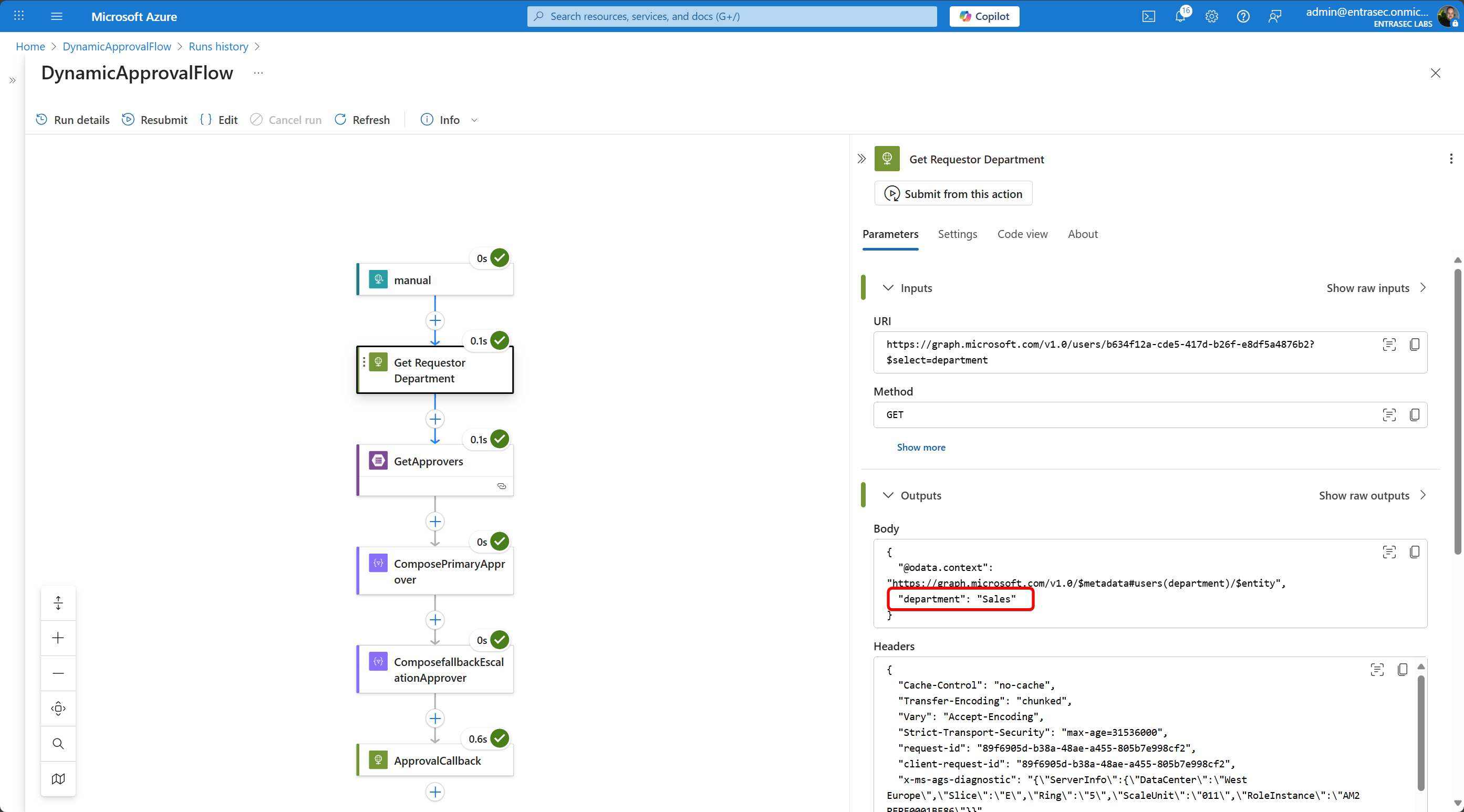
In the first step, I’ll dig up the department from the Graph API, using the requestor information from the trigger (the trigger will be kicked off when the requestor requests the access package.
GET https://graph.microsoft.com/v1.0/users/@{triggerBody()?['Requestor']?['ObjectId']}?$select=departmentThen, I’ll look up the Azure Storage Table and use the department as my Filter Query.
The output will look like this:
[
  {
    "odata.etag": "W/\"datetime'2025-07-30T10%3A09%3A16.5051228Z'\"",
    "PartitionKey": "",
    "RowKey": "",
    "Timestamp": "2025-07-30T10:09:16.5051228Z",
    "Department": "Sales",
    "PrimaryApproverID": "9a534aeb-3713-4676-9782-c910098ee096",
    "PrimaryApproverName": "Alex Stone",
    "fallbackEscalationApproversID": "46433669-a854-411e-9d67-837fa7b21c5d",
    "fallbackEscalationApproversName": "Bella Carter"
  }
]
I use that information to compose the Primary Approver and the Fallback Escalation Approver.
outputs('GetApprovers')?['body']?['value']?[0]?['PrimaryApproverID']
outputs('GetApprovers')?['body']?['value']?[0]?['fallbackEscalationApproversID']
In the last step, I’ll send back the approval data to Entra ID.
{
  "data": {
    "@@odata.type": "microsoft.graph.assignmentRequestApprovalStageCallbackData",
    "approvalStage": {
      "durationBeforeAutomaticDenial": "P2D",
      "isEscalationEnabled": true,
      "durationBeforeEscalation": "PT8H",
      "escalationApprovers": [
        {
          "@@odata.type": "#microsoft.graph.requestorManager",
          "managerLevel": "1"
        }
      ],
      "fallbackEscalationApprovers": [
        {
          "@@odata.type": "#microsoft.graph.singleUser",
          "description": "This is the escalation fallback user, in case manager is not found",
          "id": "@{outputs('ComposefallbackEscalationApprover')}",
          "isBackup": false
        }
      ],
      "fallbackPrimaryApprovers": [],
      "isApproverJustificationRequired": false,
      "primaryApprovers": [
        {
          "@@odata.type": "#microsoft.graph.singleUser",
          "description": "This is the primary approver for the access package requested by the user.",
          "id": "@{outputs('ComposePrimaryApprover')}",
          "isBackup": false
        }
      ]
    },
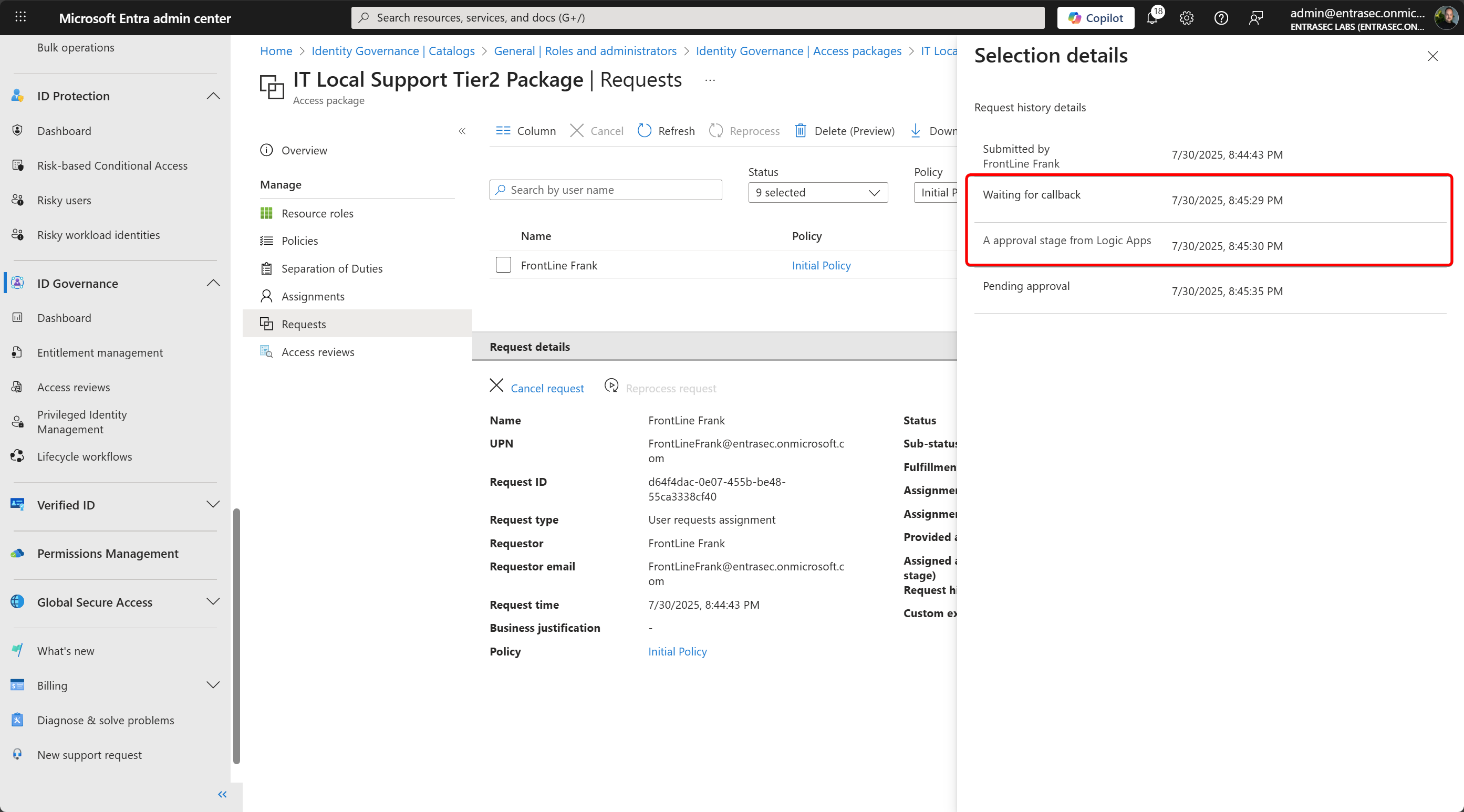
    "customExtensionStageInstanceDetail": "A approval stage from Logic Apps",
    "customExtensionStageInstanceId": "@{triggerBody()?['CustomExtensionStageInstanceId']}",
    "stage": "assignmentRequestDeterminingApprovalRequirements"
  },
  "source": "Logic Apps",
  "type": "microsoft.graph.accessPackageCustomExtensionStage.assignmentRequestCreated"
}
The request is escalated to the manager in 8 hours, and the request is dropped when there is no response for 2 days.
Putting everything together, the approval will be dynamic, based on the department of the requestor.
End-user experience#
So when a user is requesting the Access Package using the MyAccess portal, the approval information is requested from the Logic App.
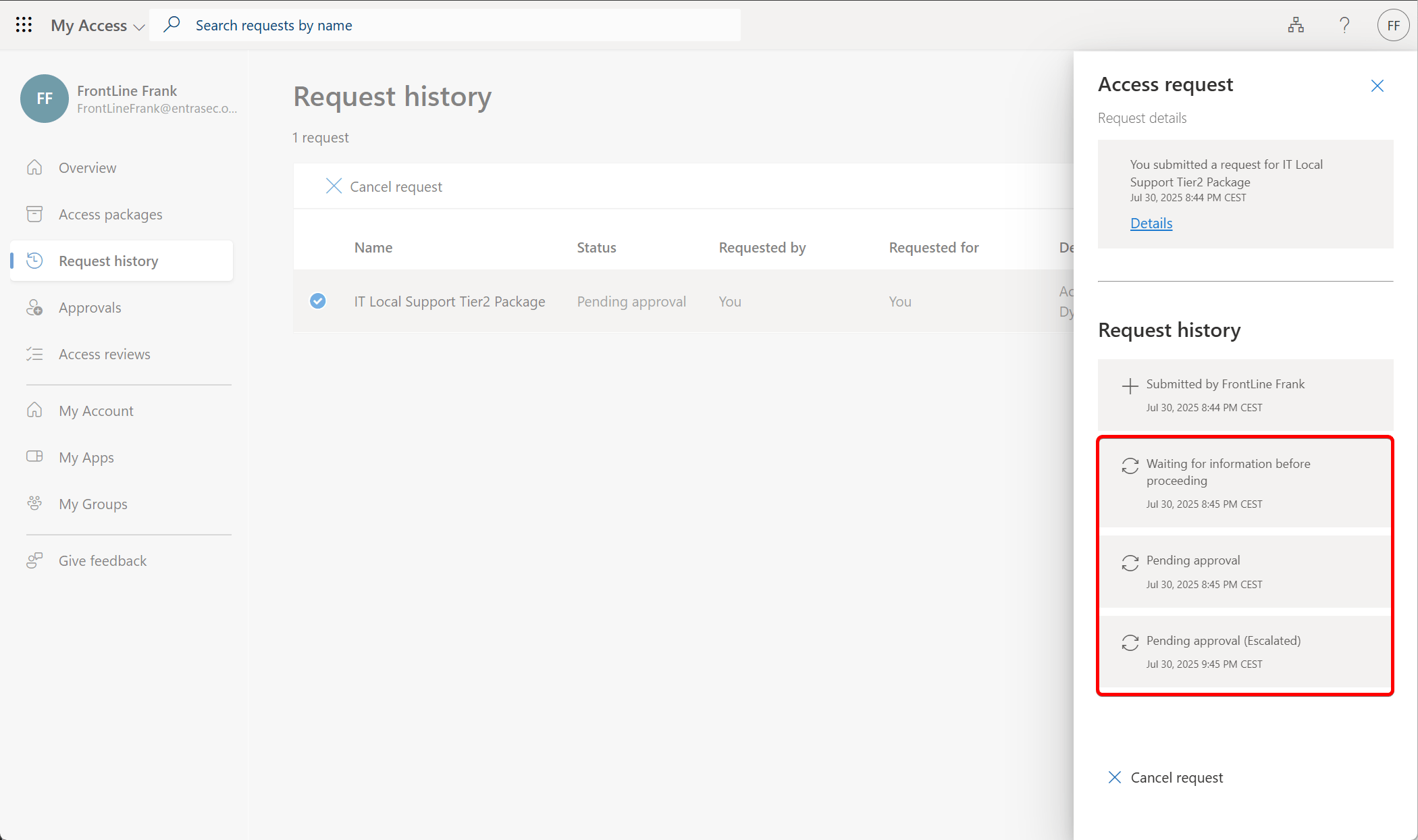
From the Entra admin center, you can see that the approval information is pulled from Logic Apps.
Let’s wrap up#
This is a lovely addition for those organizations that use Entra ID Governance for advanced use cases, providing significant flexibility on the approval stages. I hope this example will give you an idea of the capabilities of the new feature.
Logic Apps in general bring great flexibility to Entra ID Governance, as you can integrate with pretty much every resource that supports API access.
For this example, I used a simple external source and business logic to prove the concept, but you can be really creative here. I hope that this blog post will help you someday to create your own dynamic approvals.
For more and the latest information, reach out to Microsoft Learn: Externally determine the approval requirements for an access package using custom extensions (Preview) - Microsoft Entra ID Governance | Microsoft Learn
Also check out this integration with SAP #246 - TOW Customize Access Governance Workflows (Martin Raepple) | SAP on Azure Video Podcast - YouTube
Comments
Comments load when you scroll here.