
Conditional Access risk policies. Don't get fooled!
Microsoft Entra ID Protection and Microsoft Entra Conditional Access work well together. If your organization owns an Entra Premium P2 license, you likely have risk-based policies configured. Good.
As a consultant, I have the privilege of lurking in many IT kitchens, and one mistake I often see is that Conditional Access policies are designed too specifically, and leave big gaps.
Let’s start with an easy example: CA001: Enforce MFA for Office 365 for macOS Users
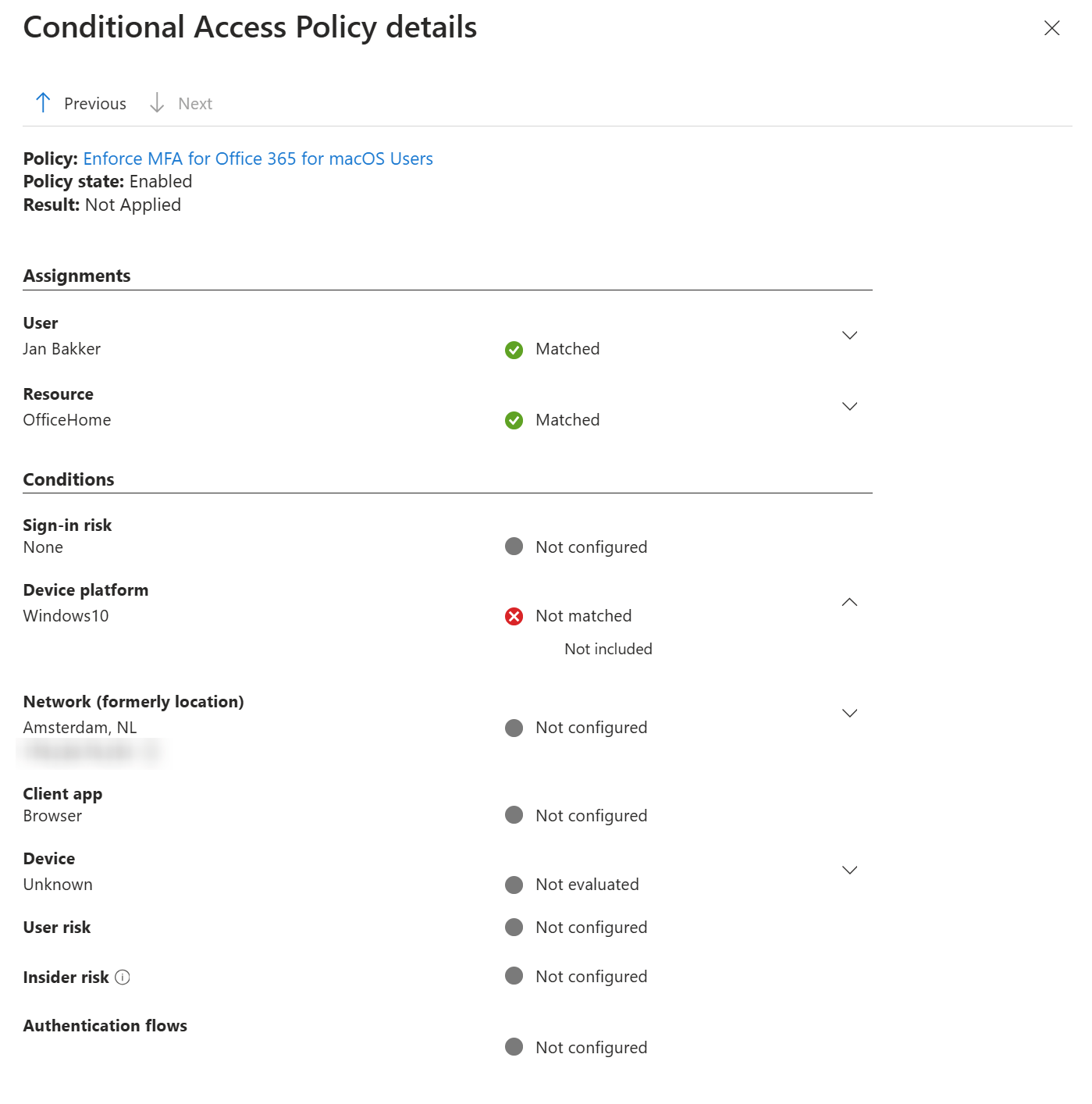
MFA will only be enforced when ALL conditions are met. MFA is not enforced in this case, as the user comes from a Windows device.
Microsoft Entra Identity Protection#
Now, over to Microsoft Entra ID Protection. ID Protection is roughly about detecting and (automatic) mitigation of:
- Sign-in risk (represents the probability that the given authentication request isn’t authorized)
- User risk (represents the probability that the user is compromised)
Here’s a good video from John Craddock if you want to learn more.
Using Conditional Access, automatic remediation can be enforced when these types of conditions are met.
Sign-in risk will typically be remediated with MFA.
User risk will typically be remediated with a secure password reset.
See how different events have different mitigations? That brings me to the lesson of this blog post.
In some cases, I’ve seen policies that have configured both sign-in risk AND user risk in one policy. \
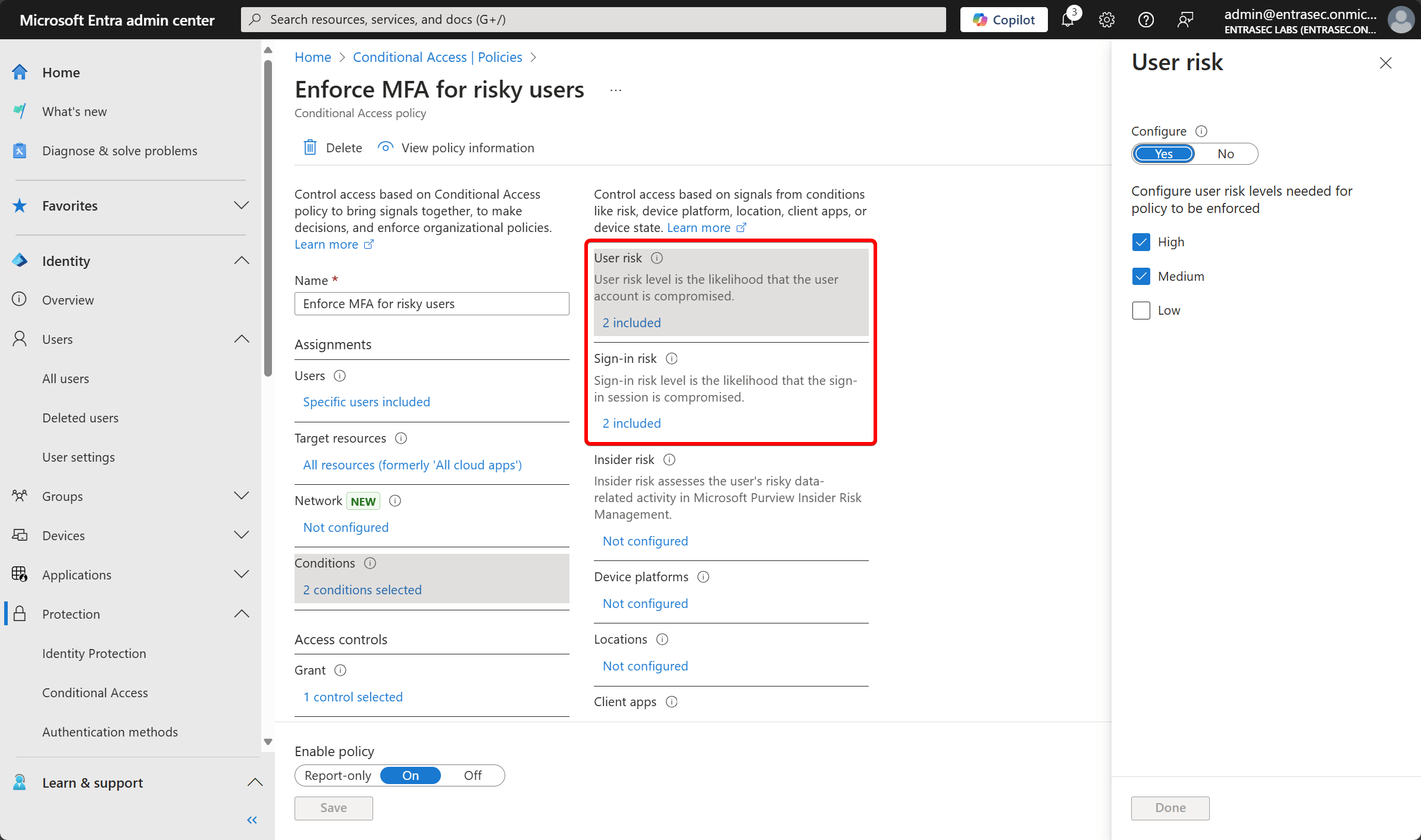
Although this is not explicitly pointed out in the documentation, this is a bad idea. Why?
In order for the policy to take effect, ALL conditions should be met.
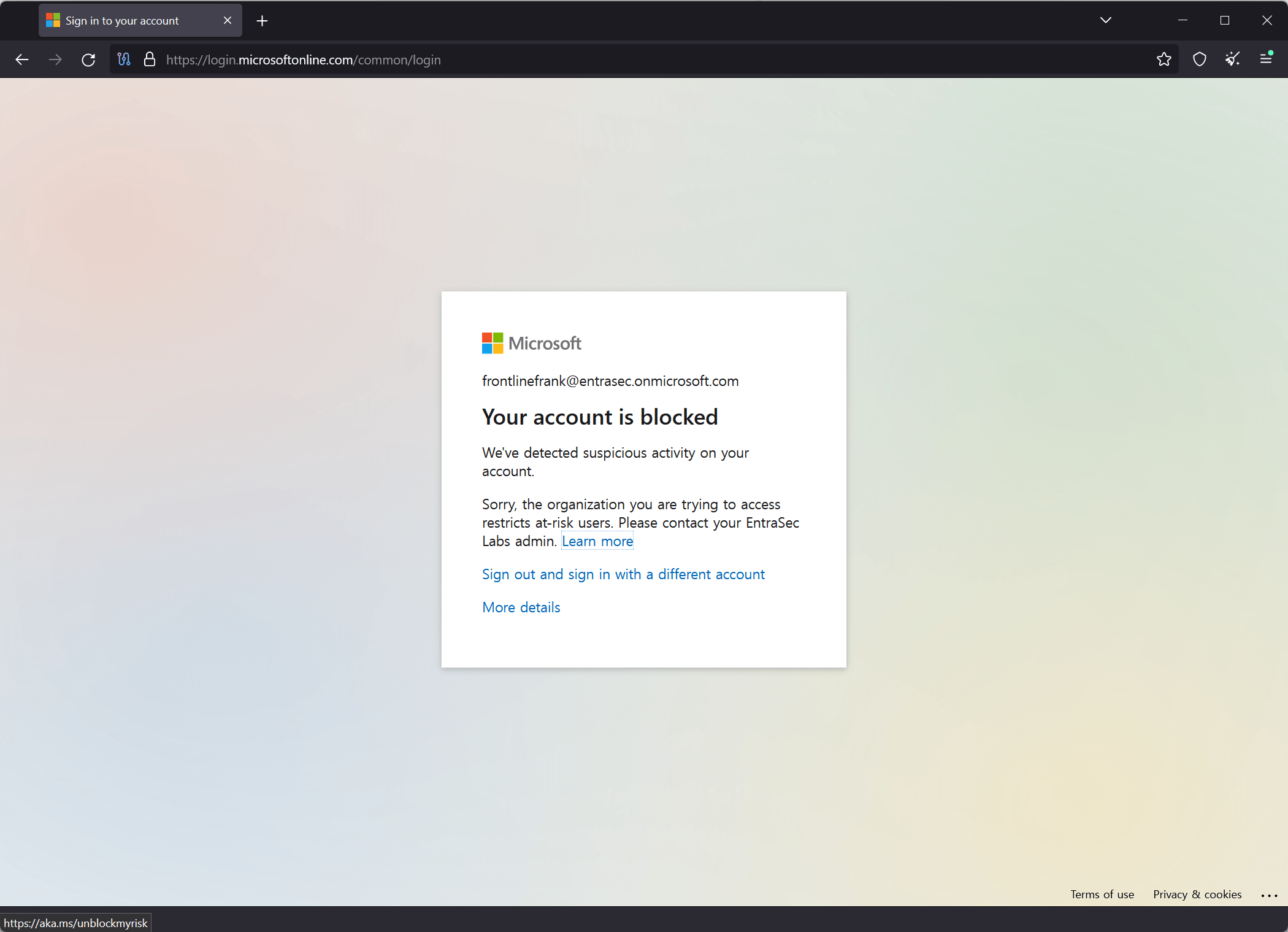
So if a user is flagged for risky sign-in but is not a risky user, the policy won’t kick in. Let me show you by simulating a risky sign-in from a TOR browser.
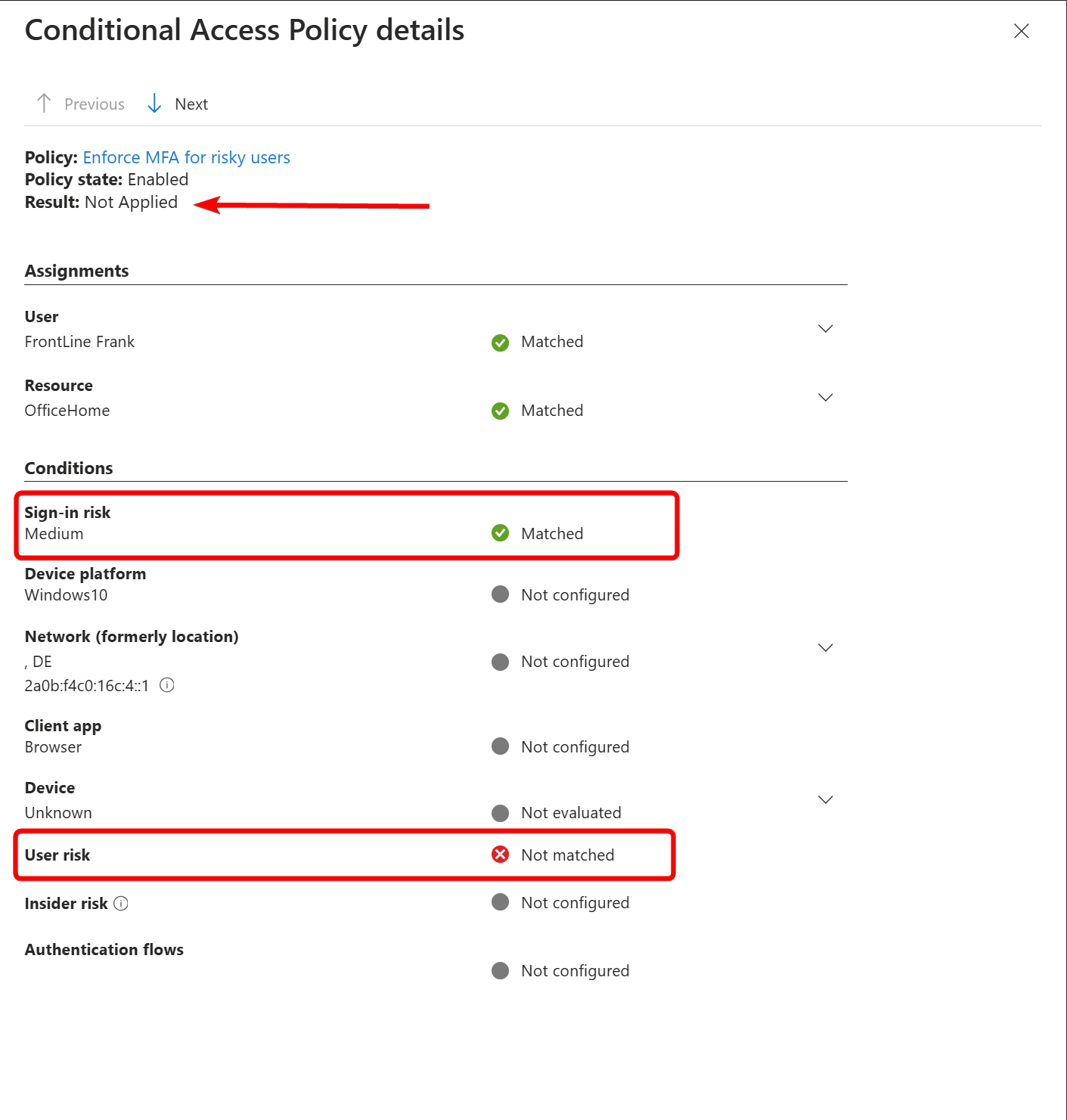
The sign-in risk is flagged as medium, but since the user risk is not raised, the policy does not take effect. The policy will have effect once the user risk is raised to the configured level and both conditions match.
Combining sign-in risk and user risk in one policy will only block access if both types of risk are flagged for a given sign-in. This means that if only one kind of risk is present (e.g., Sign-in risk = High, User risk = None), the sign-in will be allowed to proceed. This could create a security gap since risky activities might slip through.
Now, in a few minutes, the user risk will most likely also be raised after this event, but the policy will not be re-evaluated until the next interactive sign-in. The policy will kick in properly at that time, as both the user and sign-in risk will match.
Microsoft’s recommendations#
As per Microsoft’s recommendations, it is better to have two separate policies for sign-in risk and user risk. Even if you would have both policies set to block access control, it is better to have them separate for the above-mentioned reasons.
User risk: Require a secure password change when user risk level is High.
Sign-in risk: Require Microsoft Entra multifactor authentication when the sign-in risk level is Medium or High.
Needless to say, every organization must decide the level of risk they want to require access control for, balancing user experience and security posture.
Detection#
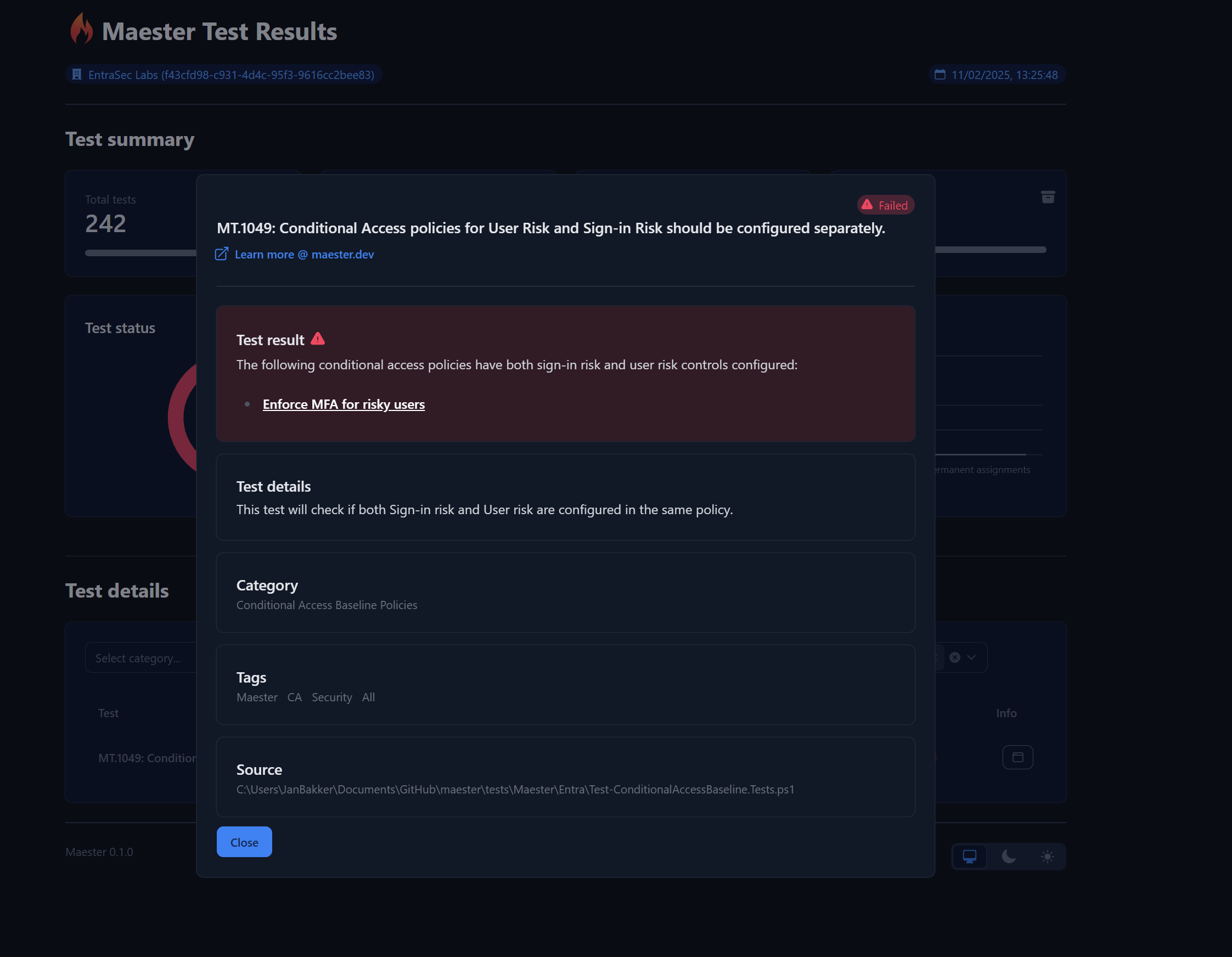
To address this issue, I’ve built a new Maester test ( MT.1049 - Sign-in risk and user risk conditions should be configured in separate Conditional Access policies) that will report any policy with both sign-in risk and user risk configured in one policy.
Wrap up#
During my assessments, I’ve noticed many unintentional configurations that may appear acceptable at first glance but often don’t make much sense upon closer inspection. Of course, I cannot assess every tenant myself, but I have found the most effective way to address this issue and reach a large number of tenants is by creating a Maester test for it.
Contributing to Maester is a relatively low-effort action with a potentially huge impact, as your tests will reach many tenants.
Learn more:
What is Microsoft Entra ID Protection? - Microsoft Entra ID Protection | Microsoft Learn
Introduction | Maester
Maester v1 | Maester
What happens when multiple conditional access policies apply?
Stay safe!
Comments
Comments load when you scroll here.