
Entra · Knowledgebase · Security
Conditional Access Optimization Agent knowledge base
Y’all know this song by the Beatles, right?
What would you think if I sang out of tune?
Would you stand up and walk out on me?
Lend me your ears, and I’ll sing you a song
And I’ll try not to sing out of key
Oh, I get by with a little help from my friends
Mmm, I get high with a little help from my friends
Ooh, I’m gonna try with a little help from my friends
That song popped into my head when I was daydreaming about this new feature in the Conditional Access Optimization Agent. You might assume AI is going to fix everything, until you realize your agents are singing out of tune. So you can do two things:
- Walk out on them
- Giving them a little help
And that’s exactly what this new feature will provide: context, guidance, and additional insights into your Conditional Access design. I’ve seen dozens of Conditional Access implementations, and I know why this is hard for agents, too. Every implementation is different when it comes to principals, naming conventions, exclusions, and organization-specific needs.
The key things this knowledge base can govern, according to the documentation:
Persona-based policy design — teaching the agent which policy set applies to which user population (admins, workforce, contractors), so it targets the right policy when recommending changes.
Policy naming conventions — ensuring newly created, merged, or renamed policies follow your tenant’s established naming structure.
Breakglass account handling — guaranteeing emergency access accounts/groups are consistently excluded whenever the agent creates or modifies policies.
To start, upload documentation about your Conditional Access setup to the agent. There is no real template provided, but you can use this document as an example. Add any information that might be relevant for the agent to use when adding new recommendations.
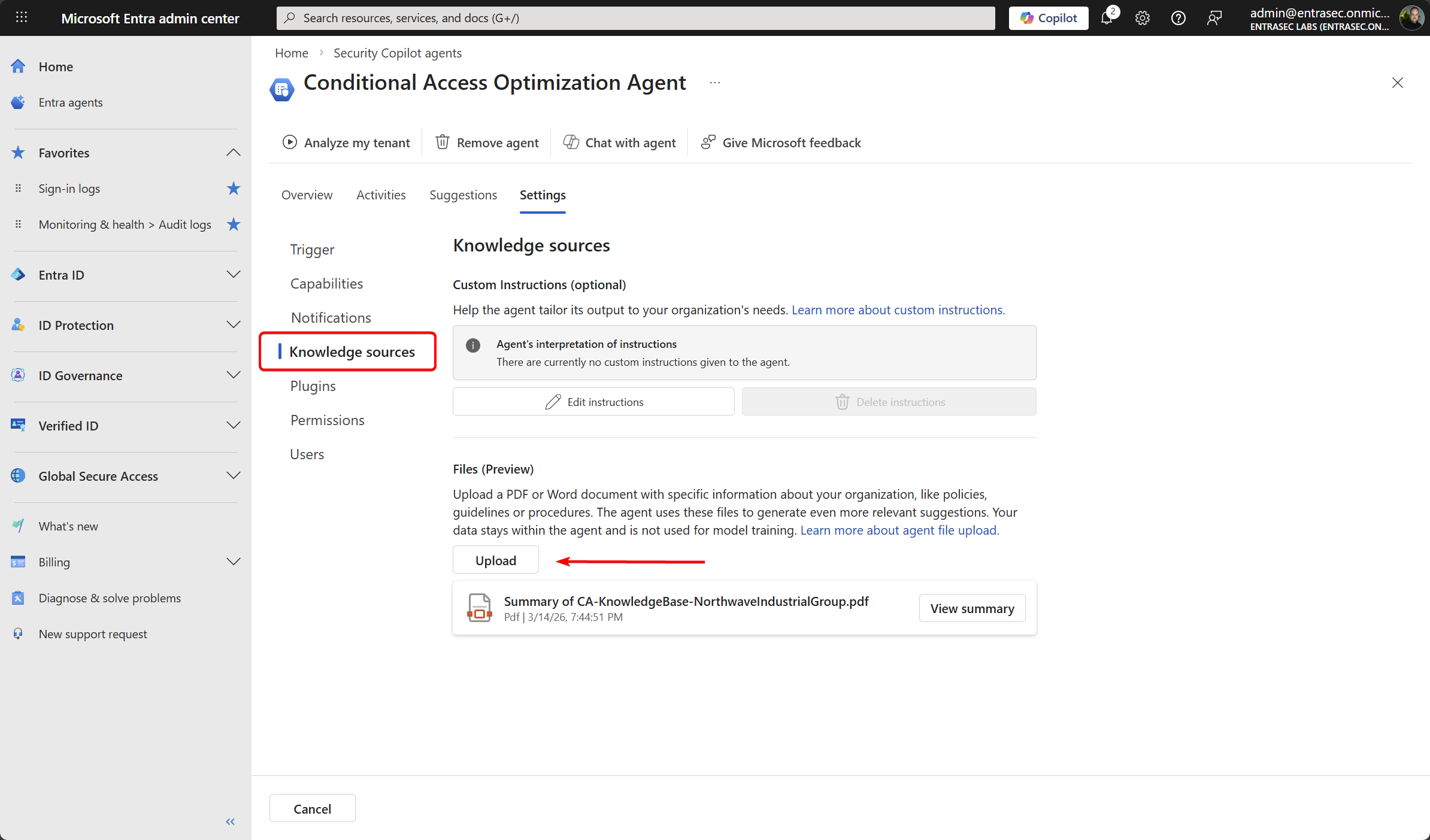
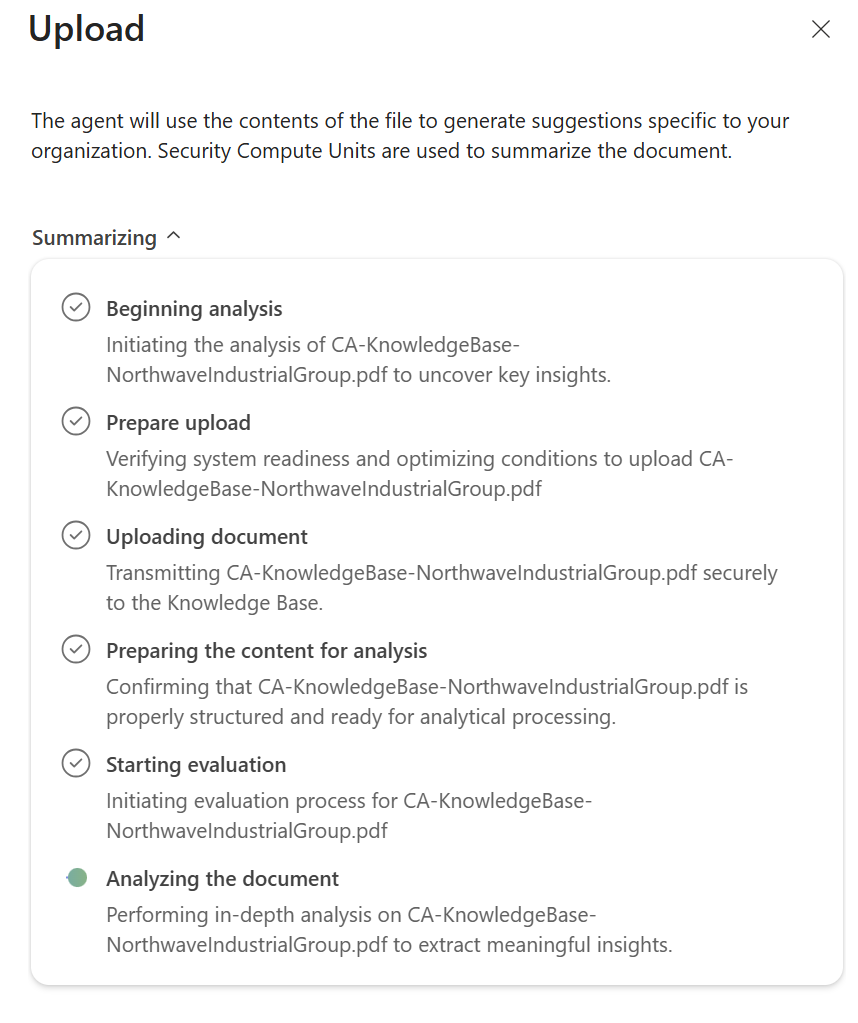
Uploading and analyzing the document might take a few minutes, so stay tuned.
After the analysis is done, the agent will conclude with a summary. If the summary is not accurate, you need to edit the document and upload it again until you are happy with the result.
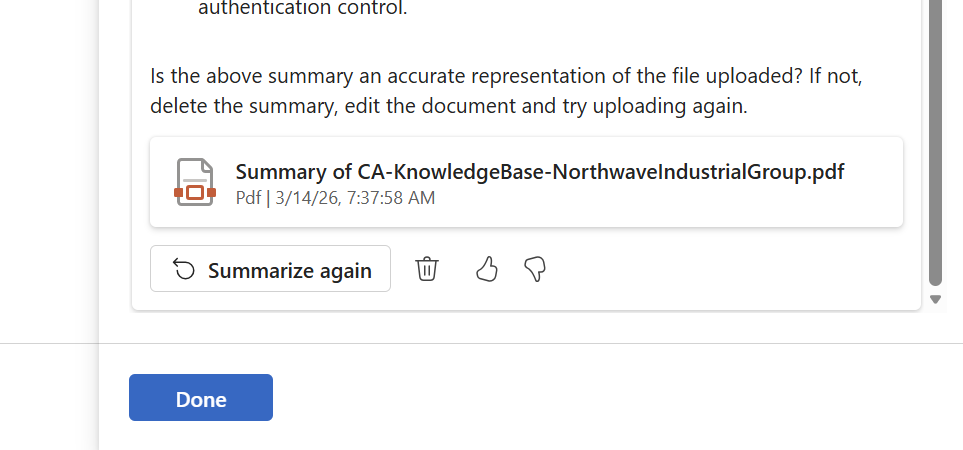
An important note: the document will only be applied to future runs, so you might not see immediate results.
You can find more documentation here: Conditional Access Optimization Agent knowledge base (Preview) | Microsoft Learn
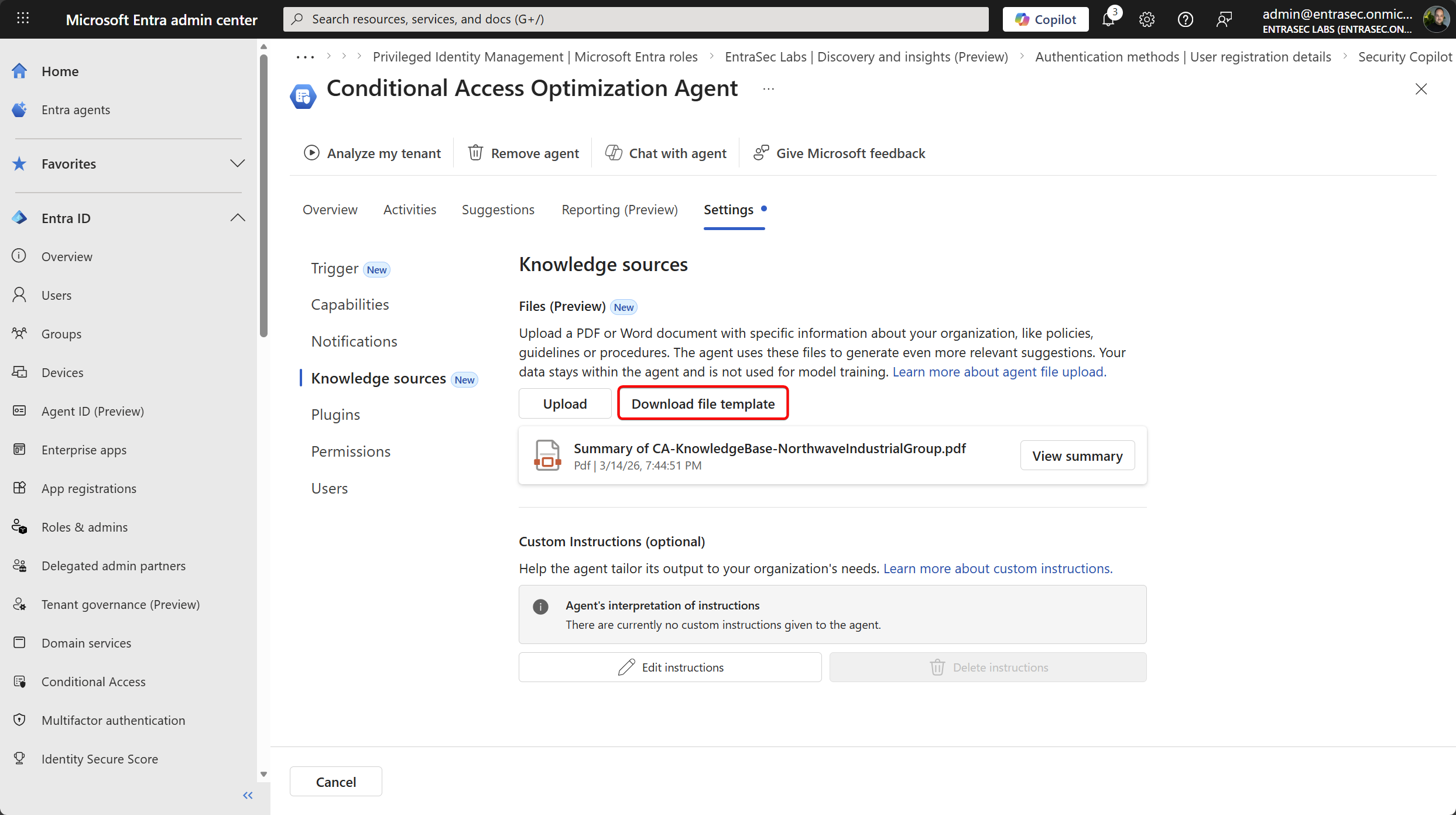
Update 27-03-2026: Microsoft now also provides a template to get started!
What would you say if I suggested the wrong thing?
Would you stand up and walk out on me?
Lend me your docs, and give me some context
And aware of your personas, I will be.
Stay safe!
Comments
Comments load when you scroll here.