
Block or limit multi-tenant and consumer applications in Entra ID
Two new policies have been added to the recently introduced Application Policies in Entra ID!
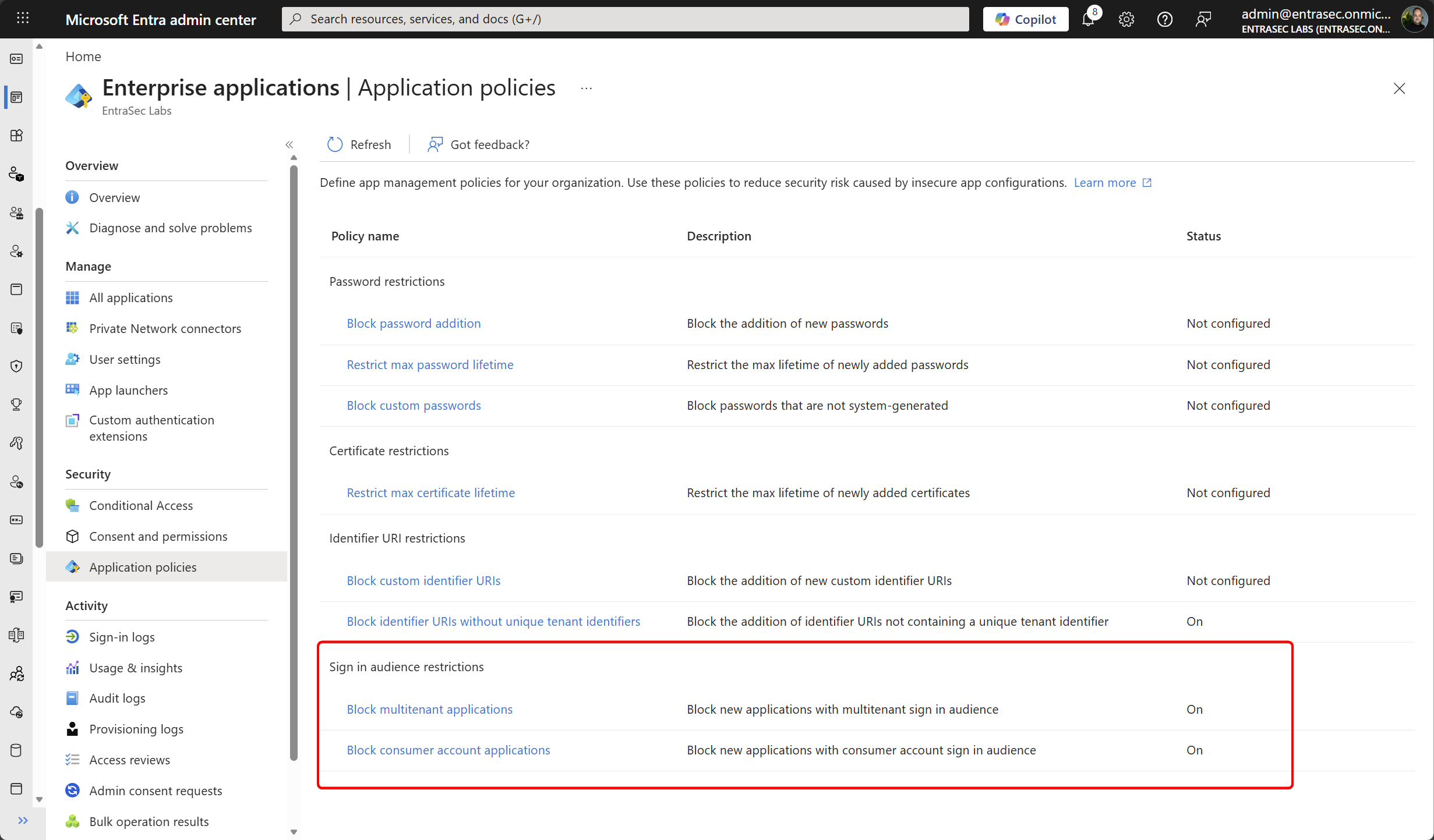
Admins can now restrict or block multi-tenant applications, and applications that support consumer sign-in (personal Microsoft accounts)
Looking closer, we now have two options added to the blade:
Block multitenant applications - Policy that blocks new multitenant applications, and prevents existing applications from switching to multitenant
Block consumer account applications - Policy blocking applications from targeting personal Microsoft accounts unless exempted or created before the specified date.
Why this matters#
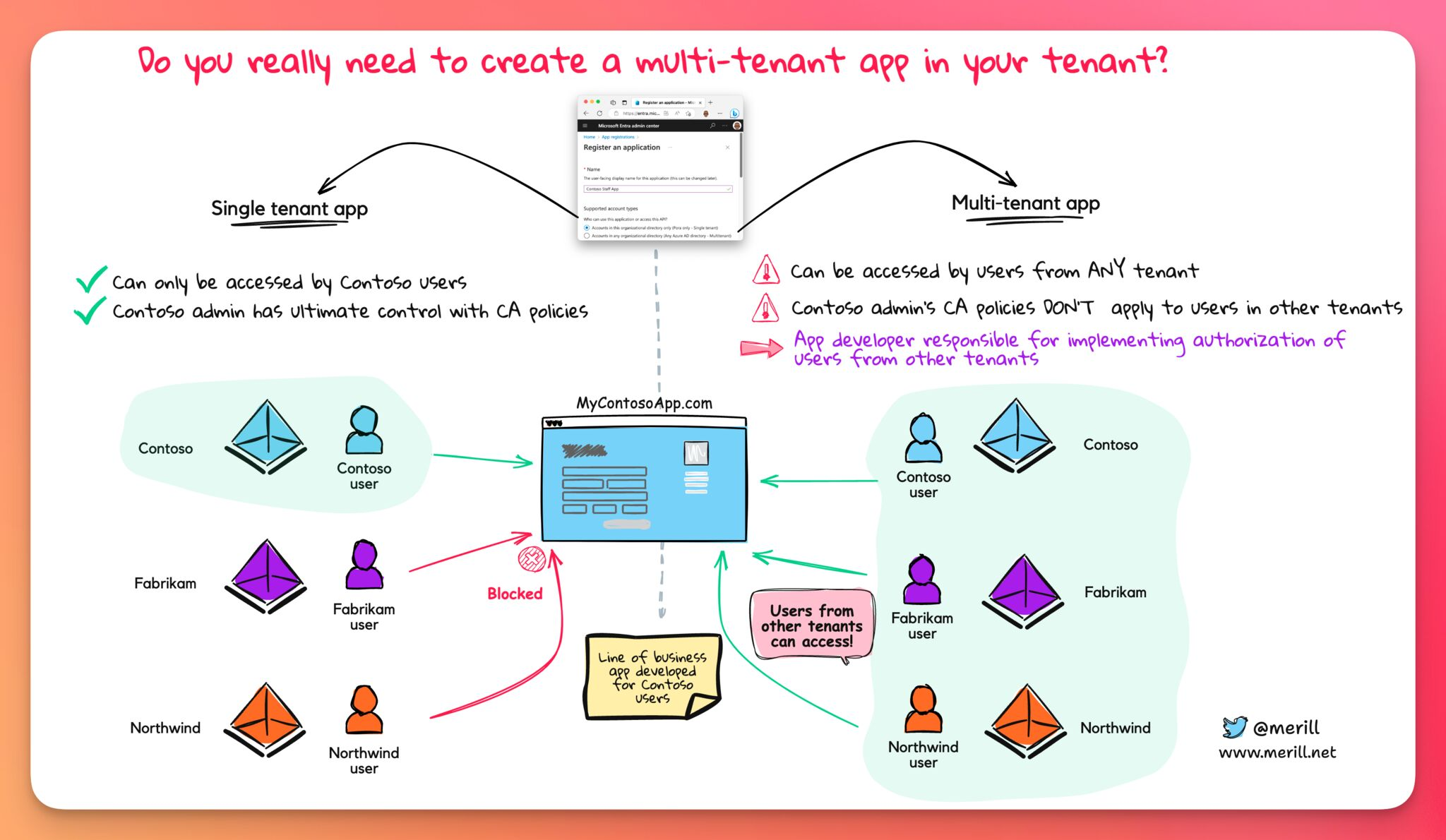
When integrating applications with Entra ID, developers or admins can choose among different app types. More than necessary, multi-tenant apps are picked, while the app is intended for internal users only. Multi-tenant apps are harder to secure and are often abused.
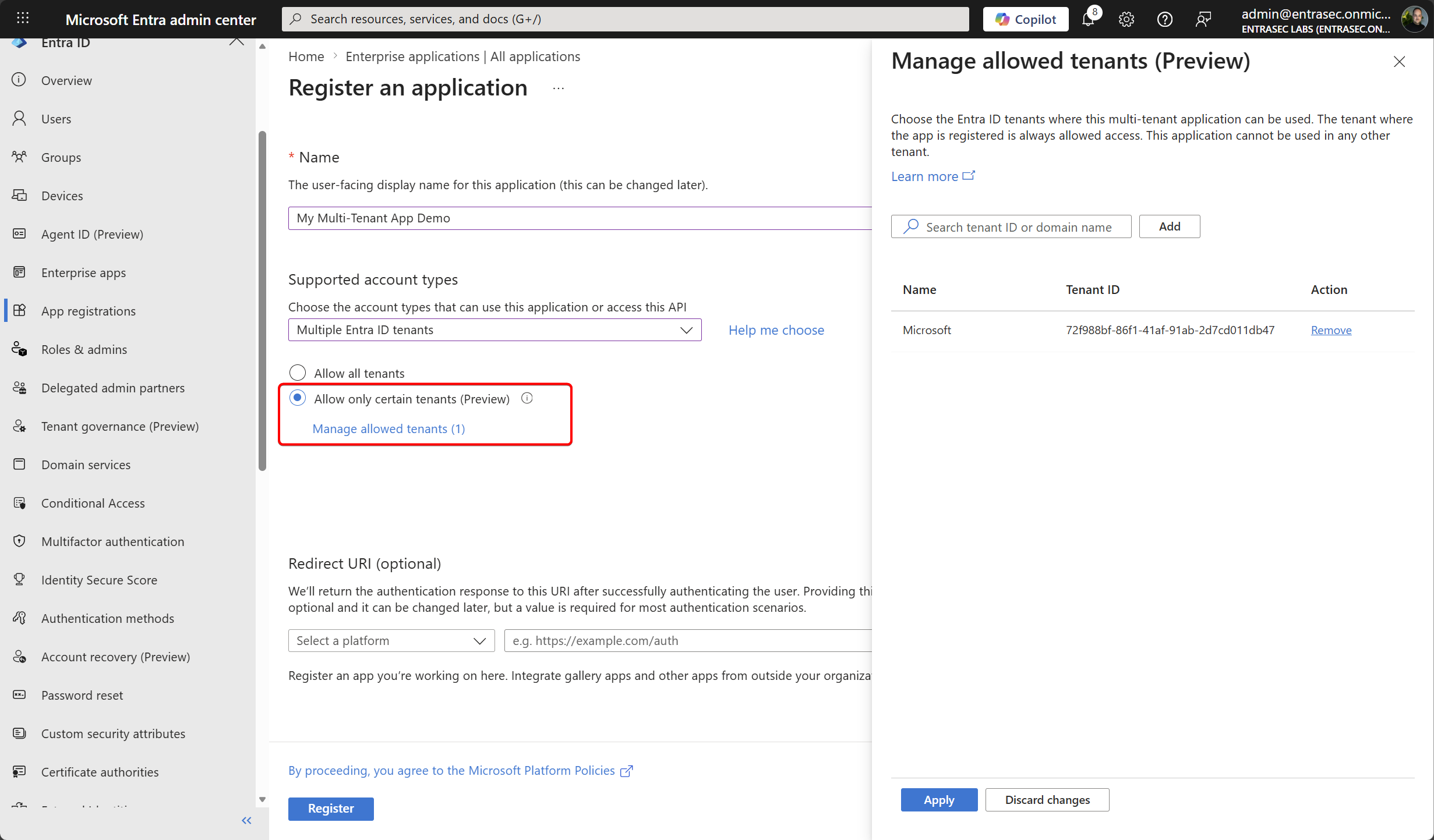
Recently, Microsoft introduced a new setting that lets admins limit which tenants can use multi-tenant apps.
But still, admins and devs can go ahead and simply ignore that. This new setting in the application policy blade can block multi-tenant apps altogether, specific apps, or block apps that are not using the new preview feature to whitelist specific tenants.
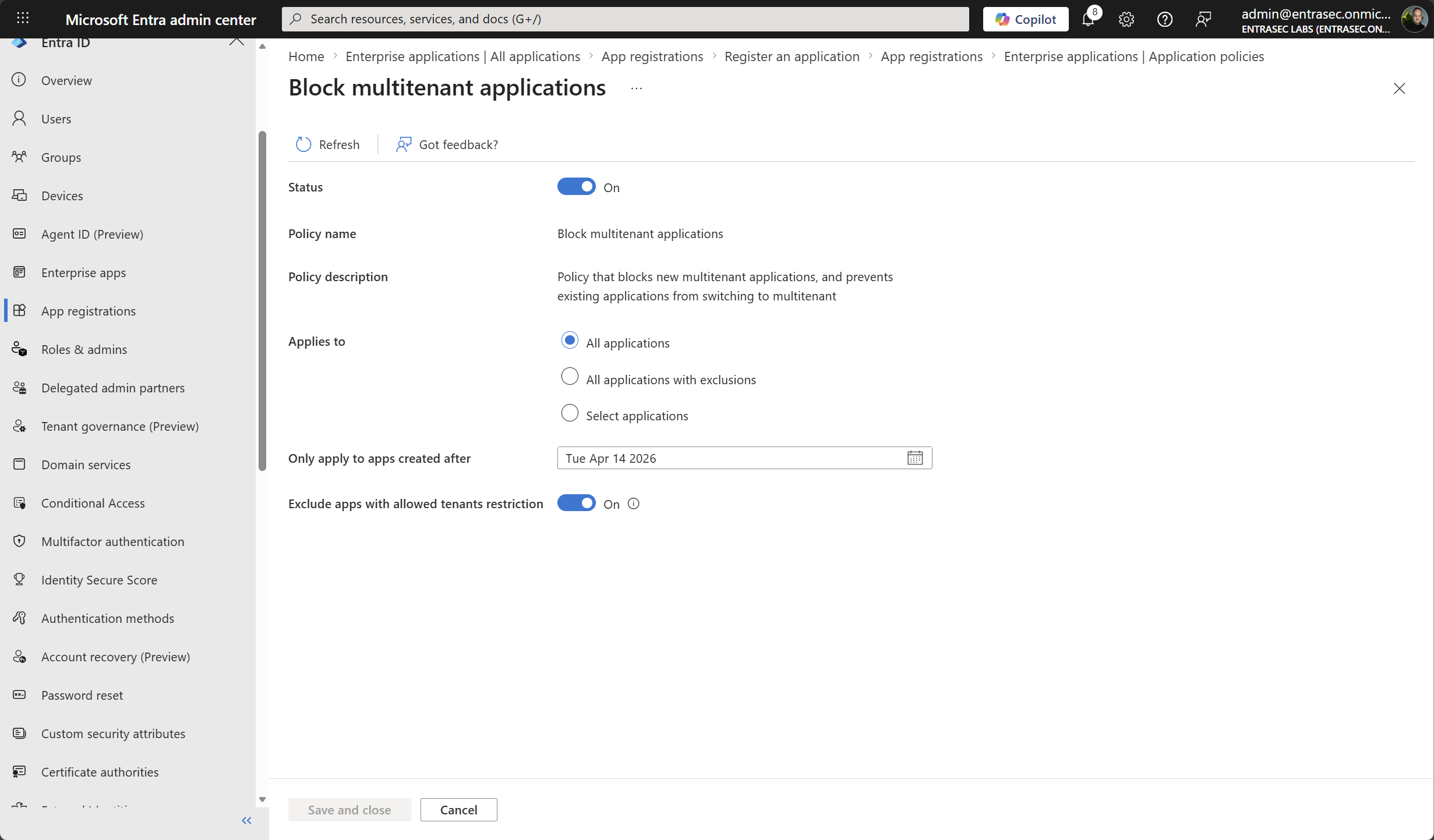
Setting “Exclude apps with allowed tenants restriction” to ‘On’ will only allow new apps that are using the whitelist feature.
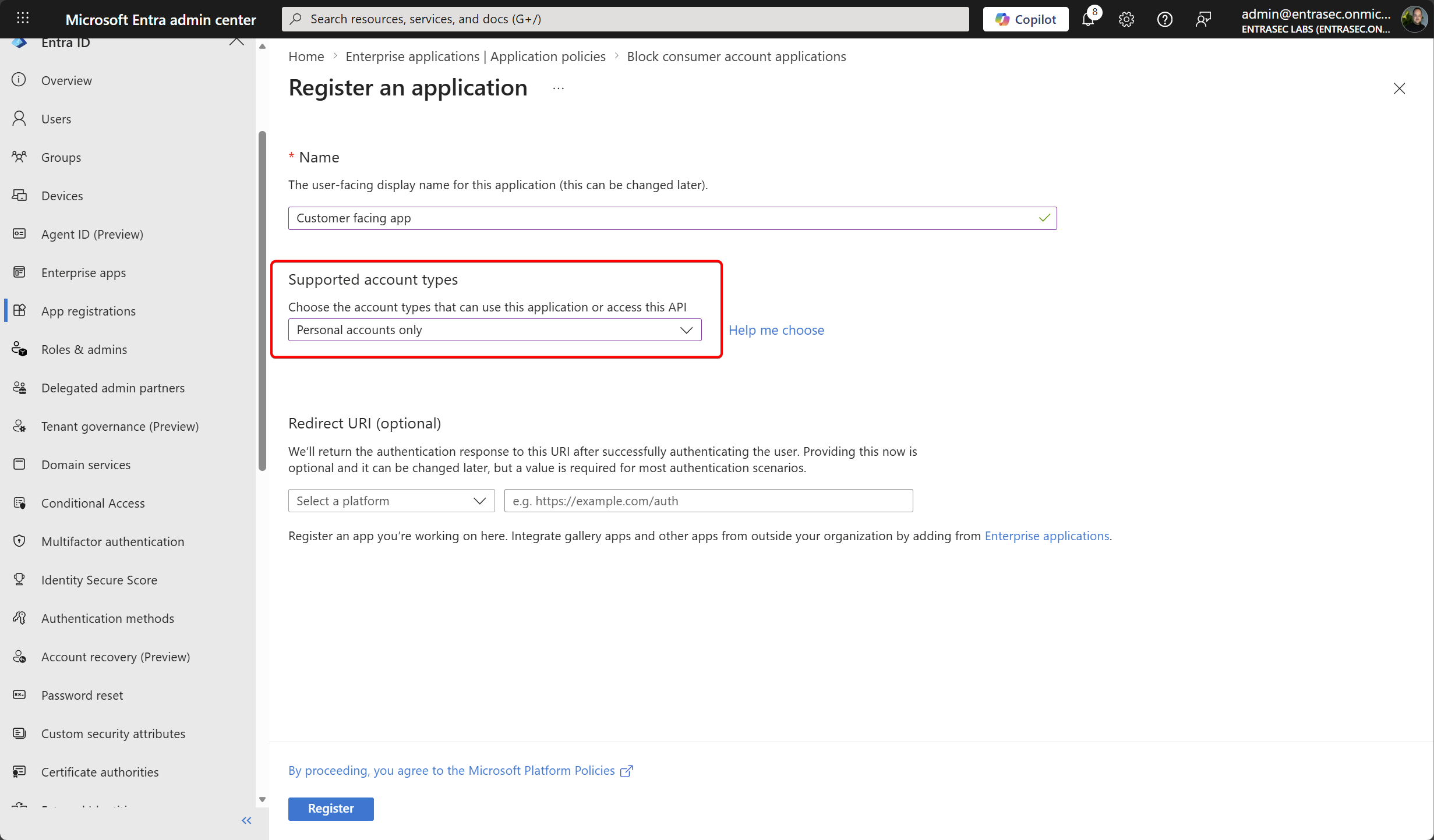
The second setting can be used to restrict applications that use Microsoft personal accounts.
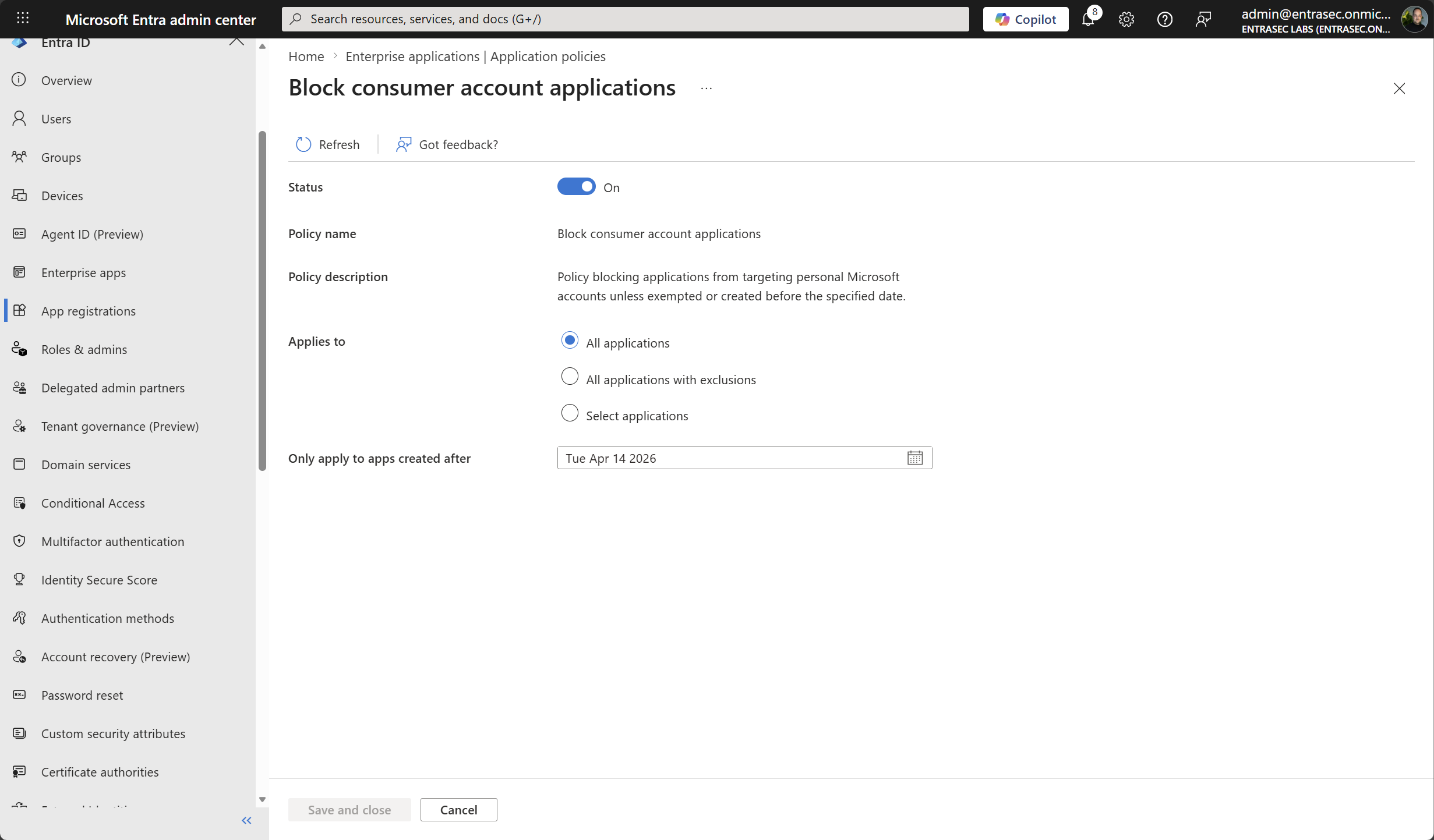
Enabling that setting will prevent the creation of apps that use “personal accounts only” as the supported account type.
If you want to limit the creation of these types of apps to specific actors, you can create exceptions for users or automation / service accounts.
Exclusions are based on security attributes automatically created by the policy engine.
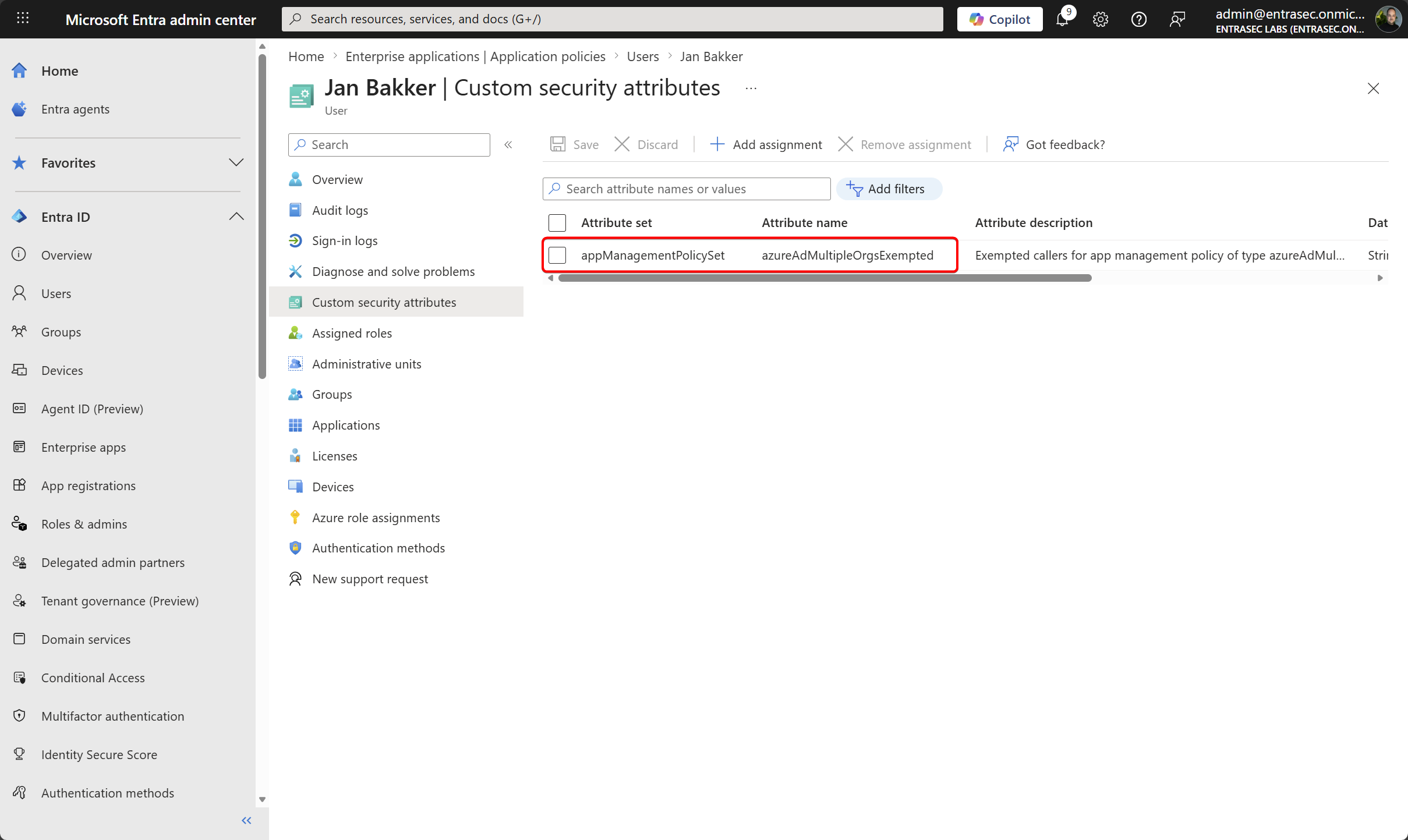
If you have trouble with that setting, please refer to this post. In the early days, these attributes were created as booleans rather than strings and did not work. That seems to be fixed now, but if you have previously added your own attributes, you can run into issues.
Experience#
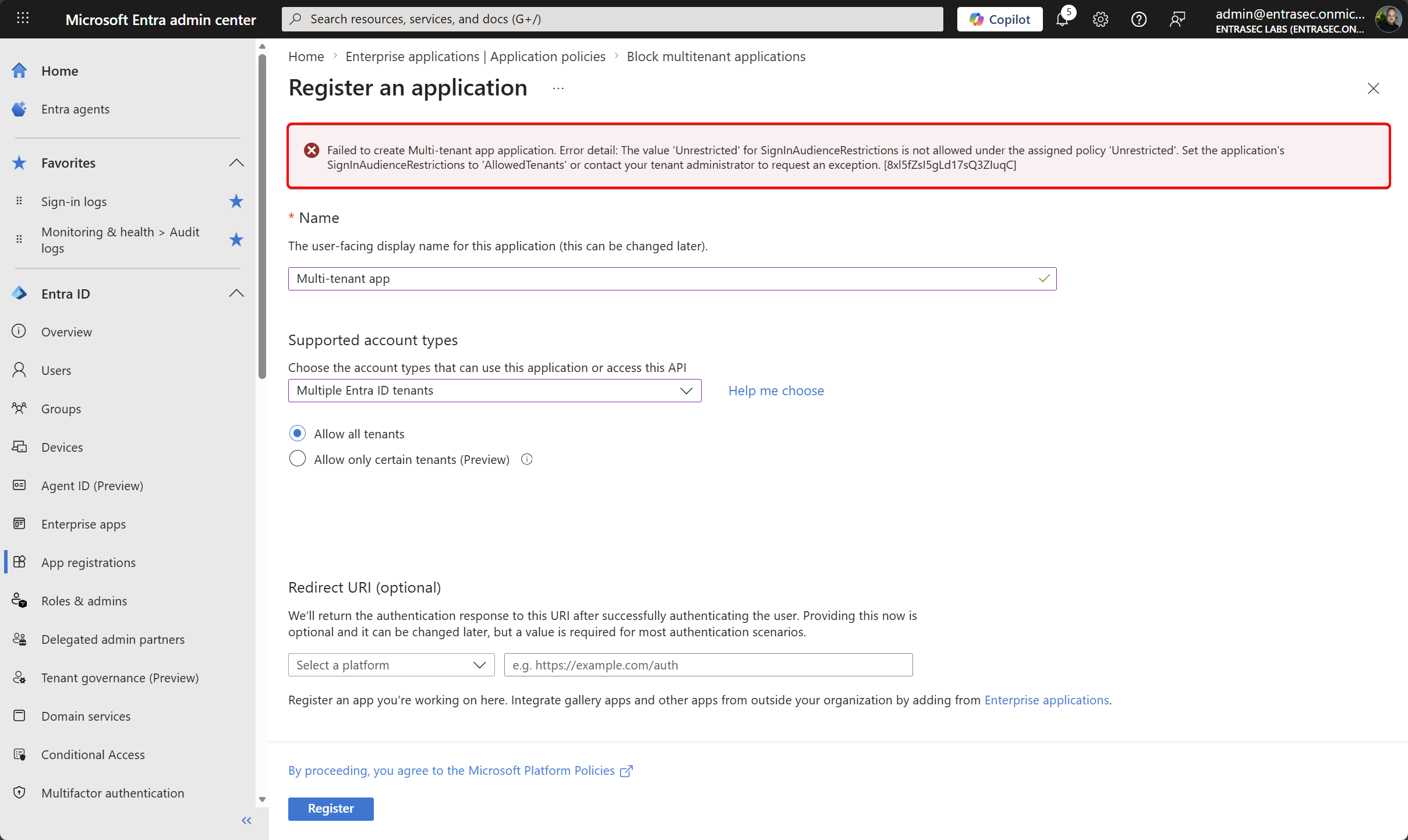
In this demo, I try to create a multi-tenant app that is allowed by all tenants.
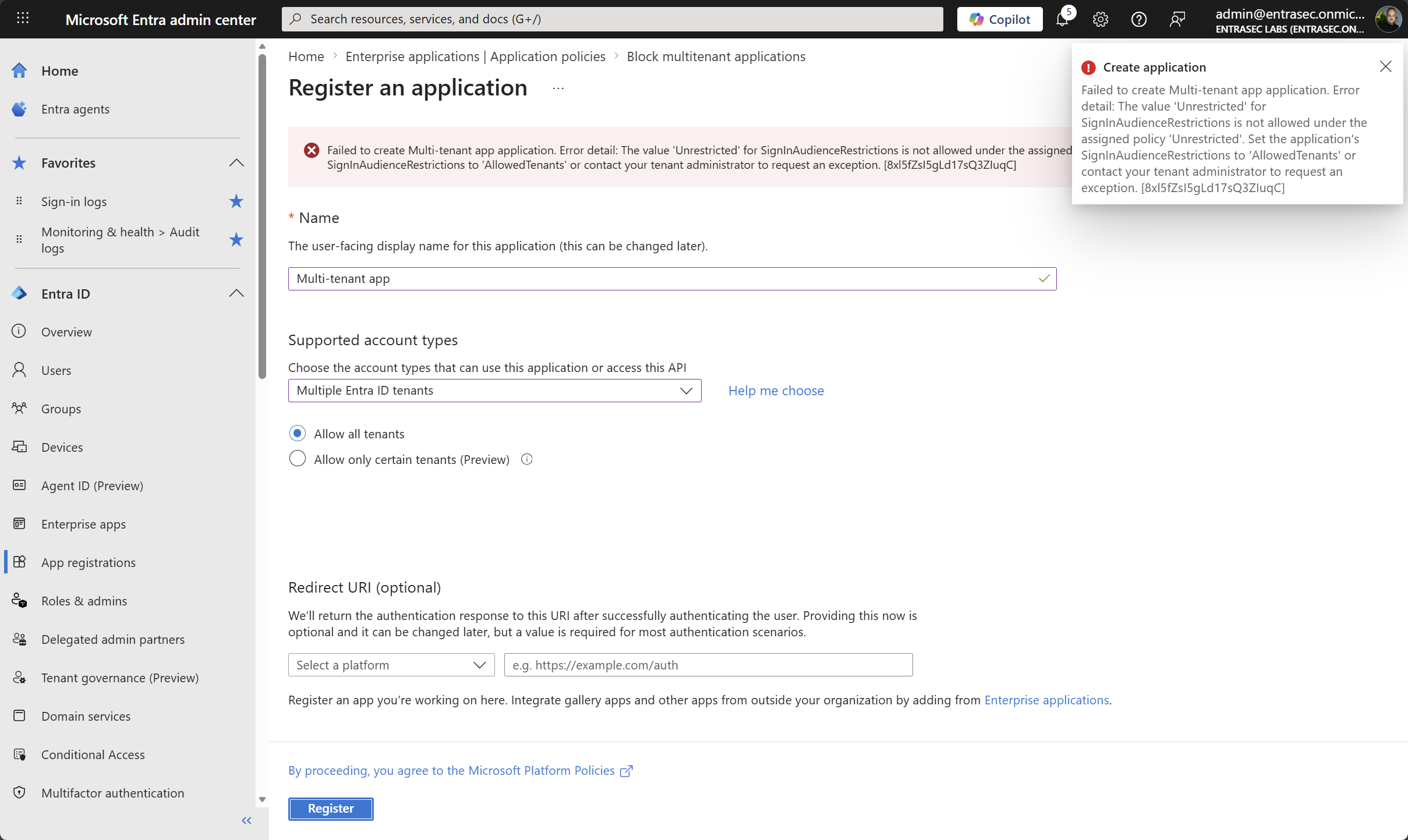
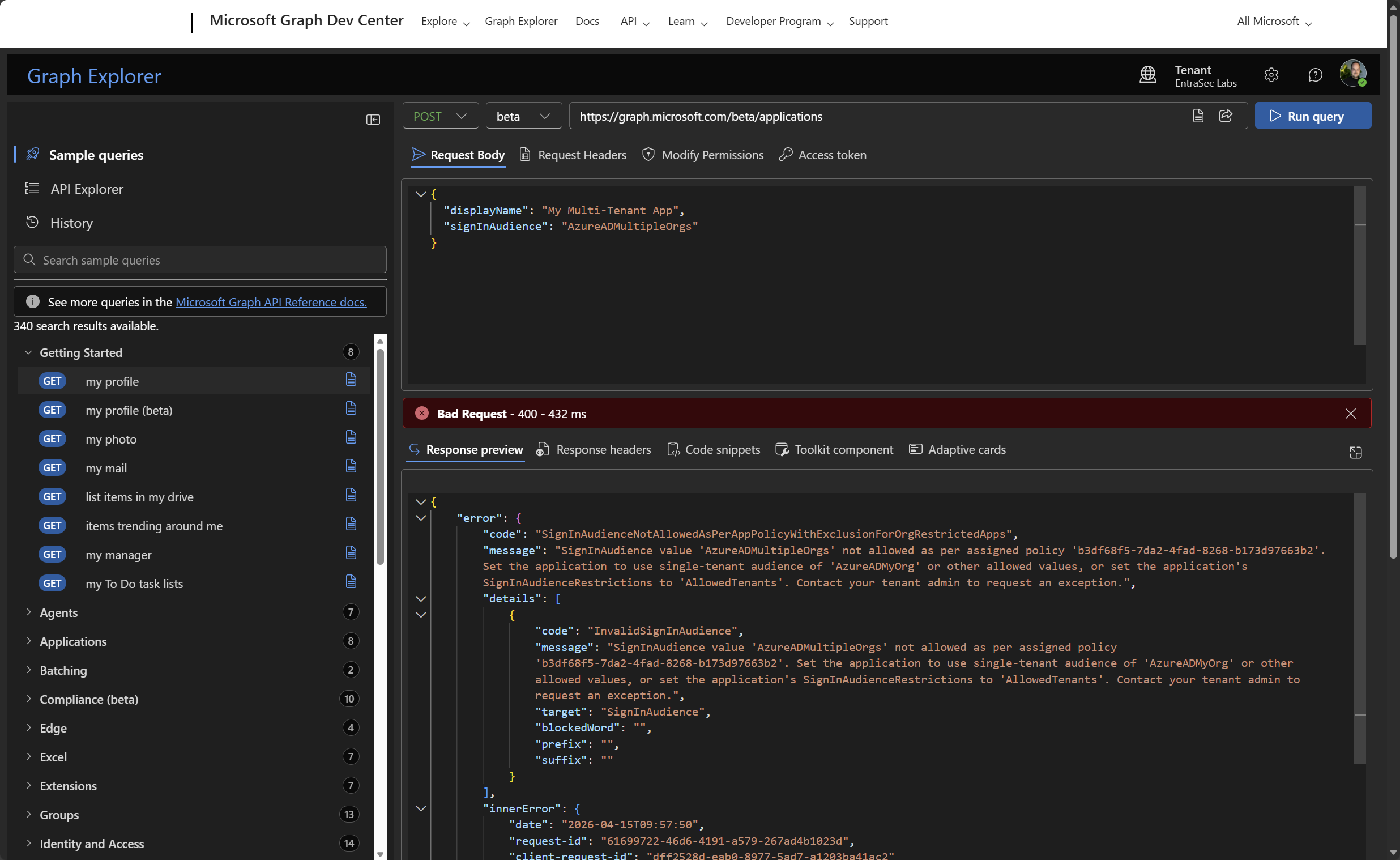
Using Graph Explorer:
That’s it for today!
Stay safe.
Comments
Comments load when you scroll here.