
A new workaround for authentication strength Conditional Access policy loops: Microsoft Authenticator Credential Registration service principal
Microsoft has added a new workaround for a specific Conditional Access loop that can stop users from registering a passkey in Microsoft Authenticator.
The loop can happen when a policy targets All resources and requires users to authenticate with a passkey in Authenticator. The policy then requires a passkey when a user is trying to add that same passkey. They can’t satisfy the requirement until registration is complete, which causes a loop or lockout.
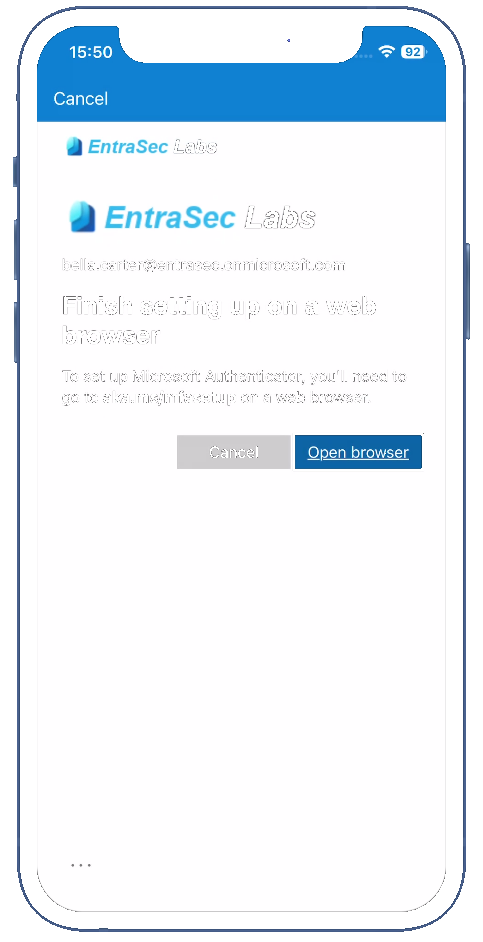
One of the most common issues is the following screen, which users see when they try to register a passkey in the Microsoft Authenticator app using a Temporary Access Pass or existing MFA methods: Finish setting up on a web browser.
Exclude the Credential Registration resource#
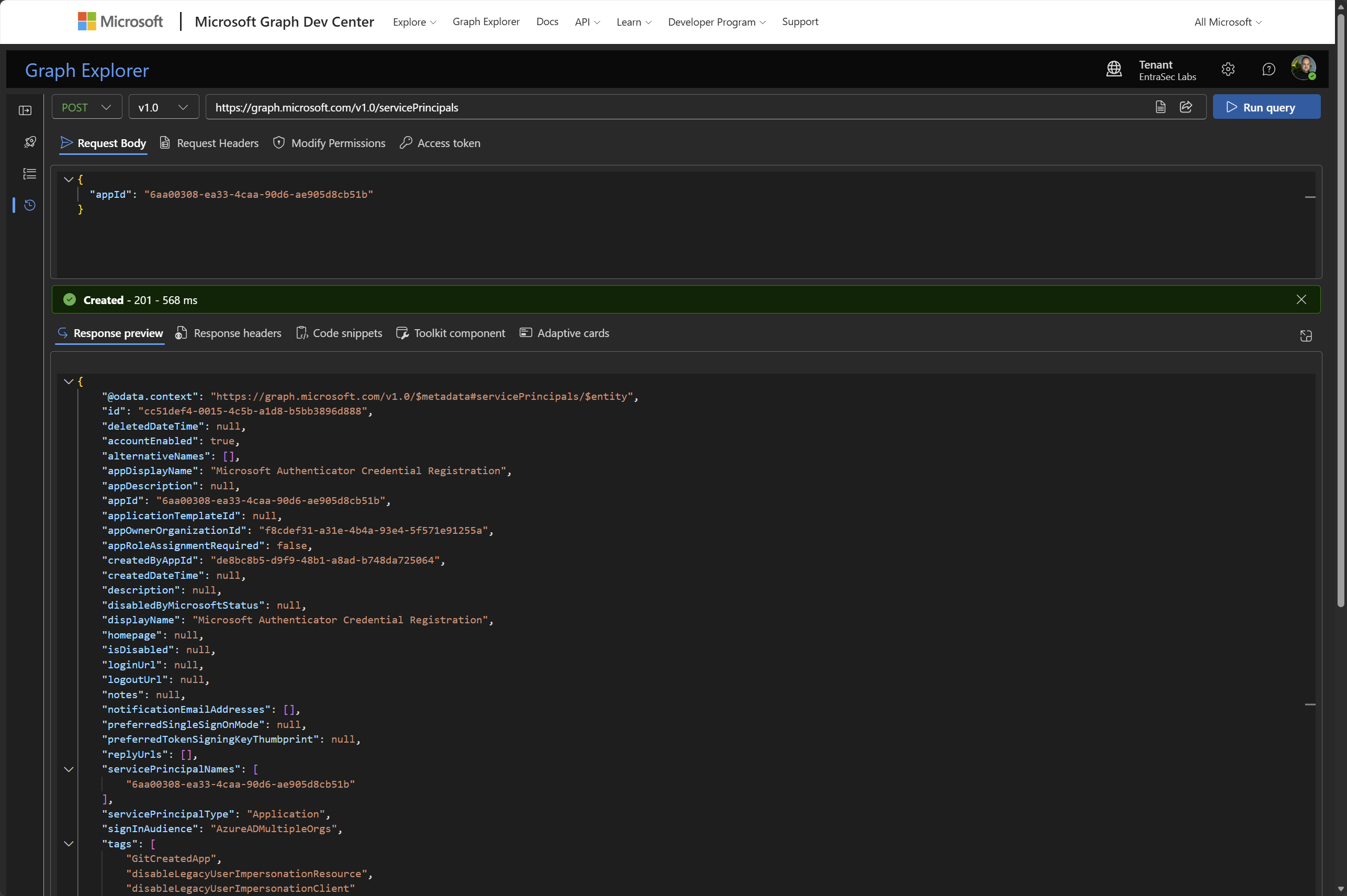
The workaround is to exclude the Microsoft Authenticator Credential Registration resource from the affected Conditional Access policy. Microsoft says this resource will be available in November 2026. Before it can be excluded, its enterprise application must be provisioned in your tenant. The app ID is 6aa00308-ea33-4caa-90d6-ae905d8cb51b.
The easiest way is to use Graph Explorer. You need to be signed in as a Cloud Application Administrator or Application Administrator.
Send this request:
POST https://graph.microsoft.com/v1.0/servicePrincipals
Content-Type: application/json

{
	"appId": "6aa00308-ea33-4caa-90d6-ae905d8cb51b"
}
After provisioning, Microsoft Authenticator Credential Registration appears as a resource in Conditional Access. Exclude it from the applicable policies scoped to All resources to let users register their passkeys in Authenticator.
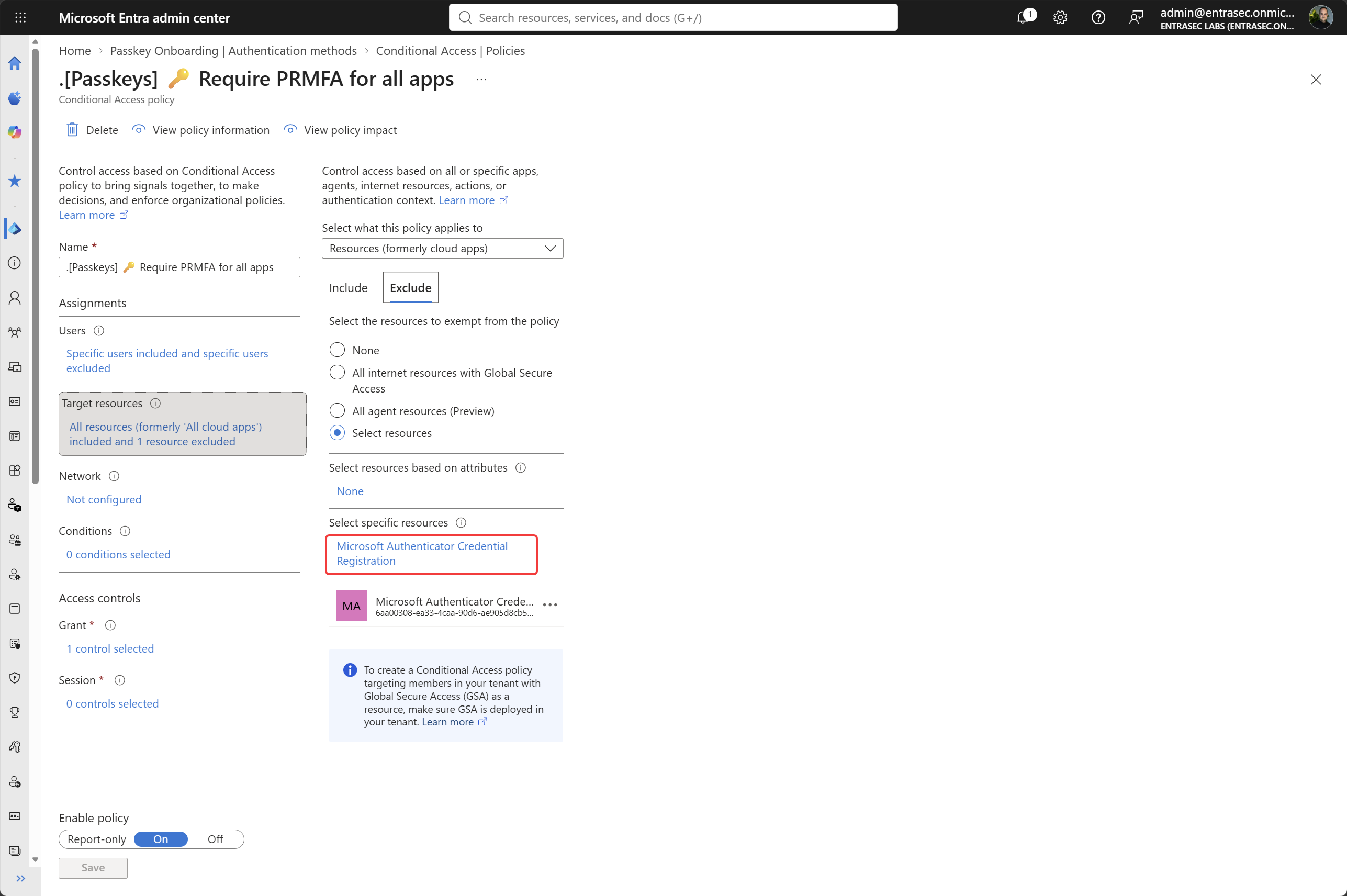
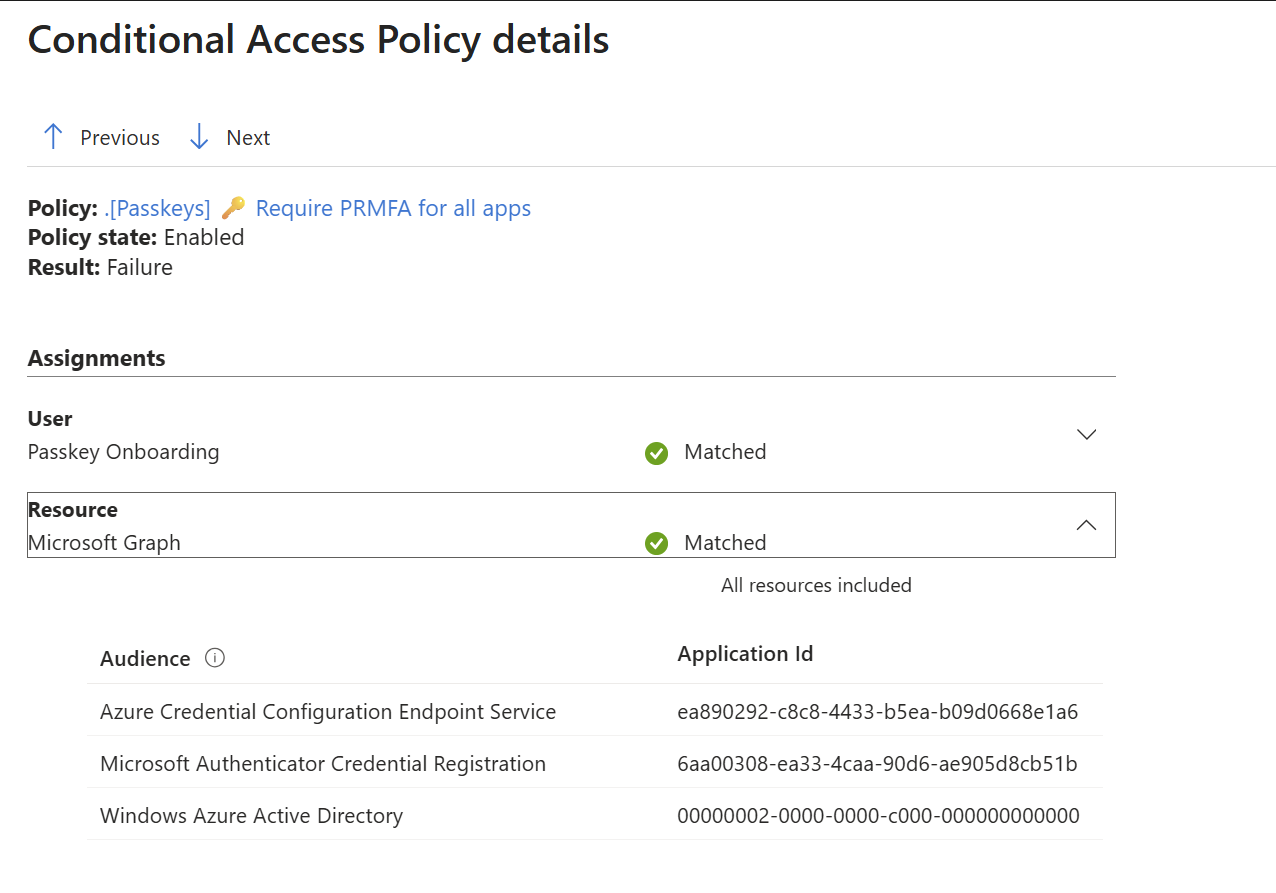
Up until this point, the trick was to exclude the Azure Credential Configuration Endpoint Service application. You can still see it reported in the logs:
 For the full context and other workarounds, see Microsoft’s
guidance for enabling and supporting passkeys in Authenticator.
For the full context and other workarounds, see Microsoft’s
guidance for enabling and supporting passkeys in Authenticator.
Comments
Comments load when you scroll here.